








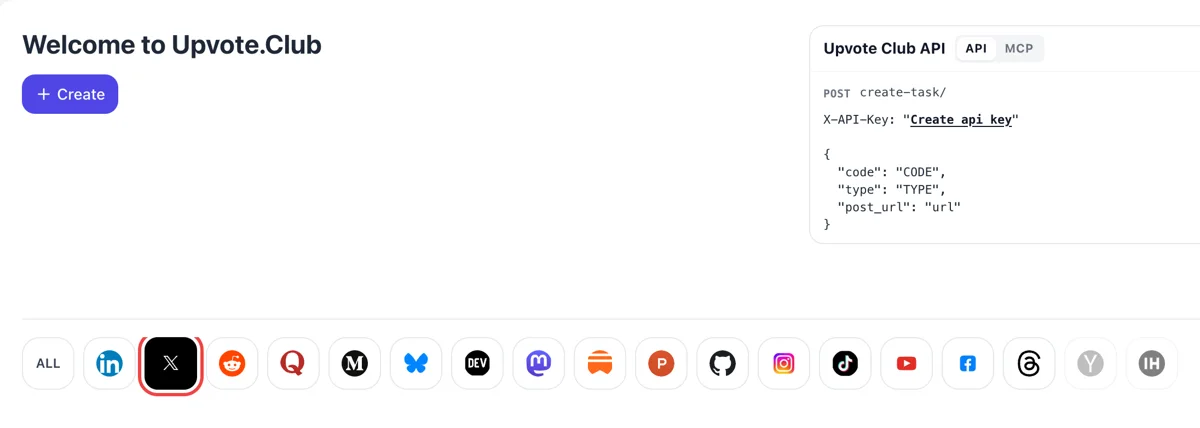
Enter with Google and pick X
The Welcome to Upvote.Club screen is the place to begin. Sign in with a Google account, hit Create and click the X mark in the row of logos, which lights up once chosen.
Hand over the public address of an X post or profile, choose the response, and the community reacts.
Working with any agent




POSTcreate-task/
{
  "social_network_code": "TWITTER",
  "type": "LIKE",
  "post_url": "https://twitter.com/username/status/123456789",
  "actions_required": 10
}
Trusted by 88,000+ community members
We are a community of people who help each other grow their personal brand on social media. How It Works Our top priority is a zero-bot policy. We are maintaining a clean and safe community with real people. A variety of GEOs and interests are available inside our community.
Every response on this page is built around X behavior: the heart, the reply box, the Follow button and the bookmark ribbon. What you request matches what a reader would do under a post anyway.
The service takes one input: a public address. Your X account details never enter the picture, and the service itself uses Google or Apple for login.
Writing advice lives on the blog: guides on hooks, threads and posting habits for X, written by people who publish on these networks every week.
A post with zero likes reads as unwanted, and strangers scroll past it. A handful of early likes changes that first impression. The next person who lands on the post sees something already happening and is more willing to add a heart of their own.
On X, a conversation under a post tells the timeline that people care about it. Replies from community members give your post a visible thread, which invites the people who follow you to join in and not just read and leave. A thread under a post is also easier to screenshot, quote and share.
A handle with a sharp bio, a pinned post and a modest crowd of followers looks established to anyone who lands on it. Follows from the community give a newer account that baseline, so the people who find you through search or a reply see an account worth following.
Threads, checklists and how-to posts get bookmarked when readers plan to return. The bookmark total sits next to replies, reposts and likes, so a post with saves reads as a reference and not as a passing thought. Readers who see that number are more likely to read to the end.
The same sign-in covers your other profiles. If you run X next to Facebook, LinkedIn or Reddit, you manage the requests for each from one place and keep one login for all of them. Each network keeps its own advice and its own pages.
Responses are no replacement for a good post. They give a good post a fair start, which matters on a timeline that moves quickly. Write something specific, add the link here, and the early activity helps it reach people beyond your current followers.
The Welcome to Upvote.Club screen is the place to begin. Sign in with a Google account, hit Create and click the X mark in the row of logos, which lights up once chosen.
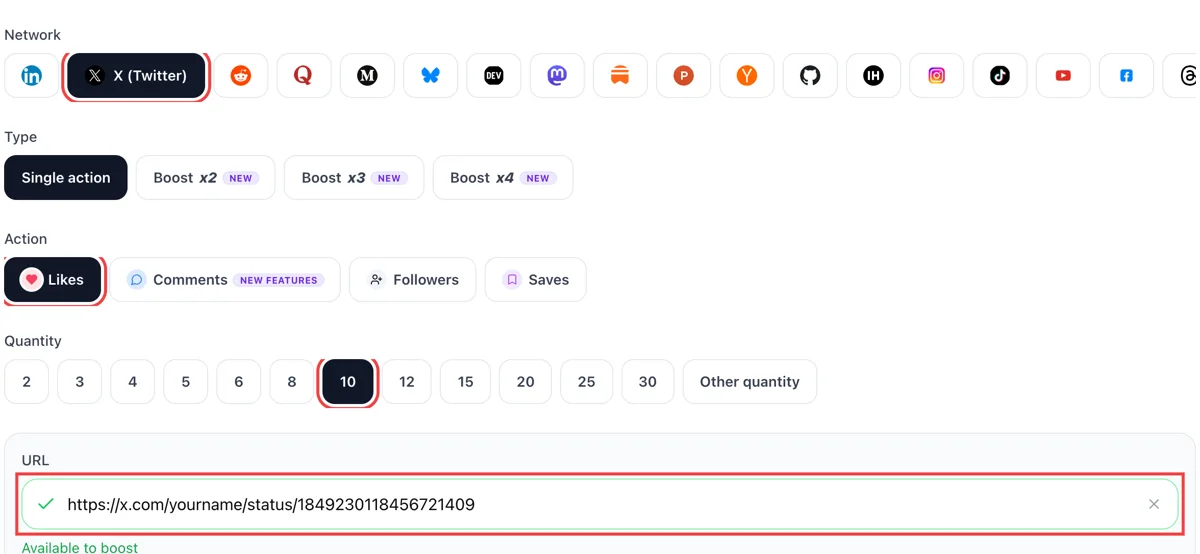
Choose between hearts, replies, follows and bookmarks, then paste a public post address or your profile address. A green tick appears next to a link that works. Finish by selecting the quantity.
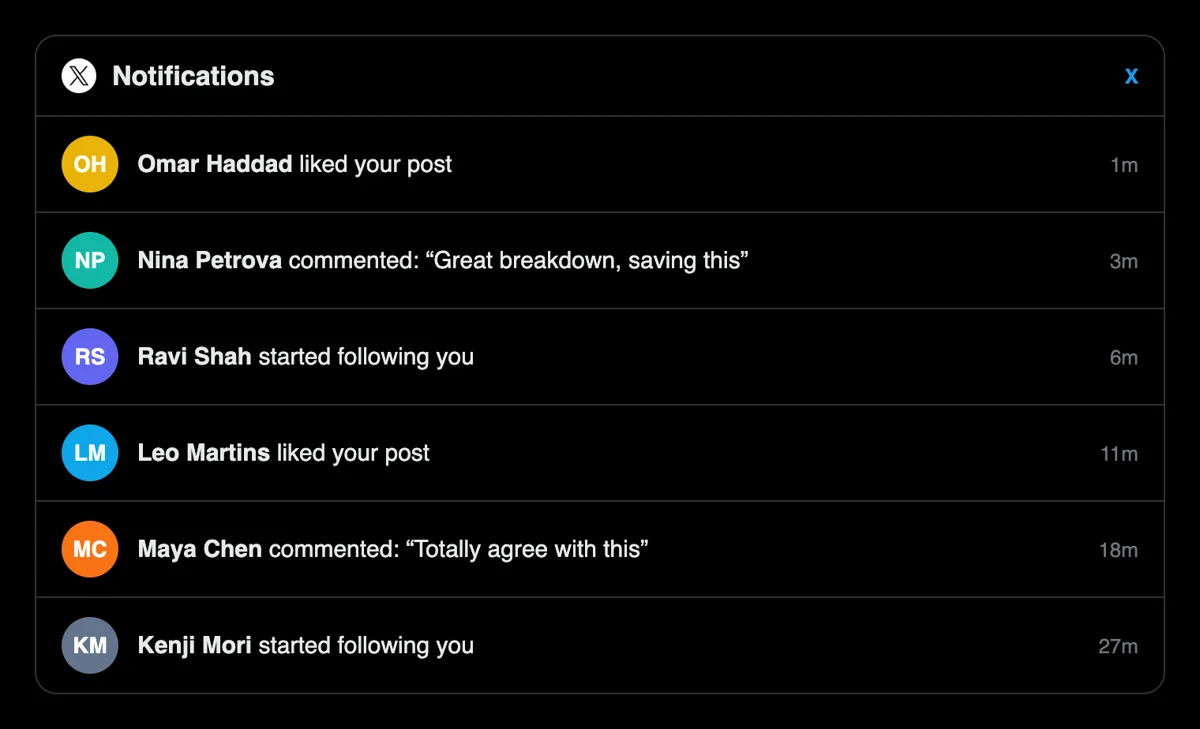
Open Notifications on X. Short lines such as liked your post, replied to you or followed you start to stack up, each marked a few minutes ago and each attached to an everyday profile.
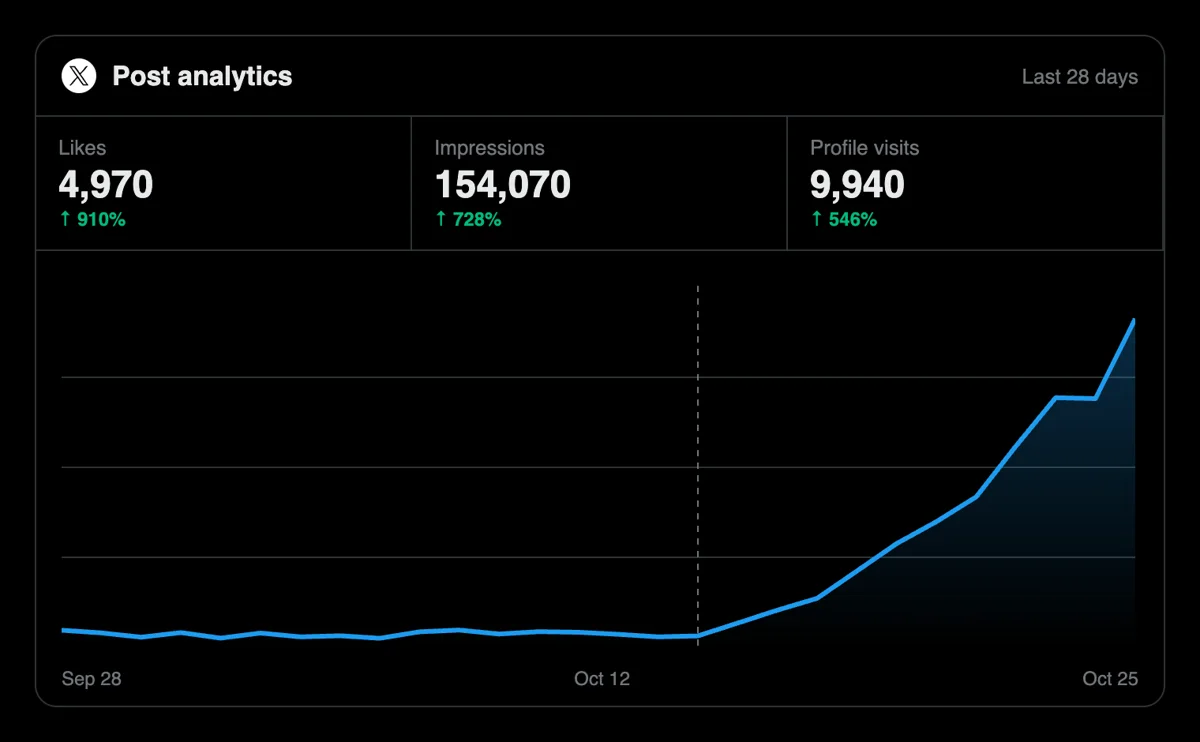
Come back to the tweet and read the heart, reply, repost and bookmark numbers. Impressions and profile visits in X analytics rise next, and your follower tally ticks upward after a profile request.
Frequent posters can fire requests from their own scripts or from an AI assistant over the MCP connectors. The X endpoints and fields are documented on the API page. Send X requests from your own scripts
Get 5 free X (Twitter) likes, comments, followers, or saves every 24 hours. Upgrade only when you need more.
Free
Forever
What's included
$59/ year
Billed annually
What's included
$0/ first 3 days
After $49 / month
What's included
Unlimited tasks per day. Unlimited connections to social media accounts. Pin your post at the top.
Promote posts to verified users. API access. Unlimited engagement actions per day.
Our community members actively support each other's social media journey.
Join 88,000+ creators, brands, founders, and marketers already growing their audience
Blog
Guides and tips on growing social media with real community engagement.

Imagine you're standing backstage at the biggest concert of your life. The lights are dim. You can hear the crowd murmuring. The first chord hits and only those with rhythm, presence, and reputation w...

Discover the 10 best Twitter marketing tools of 2025. Compare features, pricing, and real results. From AI content to analytics. Save 15+ hours weekly

The Dirty Fantasy of Twitter Fame Everybody circles the same fire: how to get famous on Twitter? They don't ask it out loud, but the hunger is visible in every indie hacker drafting threads or solo cr...
FAQ
They do, with a catch: the post has to earn the attention that the hearts begin. Early likes lift a new X post out of the empty-room look and feed the For You ranking, which weighs predicted likes, replies, reposts and follows. Upvote.club does this part properly. Write something with an opinion first, then add the response.
A visible base. Hearts make posts look wanted, replies open threads, follows fill out a thin profile and bookmarks mark posts as reference. Used through Upvote.club, all of that lands on your posts and handle directly, so you can read the result in the counts under each post and in your analytics.
Posts that say something specific tend to get replies: a result with a number, a clear opinion, a short thread with a useful list, a question your audience can answer from experience. Vague motivation posts rarely do. Good content grows an account more than any other single habit, and the response you collect here simply gives it a fair start.
The like count is public, and the author still sees likes in notifications. Since mid-2024 X keeps each person's own list of liked posts private, so the Likes tab on a profile is only visible to its owner. That means the number under your post is the part visitors judge, which is why early likes matter.
The available responses are likes, replies, follows and bookmarks. Reposts and views are not offered on their own, and they tend to follow when a post earns likes and replies, because the timeline shows posts that people interact with to more people. Focus on making the post easy to react to.
Nothing is expected from you. The community has no tally of who owes whom, and your timeline stays yours. If you spot a post you enjoy, like it because you want to. Treat any reciprocity as your own choice, never as part of the deal.
Yes. X keeps protected posts visible to approved followers only and out of search engines, so strangers cannot open the address. Check the lock icon on your profile settings. If the account is protected, switch it to public for the posts you want people to answer.
Say who the account is for in the bio, pin your strongest post and keep the header image clean. Visitors decide in a few seconds. If the bio promises a topic and the first three posts deliver it, a follow is the natural next step. Fix the profile before you ask for follows.
You can. A public API and MCP connectors exist for scripts and AI assistants, which suits anyone who publishes on X several times a week and wants response requests to sit in the same workflow as the drafts. The step list above links to the X section of the API page.
Starting is free. You need a login and the address of a public post or profile, and nothing gets installed. Paid plans are available if your volume grows, though the quickest way to judge the service is to run one post and watch what happens under it.
Yes, the single login reaches every supported network, so X sits beside Facebook, LinkedIn, Reddit and the rest. Each network has pages written around its own habits. The X pages here talk about posts, replies and bookmarks, while the others use their own vocabulary.
Give a post a few days. X posts get most of their activity early, but replies and bookmarks keep arriving as people find the post through search, quotes and profile visits. Check the counts, open X analytics if you have access, and compare with your previous posts before you decide whether the topic or the format needs to change.
Format shapes the response. A short thread invites bookmarks, a photo with one line of context draws hearts, a direct question draws replies, and a clear profile pitch earns follows. Decide which response you want before you write, then pick the format that makes that response easiest for a reader. The matching page on each action goes deeper.
With an X Premium subscription you can edit an original post or a quote for one hour, up to five edits, from the device that sent it. The edit window closes if you reply to your own post, and a Last edited label shows the history. Deleting is the wrong fix, because it removes every heart and reply with it. Read the text twice before you publish, then paste the finished post link into Upvote.club so the people who respond see the version you meant to share.
X's post activity dashboard lists impressions, interactions, likes, reposts, replies and profile clicks for each post. Impressions show how far the post travelled. Profile clicks show how many viewers wanted to know who wrote it, which is the number that usually turns into follows. Compare two or three posts side by side instead of staring at one. When hearts and replies from Upvote.club push a post further, these columns are where you see whether the extra reach also produced curiosity about your handle.