









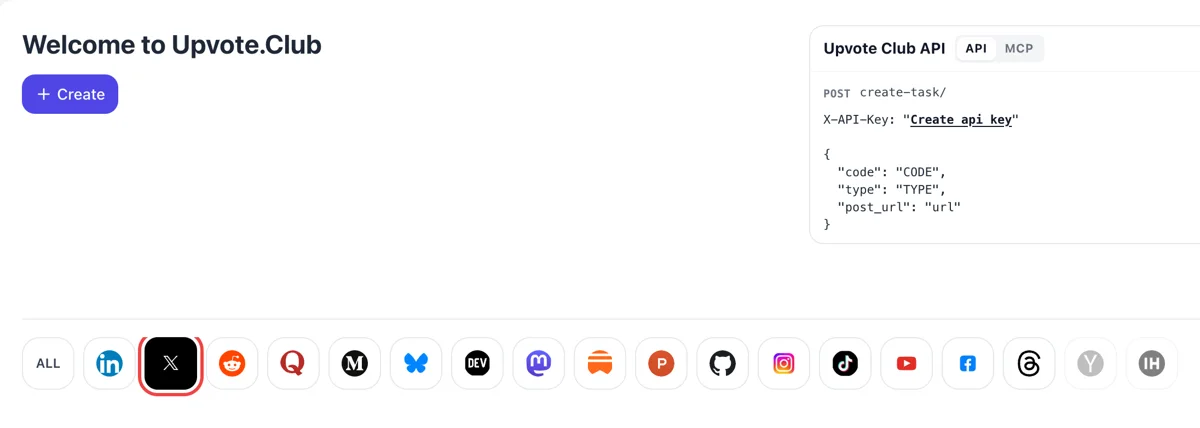
Start with Google and select X
Open Upvote.Club, log in with Google and press Create. The X emblem in the network row opens a form meant for tweets worth keeping.
Paste a public X post link and community members bookmark it from their own accounts, so the post reads as a reference.
Working with any agent




POSTcreate-task/
{
  "social_network_code": "TWITTER",
  "type": "LIKE",
  "post_url": "https://twitter.com/username/status/123456789",
  "actions_required": 10
}
Trusted by 88,000+ community members
We are a community of people who help each other grow their personal brand on social media. How It Works Our top priority is a zero-bot policy. We are maintaining a clean and safe community with real people. A variety of GEOs and interests are available inside our community.
A person with a personal X profile adds the post to their Bookmarks, the same step a reader takes on finding something worth keeping.
X shows the bookmark total and never the names, so a save does not announce itself. That keeps the number believable and your notifications clean.
The blog lists post formats that earn bookmarks on X, from step-by-step threads to resource lists, so the posts you put in front of readers are built to be kept.
A like says a reader enjoyed a post. A bookmark says the reader plans to return to it. That is a stronger statement, and it fits posts that teach something: threads, checklists, tool lists and short guides.
X publishes the bookmark total next to replies, reposts and likes, and anyone can read it. The list of who saved a post stays private. A post with a visible saves figure looks like a reference, which draws readers who skim before they read.
Bookmarks are private to the person who made them. Nobody is pinged when they save, so a bookmark carries no social obligation. Readers who would not reply or repost in public will still save a useful post.
Long threads and detailed posts rarely get a quick heart. They get saved. If your account publishes teaching content, bookmarks give you a way to see which of those posts did the job.
A saved post is read again weeks later, often by someone who then shares it. Bookmarks suit posts about topics that do not expire, such as a workflow, a template or a list of resources.
Bookmarks appear in X's own metrics, so you can compare them across posts. Comparing saves with likes and replies tells you which posts were enjoyed, which were discussed and which were kept. Over a month that comparison becomes a map of what your audience values.
Open Upvote.Club, log in with Google and press Create. The X emblem in the network row opens a form meant for tweets worth keeping.
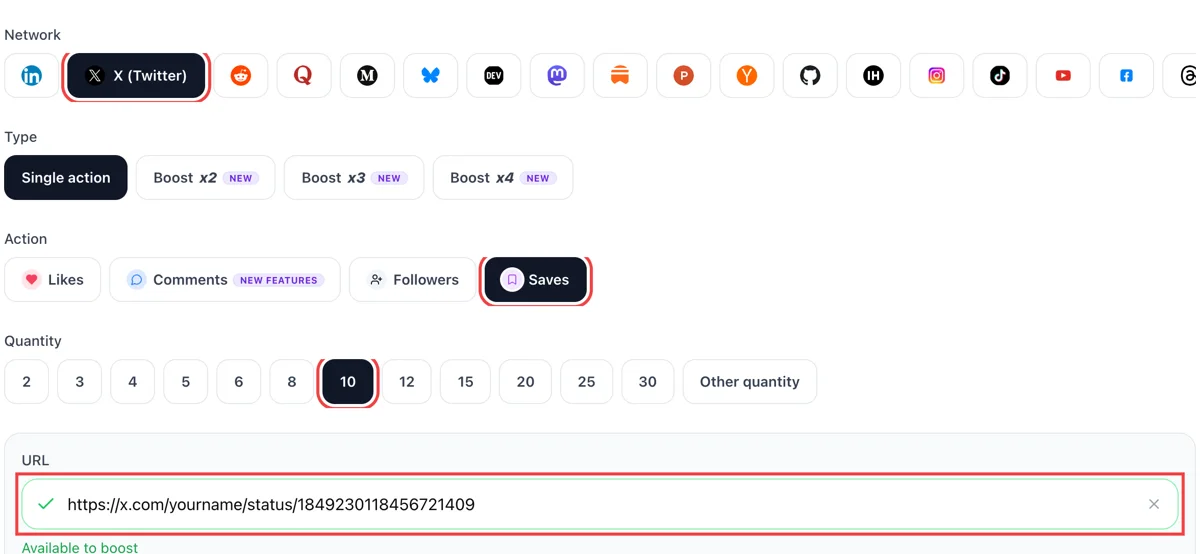
Select saves in the action list, paste the public link of the tweet you want kept and wait for the little tick. Then enter how many bookmarks you would like.
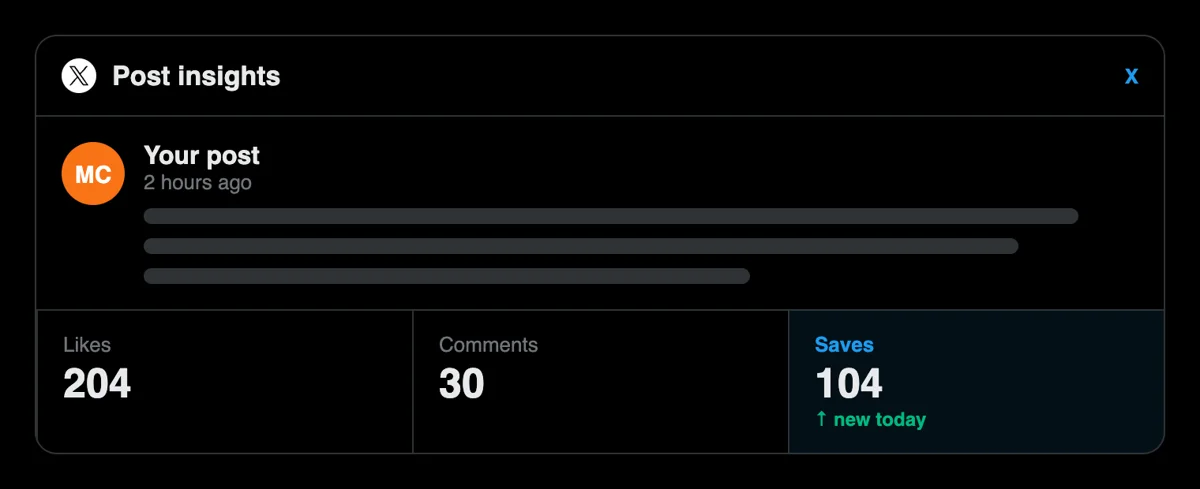
Bookmarks are private, so Notifications on X rarely mention them. Open the post analytics page, where the bookmark total sits beside likes and replies from the same afternoon.
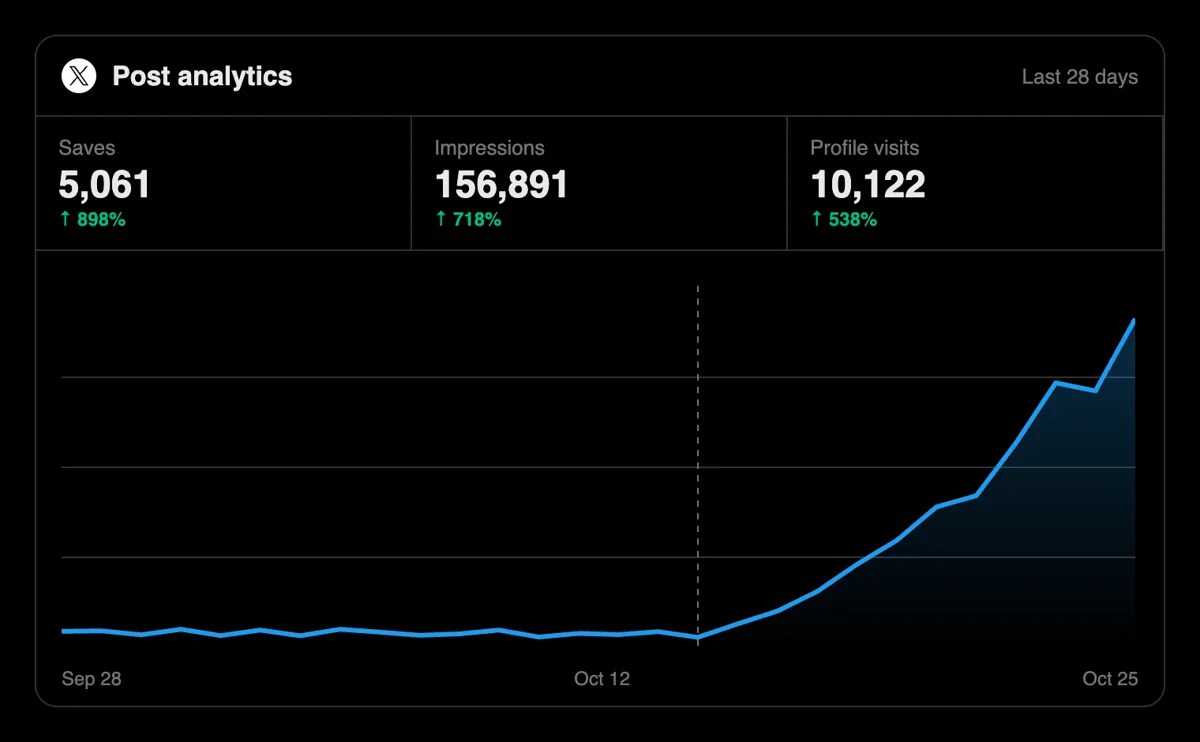
Follow the bookmarks figure on the analytics screen as it grows, then set the impressions of this post against your others. Kept posts tend to resurface for people who read similar topics.
Anyone who publishes in volume can request saves from a script or AI assistant over the MCP connectors. X parameters are listed in the docs, which also show how to queue several tweets together. Open the X bookmark call in the API docs
Get 5 free X (Twitter) saves every 24 hours. Upgrade only when you need more.
Free
Forever
What's included
$59/ year
Billed annually
What's included
$0/ first 3 days
After $49 / month
What's included
Unlimited tasks per day. Unlimited connections to social media accounts. Pin your post at the top.
Promote posts to verified users. API access. Unlimited engagement actions per day.
Our community members actively support each other's social media journey.
Join 88,000+ creators, brands, founders, and marketers already growing their audience
Neat!
May 12, 2024
saves on X signal the algo that your content is worth keeping 👌
Jul 7, 2024
used this for my best-performing thread, reach extended way longer
Nov 24, 2024
real saves from real accounts, clean delivery ✅
Jan 7, 2024
didn't realize saves mattered this much on X until I tried this
Oct 7, 2024
solid for boosting your most important tweets 🙌
May 5, 2025
Blog
Guides and tips on growing social media with real community engagement.

Imagine you're standing backstage at the biggest concert of your life. The lights are dim. You can hear the crowd murmuring. The first chord hits and only those with rhythm, presence, and reputation w...

Discover the 10 best Twitter marketing tools of 2025. Compare features, pricing, and real results. From AI content to analytics. Save 15+ hours weekly

The Dirty Fantasy of Twitter Fame Everybody circles the same fire: how to get famous on Twitter? They don't ask it out loud, but the hunger is visible in every indie hacker drafting threads or solo cr...
FAQ
For the right kind of post, yes. Bookmarks make a thread or a guide look like something readers keep, and the total sits beside the other counts. Upvote.club is built to place them well. Pair it with a post that is truly useful and the signal matches the content.
Credibility for teaching content. A high bookmark total makes a post look like a reference, which attracts readers who value substance, and those readers follow accounts that keep delivering it. Through Upvote.club the saves come from the community and land on the posts you care about most.
No. X shows only the total number of bookmarks, never the accounts behind it, and the list of saved posts is visible only to its owner. Anyone can read the total under a post. That privacy is why readers bookmark posts they would never like in public.
X documents no notification for a bookmark. You see the number rise on the post itself and, with X analytics, in your metrics. Likes and replies appear in notifications, so bookmarks are the quiet counterpart that you check on the post page.
Posts that people want to use again: a how-to thread, a list of tools, a template, a short explanation of a hard topic. Hot takes and daily commentary seldom get saved. Look at your own bookmarks and notice what you keep, then write posts of that kind. The pattern is usually a clear promise in the first line and a list a reader can follow.
A like is public appreciation and notifies the author. A bookmark is a private reminder to return. Use likes to make a post look appreciated and saves to make it look useful. Teaching posts benefit from both, and entertainment posts mostly need likes.
No. A repost sends your post to the reposter's followers, and a bookmark stays with the person who saved it. Reposts are not offered as a separate response here. They tend to follow useful posts on their own, because readers share what they have kept.
Yes. Any public post with an address works, including a thread from last year or a pinned post that has sat on your profile for months. Older threads that still get found through search benefit from a visible bookmark total, so it is worth revisiting the posts that continue to bring in visitors.
No return save is expected. The people who bookmarked your post asked nothing of you. Use your own Bookmarks as a reading list, and save the accounts you learn from, since that same habit among your readers is what gives your own total meaning.
The post does. A protected account's posts can be opened only by its approved followers, so a bookmark from the wider community is impossible. Open the account, or choose a post from a public one, before you copy the address.
Yes. Anyone who publishes a reference thread every week can submit its address through the API or an MCP connector in an AI assistant, so each one opens with bookmarks already in place and the routine stays the same from one thread to the next.
You can begin without paying. Choose a login through Google or Apple, add the address of your post and pick saves. Paid plans exist if you outgrow the first requests, and one login covers every other network you use, so you can try the same idea on Facebook or LinkedIn later.
The total is shown with the other counts on the post, and X says anyone can see it. Third-party guides note that it currently appears in the iOS app. Open your post there to check it, and use X analytics to compare bookmarks with likes and replies across posts.
Promise a result in the first post, number the steps, keep each post short and end with a recap or a checklist that is easy to find again. Readers bookmark threads they can use later. A closing post that lists the main steps in one place often gets saved on its own.
Bookmark folders are part of X Premium. You create a folder from the Bookmarks page, then long press the bookmark icon on a post and choose Add to Folder. One post can sit in several folders, and every save still appears in All Bookmarks. Folders and bookmarks stay private to you. If you publish reference threads and collect saves through Upvote.club, a folder named after each topic is a quick way to study which of your own posts people keep. Without Premium, bookmarks still work as a single list with the newest first.
Pinning puts one post at the top of your profile, so it is the first thing a visitor sees. Choose the thread that explains your subject best, open the menu at the top of the post and select Pin to your profile. A pinned reference thread keeps gathering bookmarks long after the day you posted it. The public bookmark total under the post is a handy proof of usefulness, and saves from Upvote.club add to that count. Reply to the thread yourself with a short summary of the subject, so a person arriving late understands what is worth keeping.