







Apple ID, then LinkedIn
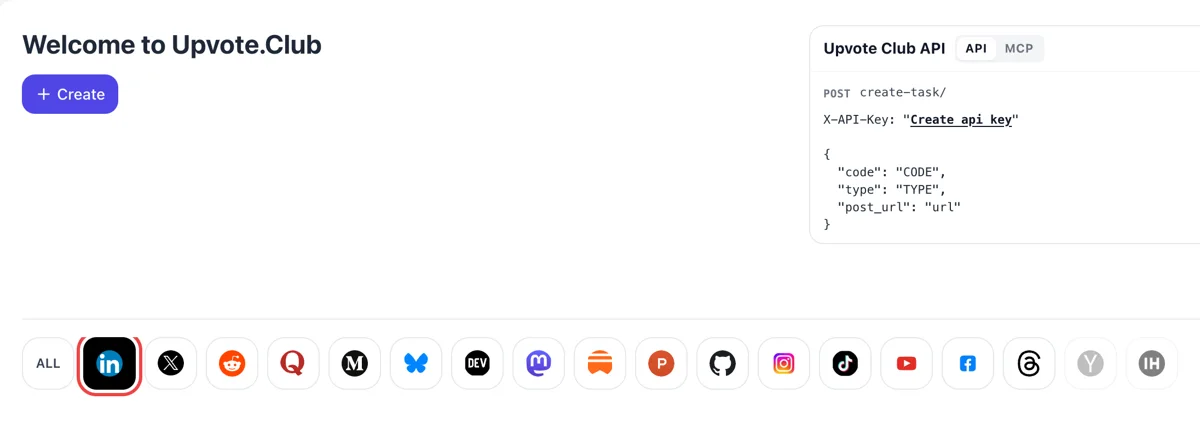
Sign in with your Apple ID, press Create on the Welcome to Upvote.Club page and click the LinkedIn logo among the networks to open the form. One login covers every network.
Paste the post link, choose saves, and people from the community bookmark it from their own accounts.
Working with any agent




POSTcreate-task/
{
  "social_network_code": "LINKEDIN",
  "type": "LIKE",
  "post_url": "https://www.linkedin.com/posts/username_post-title-activity-123456789",
  "actions_required": 10
}
Trusted by 88,000+ community members
We are a community of people who help each other grow their personal brand on social media. How It Works Our top priority is a zero-bot policy. We are maintaining a clean and safe community with real people. A variety of GEOs and interests are available inside our community.
A save only happens after someone has opened and looked through the post. The people responding behave like readers who found something worth keeping.
Nothing special is installed or clicked. The post goes into the saved list the same way as any other post that a colleague bookmarks from the top-corner menu.
Below are answers on which posts suit saves, how they fit with likes and comments and where saved posts end up. Longer guides live on the blog.
Someone who saves a post plans to come back to it. LinkedIn takes that as evidence that the material has lasting value, which is a different message from a quick reaction that is forgotten by lunchtime.
Checklists, templates, step lists, carousels and short guides are the posts readers file away. If your content is meant to be used, saves are the signal that matches it, and few other signals fit as well.
A person has to open the post and read it before deciding to keep it. That time on the post is another thing the feed measures, so a save usually arrives together with a slower, more attentive view.
A reader who spent time on the post, saved it, reacted and left a reply gives LinkedIn a full picture of interest. Each signal alone is modest, and the set of them is what lifts a post into more feeds.
Text posts, articles, videos, carousels and PDF documents can all be saved from the menu in the top corner of the post. You paste the link and the format does not change the request.
You can begin without paying. Nobody expects you to bookmark their posts in return, so the people who save yours are not another list of favors to keep track of.
Sign in with your Apple ID, press Create on the Welcome to Upvote.Club page and click the LinkedIn logo among the networks to open the form. One login covers every network.
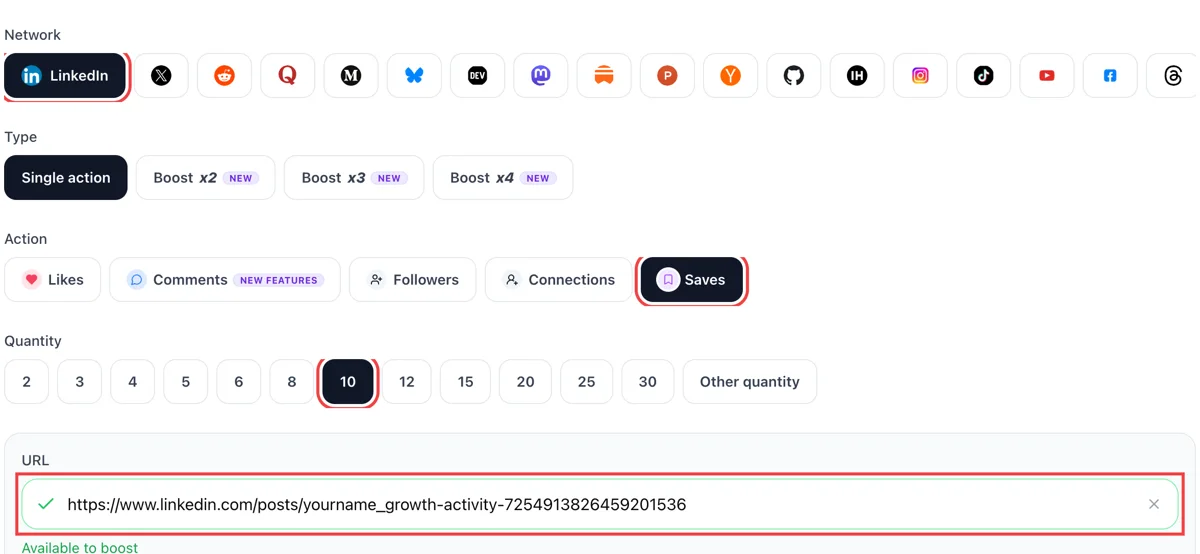
Pick saves in the action list, paste the public link of a post worth keeping and wait for the tick. Then set how many saves you want. Choose guides, checklists or templates, since those are what readers keep.
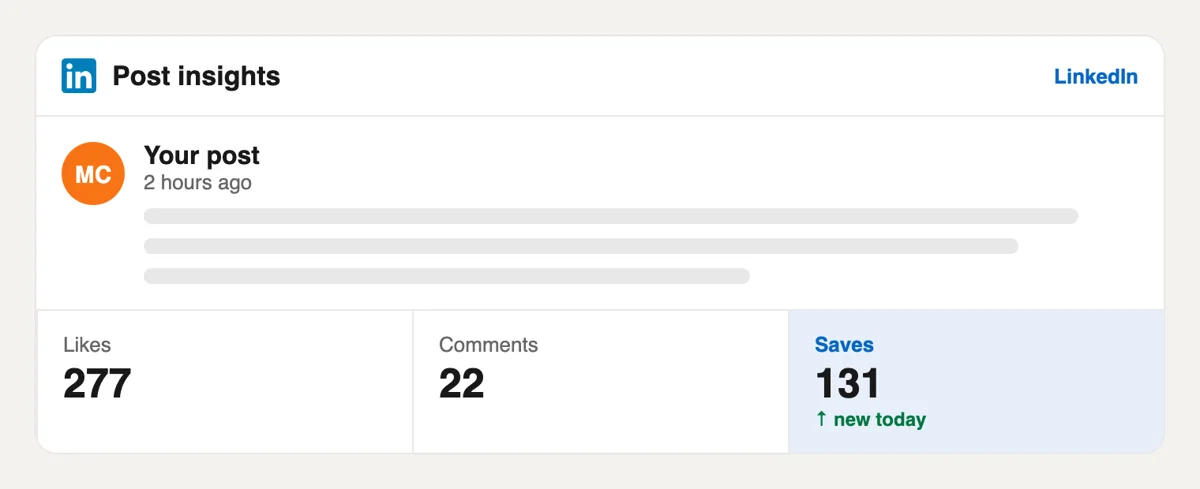
LinkedIn keeps saves private, so the bell rarely mentions them. Open the analytics of the post to read the saves figure beside reactions and comments from those hours. Keep an eye on it over a few days, because saves come in slowly.
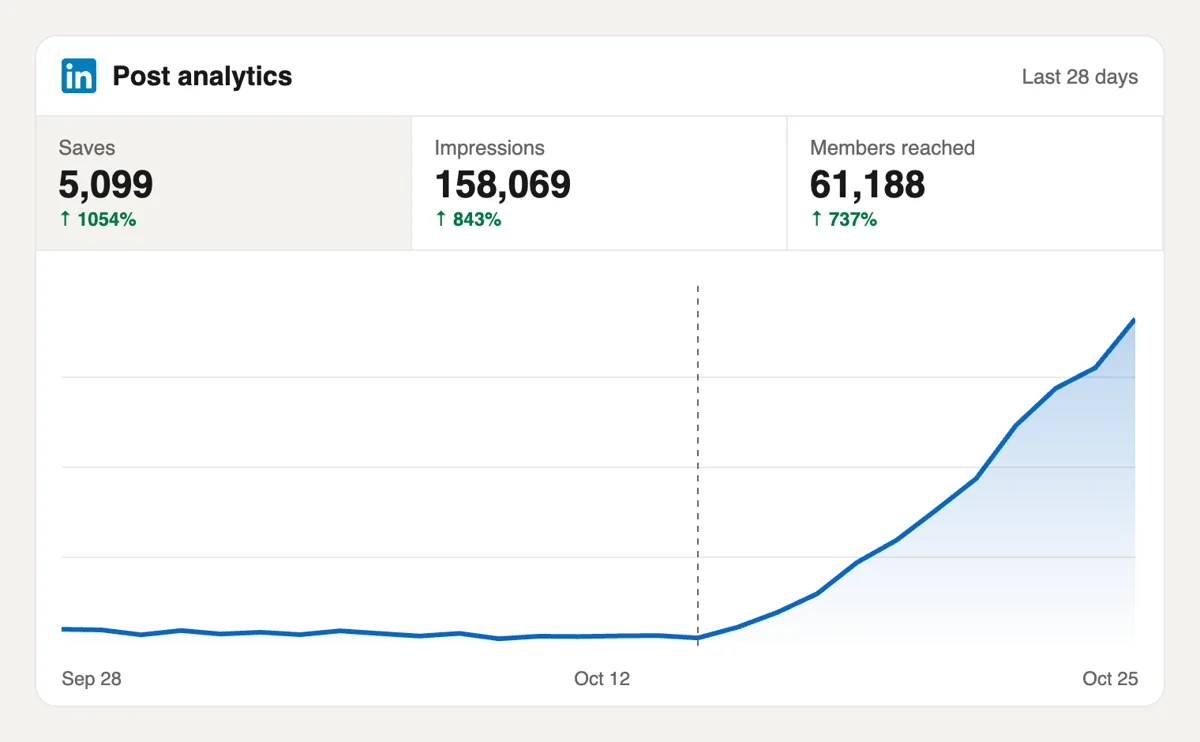
Follow the saves count as it rises and set impressions beside your other posts. Posts kept for later signal useful content, which LinkedIn can pass on to similar readers. Those readers return to the post later and may share it.
If you publish guides in volume, saves can be requested from a script or an AI assistant using the MCP connectors. Endpoints are in the docs, together with the link format for LinkedIn posts. See how the LinkedIn endpoints are called
Get 5 free LinkedIn saves every 24 hours. Upgrade only when you need more.
Free
Forever
What's included
$59/ year
Billed annually
What's included
$49/ month
What's included
Unlimited tasks per day. Unlimited connections to social media accounts. Pin your post at the top.
Promote posts to verified users. API access. Unlimited engagement actions per day.
Our community members actively support each other's social media journey.
Join 88,000+ creators, brands, founders, and marketers already growing their audience
exactly what my Linkedin content needed
Dec 20, 2025
аfter getting linkdein saves, more people saw my content, and then it just snowballed
Jan 27, 2026
Hi, I used additional LinkedIn saves in my educational posts. I wrote 4 articles and added saves to them, this helped my posts stay relevant longer
Jan 27, 2026
saves tell the LinkedIn algorithm your content is worth spreading
Oct 28, 2024
used this for my best performing post, visibility kept building for days
Oct 23, 2025
real saves, fast delivery, no complaints 🔖
Jul 29, 2024
LinkedIn saves are the most slept on engagement metric on the platform
Jan 20, 2024
Blog
Guides and tips on growing social media with real community engagement.

Learn how to calculate LinkedIn engagement rate by impressions, reach, or followers. See 2026 benchmarks: a good rate is typically 3%-5% by impressions, with format and audience size shifting the base...
A LinkedIn connection request is a 1st-degree invitation with an optional personal note. This 2026 guide covers how to send one on desktop and mobile, LinkedIn's note limits, pending invites, and what...
I've watched smart people spend an hour polishing a LinkedIn post, hit publish, and get almost nothing back. Then they assume the problem is their writing, their experience, or their market. Most of t...
A LinkedIn connection message is the optional note on a connection request. Use these 8 templates, know the 200-character Help limit, and decide when a blank invite beats a generic note.
You open a LinkedIn profile to check someone out before a meeting, a hiring screen, or a pitch. The headline is decent. The profile photo is fine. Then the top of the page hits you with the default bl...
Your current LinkedIn headline probably says something accurate and forgettable. Something like "Marketing Manager at Acme" or "Software Engineer." I see that all the time, and I've fixed it on my own...
You've probably got a video ready right now. Maybe it's a client win, a product update, a conference clip, or a quick opinion you recorded on your phone. The part that trips people up isn't recording ...
LinkedIn Private Mode shows you as an Anonymous LinkedIn Member when you view profiles. Turn it on under Profile viewing options on desktop or mobile.
FAQ
A save is a bookmark. A reader opens the menu in the top corner of a post, chooses Save, and the post is added to their Saved items, which they open from the left side of the home feed on desktop or from the profile menu on mobile. It is a private list for that reader. For you it is a signal that the post was worth keeping.
Yes, when the post deserves them. Saves tell LinkedIn that a post is useful beyond the moment, and upvote.club delivers them from profiles that read before they bookmark. A strong reference post with a few saves around it has a better chance of keeping its reach for days instead of hours.
Posts that someone will return to. Checklists, step-by-step methods, templates, tool lists, a worked example with actual numbers from your own work and a carousel that explains a process all qualify. A post that only states an opinion rarely earns a bookmark, so choose the type before you request.
A like is quick and tells the feed a reader agreed or enjoyed the post. A save needs a decision to keep it, so it signals value over time. Likes help a post get its first look. Saves suggest it is worth showing again to people who did not see it first time.
No. Unlike likes and comments, there is no public counter for saves on a post, so readers do not see them as numbers. You notice their effect in impressions and in how long the post keeps getting views. Your analytics may show reach rising after the post would normally have faded.
Yes. Articles, videos, carousels and documents can all be saved from the same menu, so the request works with whichever format you publish, and the reader does not need a different button for each one. Documents and carousels suit saves best, because readers like to keep the slides for later use.
Give it a structure people can scan: a clear title line, numbered steps and a short closing summary. Put the useful part inside the post, not behind a link. A reader decides almost at once whether a post is a keeper, so make the reference value obvious from the opening lines.
Part of it comes quickly, as readers open the post and spend time on it. The rest builds over days as the post resurfaces in feeds. Look at impressions after two or three days before you judge, and compare against earlier posts of the same type.
A repost puts your post in front of the reposter's own connections, so it reaches people who do not follow you. It is a different action from a save, and one request can include a repost along with a read, a like and a comment. Use it when you want wider distribution.
It must open for anyone who has the link, because the person saving has to read it first. Check it in a private browser window before you paste it, and confirm the post is not restricted to your connections. Only the link is shared, and nothing from inside your account is needed for the request.
Yes. The API and the MCP connectors work from scripts and AI assistants. Open the API page for the details. This suits people who publish a reference post every week and want the save request to happen together with the publishing step.
Saved posts appear under Saved items on the left of your homepage, in the list called Saved posts and articles. The More icon on a saved item lets the person unsave it. Because saving is a quiet way to say that something is worth coming back to, reference-style posts such as checklists and frameworks collect more of it. Publish one, then use Upvote.club to place the first saves on it. Saves are quiet, so the post needs a clear headline that tells a reader why to keep it.
In our experience no shortcut tool of that kind exists. Extensions and add-ons are run by someone who earns from them, and that is rarely you, so the useful question is who is behind the saves and what their profiles look like. Quality is what produces an effect. Upvote.club brings saves from a community of members with complete profiles, and it works with the post you already have. Extensions do not replace a good post with a good first line.