








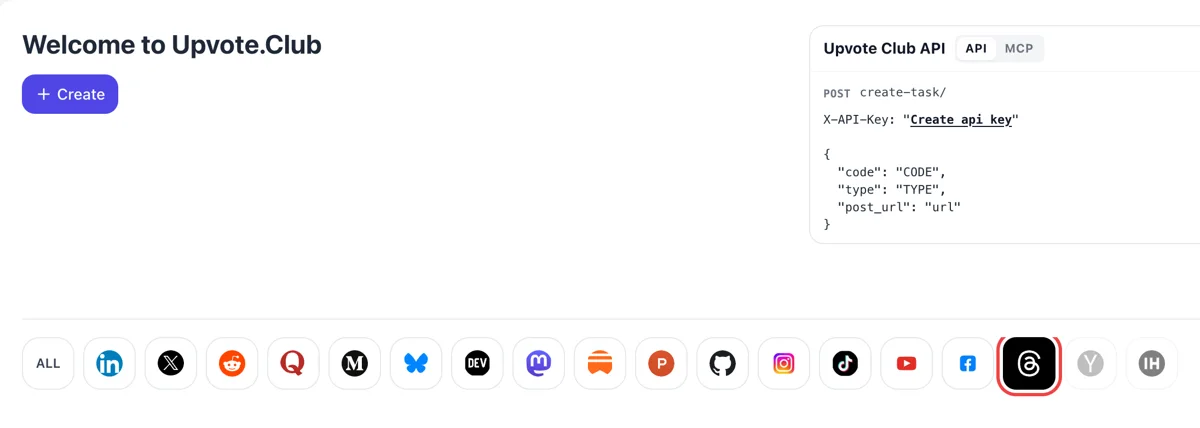
Sign in and click the Threads icon
Use Google or Apple to log in and the welcome screen shows Create above the network icons. Clicking Threads opens a form written for short posts and profiles, with an action menu and an amount field.
Paste a public Threads link, tell us what you need, and members of the community react from personal accounts.
Working with any agent



POSTcreate-task/
{
  "social_network_code": "THREADS",
  "type": "LIKE",
  "post_url": "https://www.threads.com/@username/post/123456789",
  "actions_required": 10
}
Trusted by 88,000+ community members
We are a community of people who help each other grow their personal brand on social media. How It Works Our top priority is a zero-bot policy. We are maintaining a clean and safe community with real people. A variety of GEOs and interests are available inside our community.
A community member signed in to a personal profile makes every follow, like and reply on your Threads content, so the activity beneath your posts reads like ordinary readers at work.
The form takes the address of a Threads post or profile and nothing more. Account settings and messages stay out of the request, and you keep control over what you publish and when.
The blog has pieces on Threads topics, posting rhythm and reply habits, so the response a post receives can be matched by posts that deserve a second look.
Meta says replies make up almost half of what gets viewed on Threads, and that posts which spark discussion are favoured for recommendation. A post here lives or dies by what happens beneath it, which is why the first replies deserve effort.
The home feed mixes posts from accounts a person follows with a selection of other public posts. Followers give you a floor: they always sit in the first group, so a new post has readers before any recommendation arrives.
Meta's feed documentation names activity in the past hour as an input, together with the ratio of likes to impressions. A post that opens with a visible response gets measured against your other posts at the moment it matters. Having a response ready on time gives the system a post that already looks worth reading.
Meta's list of predictions starts with whether a viewer will like a post, then moves to replying, opening the profile and time spent. Hearts are the cheapest of these to add, and the rest tend to follow a post that looks alive.
Threads sits on top of an Instagram account, and what someone does on Instagram helps decide what Threads shows them. Growing on Threads can bring Instagram followers across, and Threads posts can be recommended on Instagram as well.
Followers widen the audience, likes show approval, replies create discussion and saves mark posts people want to keep. Each has a page on this site, so you can match the action to what a given post is missing.
When responses arrive on schedule, differences between posts come from the posts themselves. Compare a short opinion, a personal story and a list of tips, and the Threads stats screen will show which one your audience answered.
Use Google or Apple to log in and the welcome screen shows Create above the network icons. Clicking Threads opens a form written for short posts and profiles, with an action menu and an amount field.
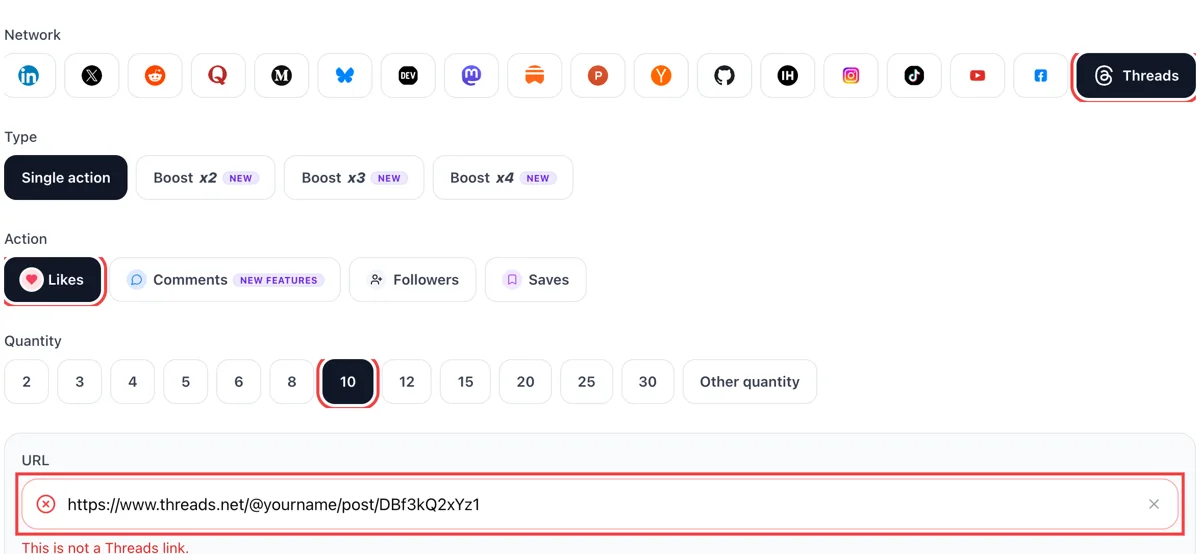
Copy a post link using its three-dot menu, then choose likes, replies, reposts or followers in the form and paste the address. Add an amount. The green check means the post is public.
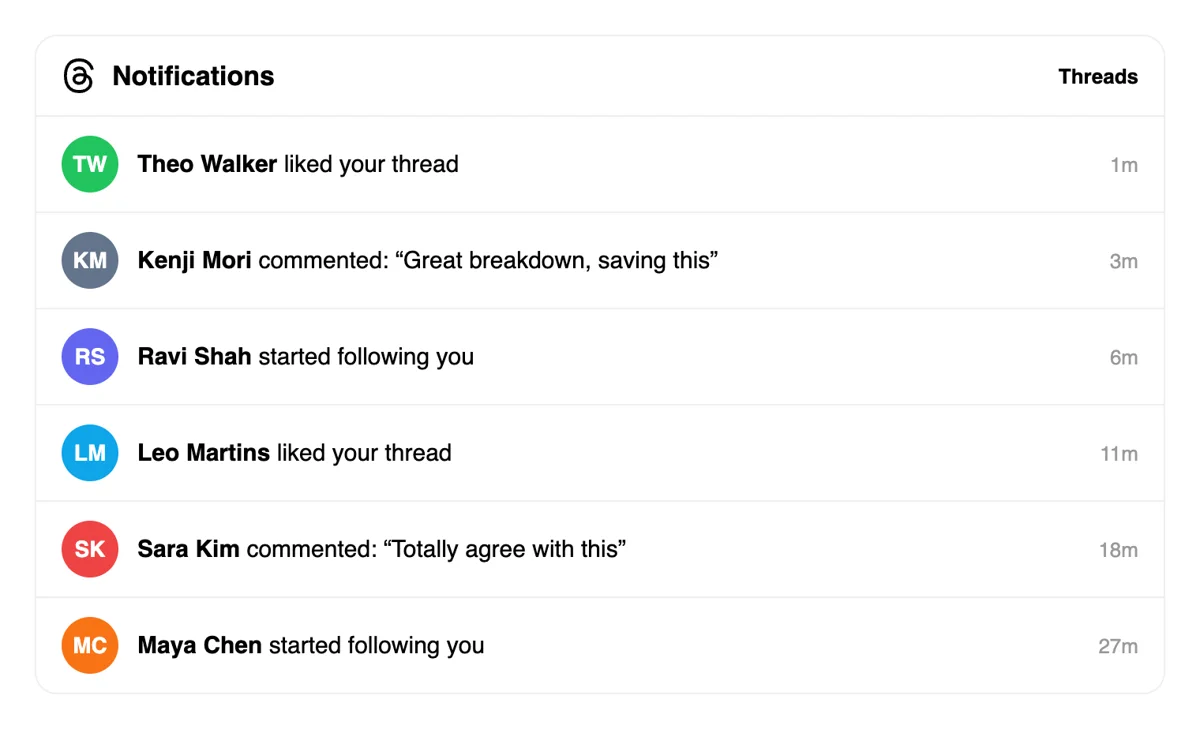
Replies, hearts and new followers come from other accounts, and the Activity tab in Threads lists each one with a time stamp, usually phrased as a few minutes ago. Replies from you keep the exchange going.
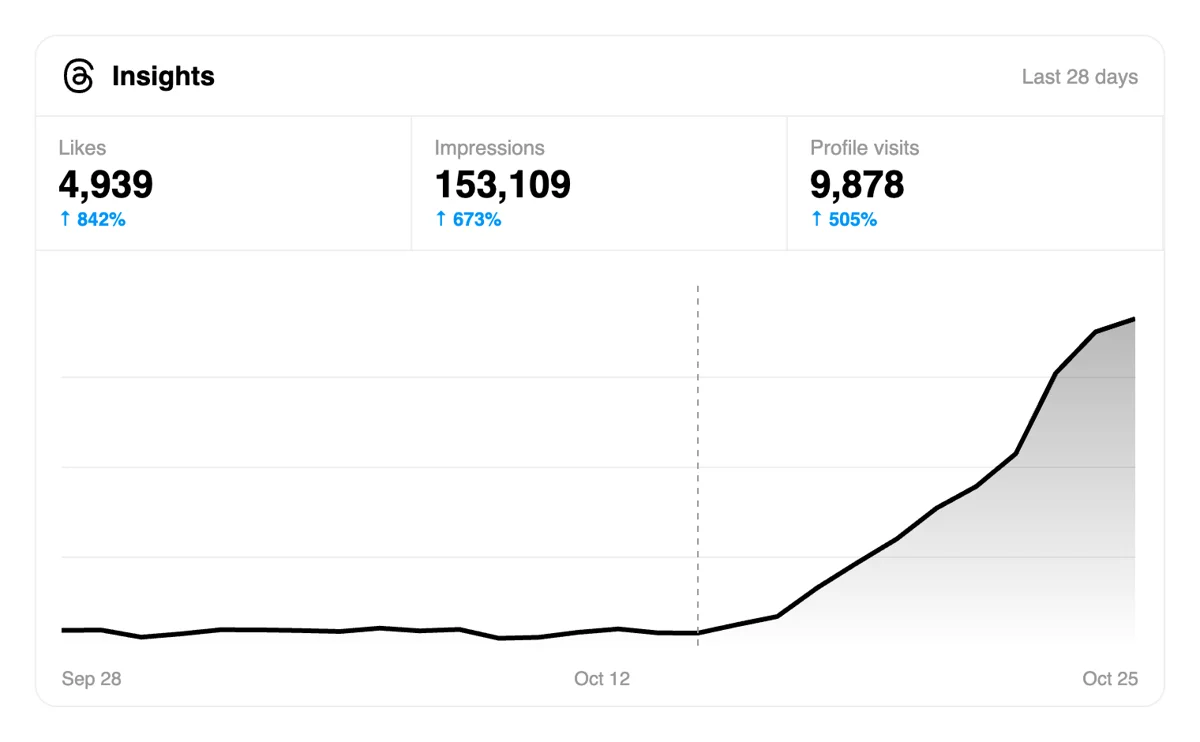
Open Stats from your profile and look at views, interactions and followers. A busier post gets shown to more people in the feed, which brings a wider circle into your conversations. Compare a post with a question against one with a plain statement.
Anyone posting several times a day can have a script or an AI assistant send the request after each post, which leaves time to join the conversation and answer the replies as they arrive. Open the Threads API notes
Get 5 free Threads likes, comments, followers, or saves every 24 hours. Upgrade only when you need more.
Free
Forever
What's included
$59/ year
Billed annually
What's included
$0/ first 3 days
After $49 / month
What's included
Unlimited tasks per day. Unlimited connections to social media accounts. Pin your post at the top.
Promote posts to verified users. API access. Unlimited engagement actions per day.
Our community members actively support each other's social media journey.
Join 88,000+ creators, brands, founders, and marketers already growing their audience
FAQ
Yes, when it is done right. Threads ranks posts by predicted likes, replies and time spent, and it reads what happens in the first hour. Upvote.club is built to do it right: members respond from personal profiles, so a post starts with visible activity and gets a fair look in For You.
It grows the account, using the right tool. Followers widen the audience that always sees your posts, likes and replies give a post a stronger start, and saves mark the useful ones. Choose the mix per post and read the effect on the Threads stats screen, which lists views, likes, replies and follows together.
Following lists posts from accounts a person follows, newest first, with no ranking. For You blends those posts with a selection of other public ones, ordered by predicted interest. Followers decide who always sees you, and For You is where strangers find you, so a good post benefits from both.
Meta says replies make up almost half of views on Threads, and that conversation starters are more likely to be recommended. A reply places your post inside someone else's thread and gives the reader a reason to stay. Count the first replies as the most useful outcome a post can earn.
Original, clear and about one subject. Lead with the strongest sentence, tag the single most relevant topic and invite a short answer. Meta advises original content for the best reach and lists clickbait among the things people dislike. The writing carries the account, and outside help works best on posts that already earn a reply. Post the thing you actually know about, because that is what readers answer.
Yes. Meta says posts with a tagged topic generally get more views than posts without one. Choose the topic that fits the post most closely and keep to two or three themes across the account. A clear theme makes it easier for the system to match your posts with people who are looking for that subject.
Early. Meta lists activity over the past hour among the signals it reads. Publish when you can stay online, ask friends and colleagues first, and add community responses to open the post with visible numbers. Then reply to what arrives. A thread that is moving when the first wave of readers shows up is the aim.
It does. Threads is built on Instagram accounts, and a person's activity on Instagram helps decide what Threads shows them. If you post on both apps, mention your Threads page in Stories, and keep growing the Instagram side in parallel.
Most networks now work against auto-posting and machine-made filler, and accounts that depend on it often lose reach. We recommend posting by hand from your phone. The free scheduler on this site sends you a reminder at the time you pick and leaves the publishing to you, so the post still goes out from your own device.
Open the stats screen in Threads. It shows views by source, likes, replies, reposts and follows. Look at your five best posts every two weeks, and ask whether they had a strong first line, started replies and stuck to one topic. Then write more posts in that shape and send help to the ones that match.
They are a fine way to start. Many creators swap likes and follows in groups and trade replies with peers, and the results show up. The limit is time: you follow back person by person and depend on who is online. A pasted link with no duty to return the favour saves those hours.
Yes. Sign in with Google or Apple, add a public address and pick an action; no bill appears. Paid plans exist for accounts that want more, and they are described elsewhere on the site. Treat the first post as a trial, then compare the numbers with your last few.
Each action has its own page. Open followers to grow the audience, likes for approval, replies for discussion or saves for posts people keep. Each page goes deeper into one job, shows what to check afterwards and avoids repeating what the others cover, so you can read only the one you need before you start a post. Your account carries over between them.
You can edit the text of a post for 15 minutes after publishing it. Attachments cannot be added or removed, and if someone likes, replies, reposts or quotes the post before you finish, an Edited label appears in the corner. After the window closes, the only option is to delete the post. A post holds 500 characters, and a text attachment can carry up to 10,000 more for longer material. Read the post once before it goes out, above all a link or a name, because the first minutes are when the early responses arrive and shape how others see it.
Two options. You can pin one post to the top of your profile, in the Threads section, and only one at a time. You can also pin a reply to the top of a thread you started, so the line you want people to read first stays above the rest. Use the profile pin for the post that best explains your account, and the reply pin to steer a conversation toward a question or a useful answer. Unpin either from the options menu whenever the topic changes. A visitor who arrives after a burst of responses then sees your strongest post first.