








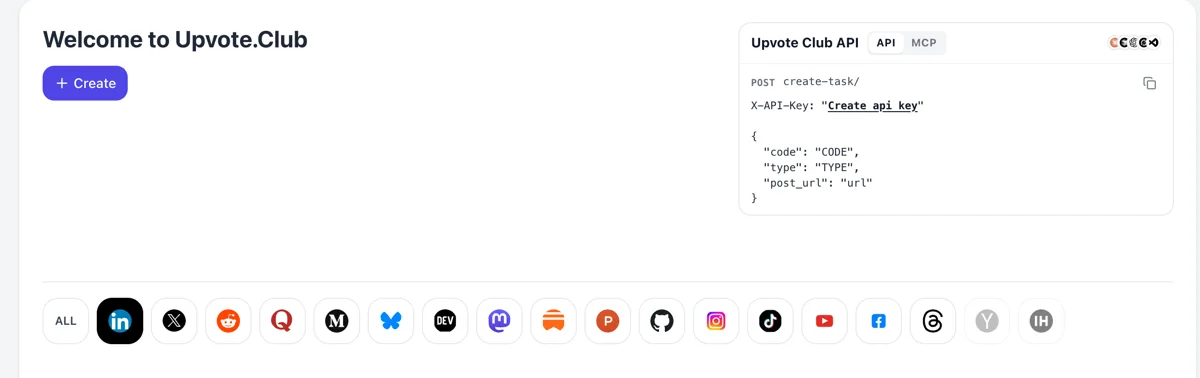
Sign in, then choose Mastodon
Go to upvote.club, log in with Google or Apple and press Create on the welcome page. The Mastodon logo sits in the row of networks. Starting is free of charge, and the same sign-in serves every other network.
Paste your public Mastodon profile link and community members follow you from their own accounts.
Working with any agent




POSTcreate-task/
{
  "social_network_code": "MASTODON",
  "type": "BOOST",
  "post_url": "https://mastodon.social/@username/123456789",
  "actions_required": 10
}
Trusted by 88,000+ community members
We are a community of people who help each other grow their personal brand on social media. How It Works Our top priority is a zero-bot policy. We are maintaining a clean and safe community with real people. A variety of GEOs and interests are available inside our community.
Each follow is made by an individual Mastodon account that appears in your notifications and in your follower list, open for anyone to look at.
If you review follow requests yourself, requests arrive in your notifications and you accept them as usual. Nothing about your approval settings is changed for this.
Try it with a Google or Apple sign-in. Paid plans exist for later, and the blog has written guides on choosing a server and finding accounts worth following.
There is no ranking feed to rescue a post nobody follows. What reaches people is the home timeline, and that holds posts from the accounts someone chose. Each follow is a standing place in somebody's day.
A person on one server can follow you on another, and your posts show up in their home feed the same way. Your audience is not limited to the instance where you made the account.
When someone passes your post on, the new readers decide whether to follow by looking at your profile. A profile that already has followers looks worth following, so each boost converts better.
Replies from your followers appear on the home feeds of people who follow both of you. A larger circle makes your conversations visible to more of the accounts you want to meet.
Visitors check the follower count along with your latest posts. A few dozen followers and a recent pinned post tell them that the account is alive and that following will bring something in return.
Followers can add you to a list or switch on the bell to hear about every post. Those settings turn a plain follow into an alert, and they are what makes a small audience dependable. A reader who takes the extra step is telling you the account is worth watching.
Go to upvote.club, log in with Google or Apple and press Create on the welcome page. The Mastodon logo sits in the row of networks. Starting is free of charge, and the same sign-in serves every other network.
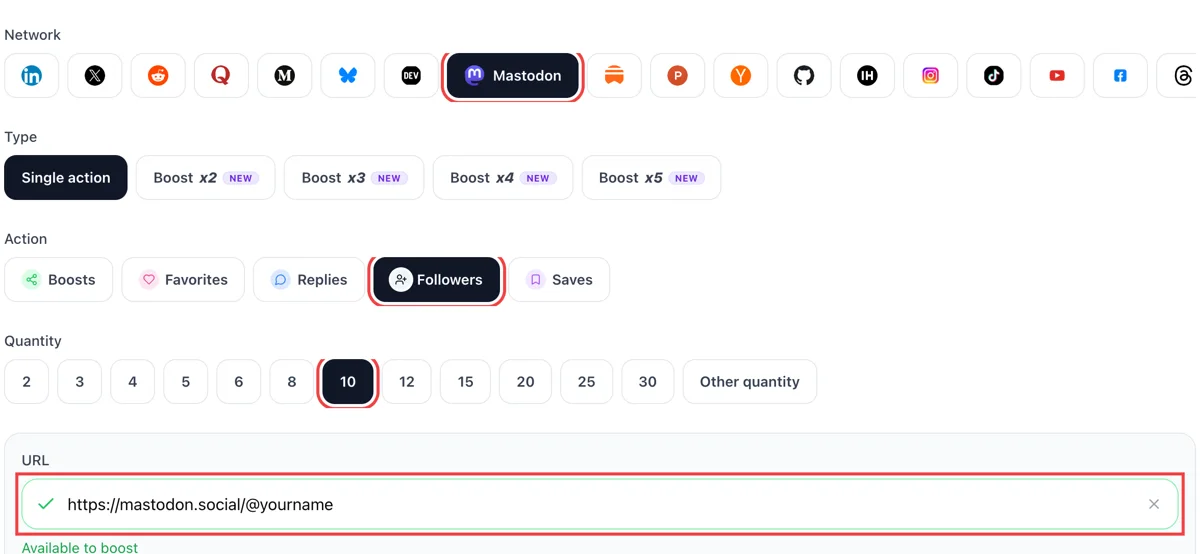
Set follows as the action, enter the audience size you want and paste the public link of your Mastodon profile, whichever server hosts it. A green tick shows the profile page opened correctly.
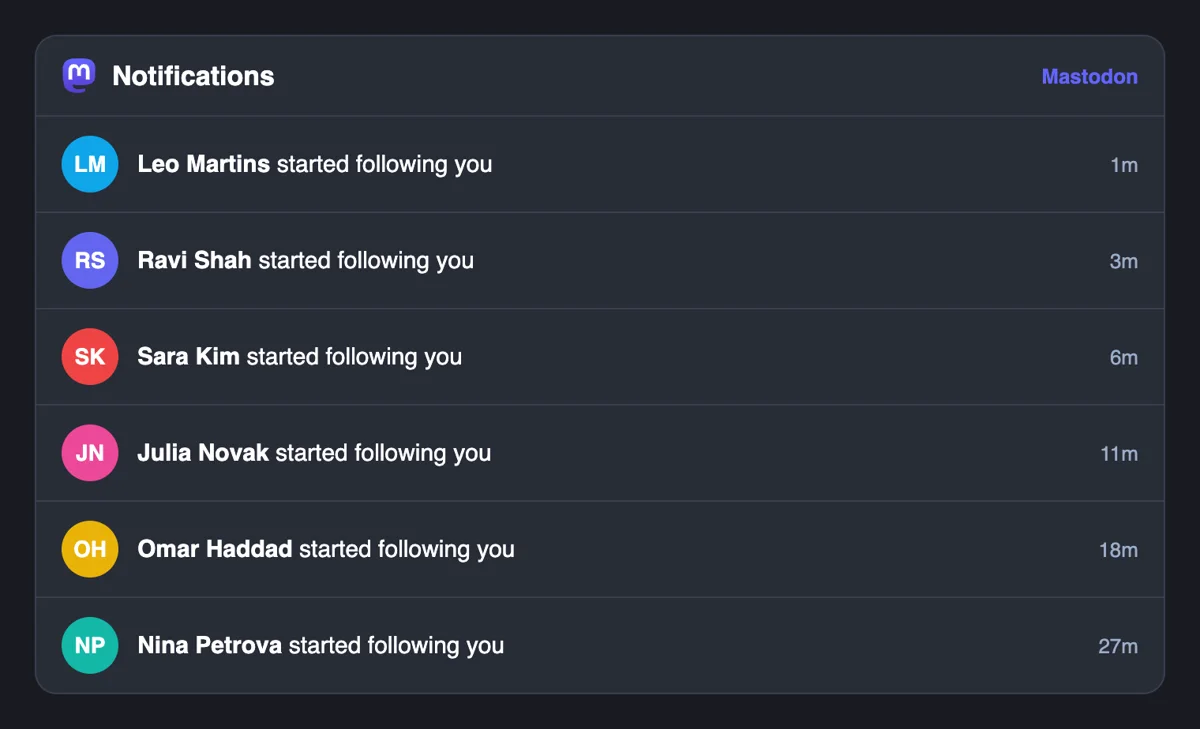
Followers arrive from accounts spread over many servers. Each new follow appears in your Notifications column with a name, so you can open the profile and decide whether to follow back.
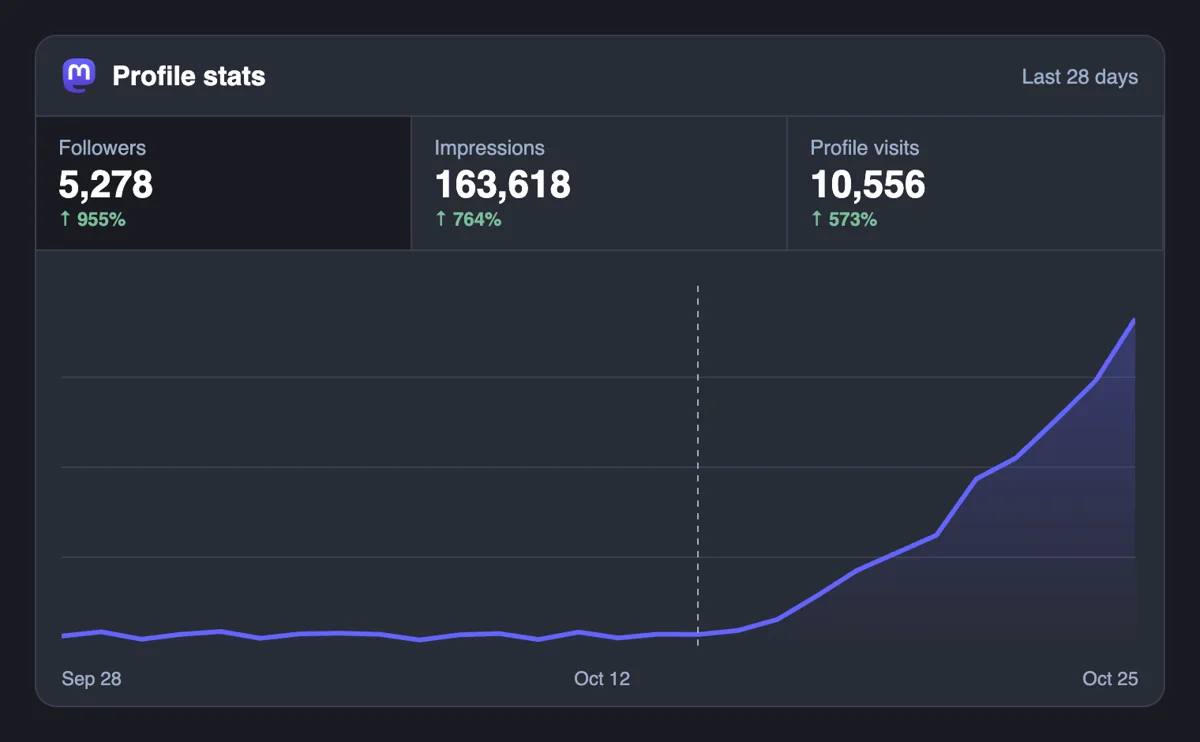
The follower figure rises as follows arrive. A bigger audience means every new toot and boost begins from more timelines, which then helps the replies and stars that come afterward.
Follows are part of the developer API and MCP connectors. A script can submit your profile link, or you can ask an AI assistant to place it, which suits anyone running several accounts. Mastodon follows by script
Get 5 free Mastodon followers every 24 hours. Upgrade only when you need more.
Free
Forever
What's included
$59/ year
Billed annually
What's included
$0/ first 3 days
After $49 / month
What's included
Unlimited tasks per day. Unlimited connections to social media accounts. Pin your post at the top.
Promote posts to verified users. API access. Unlimited engagement actions per day.
Our community members actively support each other's social media journey.
Join 88,000+ creators, brands, founders, and marketers already growing their audience
Legit.
Apr 19, 2025
growing on Mastodon felt impossible before this, now much easier
Sep 30, 2024
real followers on Mastodon, clean and fast ✅
Oct 11, 2025
using Mastodon for my tech audience and Upvote Club made growing there way simpler
Feb 17, 2026
FAQ
Yes, when it is done right, and upvote.club is the tool that does it right. Followers see your posts in the home feed, which is the main route to readers on a network with no ranking. They give your profile a base and make every later boost more likely to bring new follows. Keep posting so they stay.
Begin with accounts that post about your own topic and follow a few hashtags. Browse the live feed filtered to your server and the one for other servers, then follow people whose posts you would reply to. A tidy following list tells visitors who you are, which supports the follows you receive.
There is no single list, and the right answer is people who post what you want to read. Writers, makers and maintainers in your field are good starts. Look at who they share, since those names are often worth a follow. Use Lists to keep a smaller group in a separate timeline.
In your own app the follow button works the same for every server. If you are on someone's public page outside your app, copy the profile or post URL and paste it into search on your home server. It loads the account locally and you press follow there.
After you follow an account, the bell turns on a notification for every post they publish. It suits accounts you do not want to miss. Followers who switch it on for you become your most dependable readers, which is a good reason to post steadily and keep your posts worth an alert.
Yes. By default new followers are accepted automatically. Turn that option off to review each request. It is needed for followers-only posts to stay private, since anyone could otherwise follow and read your older posts. Requests land in your notifications and you accept or decline them.
Hashtags bring strangers to a single post, and followers keep them coming back. People can follow a tag as well as a person, so a post with the right tag reaches subscribers who never saw your profile. When they like what they read, they follow you. Use a few specific tags on public posts.
Match the number to your activity. A few dozen new followers suit an account that posts several times a week. A big jump on a quiet profile looks odd to visitors. Add in steps, watch how many followers reply or star your posts, and let your content catch up.
A steady curve also looks better in your own notifications, where a bump of fifty overnight stands out.
Stay on the topic your bio promises. Short posts with one idea, a photo with alt text, now and then a thread for depth. Write each one yourself from your phone, since automated posting tends to lower reach. Replies to other accounts show that a person is behind the profile.
No. A follow is not a debt, and nobody tracks who followed whom. Follow accounts whose posts you want to read. Your own list shapes the home feed you see every day, so keep it for people you value. Review it every few months and drop accounts that no longer fit what you read or write.
The profile has to open for anyone at its address, because members use the link to find you. Most profiles do. If you hide your follower list or approve requests by hand, follows still arrive, and you accept them from the notifications column.
Either works, since follows cross servers. A large server shows a busy local feed, which helps you find people early. A small topic server gives a tighter crowd and often a friendlier first month. Choose one that fits your subject and keeps a clear rulebook for members, then stay on it, because moving later means moving your followers too.
Yes. Since Mastodon 4.4 you can open the dropdown menu on a follower's profile and choose Remove follower. The person stops following you, no block is applied and they are not told. If you would rather approve people one by one, turn off automatic acceptance of new followers in your settings, and each request waits for your answer. Most accounts do not need either option, and a profile with a clear bio and a pinned hello post attracts followers who stay. Followers added through upvote.club follow like any other account, so the same controls apply to every one of them.
Visitors land on an Activity tab with a dropdown that switches between your posts, posts with boosts, posts with replies, or all three. Your featured hashtags sit above the feed, pinned posts show at the top, and your bio, links and join date frame the page. Before you add followers, scroll through that view as a stranger would and check that it says something coherent in the first screen. Pin a hello post, feature the tags you actually use and make sure at least a handful of recent posts show what following you looks like day to day.