








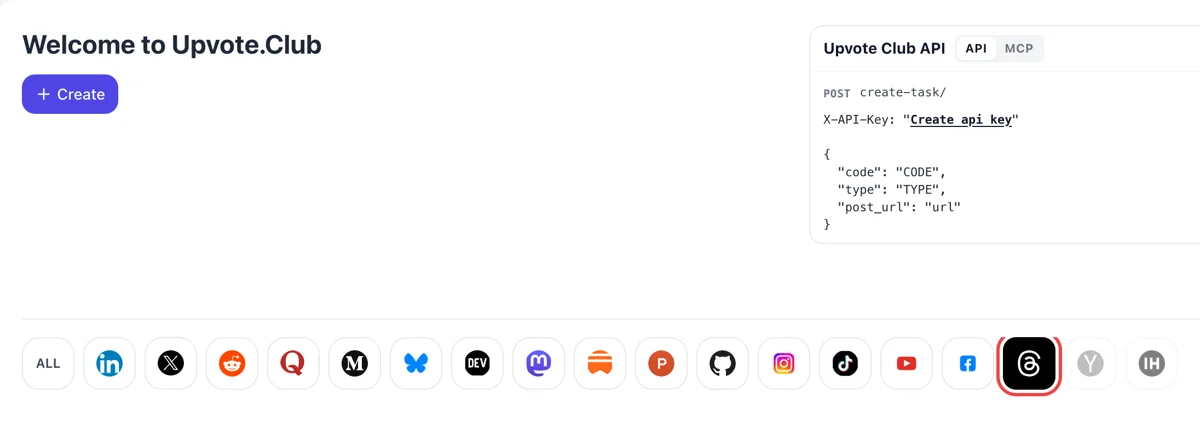
Log in and pick the Threads icon
Come in with Google or Apple, then pick Threads in the row under Create. The form that appears is meant for one short post, and the action list starts with likes and a quantity box.
Hearts for a fresh Threads post, given by community members who use personal profiles.
Working with any agent




POSTcreate-task/
{
  "social_network_code": "THREADS",
  "type": "LIKE",
  "post_url": "https://www.threads.com/@username/post/123456789",
  "actions_required": 10
}
Trusted by 88,000+ community members
We are a community of people who help each other grow their personal brand on social media. How It Works Our top priority is a zero-bot policy. We are maintaining a clean and safe community with real people. A variety of GEOs and interests are available inside our community.
A community member presses every heart on your post while signed in to a personal Threads profile, which keeps the count near what an active, well-followed account usually shows.
Only the address of the post and your choice of likes go into the request. Threads settings, drafts and messages stay out of it, and you decide which posts get support.
The blog collects notes on Threads openers, topics and reply habits, which matter once a post has gathered hearts and readers begin to decide whether to stay.
Meta's feed documentation lists the ratio of likes to impressions as an input for each post. More hearts on the same number of views lift that ratio, and your post stands better next to the other posts the feed could show.
Whether a viewer will like a post is the opening item in Meta's list of predictions, ahead of replying and time spent. A post that has already collected hearts looks like one that readers like, and the system leans that way.
The signals Meta describes include what a person liked over the last fifteen minutes and the past week, and what a post gathered in the past hour. Fresh likes carry weight, so timing the hearts to the launch of a post is useful.
Meta also predicts how likely a viewer is to scroll past without reacting, and treats that as a negative. A visible heart count gives a reader a quick reason to stop, which is the first step toward reading, replying or following.
A post with hearts looks like a place where people already spent a moment. That makes a later reply easier to write, because the reader sees that others got there first and the thread already has some life.
Hearts are the plainest response you can add on schedule. Give two posts the same support and the difference you see in views and replies comes from the writing, which tells you what to write next.
Come in with Google or Apple, then pick Threads in the row under Create. The form that appears is meant for one short post, and the action list starts with likes and a quantity box.
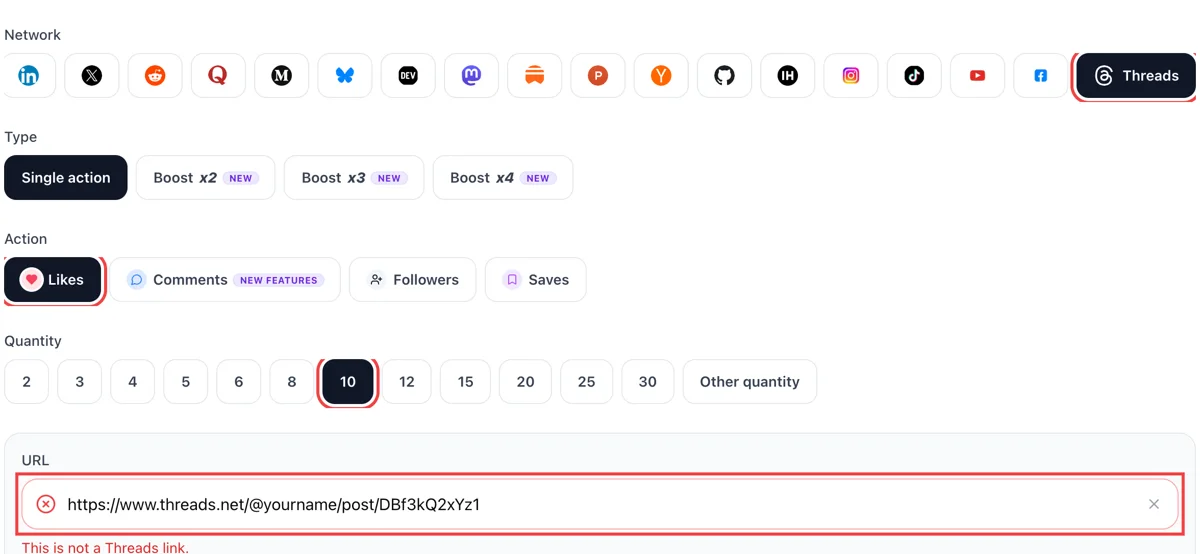
Copy the post link from its menu, pick likes in the form and paste it. Type how many hearts you want. The field shows a green mark when the post is public and readable.
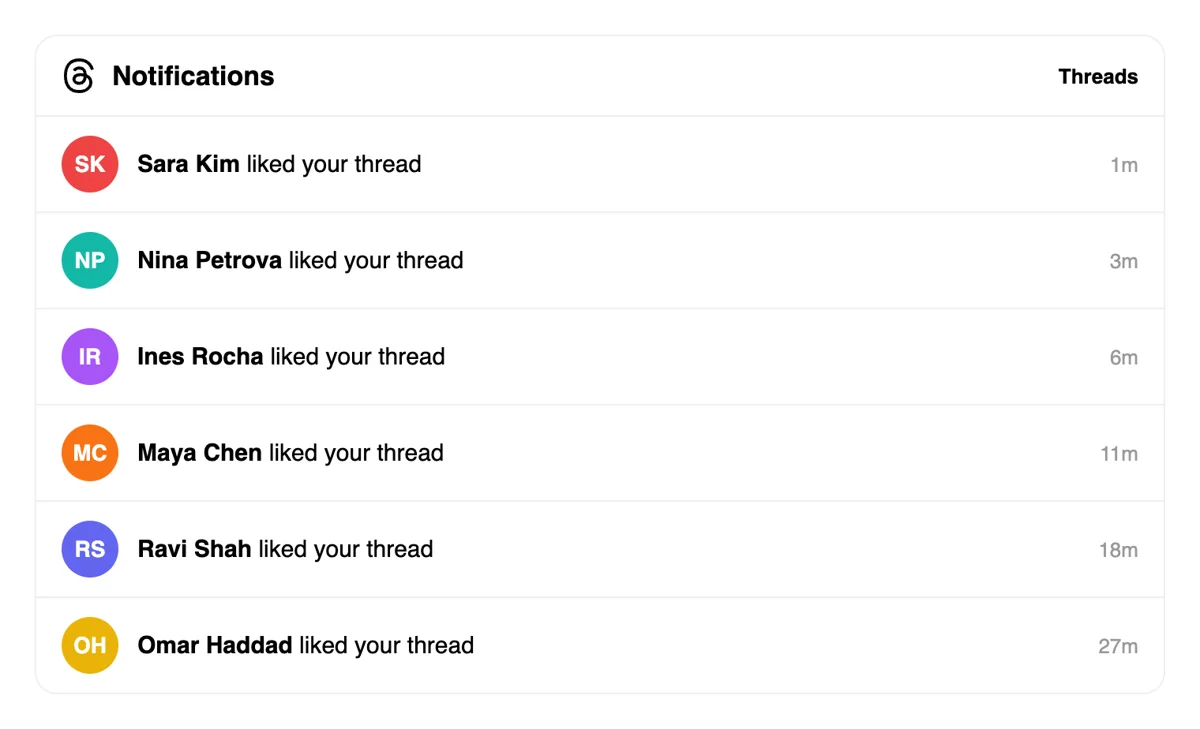
Likes arrive from other profiles, and Activity lists them with short time stamps. The heart number under your post rises with the notices, so the post looks welcome to later readers.
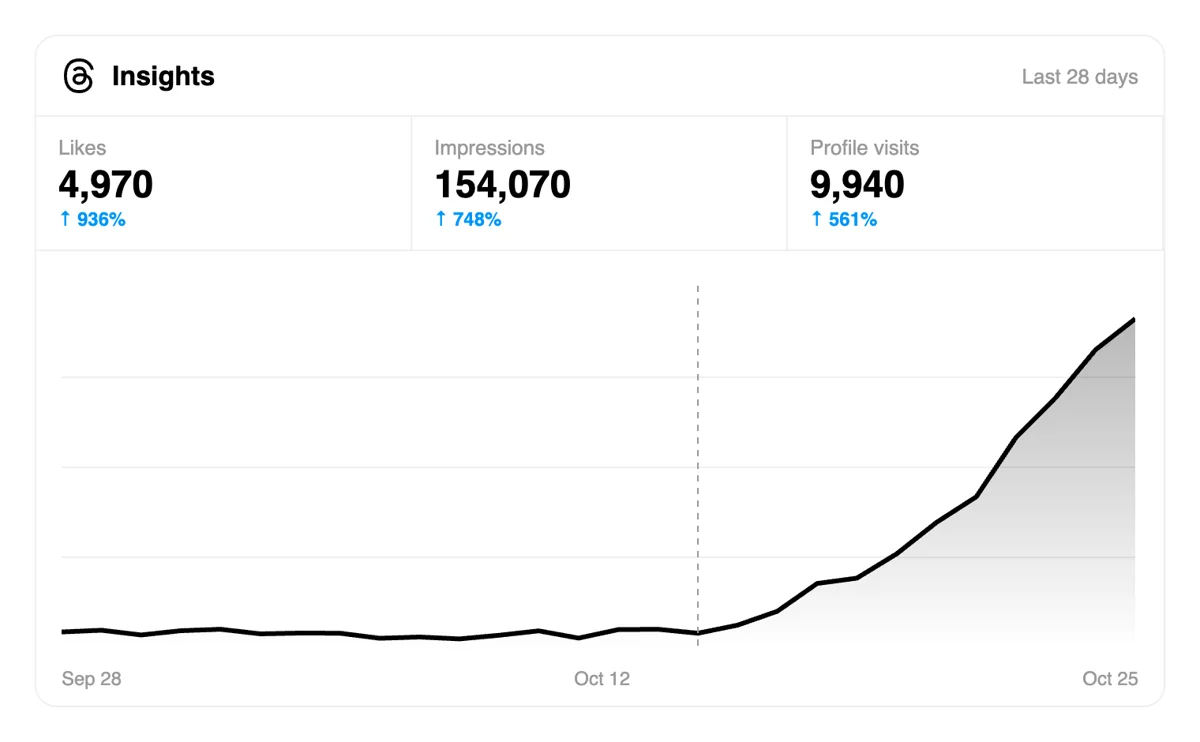
Open Stats and read views beside likes for the post. When both rise together, the topic and the first line are holding attention, which is a guide to your next thread.
Frequent posters can have a script or an assistant file a like request after each post, so the form stays out of the way and the numbers get checked once the day settles. Like requests in the Threads API
Get 5 free Threads likes every 24 hours. Upgrade only when you need more.
Free
Forever
What's included
$59/ year
Billed annually
What's included
$0/ first 3 days
After $49 / month
What's included
Unlimited tasks per day. Unlimited connections to social media accounts. Pin your post at the top.
Promote posts to verified users. API access. Unlimited engagement actions per day.
Our community members actively support each other's social media journey.
Join 88,000+ creators, brands, founders, and marketers already growing their audience
lowkey slept on Threads but not anymore 👀
Nov 6, 2025
got my Threads posts popping finally
Mar 4, 2025
fast likes, clean service ✅
Nov 7, 2024
Threads is growing fast and I wanted to establish my presence early
Mar 11, 2025
no cap Upvote Club works on Threads too, was surprised
Jul 28, 2025
easy setup, likes came in quick 🔥
Feb 27, 2024
real engagement on Threads, not inflated numbers from fake accs
Feb 6, 2026
solid tool for anyone building a personal brand on Threads
Aug 13, 2025
I jumped on Threads early because I wanted to build an audience there before it got too crowded - classic founder move. Was posting consistently about the startup life, product updates, lessons learned. The content was decent but Threads is still figuring out its algorithm and without early likes your posts just don't travel far. Upvote Club gave me that initial engagement layer and I noticed the difference immediately - more replies, more follows, more DMs from people interested in what we're building. It's become a regular part of my Threads posting workflow at this point.
Jul 17, 2024
FAQ
They are, when added in the right way. Meta puts the chance of a like first on its list of predictions and reads the share of likes to impressions per post. Upvote.club adds them the right way: members heart your post from their own profiles, so the figures shift like those of a post that readers enjoyed.
A heart takes one press and says that the post was good. A reply takes a sentence and starts a conversation, which is why Meta reports that replies make up almost half of views. They work together: hearts make a post look worth stopping on, and replies carry it further once a reader has stopped.
No single number fits every account, so compare your own recent posts. Divide likes by views on the stats screen, write down the result for ten posts and find those above your usual level. A month-long trend says more than one post. Subjects that beat your normal rate deserve a series of their own.
Close to the launch. Meta's signals include activity in the past hour, so a post that opens with hearts is read at a moment when the system is still deciding. Publish when you can stay online, line up friends first and add community hearts to fill the gap, then answer the first replies yourself.
Original posts with a clear subject and an opening line worth stopping for. Meta encourages original content for the best reach, and hearts work best on posts that already have a reason to be read. Support the post you are proud of, not a filler line you wrote to keep a streak.
Yes. Meta said in 2025 that links are ranked properly now, and it added link-click counts to its stats. A link post still needs hearts and replies to travel. Put the link in when it is the purpose of the post, such as an article or a launch, and write the post so that it earns a reply from people who never click.
No, they are separate actions in separate apps. The accounts are linked, though: Threads is built on Instagram, and a person's habits there help shape their Threads feed. Hearts on an Instagram post are a different action on the other network and are requested on their own.
They can. Send the link of any public post. Older posts keep reaching readers through search and profile visits, and a stronger heart count helps those readers decide to stay. The best effect comes on fresh posts, so use your support on what you published most recently, and revisit older ones now and then.
Friends and colleagues are the best start, and the only cost is time. Message people who know your subject. When your circle is small, or asleep when you post, community hearts fill the gap through one address and leave you free to write.
They work for many accounts, and plenty of people begin there. The trade is time: you heart other people's posts in turn and rely on whoever is online. With this site you hand over one address and owe nobody a heart back.
No. A Google or Apple sign-in and a public address are enough, with likes as the action. Larger plans exist and the site lays them out in a separate place. Try one post and set its ratio against your last few. That comparison tells you whether doing more is worth it.
Yes. In Settings, under Privacy, the Private likes option hides the posts you have liked from everyone except you and the post author. Turn it off and your existing and future likes become visible to anyone who can see the post. This is separate from the counts you see under posts. For your account it means the hearts you give to others are your choice to show, and the hearts you receive remain visible to you. If you want your likes to be part of how people find you, leave the setting off, since a visible like can lead someone to your profile.
Yes. Open the options next to your post and choose Hide like and share counts, which hides how many people liked, viewed and reposted or quoted it. You can also hide those numbers on posts from other profiles through Settings and Privacy. Note that when you set this as the default, it applies to your Instagram posts too. You still see the figures on your own posts, so you can study them privately. Use it while a post is young and the count is small, then turn it off once the number supports the post.
It tells readers the text changed after someone interacted with the post. Threads shows the label when a like, reply, repost or quote arrived before you finished editing, and the edit window is 15 minutes with text changes only. The label does not remove existing hearts or reset the post. It simply records that the wording is not the original. If you spot a small error in a post that is already collecting hearts, fix it inside the window and accept the label, since leaving a wrong detail up costs more trust than a visible edit does.