








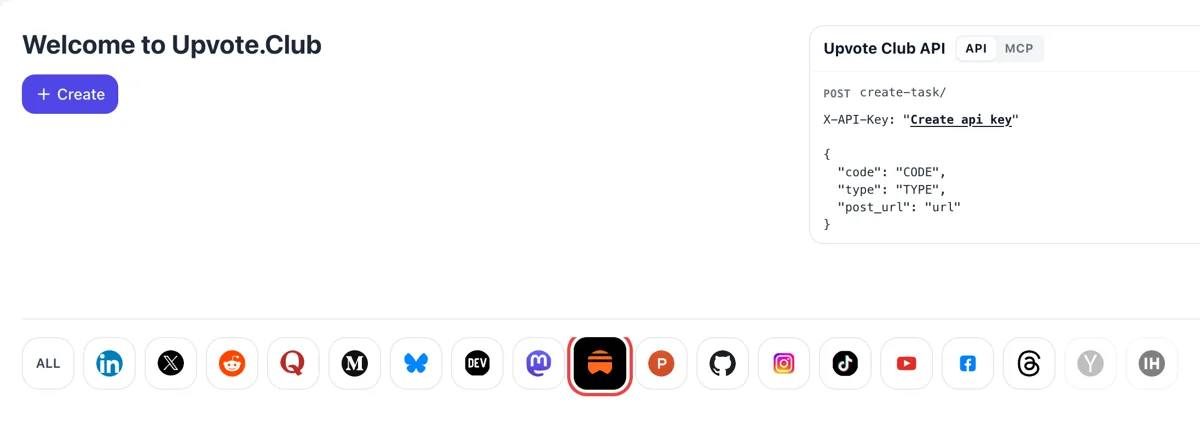
Sign in and select Substack
Begin on the dashboard headed Welcome to Upvote.Club. Google or Apple sign-in takes a moment, then the Substack icon in the network row lights up and Create opens a request for a post, a note or the whole publication.
Paste a public Substack link, pick the response your newsletter needs, and watch your Notes and posts pick up activity.
Working with any agent




POSTcreate-task/
{
  "social_network_code": "SUBSTACK",
  "type": "LIKE",
  "post_url": "https://username.substack.com/p/article-title",
  "actions_required": 10
}
Trusted by 88,000+ community members
We are a community of people who help each other grow their personal brand on social media. How It Works Our top priority is a zero-bot policy. We are maintaining a clean and safe community with real people. A variety of GEOs and interests are available inside our community.
Comments and restacks arrive as ordinary replies and reshares on your posts, the same format Substack shows for any reader, so your comment section keeps its usual look.
Every response comes from a member who keeps a Substack profile with a photo and activity of their own, so a heart on your post sits beside an account that other readers can open.
The blog holds step-by-step guides for newsletter writers, from the first week after launch to a steady rhythm. Read them next to your dashboard and adjust issue by issue.
A restack hands your post or note to another writer's audience in Notes. Likes and replies on your notes are visible to your own followers as well. Each reaction is one more doorway into your publication from the feed.
A post that already has hearts and comments looks alive to everyone who opens it later. The first hours after sending set the tone, and early responses give a new visitor a reason to read to the bottom instead of leaving.
Likes, restacks, comments, saves, followers and subscribers each change something different on Substack. You choose the one your current issue needs, then switch when the goal changes. Every response type has its own page on this site.
Following asks little of a reader and keeps your name in their feed between issues. The follow page goes into how that list builds up and what it does for your notes.
A subscription puts each new issue in a reader's inbox or app. It is the response with the longest tail, and the subscribers page walks through how to use it well.
Substack stats list views, likes, comments and the share of subscribers who interacted for each post. Run one response type on one issue, open the table afterwards, and see how that issue compares with the ones around it.
A newsletter with a handful of readers has no audience to answer the first note it posts. A few responses from outside your circle give the early issues a pulse, which matters most in the weeks when you are still finding your voice.
Begin on the dashboard headed Welcome to Upvote.Club. Google or Apple sign-in takes a moment, then the Substack icon in the network row lights up and Create opens a request for a post, a note or the whole publication.
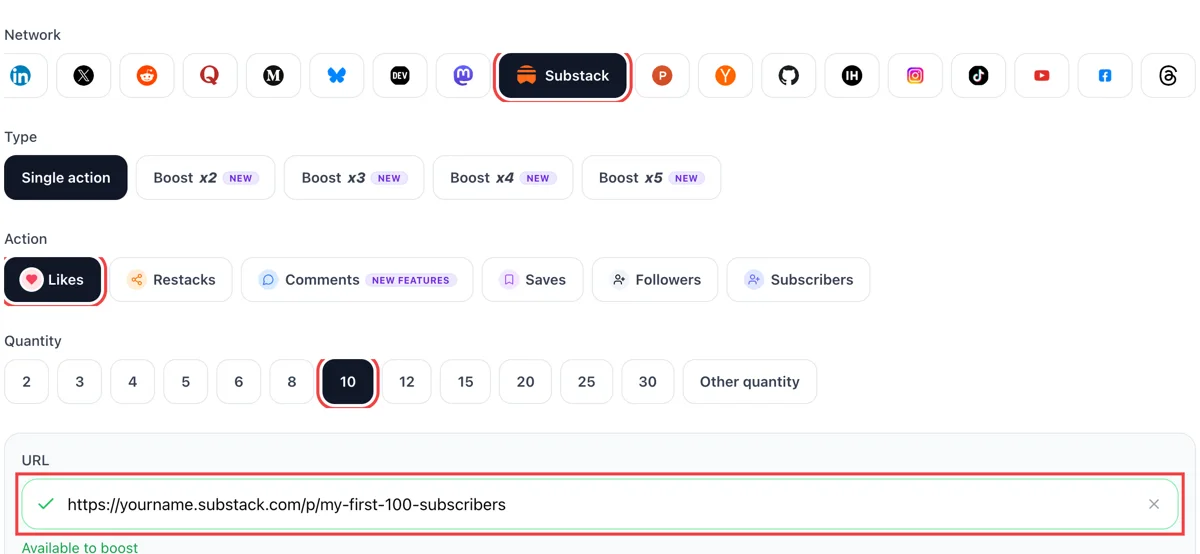
Select likes, comments, restacks, saves or subscribers, paste the public Substack address of the issue or note and wait for the green check. Then set how many of them you want, based on how large your list is today.
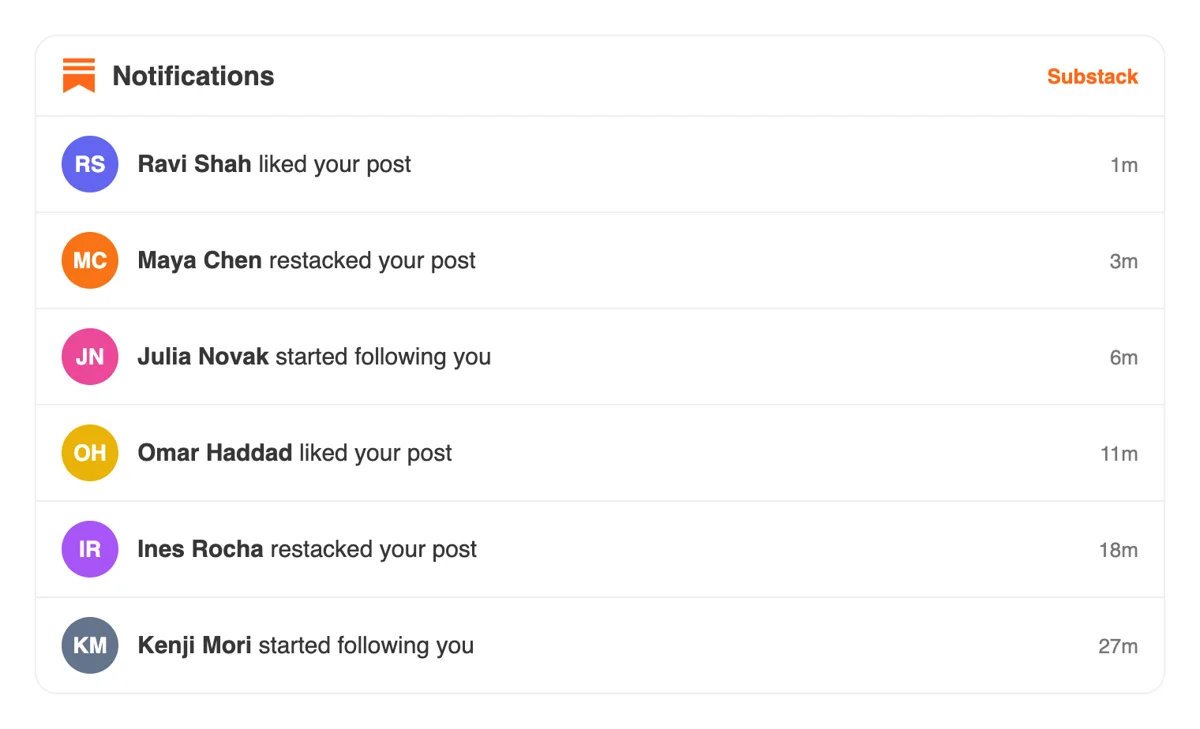
Responses come from people's own Substack profiles. The notifications tab lists each like, restack, comment or new subscriber, newest first, so you can see who reached your issue and answer the ones who wrote something.
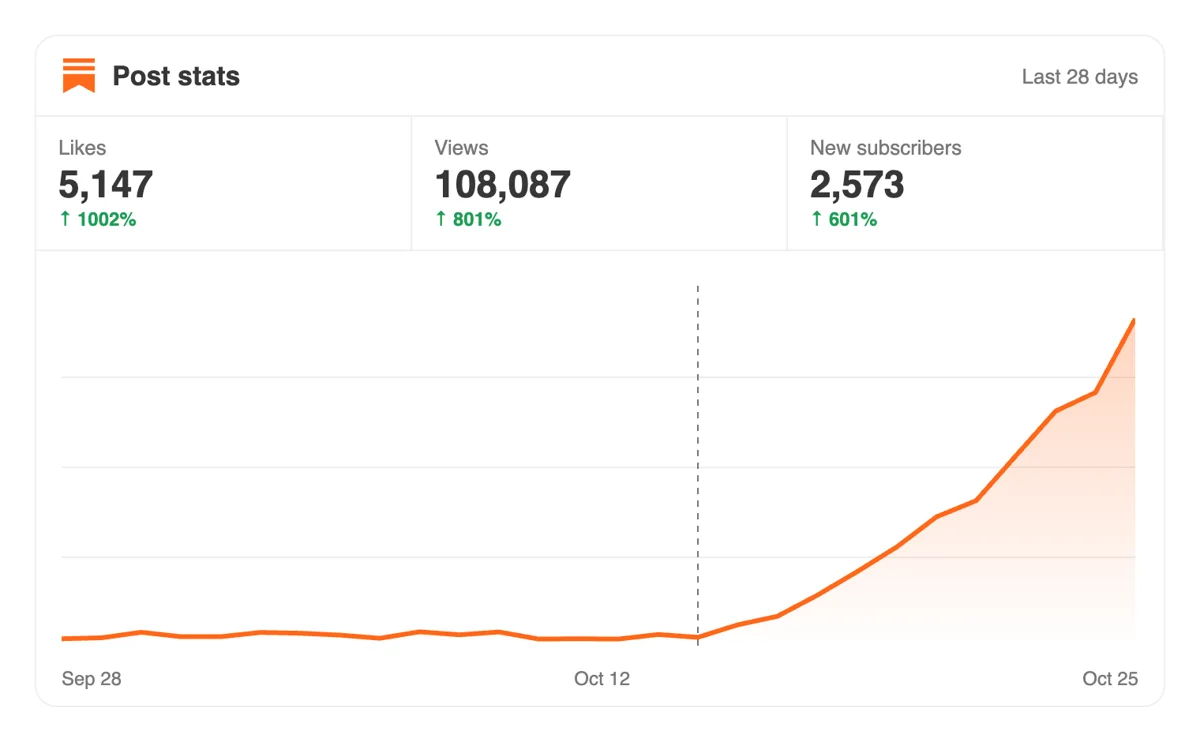
Open Stats in your Substack dashboard and compare views, opens and subscriber totals with earlier issues. A livelier post often travels further through Notes and recommendations in the weeks that follow it.
Writers with a publishing routine can submit the same requests through the API or MCP connectors in an AI assistant. The Substack section shows each field a newsletter request accepts and how to read the answer. Substack requests in the API reference
Get 5 free Substack likes, restacks, comments, saves, followers, or subscribers every 24 hours. Upgrade only when you need more.
Free
Forever
What's included
$59/ year
Billed annually
What's included
$0/ first 3 days
After $49 / month
What's included
Unlimited tasks per day. Unlimited connections to social media accounts. Pin your post at the top.
Promote posts to verified users. API access. Unlimited engagement actions per day.
Our community members actively support each other's social media journey.
Join 88,000+ creators, brands, founders, and marketers already growing their audience
FAQ
Post notes regularly, reply under writers in your niche, and restack pieces you admire with a line of your own. Each of those puts your profile in front of strangers. To speed the first stretch up, use the follow page and let community members follow your profile, then keep the notes coming so new followers have something to read.
Following is the lighter relationship and subscribing is the heavier one: a subscriber gets issues by email or in the app and follows automatically. Most publishers want subscribers, and followers keep you visible between issues. The follow page and the subscribers page cover each one by one.
Done with care, it works, and upvote.club is the tool that gives that care a place to live. Reactions from community members give a new post early signs of life, which helps strangers decide to read it. The writing still has to be good, because content turns a first reaction into a returning reader.
Growth for your newsletter, with the right tool. You paste a public link, pick the response and community members answer from their own profiles. Over a few issues that adds up to more followers, more subscribers and comment sections that no longer look empty, which makes every later outreach easier. Your content stays yours, and the activity simply gives it a better start.
Give it a few issues before you judge the result.
Open the post in the Substack app and use its stats view, where likes, comments and restacks are listed under Interaction. On the web, the posts table in your dashboard can show a Likes column if you add it under Display. Notifications also tell you when someone likes a post or note.
The same screens show restacks, so you can read all three in one pass.
Ask writers you respect to recommend your publication, since Substack shows who recommends you in the dashboard. Post notes between issues, answer comments quickly and share each issue where your readers already gather. Reactions from upvote.club sit on top of that routine and do not replace it. They work best when the routine is already running every week.
Substack calculates the rate as the share of your subscribers who interacted after opening a post, counting likes, link clicks, restacks, comments and reading to the bottom. Compare it with your own earlier issues, since no universal number exists. A steady upward line across several posts tells you more than a single high result, and it only counts people already subscribed.
Open the Posts table, add the columns you care about and sort by date to see the trend.
Match it to the goal of the current issue. Use likes for a quick signal, comments to start a discussion, restacks for reach in Notes and follows to widen your audience. Test one at a time so you can see what each one does.
Keep a note of what you picked each time. Write the goal beside each issue in your notes, so the stats table makes sense later.
Yes. Asking colleagues, friends and relatives to read and react is a good way to begin, and it costs you only time. The limit is that you run out of people quickly. A community that responds on request covers the gap once your own circle has done what it can.
Many writers run both side by side.
They help in single bursts. People in those groups ask for support on one post and give it back, which works for a moment but is hard to repeat every week. A steady community that answers when you share a link fits a weekly publishing schedule better.
Think of those groups as a burst and a steady community as the weekly rhythm.
Starting costs nothing: use your Google or Apple login and run a first round. Paid plans exist for people who want more. You never owe a return favour to the particular people who responded, and many writers begin with one issue and read the stats table afterwards.
Yes, because community members open the link from their own accounts. A post, note or profile has to be viewable by anyone. Paste the public address and nothing else is shared. For a paywalled post, send its public preview or a free note instead.
You can. An API and MCP connectors for assistants such as Claude let you start a round from a script or a chat window instead of the website. The details live on the API page, and the same connection reaches every supported network.
Yes. In the dashboard, open Subscribers, choose Add subscribers and upload a CSV, XLSX or ODS file of email addresses. You confirm that those readers opted in to hear from you, pick a subscription type if payments are on, and duplicate addresses are skipped. Substack also imports older posts from sources such as Medium, Ghost, WordPress and Mailchimp by URL. Moving a list gives you a starting audience, and upvote.club works on the other side, bringing likes, restacks and follows from people who have never seen your newsletter. Use both: the list for readers you know, outside reach for those you do not.
Open Sources in the Analytics section. It lists unique visitors and new subscribers by origin: direct visits, email clicks, links on other Substacks, the app and so on. Each post page also splits traffic sources and shows the subscribers who signed up after reading it, and the Subscribers dashboard tags how each free subscriber arrived. Check Sources a few days after a post goes out. When a push from upvote.club adds likes or restacks to the post, the Substack category in Sources shows whether that attention turned into subscribers.