








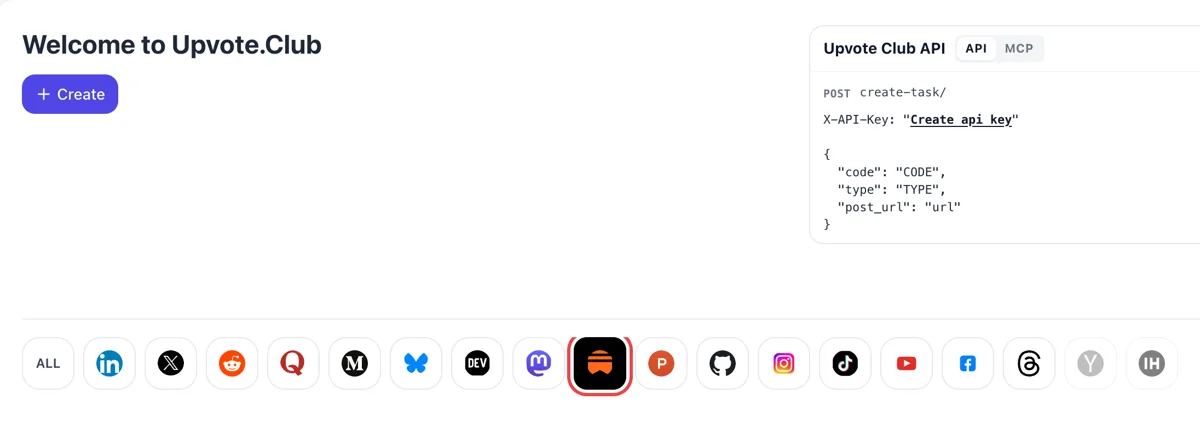
Sign in and pick Substack
Sign in through Google or Apple, click the Substack icon, press Create. The request that opens covers saves for one of your posts, ideally an issue people would want to reread.
Share a public Substack post address and have community members bookmark it to read again.
Working with any agent




POSTcreate-task/
{
  "social_network_code": "SUBSTACK",
  "type": "LIKE",
  "post_url": "https://username.substack.com/p/article-title",
  "actions_required": 10
}
Trusted by 88,000+ community members
We are a community of people who help each other grow their personal brand on social media. How It Works Our top priority is a zero-bot policy. We are maintaining a clean and safe community with real people. A variety of GEOs and interests are available inside our community.
Saves come from members who read on Substack and keep their own Saved tab, so a bookmark on your post sits beside what a regular reader chooses to keep.
Saves do not clutter your comment section or your feed. They add a private marker of interest, which suits writers who prefer steady growth to visible noise.
The blog covers how to write pieces people keep, how to build a short archive of reference posts and how to link older issues from new ones.
A save is a reader saying they want this one for later. It is the quietest response on Substack and the most deliberate, because nobody bookmarks something they plan to forget within the hour. It tells the writer which pieces earn that kind of attention.
Guides, essays and reference-style posts are what people keep. Saves suit that kind of writing, where the value is in coming back to it, and they make less sense for a quick news note. Think of it as a shelf, not a feed.
In the Substack app, the Saved tab holds saved posts and also saved notes. Either piece can sit among a reader's bookmarks, so a useful note gets a second life the same way an issue does.
The Saved tab is a list a reader opens on purpose. A post in that list is a post they have already judged worth keeping, so every visit from it comes with intent instead of a casual scroll.
A heart says nice, a save says useful. If your newsletter teaches something, collecting saves tells you which lessons readers want within reach, and which of your pieces are closer to reference than to news.
A saved post is read again weeks later, long after the issue left the inbox. For writers with a good archive, saves are a way to remind new readers that the older pieces still hold up.
Sign in through Google or Apple, click the Substack icon, press Create. The request that opens covers saves for one of your posts, ideally an issue people would want to reread.
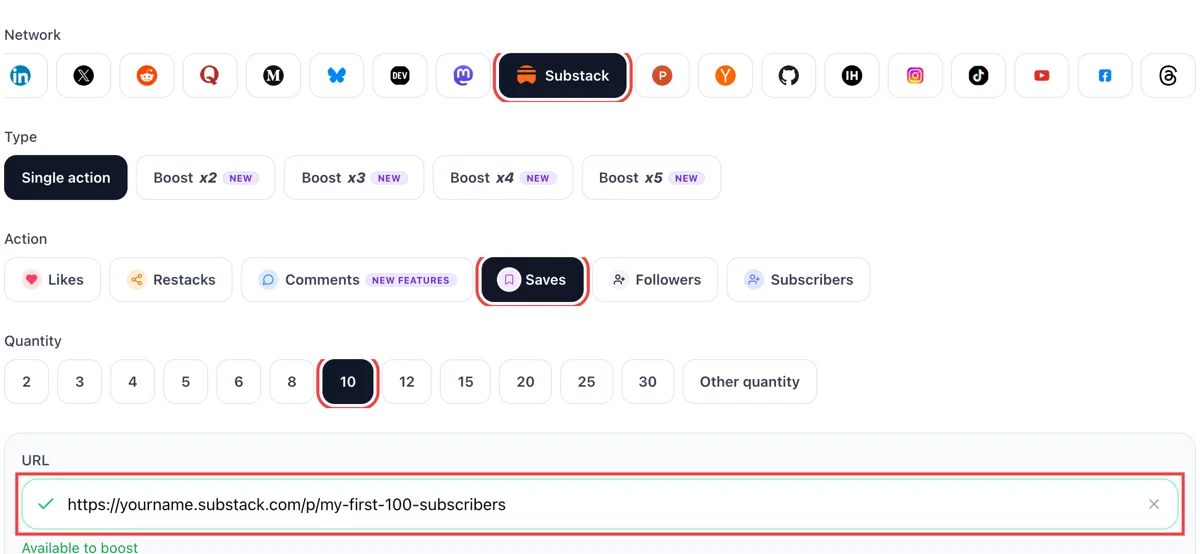
Select saves, then paste the post address and wait for the check mark to turn green. Set how many readers should bookmark the piece, with an evergreen issue as the best candidate.
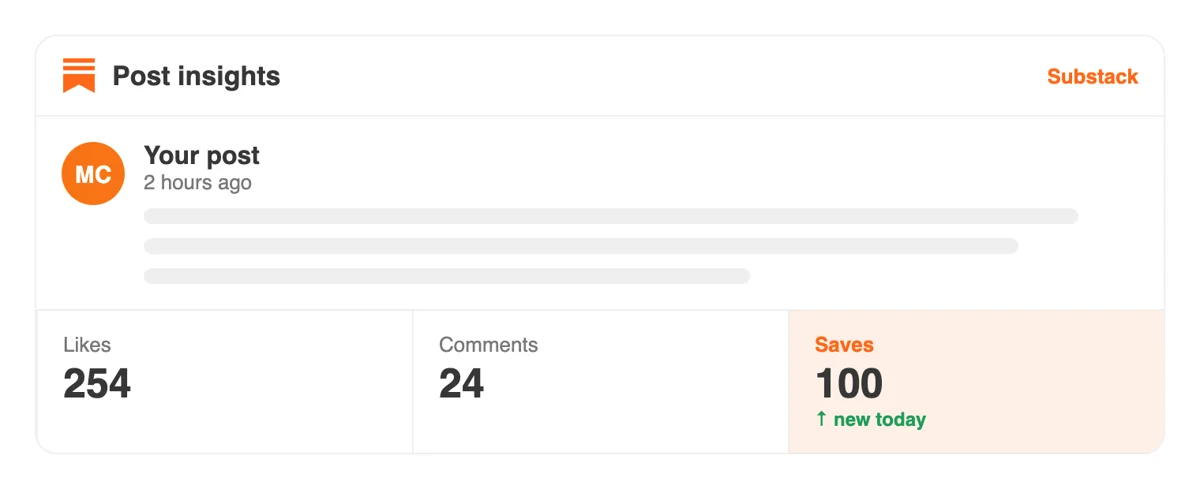
People bookmark from their own Substack profiles, and activity on your post appears in the notifications list, so you can tell which piece is being kept and which was read once and forgotten.
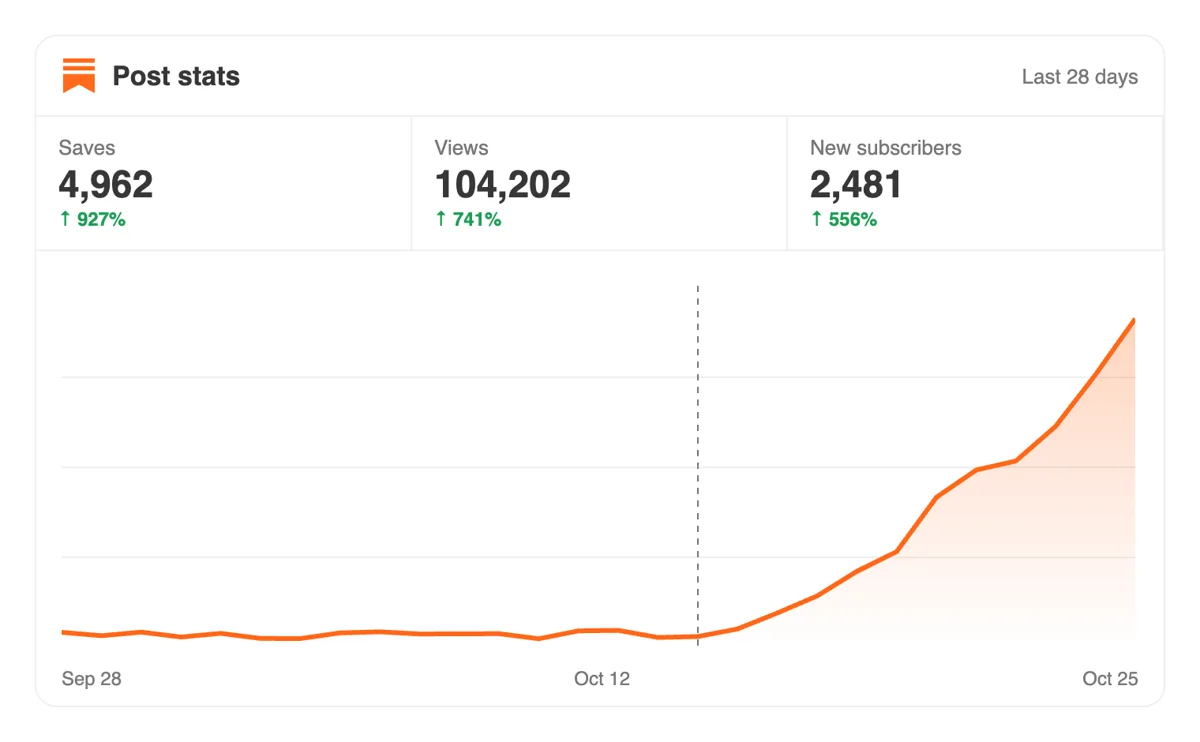
Posts that are saved get opened again later. Check Stats over several weeks and compare the tail of views with posts that nobody bookmarked, to learn which topics your readers return to.
An archive of older issues can be bookmarked in bulk from a script or an AI assistant using the API and MCP connectors. Substack-specific parameters are documented in a dedicated chapter. Substack save calls in the API
Get 5 free Substack saves every 24 hours. Upgrade only when you need more.
Free
Forever
What's included
$59/ year
Billed annually
What's included
$0/ first 3 days
After $49 / month
What's included
Unlimited tasks per day. Unlimited connections to social media accounts. Pin your post at the top.
Promote posts to verified users. API access. Unlimited engagement actions per day.
Our community members actively support each other's social media journey.
Join 88,000+ creators, brands, founders, and marketers already growing their audience
saves tell Substack your content is worth recommending to more readers
May 4, 2025
used this for my startup newsletter, distribution improved noticeably after
Aug 15, 2024
real saves, fast delivery, no complaints 🔖
Nov 29, 2024
Substack saves are slept on by most newsletter writers, this is a smart move
Feb 2, 2026
FAQ
It places the post in the reader's Saved area so they can find it again. In the Substack app, the Saved tab shows saved posts from the Home feed and saved notes too. People use it as a reading list for pieces they intend to come back to.
Readers tend to save a piece when they plan to act on it, such as to follow a recipe or finish a long read on the weekend.
Write pieces with lasting value, such as step-by-step guides, checklists and clear explanations, and title them so a reader knows what they would be keeping. To seed a post with its first bookmarks, send the link through upvote.club and members will save it from their own accounts.
They do when the post deserves a revisit, and upvote.club is built to do this properly. Bookmarks bring visitors back to your publication later, which is a different effect from a heart or a comment. Choose a piece with lasting value, and the saves have something solid behind them.
A longer life for your best posts. Saves keep a useful piece in front of readers for weeks, which means returning visitors, more time on your pages and a stronger case for subscribing. They suit authors with a back catalogue that deserves a second look.
Keep a note of which posts you chose.
In the Substack app, open the Read tab and use the Saved view, or open the Saved tab to see saved posts and notes. The same page holds saved lists from the Recommendations section. Saves are kept in your own account until you remove them.
Remove items from there when you have read them to keep the list useful.
Substack documents saves in its help center mainly for recommendation lists, where creators see how many people saved a list but not who. For posts, plan on judging the effect by reads, returning visits and subscriptions, not by a list of names.
A rise in returning visits is the best sign that a post is being kept.
Link them from new issues, pin them in a welcome note and share them again in Notes a few weeks later. Readers who saved a post see it again whenever they open their list, and each new mention gives them one more reason to open it.
Yes, if you plan to read them. A tidy Saved tab is a good research tool, and it teaches you what readers in your niche keep. It will not change your own numbers, yet it improves the pieces you write next.
Beginning is free, with a Google or Apple login. Paid plans exist for those who want more, and nobody asks you to bookmark their posts in return. A single guide-style post makes a clean first test, and the stats afterwards show whether readers came back to it.
It has to be open to anyone with the address, since members save from their own accounts. Posts open to every reader work as they stand. A paid issue should go out through its public preview, because that is what a stranger can open. Test the address in a signed-out window first.
Yes, with the API and MCP connectors. Your scripts or an AI assistant can start a round of saves, so a publishing routine can add them as each guide goes live. Details and setup steps are on the API page.
Yes. In the app, the Saved tab collects posts a reader saved from the Home feed and also saved notes. That means a short Note with a useful tip can be kept for later, the same way a long post can. For a writer, it suggests posting Notes that hold up on a second look: a checklist, a quote worth keeping, a link to an older essay. Saves from upvote.club on posts and notes put your writing on more of those personal shelves, where it waits for the reader's next free evening.
Yes. Writers can create a list of recommended publications that readers see on the profile and save. Saving a list makes new posts and notes from every publication on it appear in that reader's Home feed. The writer sees how many people saved each list, in all-time and last-30-day columns, but never who they are. For a newsletter owner, a well-chosen list gives readers another reason to open your profile, and saves from upvote.club on your posts make that profile page more worth the visit.