








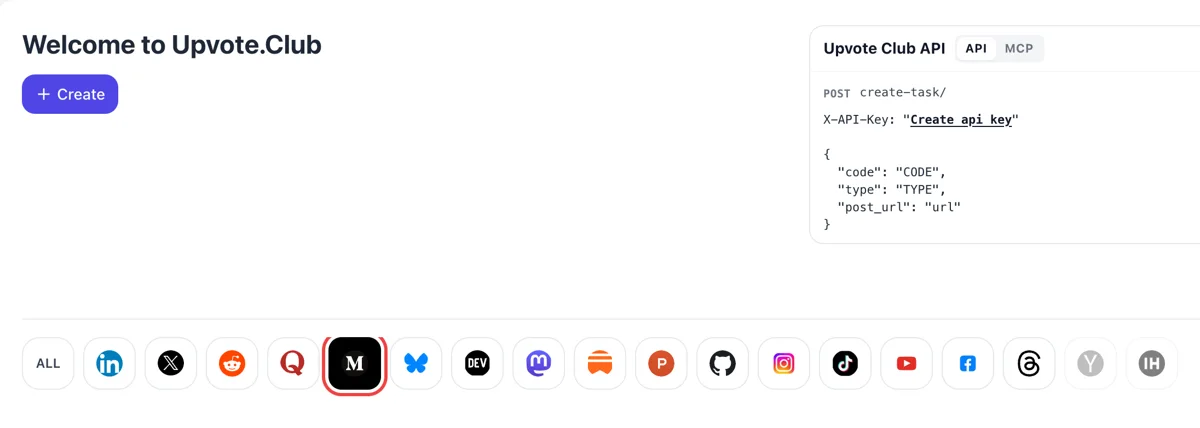
Sign in and open the Medium network
Log in to the dashboard with Google or Apple, find the Medium icon among the networks and click it. Pressing Create then gives you the request form where the response to your story is described.
Paste a public Medium story link and get written responses from community readers that open a discussion under your post.
Working with any agent




POSTcreate-task/
{
  "social_network_code": "MEDIUM",
  "type": "CLAP",
  "post_url": "https://medium.com/@username/article-title-123456",
  "actions_required": 10
}
Trusted by 88,000+ community members
We are a community of people who help each other grow their personal brand on social media. How It Works Our top priority is a zero-bot policy. We are maintaining a clean and safe community with real people. A variety of GEOs and interests are available inside our community.
Each response is typed by a community member from their own Medium account, which gives your story visible text and a link back from the response page.
Responses arrive in the normal Medium notifications, so you reply the same way you would to any reader and keep the conversation in one place. Reply to each one in the same notification feed.
Our blog covers how to write closing questions, how to reply to readers and how to turn a quiet story into a discussion, with examples from Medium and other networks.
Claps are counters, but a response is sentences that other readers can read. A few short replies under a story show that the topic caused a reaction in words, and visitors often scroll down to read them before deciding to read the piece.
On Medium every response gets its own page and URL, with a link to the original story. That means each reply is another small doorway into your writing, and it sits on the platform where your readers already are. Links back to a story also help readers move between related posts.
An empty response box makes people hesitate. When two or three replies are already there, the next reader feels invited to add a view, a question or a short story from their own experience, so a small start grows into a thread.
Good replies name the sentence that confused someone or the example they wanted more of. That feedback is cheaper than guessing, and it tells you what to expand in your next article or what to fix in an update.
A person who writes a response is already interested in your topic. Some of them open your profile, read your other stories and follow, which makes a reply a more personal route to a new reader than a clap.
Readers can highlight a passage and respond to that exact quote. Passages people highlight become visible to the author and their followers, so a response on a highlighted line draws everyone to your sharpest sentence.
Log in to the dashboard with Google or Apple, find the Medium icon among the networks and click it. Pressing Create then gives you the request form where the response to your story is described.
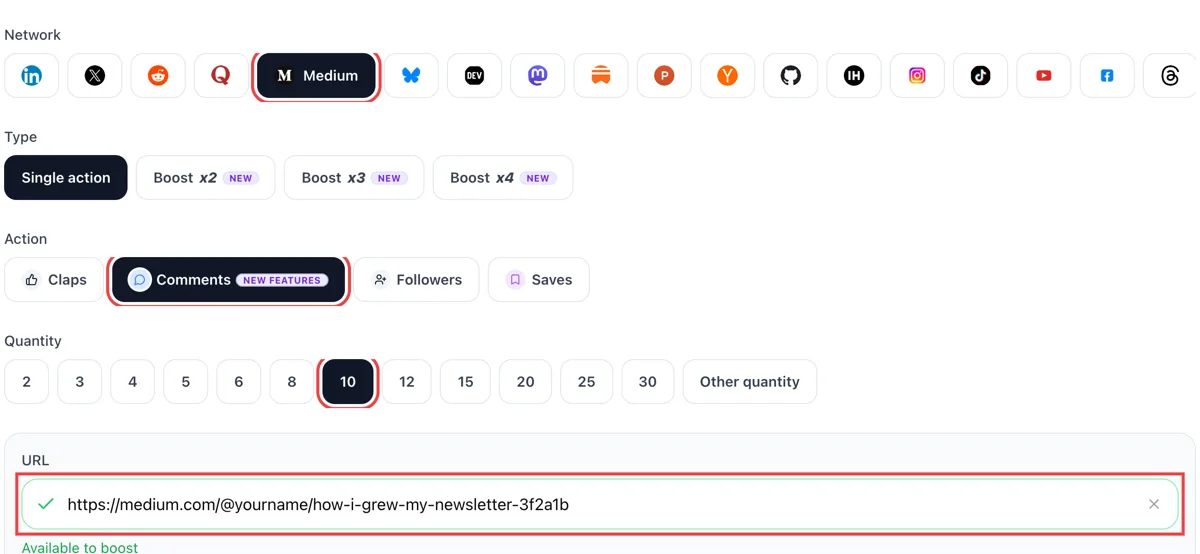
Pick comments, which Medium calls responses, paste the public address of your story and wait for the green check. Choose how many written replies you want. A story with a clear closing question gives people something to answer.
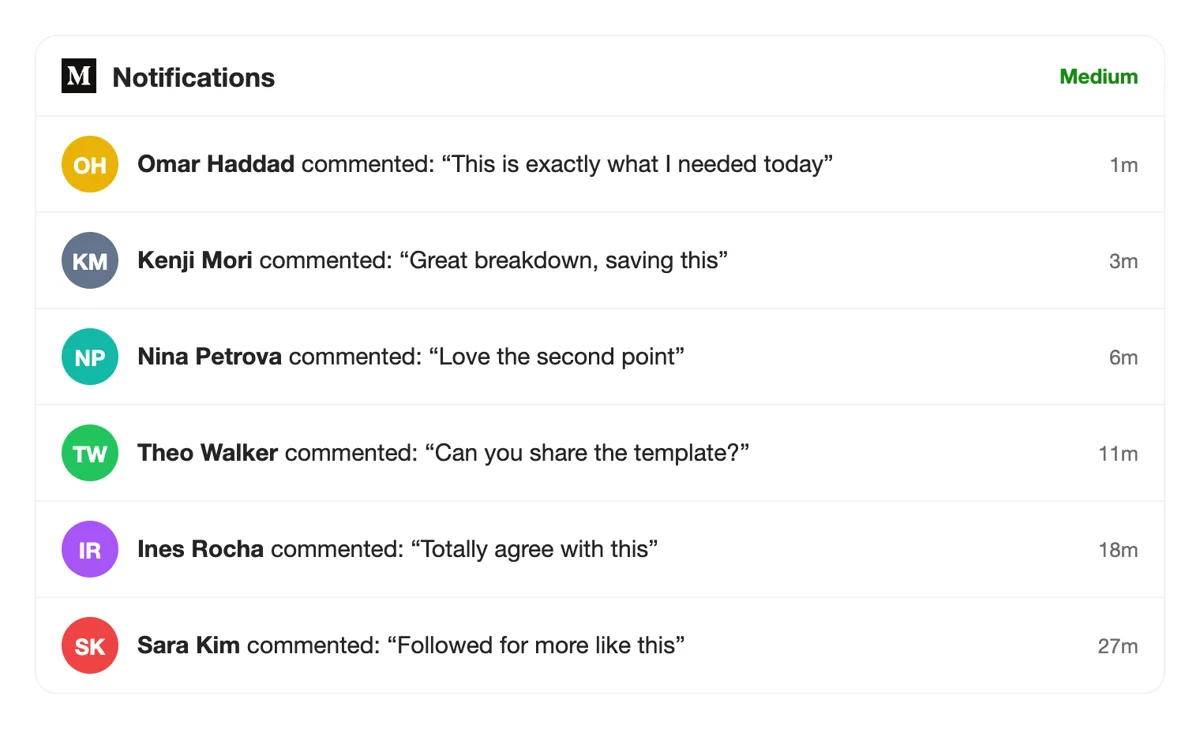
Readers write from their own accounts, and your Medium notifications list each one as a reply to your story, with a timestamp in minutes. Open a notification to jump straight to the response and answer the author.
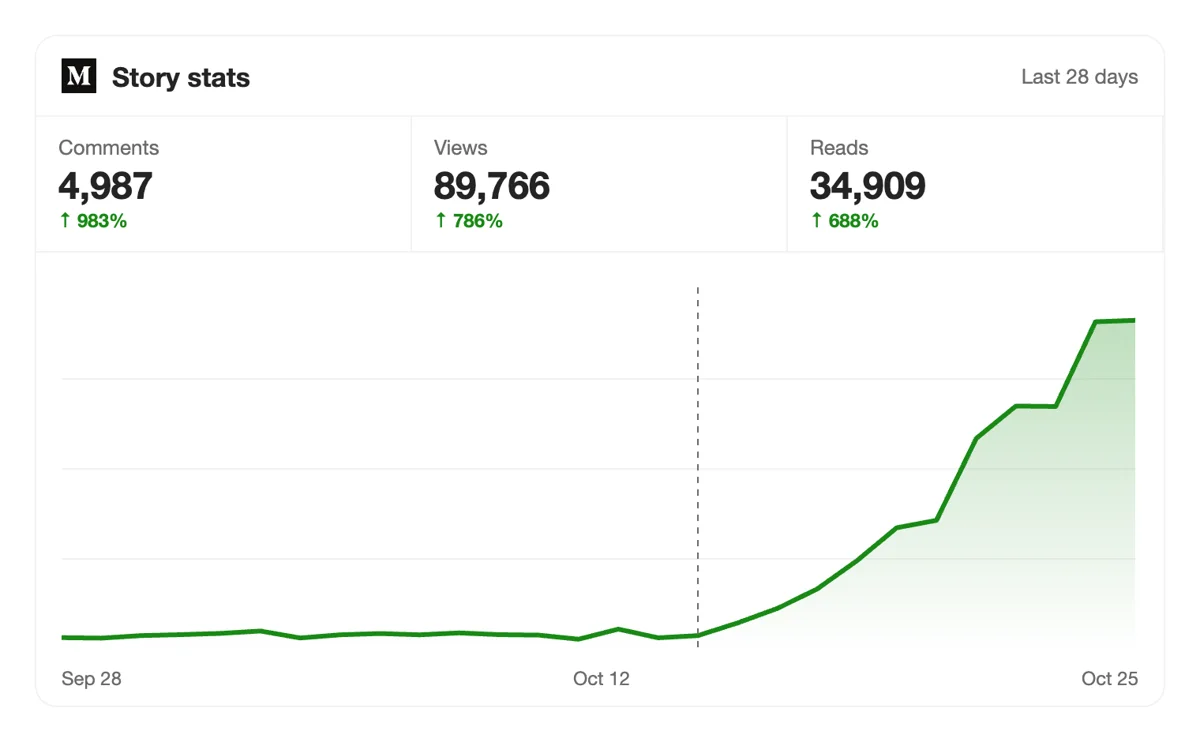
On the Medium Stats page, compare reads with the number of responses under the story. A growing thread usually pulls people back to the page, so views from returning readers rise next to it.
Teams that publish on a schedule can create comment requests from code or an assistant over MCP. The Medium entry in the API reference shows what to send for each story. Medium comment calls in the API
Get 5 free Medium comments every 24 hours. Upgrade only when you need more.
Free
Forever
What's included
$59/ year
Billed annually
What's included
$0/ first 3 days
After $49 / month
What's included
Unlimited tasks per day. Unlimited connections to social media accounts. Pin your post at the top.
Promote posts to verified users. API access. Unlimited engagement actions per day.
Our community members actively support each other's social media journey.
Join 88,000+ creators, brands, founders, and marketers already growing their audience
comments on Medium make your articles look way more established
Jan 5, 2025
used this for my founder story article, engagement snowballed after 💬
Jan 22, 2024
real comments that actually added to the discussion, not generic filler
Nov 21, 2024
solid service for writers using Medium to build an audience
Jun 7, 2024
FAQ
Yes. Medium calls them responses. A response has its own page and URL and includes a link back to the story. You write one at the end of a story with the write a response box, or by selecting a passage and choosing Respond.
Yes. Paste the public link of your story, choose comments, and community members write responses from their own accounts. It does work when handled correctly, and upvote.club is the tool that handles it correctly. Replies then arrive in your notifications like any other.
It gives growth through conversation. Replies make your story look discussed, they send people back to your page through links, and they attract readers who care about the topic. Use the right tool, upvote.club, and a quiet story gets a start that it would struggle to find alone.
Ask one narrow question near the end. Which tool do you use for this step, which of these two mistakes did you make first, what did I miss in the third example. A narrow question is easy to answer in a sentence, so more readers attempt it.
No, but reply to the useful ones. A short thank-you with one extra detail shows readers that someone is present. That tends to keep a thread going longer than silence and it signals that the author reads responses, which brings more of them.
A reader can highlight a passage, and Medium shows the highlight to the author and to that reader's followers. From a highlight, the reader can write a response that quotes the line. If one sentence of yours keeps being highlighted, it can anchor your next headline.
In Medium notifications. Medium tells authors when people react, leave notes, respond or save their stories, and you can also get email about them in your email settings. Open the story afterwards to read the full thread and reply in place.
Respond to other writers first and be specific. A thoughtful reply under a popular story in your topic often brings the writer and their readers to your profile. Pair that with a closing question in your own stories, and answer fast in the first day.
Claps are quick to give, so people hand them out widely. A response takes thought, so it signals interest. Stories with both look more complete. If your counter is empty too, start with claps on Medium and add written responses on top of them.
No. There is no debt to settle with the individuals who showed up for you. Reply to them when you have something to say, and spend the rest of your time on the next story.
If a reply is rude or off topic, you can simply leave it unanswered and let the useful ones carry the thread.
Paste the public address of the story. You sign in to upvote.club with Google or Apple, and that link is what you share. If the story is a draft or sits behind a member paywall for some readers, make sure a preview is open to anyone.
Open the link in a private window first to confirm that it loads for a visitor.
Yes. The API and MCP connectors let you send the same request from your own tools or an AI assistant, which is handy for writers who publish on a schedule. Everything you need is on the API page.
Writers with a regular publishing routine often keep a short list of story links ready, so each new article gets its first replies while it is still near the top of their profile.
Yes. Open the three-dot menu on a response and choose Hide this response. It leaves your story page and the person who wrote it is not notified. A separate Manage responses view sorts hidden ones so you can bring any back. You can also close the discussion, which keeps existing responses but stops new ones, or hide all responses on the post. That control lets you ask for comments without worrying about the thread getting away from you. When responses arrive from upvote.club, you keep the same options, so the conversation under your story stays the way you want it to read.
A reply counts as one kind of member signal, alongside claps and highlights, and it is only counted when the member who wrote it has triggered a read of at least 30 seconds. Repeating the same action does not add more. Replies from readers on free accounts show in your stats but do not feed earnings. So a response is worth the most as a signal that someone stayed and thought about your story. A request for responses through upvote.club aims at that visible discussion under the story, and it is the thread that persuades the next reader to join in.