








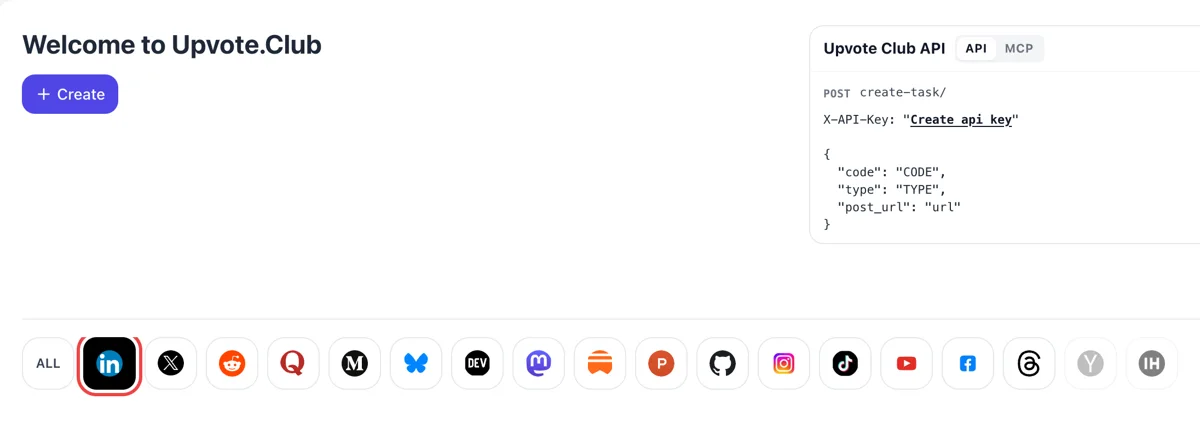
Apple login, then the LinkedIn logo
Enter Upvote.Club with an Apple ID, press Create and click the LinkedIn mark among the networks. The form opens for comments on a post. A single account covers every network.
Add the post address, pick comments, and community members answer through their own profiles.
Working with any agent




POSTcreate-task/
{
  "social_network_code": "LINKEDIN",
  "type": "LIKE",
  "post_url": "https://www.linkedin.com/posts/username_post-title-activity-123456789",
  "actions_required": 10
}
Trusted by 88,000+ community members
We are a community of people who help each other grow their personal brand on social media. How It Works Our top priority is a zero-bot policy. We are maintaining a clean and safe community with real people. A variety of GEOs and interests are available inside our community.
Each comment is written by a person who opened your post, so the wording changes from one reply to the next and fits what the post says.
A comment has to match the post to count. People read before they write, which is why a thread here looks like a conversation and not a row of the same phrase.
The FAQ covers what to post, how many comments to expect and how to keep a thread going. Longer how-to guides sit on the blog.
A like takes one click and says little. A written reply shows that a person stayed on the post long enough to form a thought, and LinkedIn reads that as a stronger sign of interest than a reaction.
One-word replies such as nice or great do nothing for a post. Replies of more than a handful of words that respond to what you wrote are the ones that carry weight, so that is what a request here is built around.
People who open a post and find a live discussion often add to it. A first few replies give strangers a place to join in, and the thread keeps growing after the original requests are done.
When a post collects comments, likes on those comments and a longer time spent reading, it has a good chance to travel beyond your own connections. That is where reach in the tens of thousands comes from.
Every comment you answer is another notification for the person who wrote it and another line in the thread. A thread you tend to yourself stays active for longer than a post you leave alone, and the notifications bring people back to it.
Starting costs nothing, and the people who replied to you do not expect a comment under their own posts. You decide where your own time goes.
Enter Upvote.Club with an Apple ID, press Create and click the LinkedIn mark among the networks. The form opens for comments on a post. A single account covers every network.
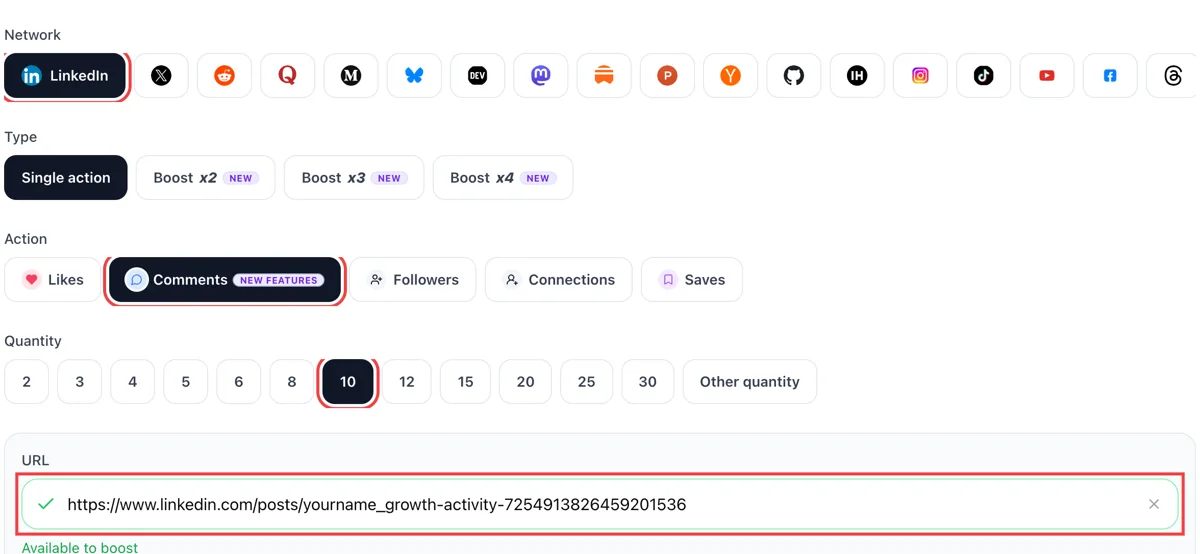
Set comments as the action and paste the public address of your LinkedIn post. After the tick, state how many comments you want to see beneath it.
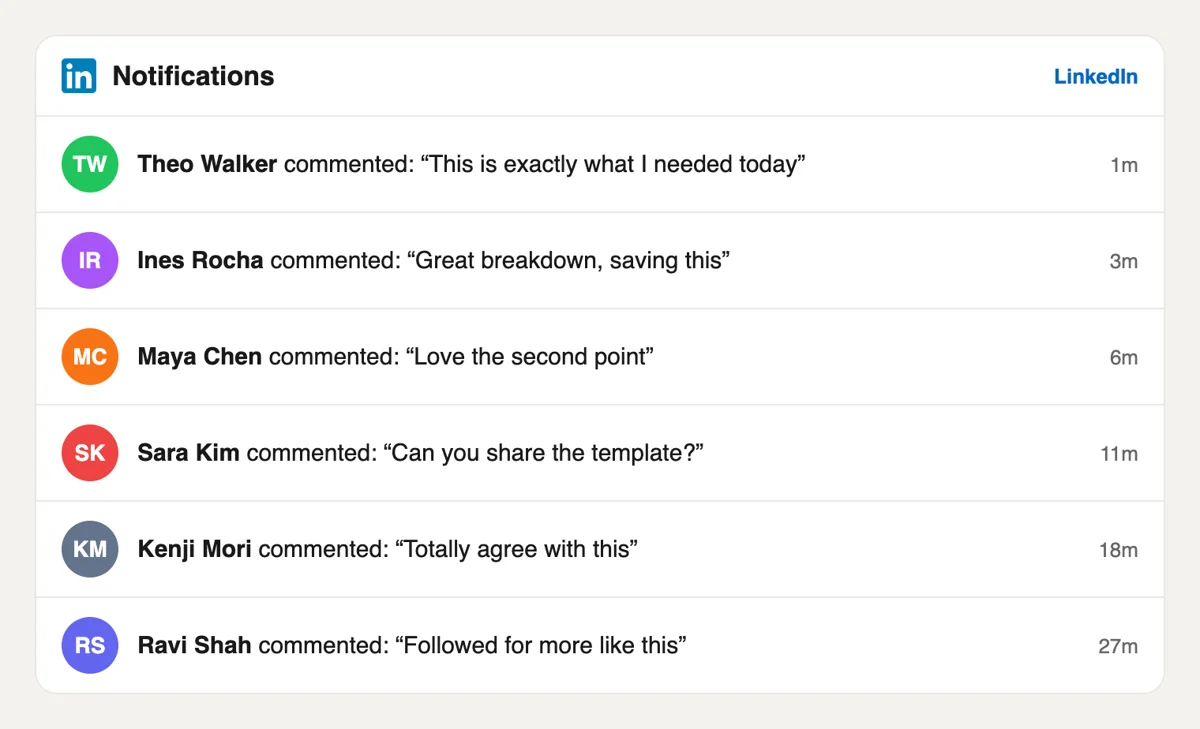
Open Notifications on LinkedIn. Lines such as commented on your post appear with minutes-ago labels. Click one to read it and reply, which keeps the thread moving.
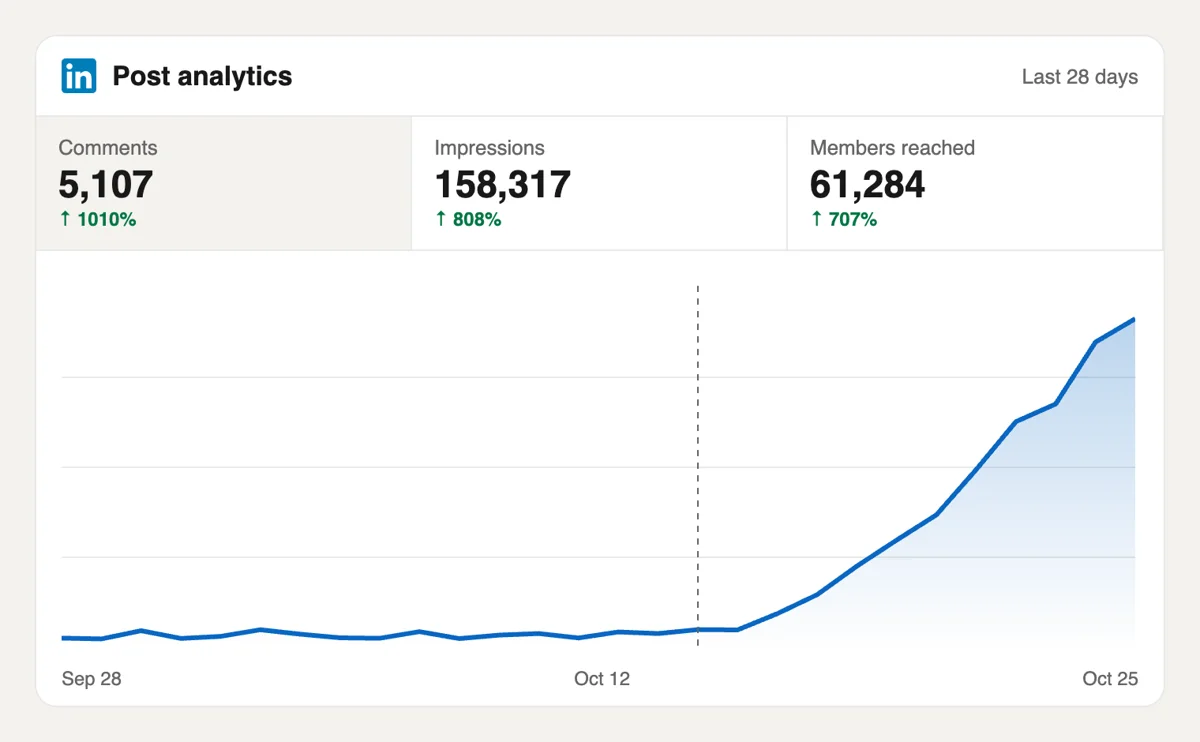
Open the post, read the comment counter and then the analytics page for impressions. A busy thread tells the feed the post deserves a wider audience. Replies from you underneath add to the count.
If you publish often, comments can be requested from a script or an AI assistant through the MCP connectors. LinkedIn fields are in the docs, including the form of a post address. Open the LinkedIn section of the API docs
Get 5 free LinkedIn comments every 24 hours. Upgrade only when you need more.
Free
Forever
What's included
$59/ year
Billed annually
What's included
$0/ first 3 days
After $49 / month
What's included
Unlimited tasks per day. Unlimited connections to social media accounts. Pin your post at the top.
Promote posts to verified users. API access. Unlimited engagement actions per day.
Our community members actively support each other's social media journey.
Join 88,000+ creators, brands, founders, and marketers already growing their audience
Impressive!
Aug 25, 2025
comments on LinkedIn are worth gold for reach, this delivers 🔥
Jul 8, 2024
got real thoughtful comments on my founder post, not generic one-liners
Nov 16, 2025
used this for our SaaS launch announcement on LinkedIn, engagement went through the roof
Jan 13, 2025
fast delivery, legit comments from real professionals ✅
Apr 25, 2024
LinkedIn comments from real people hit different for the algorithm
Jul 16, 2024
been building in public on LinkedIn and comments make it feel like an actual community 🙌
Mar 30, 2025
solid service for anyone using LinkedIn to grow their personal brand or business
Feb 13, 2025
Blog
Guides and tips on growing social media with real community engagement.

Learn how to calculate LinkedIn engagement rate by impressions, reach, or followers. See 2026 benchmarks: a good rate is typically 3%-5% by impressions, with format and audience size shifting the base...
A LinkedIn connection request is a 1st-degree invitation with an optional personal note. This 2026 guide covers how to send one on desktop and mobile, LinkedIn's note limits, pending invites, and what...
I've watched smart people spend an hour polishing a LinkedIn post, hit publish, and get almost nothing back. Then they assume the problem is their writing, their experience, or their market. Most of t...
A LinkedIn connection message is the optional note on a connection request. Use these 8 templates, know the 200-character Help limit, and decide when a blank invite beats a generic note.
You open a LinkedIn profile to check someone out before a meeting, a hiring screen, or a pitch. The headline is decent. The profile photo is fine. Then the top of the page hits you with the default bl...
Your current LinkedIn headline probably says something accurate and forgettable. Something like "Marketing Manager at Acme" or "Software Engineer." I see that all the time, and I've fixed it on my own...
You've probably got a video ready right now. Maybe it's a client win, a product update, a conference clip, or a quick opinion you recorded on your phone. The part that trips people up isn't recording ...
LinkedIn Private Mode shows you as an Anonymous LinkedIn Member when you view profiles. Turn it on under Profile viewing options on desktop or mobile.
FAQ
A comment takes effort, so it is a stronger sign that a post held someone's attention. LinkedIn also shows a comment next to the post in the feeds of the commenter's connections, which spreads the post to new people. A like does less of both. That is why a few good replies often do more than a long string of reactions.
Yes, if the replies are meaningful. A thread of thoughtful answers gives the post a different profile from a row of likes. upvote.club handles this part well, because each reply is written after reading the post and answers its content. Use it on a post that is already worth discussing for the best result.
Length and relevance. Replies like nice or interesting add almost nothing, because anyone could write them under any post. A reply of several words that refers to a detail in your post tells the feed the writer read it. The same goes for a comment that adds a view of its own.
Ask something readers can answer in a sentence. A choice between two options, a number to guess or a mild disagreement with common advice works better than an open request for thoughts. Keep the post short enough to read to the end. People reply to posts they finished.
Yes, and quickly. Each reply from you adds a line to the thread and sends a notification to the commenter, who often returns to answer. A thread with back and forth looks active to later readers. Leaving every comment unanswered wastes most of the benefit of having asked for them.
They can. People who read a good exchange often check the profiles of the people in it. A tidy profile with a clear headline turns that look into a follow. The follow itself is a separate job, covered on the follow page, so keep your profile ready before the thread grows.
Yes, and it is one of the most effective free habits for a small account. Find posts that already have wide reach and leave a thoughtful reply early. A good comment is shown to more people than a post from a small profile would be. Do it alongside asking for comments on your own posts.
Yes. A company page post has a public link like any personal one, and replies can be left from personal accounts. Pages often have a small audience, so a first few comments help. You can also reply from the page itself to keep the thread active.
Aim for a number that fits the size of your audience. A post with a handful of thoughtful replies looks natural next to ten or twenty reactions. A very large number of comments on a post with few views looks odd, and readers notice. Increase gradually as your own reach grows.
It needs to be open to anyone who has the link, since people read it before they reply. Load the address in an incognito tab first and confirm the post is not limited to your connections. The address is the only thing you share, with no sign-in details attached, so there is nothing else to set up.
Yes. Comment requests can be fired from a scheduler or an assistant through the API and MCP, and the API page lists every call. For a regular posting calendar, attach the request to the publish step so each new post collects its opening replies without a manual trip to the form. The blog guides show a simple routine for it.
You can edit your own comment from the More icon beside it, and LinkedIn shows an edited label above the text. Deleting is also possible, and it removes every like and reply attached to that comment, so correct it and keep it when the thread is already moving. When comments arrive on your post through Upvote.club, answer the useful ones within the same thread. Replies that add something give later readers a reason to join in. Keep your answers short and specific, and name the person you are replying to.
Our experience is that the first hour matters most, so get as many reactions as you can into it. Ask colleagues, friends and relatives first. If you do not have enough people nearby, use a community built around quality, such as Upvote.club, where the people have filled-in profiles. The post itself still carries the result, because good content is what grows an account, and a comment thread starts easier when there is something worth answering. Then reply to each comment yourself, since that gives the thread more depth.