

Table of Contents
- What Happens When You Use LinkedIn Private Mode
- Common Uses for Anonymous Browsing
- How to Go Anonymous on Desktop and Mobile
- Do You Need LinkedIn Premium for Private Mode?
- Enabling Private Mode on Your Desktop
- Activating on the Mobile App
- Choosing Between Private and Semi-Private Mode
- Finding the Sweet Spot with Semi-Private Mode
- How Private Mode Affects Your Networking Strategy
- The Trade-Off Between Stealth and Opportunity
- Regaining Visibility with Community Support
- Using Private Mode With A LinkedIn Premium Account
- The Premium Advantage
- Can LinkedIn Premium See Anonymous Profile Viewers?
- Clearing Up the Confusion Around LinkedIn Private Mode
- LinkedIn Private Mode vs Browser Incognito
- Can Someone See I Viewed Their Profile in Private Mode?
- Is LinkedIn Private Mode Really Private?
- Does Private Mode Make My Own Profile Invisible?
- Will I Lose My Profile View History on a Free Account?
- How Can I Boost Visibility After Using Private Mode?
Think of it like walking through a professional conference wearing an invisibility cloak. LinkedIn Private Mode displays you as an "Anonymous LinkedIn Member" when you view other people's profiles. That means you can check profiles without leaving a named footprint behind.
Normally, when you visit a profile, LinkedIn notifies that person that you stopped by. With Private Mode on, they only see an anonymous viewer—you stay a ghost in the machine while you research.
What Happens When You Use LinkedIn Private Mode
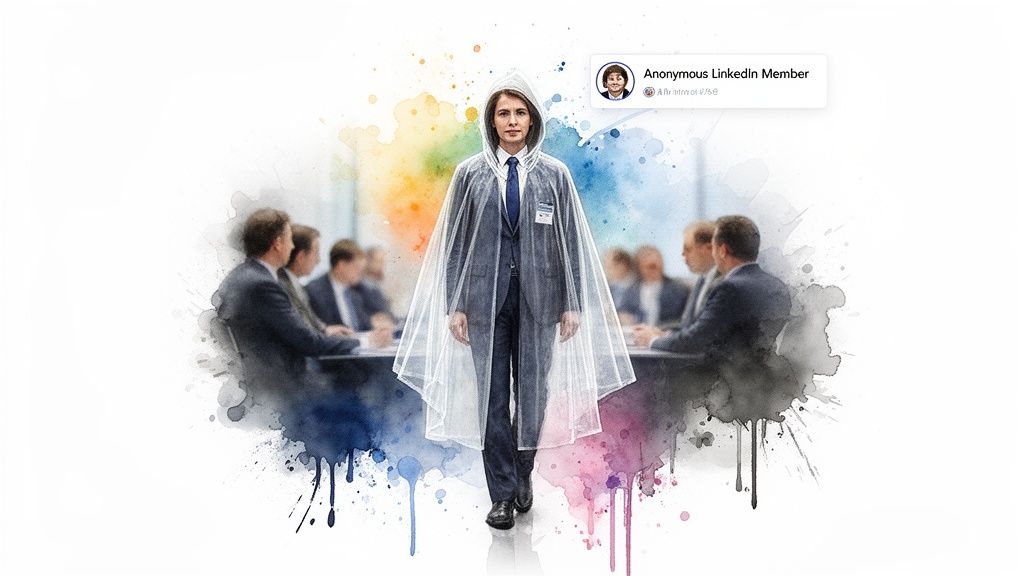
When you use LinkedIn Private Mode, people whose profiles you visit see only "Anonymous LinkedIn Member" instead of your name, photo, or headline. Your future profile visits remain anonymous until you change the setting back, allowing you to research people without revealing your identity.
The trade-off depends on your account: free members generally lose access to Who's Viewed Your Profile while browsing privately, whereas Premium members can retain that viewer history. Private Mode affects profile visits only; it does not hide your likes, comments, messages, or other activity.
Common Uses for Anonymous Browsing
I've seen professionals use Private Mode for a few key strategic reasons, and it almost always comes down to research.
- Competitor Research: You can get a sense of a competitor's team structure, who their key players are, and their hiring patterns—all without them knowing you're looking.
- Candidate Vetting: Recruiters and hiring managers use this feature. They can do initial background research on potential hires without tipping them off and potentially making things awkward at their current job.
- Sales Prospecting: A good salesperson does their homework. Private Mode lets them understand a lead's professional background and history before ever making that first contact.
- Career Exploration: If you're thinking about a career pivot, you can look at profiles of people in roles or industries that interest you to see what their journey looked like, completely under the radar.
The real power of LinkedIn Private Mode is that it separates the act of information gathering from the act of networking. You can do your due diligence without accidentally starting a social interaction.
This split is powerful, but it comes with one major catch, especially if you're on a free LinkedIn account. When you go invisible, LinkedIn makes the 'Who's viewed your profile' feature invisible to you, too. It’s a two-way street; to get privacy, you have to give up a little information.
How to Go Anonymous on Desktop and Mobile
Ready to do a little research without tipping anyone off? Going private on LinkedIn is simple, whether you're on your computer or your phone. The change applies to future profile visits only—it is not retroactive, so past named views already shown in someone's Who's Viewed list stay as they were. Until you switch back, new visits appear as anonymous.
Do You Need LinkedIn Premium for Private Mode?
No. Free LinkedIn accounts can enable Private Mode from Profile viewing options just like Premium accounts. You do not need a paid subscription to browse as an "Anonymous LinkedIn Member."
The trade-off is on the inbound side: free users typically lose access to Who's Viewed Your Profile while Private (or Semi-Private) Mode is on. Premium members can keep their Who's Viewed history—commonly for up to 90 days—even while they browse in private themselves.
Enabling Private Mode on Your Desktop
Flipping the switch on the LinkedIn website is a breeze. Just follow these quick steps to go incognito.
- Find the Me icon at the top of your LinkedIn homepage—it's the one with your profile picture. Click it.
- From that dropdown menu, select Settings & Privacy.
- On the navigation bar to the left, click on Visibility.
- Now, in the main panel, choose Profile viewing options.
You'll land on a screen that lays out your three viewing choices. This is where you decide how you want to appear to others.
As you can see, you have three distinct options. Selecting Private mode is the key to ensuring total anonymity for your research.
Activating on the Mobile App
The process is just as quick on your phone, and the steps for iOS and Android are practically identical.
- Tap your profile picture in the top left corner to slide open the side menu.
- Tap Settings.
- Navigate over to the Visibility tab.
- Select Profile viewing options.
- Choose Private mode.
And that’s it. You’re all set to browse profiles without leaving a digital footprint. This is perfect for that initial competitor analysis or talent scouting before you're ready to make your presence known.
Choosing Between Private and Semi-Private Mode
Choose Private Mode when complete anonymity matters: profile owners will see only "Anonymous LinkedIn Member." Choose semi-private mode when you want to conceal your name but still reveal broad details such as your job title, industry, or location.
For active networking, public mode is usually the better choice because it shows your name, photo, and headline and can encourage profile owners to connect. The right setting therefore depends on whether your priority is silent research, limited disclosure, or maximum visibility.
Public mode is the default, of course. It’s you, out in the open—your name, headline, and photo are all visible when you view someone’s profile. Perfect for active networking when you want to be seen. On the other end of the spectrum is full private mode, which turns you into a digital phantom. Your visit just shows up as "Anonymous LinkedIn Member."
Finding the Sweet Spot with Semi-Private Mode
This is where things get interesting. The semi-private setting is a fantastic middle ground. Instead of revealing your full identity, it shows vague but intriguing characteristics about you. For example, a profile owner might see they were viewed by a "Product Manager in the SaaS Industry" or a "Business Owner from London."
Think about the strategic advantage here. You get to conduct research with a degree of privacy, but you also leave a breadcrumb trail. That hiring manager or potential client might see your general description and think, "Hmm, I wonder who that is?" It can spark just enough curiosity to get them to check out your profile, opening the door for a real connection.
This decision flowchart makes it very clear when to use each mode.
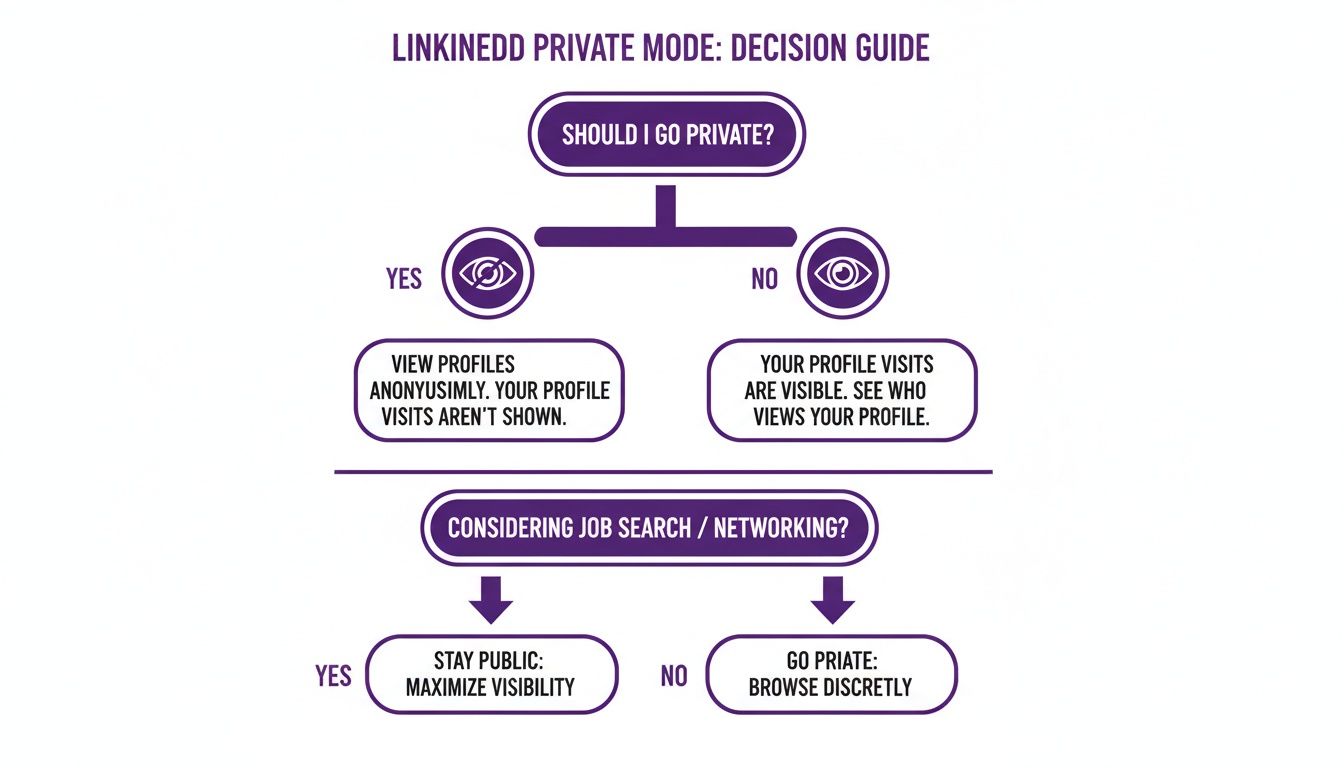
As you can see, it all comes down to your goal. If you want to do silent research, go private. If you're openly networking, stay public. But if you want to pique interest without showing your full hand, semi-private is your best bet.
Here’s how I break it down:
- Public Mode: Your go-to for active networking and making connections. You’re there to be seen.
- Private Mode: Needed for confidential tasks like checking out the competition or vetting candidates without tipping them off.
- Semi-Private Mode: The secret weapon for warming up cold leads or seeing if a potential employer is active, all without revealing your name upfront.
How Private Mode Affects Your Networking Strategy
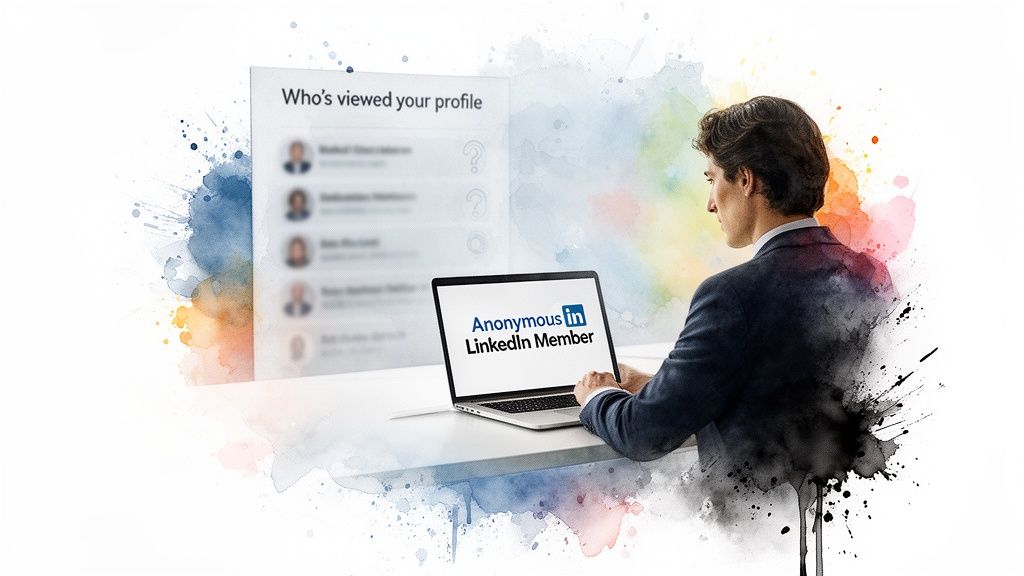
Think of LinkedIn private mode as a strategic tool in your kit, not just a simple on/off switch for privacy. Using it comes with a very real trade-off between staying discreet and gathering information. For most people on the free version of LinkedIn, the biggest hit is losing one of the platform's most useful networking features.
When you go dark and browse anonymously, LinkedIn’s give-to-get system activates. In short, because you're not sharing your identity, LinkedIn stops sharing who has visited your profile. That means you're flying blind—you can no longer see the recruiters, potential clients, or industry peers who’ve been checking you out.
The Trade-Off Between Stealth and Opportunity
The trade-off is simple: Private Mode gives you stealth for competitor research, candidate sourcing, or market research, but free users lose access to the people who viewed their own profile. That can mean missing signals from recruiters, prospects, and potential connections, so switch back to public mode when visibility and inbound networking matter more than confidential research.
- Competitor Analysis: You can quietly check out a rival company’s top talent and team structure without raising any red flags.
- Sourcing Candidates: As a recruiter, you can do your initial homework on potential hires without tipping them off.
- Market Research: It lets you see what new industries or roles are out there without signaling to your current network that you might be looking to jump ship.
But here's the key: once your confidential research is done, you'll want to flip back to being visible and get your networking engine running again. This is where you have to put in a little effort to get noticed. And while you're at it, it never hurts to make sure you optimize your LinkedIn profile to make the best possible impression.
The real difficulty after a stint in private mode is getting back on the grid. Your posts have to fight a bit harder to get seen by the algorithm.
Regaining Visibility with Community Support
After you switch back to public mode, you need to show the algorithm that people are interested in what you have to say. Early engagement after you publish—often discussed as a "Golden Hour" for reach—can help your content travel farther in the feed.
This is where our Upvote.club community can help as a soft boost—not as an SLA for first-hour delivery. You create a LinkedIn task for likes or comments; members typically deliver within about 2–3 hours (often within hours, not instantly). New members get 13 free points and 2 task slots, and you never share your LinkedIn password. You can also get real LinkedIn comments through the same community flow when you are ready to rebuild visibility after private browsing.
Using Private Mode With A LinkedIn Premium Account
This is where things get really interesting. If you’ve been frustrated by the trade-off with private mode, a LinkedIn Premium subscription completely flips the script. It essentially removes the one major drawback that holds most free users back.
Think of it as getting the best of both worlds. You can conduct all the discreet research you want, while still getting a full rundown of who's checking out your own profile. You no longer have to choose between privacy and awareness.
The Premium Advantage
The Premium advantage is that you can browse profiles in Private Mode while retaining access to Who's Viewed Your Profile, typically including up to 90 days of viewer history. Premium does not reveal the identities of people who viewed you anonymously; it preserves your inbound viewer insights while your own outbound visits remain anonymous.
This combination is particularly useful for recruiters, sales professionals, and active networkers who need to research people discreetly without giving up signals from potential candidates, leads, or connections.
- Recruiters: You can quietly source top-tier candidates without tipping them off or alerting their current boss.
- Sales Professionals: Researching key decision-makers and mapping out a company's hierarchy becomes a stealthy operation before you ever make that first outreach.
- Serious Networkers: Seeing who's who in a target company can be done without broadcasting your intentions to the world.
A Premium account lets you see who viewed your profile over the last 90 days, even if you are using private mode yourself. This is a game-changer for active networking and lead generation.
This capability isn't some niche add-on; it's a standard feature across the main Premium plans, including Career, Business, and Sales Navigator. That makes the upgrade a pretty logical step for anyone whose job demands both silent research and tracking inbound interest.
Can LinkedIn Premium See Anonymous Profile Viewers?
No. LinkedIn Premium does not unmask viewers who appear as "Anonymous LinkedIn Member." Per LinkedIn Help framing on profile viewing options and Private Mode, there is no paid unlock that reveals who browsed your profile while they were in private mode.
What Premium does change is what you keep while you browse privately: you can still use your Who's Viewed Your Profile list (typically up to 90 days) even when your own Profile viewing options are set to Private Mode. That is not the same as revealing people who viewed you anonymously. Premium also does not grant "more anonymous views"—Private Mode works the same for free and paid accounts—and it does not turn name searches into a named profile-view list of who looked you up.
Clearing Up the Confusion Around LinkedIn Private Mode
Going incognito on LinkedIn is a great feature, but it's easy to get tripped up by how it all works. Let's clear up some of the most common questions I hear so you can use it like a pro.
LinkedIn Private Mode vs Browser Incognito
LinkedIn "Incognito" or "ghost mode" in everyday talk usually means Private Mode—the Profile viewing options setting inside LinkedIn itself. Turning on your browser's Incognito or private window does not hide your identity in Who's Viewed Your Profile if you are still logged into LinkedIn.
If your LinkedIn Profile viewing options are set to your name and headline, a normal logged-in visit still shows as you—even from an Incognito browser window. To appear as an Anonymous LinkedIn Member, change Profile viewing options to Private Mode inside LinkedIn Settings & Privacy → Visibility.
Can Someone See I Viewed Their Profile in Private Mode?
Nope. When you're in full private mode, you're completely invisible. The person whose profile you visit will see a notification that an "Anonymous LinkedIn Member" stopped by, but that's it. There’s no way for them to dig deeper and find out it was you. You’re a ghost.
Is LinkedIn Private Mode Really Private?
Yes for profile views: there is no supported unmask path that turns an Anonymous LinkedIn Member back into a named viewer. The setting only covers future outbound profile visits after you enable it—it is not retroactive for views you already left under your name.
Private Mode does not hide likes, comments, posts, messages, or connection requests. It also does not hide your feed activity from your connections. Those actions still show under your identity based on LinkedIn's normal visibility rules.
Does Private Mode Make My Own Profile Invisible?
This is a big point of confusion, so let's be clear: No, it doesn't.
Switching on private mode only makes your outbound activity anonymous—that is, what people see when you view their profiles. Your own profile is still just as visible in search results or to anyone who navigates to it, based on your main profile privacy settings. It’s about masking your movements, not hiding your home base.
Will I Lose My Profile View History on a Free Account?
Yes, you will. If you're using a free LinkedIn account, turning on private or semi-private mode comes with a trade-off. You'll lose access to your “Who's viewed your profile” list.
Think of it as a two-way street for free users: if you want to see who's checking you out, you have to be willing to be seen yourself. This is one of the perks that gets unlocked when you subscribe to LinkedIn Premium.
How Can I Boost Visibility After Using Private Mode?
Alright, you've finished your stealthy research and switched back to being public. Now what? Focus on consistent posting, meaningful comments on other people's updates, and early engagement from your real network so the algorithm has a reason to show your next post more widely.
If you want a structured community assist after you flip back to public, see the Regaining Visibility section above for practical next steps on rebuilding early engagement.
