

Table of Contents
- Why Finding The Right People on Twitter Matters
- Finding People vs Finding Twitter Influencers
- Mastering Twitter's Built-In Search Tools
- Start with the People tab
- How to find Twitter influencers with the People tab
- Can You Search for People on Twitter Without an Account?
- Use filters to separate relevant from merely visible
- Use a few operators, not a giant query
- How to Search for Tweets from a Specific Person
- Exploring Networks and Lists for Hidden Connections
- Follow the curators
- A practical way to work through a niche
- Advanced Techniques for High-Precision Targeting
- Use Google for profile discovery
- Build a better candidate pool
- Use contact matching carefully
- Using External Tools and Verifying Accounts
- What to check before you reach out
- Can You Tell If Someone Searched for You on Twitter?
- External tools help with enrichment
- Red flags that waste time
- From Finding People to Building Real Engagement
- What Is the 4-1-1 Rule on Twitter?
- Visibility affects response rates
- Build interaction before the ask
To find people on Twitter (X), search for a name, role, company, niche, or city, then switch to the People tab and narrow the results with specific qualifiers. Verify each candidate by checking bio fit, recent posts, replies, network connections, and public Lists instead of trusting the first matching account.
To find Twitter influencers, use that same People-tab discovery workflow with niche queries, then rank candidates by audience fit and engagement quality rather than follower count alone. This guide covers X search, operators, network tracing, Google profile searches, external tools, and how to vet accounts before outreach.
A recruiter needs startup engineers in Berlin. A journalist needs climate researchers who still reply to people. A marketer needs a short list of micro-influencers who talk to their audience. If you rely on a plain name search, you'll waste time on old accounts, parody profiles, inactive users, and people who look relevant until you open the profile.
That's why how to find people on twitter is really a filtering problem. The platform is huge, the names are messy, and the best account for your goal often isn't the loudest one.
Why Finding The Right People on Twitter Matters
Most tutorials stop at “type a name into search.” That works if you already know the handle. It fails when the job is harder, which is most professional use cases.
Sprout Social reports a projected 557 million potential ad reach in 2026 for X, which gives you a sense of scale on the platform and why targeted discovery matters more than broad browsing (Sprout Social's X statistics roundup). In a network that large, finding the right ten accounts can matter more than reaching a random thousand.
If you work in content, PR, partnerships, hiring, sales, or reporting, the actual task usually looks like this:
- You know the topic, not the handle. You need “B2B SaaS journalists,” not “@exactusername.”
- You know one person, not the group. You've found one strong account and need the surrounding network.
- You know the market, not the names. You need people in a city, industry, or niche who signal relevance in public.
- You need active people. A perfect bio means nothing if the account stopped posting or never replies.
A good search workflow fixes all four. It starts broad, then narrows based on profile text, network ties, public list membership, and visible behavior.
Practical rule: Search for fit first, then verify identity, then judge activity. Most people do that in the wrong order.
This matters beyond outreach too. If you're working through a wider social media growth guide for 2026, audience discovery on X is one of the fastest ways to find the people already shaping a niche conversation. And if you're also tracking conversations outside X, it helps to keep an eye on adjacent networks like Mastodon communities and discovery workflows, since some professional niches split attention across platforms.
Finding People vs Finding Twitter Influencers
Finding a person on Twitter means identifying a specific account that matches a name, role, company, or city. Finding Twitter influencers means building a shortlist of creators who reach a niche audience and show real engagement — not just a large follower count.
Use a people-finding workflow when you need one source, hire, journalist, or contact. Switch to an influencer workflow when you need reach, partnerships, or niche distribution. The tools overlap — People search, lists, and network tracing — but the success criteria differ: identity and relevance for people, audience fit and conversation quality for influencers.
For influencer shortlists, separate micro accounts (often clearer niche fit and higher reply rates) from macro accounts (more reach, often thinner conversation). Rank by engagement-rate signals you can see without tools: replies per post, quote posts from real users, and whether the same audience keeps showing up — not vanity follower totals alone.
Mastering Twitter's Built-In Search Tools
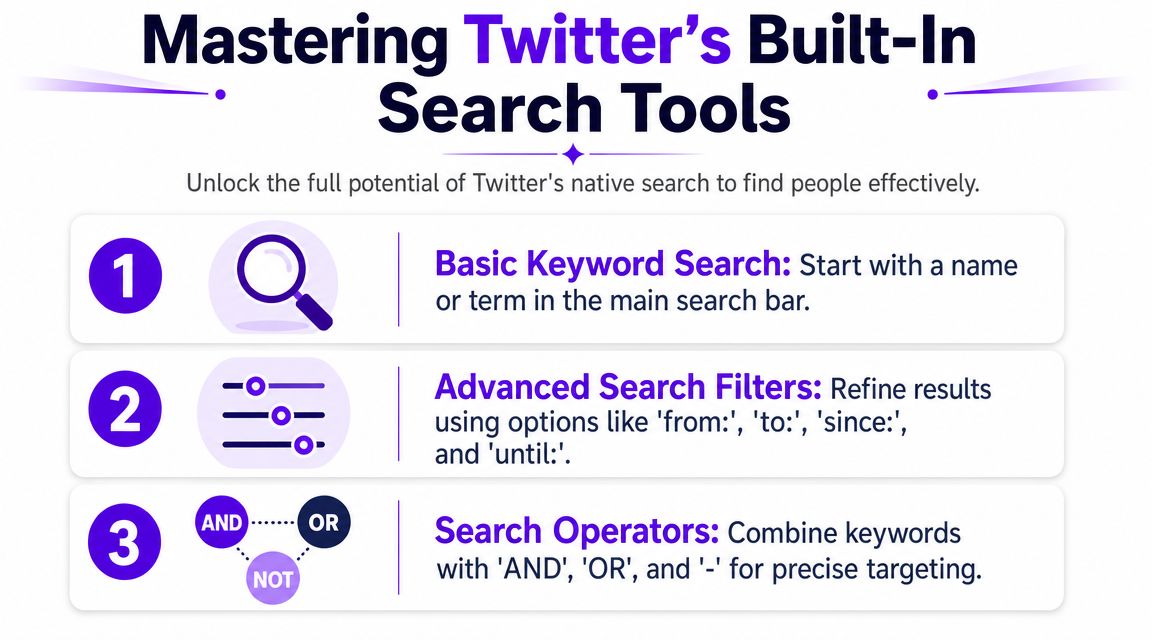
To master Twitter’s built-in search tools, start with a specific query, switch to the People tab, add role, company, niche, or location qualifiers, and use a small number of operators such as quotation marks, OR, and the minus sign. Once you identify an account, use from:username to search that person’s posts.
This section shows how to combine People search, filters, and operators to find accounts faster, separate active profiles from merely visible ones, and verify whether each result matches your goal.
Start with the People tab
Run the first query in the main search bar, then click People right away. That cuts out post-level noise and forces X to show actual accounts — especially useful when you need to find someone and do not know their handle yet.
This works best when you search for public identity signals, not just names. Good starting inputs include a role, company, beat, niche, city, or two of those combined. Fedica's guide to searching for people on X recommends the same basic move because it helps surface profiles even when you do not know the exact handle.
Queries I use often:
"Jane Smith"fintech journalistfounder chicagoopenai engineer"product marketing" bostonclimate reporter berlin
If the result set is messy, add one qualifier and rerun it. Employer, city, niche, and job function usually clean up the list fast.
How to find Twitter influencers with the People tab
To find Twitter influencers with the People tab, start with niche phrases instead of personal names: saas founder, climate creator, "product marketing" coach. Scan the result set, open a handful of profiles, and rank them by audience fit, recent activity, and whether real people actually reply — not by follower count alone.
Vet fast for authenticity: bio clarity, recent original posts, human-looking replies, and topical consistency. Micro creators often show stronger niche engagement; macro accounts may look impressive until you check interaction quality. Skip profiles that only repost, buy empty reach, or show follower spikes with almost no conversation.
You can also enter through a niche hashtag: open recent posts under that tag, jump to the creators who write (not only reshare), then continue into their Following lists. The hashtag is a doorway to accounts — not the final shortlist.
Can You Search for People on Twitter Without an Account?
Native X search UI is often login-gated for logged-out visitors, so People results and Advanced Search may not load fully until you sign in. When that happens, use Google site:twitter.com / site:x.com profile queries, or open a direct profile URL if you already know the handle.
Even with those fallbacks, logged-out access can be rate-limited or incomplete. Sign in when you need reliable People search, filters, or repeated research sessions.
Use filters to separate relevant from merely visible
This is the part casual users skip.
A profile can rank well in search and still be useless for outreach. It might be inactive, off-topic, or built around reposting instead of original reporting or commentary. X's filtering options help narrow that down, and Fedica notes that Advanced Search can refine results by account and engagement signals when a basic query gets too broad.
The practical workflow is simple:
- Search a broad phrase.
- Open People.
- Add a qualifier that reflects your real target.
- Open the best-looking profiles in new tabs.
- Check bio fit, recency, and whether they post about the topic you care about.
That last check matters. A bio saying “AI investor” is weak evidence. Recent posts, replies, and pinned content are better signals.
If you also want to understand what strong profiles do after you find them, Twitter growth workflows and profile visibility tactics are useful from the other side of the screen.
Use a few operators, not a giant query
Search operators help when titles are vague or names overlap. Keep the logic tight. Long strings usually create more false confidence than better results.
| Operator | What it does | Example |
|---|---|---|
" " |
Finds an exact phrase | "product marketer" |
OR |
Broadens the query | founder OR cofounder |
- |
Excludes terms | designer -graphic |
( ) |
Groups logic | (ai OR ml) recruiter |
In practice, these are enough for most professional searches. Journalists use them to isolate a beat. Marketers use them to find niche operators. Recruiters use them to reduce title ambiguity. The point is precision, not complexity.
One more thing worth watching:
Start broad, study the profiles that show up, then tighten the query based on repeated patterns in bios, titles, and recent posts.
How to Search for Tweets from a Specific Person
Once you have a handle, use the from: operator to see only that account's posts. Example: from:username keyword or from:username since:2025-01-01. Combine with a topic word to find what they said about a beat, product, or event without scrolling their full timeline.
This is different from People search. People search finds accounts. from: filters posts by an account you already identified.
Exploring Networks and Lists for Hidden Connections
Direct search finds the obvious accounts. Network tracing finds the useful ones.
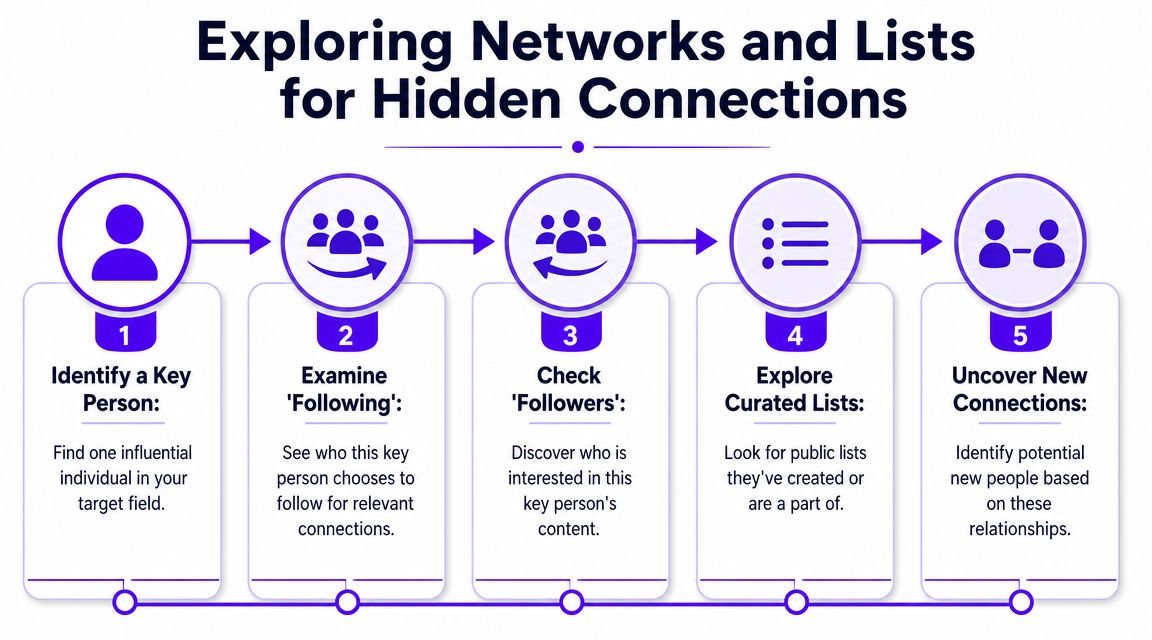
Say you're trying to identify people in fintech media. You search, click through a few profiles, and land on one journalist who clearly covers the space. That's the turning point. Instead of running ten more blind searches, open that person's Following list and scan it.
The accounts people choose to follow often tell you more than their own bio does. In practice, this is one of the fastest ways to locate adjacent reporters, founders, analysts, and niche operators who sit in the same conversation.
Follow the curators
A strong account usually gives you three paths:
- Following lists that reveal who they pay attention to
- Follower lists that reveal who pays attention to them
- Public Lists that reveal how users group accounts by topic
Public Lists are the most underused one. If someone has created or subscribed to a list called “AI Safety,” “Retail Analysts,” or “VC Reporters,” they've done a chunk of sorting for you.
Research on expert discovery found that list-based discovery can outperform profile or tweet inference because Twitter Lists are user-curated around topics, which makes them a stronger signal for finding subject-matter experts (research paper on Twitter list-based expert finding).
A practical way to work through a niche
Here's a clean workflow that works well in narrow markets:
- Find one account that is clearly on-topic.
- Open their Following tab and skim for repeated role patterns.
- Open any public Lists tied to that account.
- Save candidate profiles in a spreadsheet or private notes.
- Verify which ones still post, reply, or show signs of real participation.
A visible account isn't always the best account. Lists often surface the quieter specialist who gets cited, followed, and grouped by people already in the field.
This is the method I trust most when names are ambiguous or when the right person posts rarely. Search can miss them. Community curation often won't.
Advanced Techniques for High-Precision Targeting
Sometimes X search still misses the account you need. That usually happens when the bio is sparse, the handle changed, the account is older, or the person doesn't post much anymore. At that point, outside search and structured sampling work better than guessing.
Use Google for profile discovery
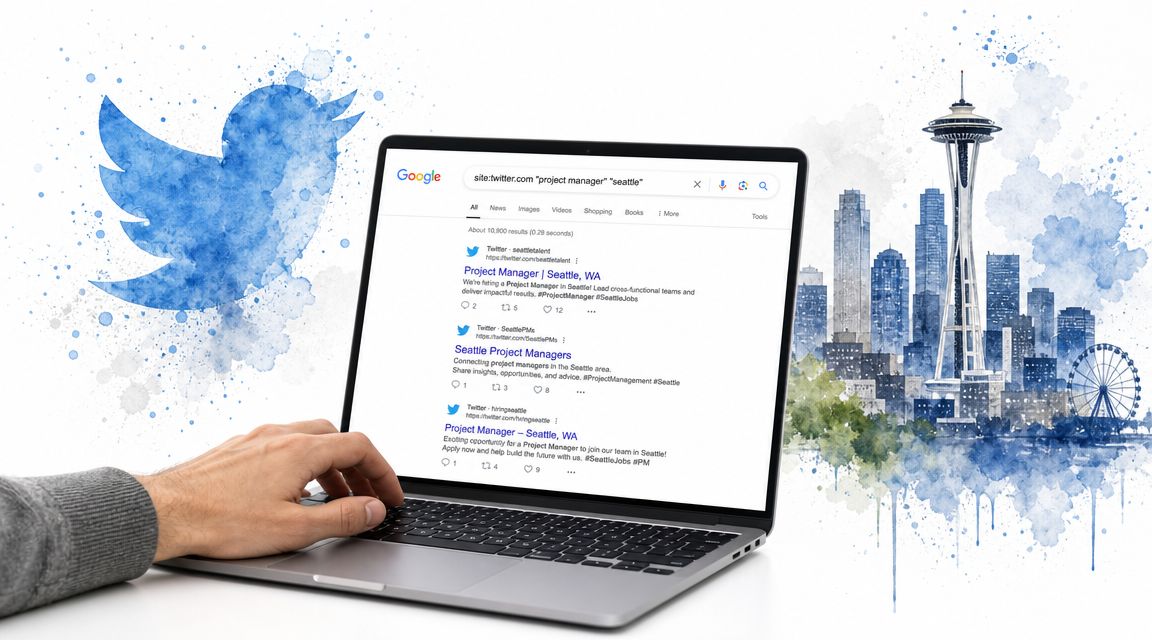
Google can surface profiles that X search buries. The format is simple:
- site search with a role and city
- site search with a niche and company type
- site search with a name plus topic
Examples:
site:twitter.com "project manager" "seattle"site:twitter.com "cybersecurity" "journalist"site:twitter.com "product designer" startup
This works well when profile text is indexed but not returned cleanly inside X.
Build a better candidate pool
For research-heavy work, don't rely on a single hashtag or one influencer's network. A survey methodology paper recommends a stronger approach: build a keyword-based sampling frame from profile text, assign accounts into strata based on how many target keywords appear, and then sample within those strata to reduce bias compared with simple follower or hashtag search (Survey Practice paper on probability-based Twitter sampling).
That sounds academic, but the practical version is straightforward.
A working version for marketers and journalists
| Step | What to do | Why it helps |
|---|---|---|
| Gather keywords | Pull terms your target group actually uses in bios | You search language they use, not language you assume |
| Group by keyword density | Separate strong matches from weak ones | Better sorting before manual review |
| Sample from each group | Don't only pick the loudest accounts | Cuts bias from popularity alone |
| Expect drop-off | Some accounts won't be useful after review | Keeps your workflow realistic |
The same paper notes a major pitfall in large-scale pipelines. During verification, Twitter scrubbing can reduce candidate IDs heavily, with the authors noting a 70% to 90% reduction in their experience after scrubbing. If you're building lists at scale, expect attrition and gather more candidates than you think you need.
Use contact matching carefully
If you already have consent-based contact data, X's contact discovery can sometimes help identify which contacts are tied to accounts. Treat that as a convenience feature, not a prospecting shortcut. If the person didn't give you permission to use their data that way, skip it.
That rule matters. Precision is useful. Creepy isn't.
Using External Tools and Verifying Accounts
Third-party tools are helpful for speed, not judgment. They can pull profile sets, track keywords, map conversations, and help with outreach prep. But if you don't verify accounts manually, you'll still waste time on the wrong people.
A good workflow is to use external tools for collection, then use your own eyes for filtering.
What to check before you reach out
The fastest manual review is a short trust check:
- Profile clarity: Real photo, readable bio, and a topic signal you can explain in one sentence.
- Posting pattern: Not just bursts of reposts or link drops. Look for normal posting behavior and some original thought.
- Replies and mentions: Real people talk to other real people. Scroll replies, not just the main feed.
- Topical consistency: If the bio says one thing but the timeline says another, trust the timeline.
- Recent activity: A strong account that hasn't been active won't help your campaign, pitch, or source list.
If you can't tell why an account matters within a short manual review, it probably doesn't belong in your final outreach list.
Can You Tell If Someone Searched for You on Twitter?
No. X does not notify you when someone searches your name or handle, and there is no built-in search history for other people's queries. You may notice profile visits only if someone engages — a follow, like, reply, or mention — but a silent search leaves no alert.
External tools help with enrichment
Sometimes the account is right, but you still need a path to contact. If that's part of your workflow, tools that find emails from Twitter profiles can help with enrichment after you've already decided the profile is worth your time.
Red flags that waste time
A few patterns usually signal low value — or fake-follower padding:
- Thin bios with generic claims
- Timelines full of repeated promos
- No visible conversation history
- Big follower count with weak visible interaction
- Sudden follower spikes with almost no replies or quote activity
- Handles that look disposable or constantly rebranded
Authenticity beats reach. A checkmark can add context, but it doesn't replace review. If engagement looks bought or bot-like, drop the account from your shortlist even when the follower number looks strong.
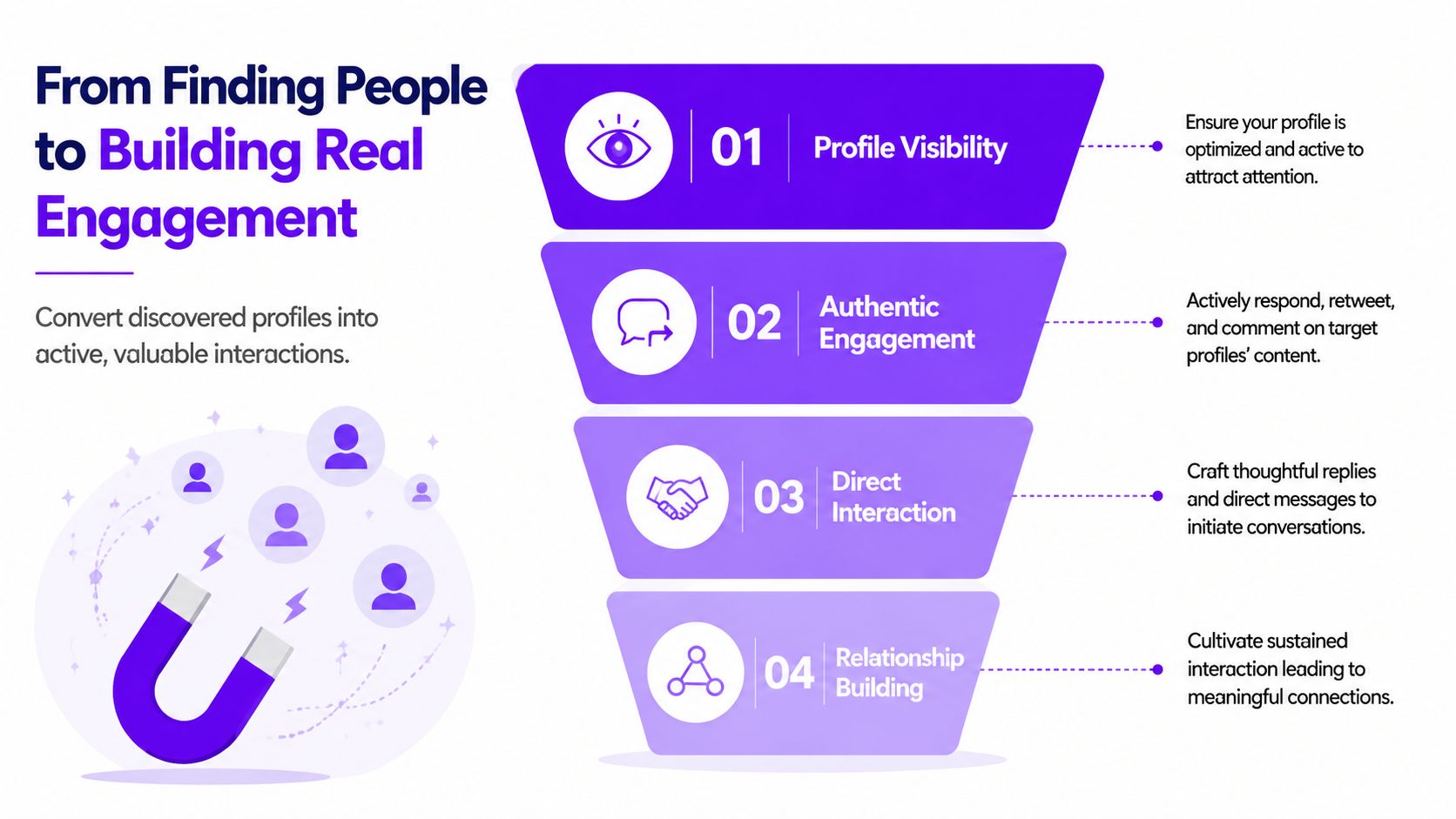
From Finding People to Building Real Engagement
Finding the right accounts is only half the job. The next half is making sure you're worth noticing when they click back.
If a journalist, founder, recruiter, or niche creator lands on your profile after seeing your reply, your repost, or your DM, they'll judge fast. Your profile has to look active. Your posts need signs of life. And your engagement needs to look real, not manufactured.
What Is the 4-1-1 Rule on Twitter?
The 4-1-1 rule is a simple posting mix: four posts of your own useful content, one curated share that adds context, and one promotional post about your work or offer. The point is visibility without turning your feed into a pitch reel.
When you are reaching out to people you just found, that mix matters. Accounts that only promote themselves look cold; accounts that already participate in the niche with useful posts and occasional asks get more replies. Build a visible trail before the DM.
Visibility affects response rates
Often, outreach underperforms due to a common mistake. People spend hours building the right target list, then send replies and DMs from an account that looks empty, stale, or ignored.
A stronger pattern looks like this:
- Your profile clearly says who you are.
- Your recent posts support that identity.
- Your replies to target accounts are specific and on-topic.
- Your own posts get enough early interaction to avoid looking dead.
That last point matters because people use social proof as a shortcut. They may not say it out loud, but they notice whether your posts attract real discussion.
Build interaction before the ask
Don't lead with a pitch if the account has never seen you before. Start with visible participation.
What works better than cold outreach
- Reply with context: Reference a recent post and add one useful point.
- Repost selectively: Don't repost everything. Pick the posts where your audience overlap is real.
- Show topic fit on your own feed: If you want to be known in a niche, your recent content should make that obvious.
- Space your interactions: A short run of thoughtful contact beats a sudden burst that looks transactional.
People respond faster when your account already looks like part of the conversation.
For accounts trying to turn discovery into momentum, Twitter follower growth workflows matter because a stronger profile gives every outreach attempt a better chance.
The simplest way to think about it is this: first you find the right people, then you act like someone worth connecting with. Search gets you in the room. Visible engagement keeps you there.
If you want help turning profile discovery into real traction on X, try Upvote Club. New users get 13 free points and 2 free task slots to start. Earn points by completing others' tasks in a community of real users — we moderate and ban bots, use an emoji fingerprint where required, and never ask for social passwords. Need more capacity later? Earn extra slots over time or upgrade for higher limits.
