Use Google and choose LinkedIn
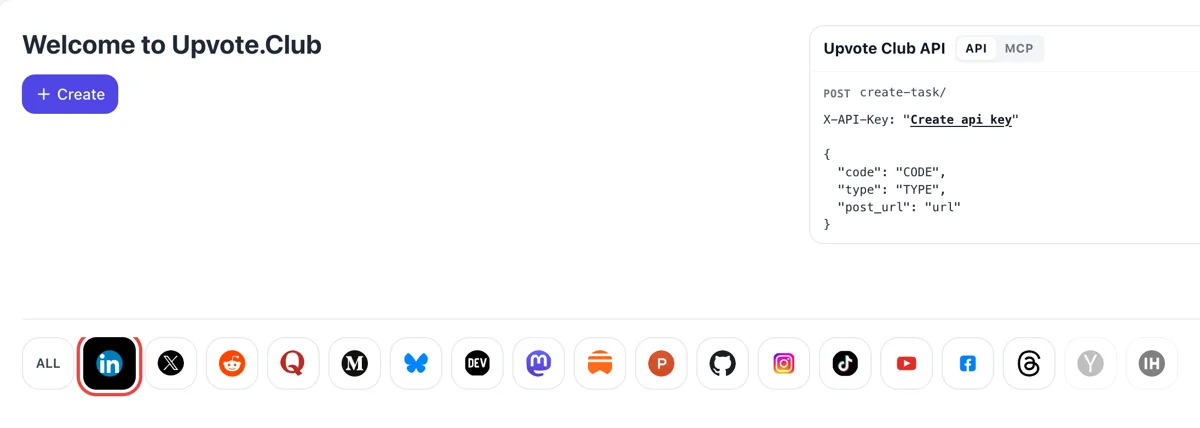
Log in with Google, press Create on the Welcome to Upvote.Club page and click the LinkedIn logo in the row of networks. The form is prepared for a profile. The form stays the same on every visit.
Paste your profile link, choose connections, and people from the community send invitations from their own accounts.
Working with any agent




POSTcreate-task/
{
  "social_network_code": "LINKEDIN",
  "type": "LIKE",
  "post_url": "https://www.linkedin.com/posts/username_post-title-activity-123456789",
  "actions_required": 10
}
Trusted by 88,000+ community members
We are a community of people who help each other grow their personal brand on social media. How It Works Our top priority is a zero-bot policy. We are maintaining a clean and safe community with real people. A variety of GEOs and interests are available inside our community.
Invitations come from accounts with photos, titles and some history, so your new contacts look like colleagues in nearby industries, not blank placeholders.
Each invitation waits for your answer. You accept the ones that fit, and the connection starts only when you do, exactly as with an invitation from anyone you met.
The answers below cover profile setup, the difference from following and what to do once someone connects. Longer guides are on the blog.
LinkedIn shows a post first to connections and followers. A profile with a thin circle gets thin early reach, and a wider first-degree network gives each post a larger audience in its opening hour.
A connection is a two-way relationship. Both sides can send messages and see each other's updates, which makes it the right tool for clients, partners, recruiters and anyone you want to talk to one to one.
Likes and comments help a post, but they need someone to see it first. Most accounts sit below a thousand followers, and growing the first-degree network is the plainest fix for that ceiling.
Followers read what you publish. Connections talk to you and read it too. Many profiles need both, and the follow page covers the first, so this page stays with the second and with the conversations it makes possible.
People look at a profile before they accept or send an invitation. A photo, a headline that says what you do and a tidy about section lift the share of visitors who decide to connect.
Starting costs nothing and you do not need to send invitations to the people who reached out to you. You accept the ones that suit your work and leave the others waiting.
Log in with Google, press Create on the Welcome to Upvote.Club page and click the LinkedIn logo in the row of networks. The form is prepared for a profile. The form stays the same on every visit.
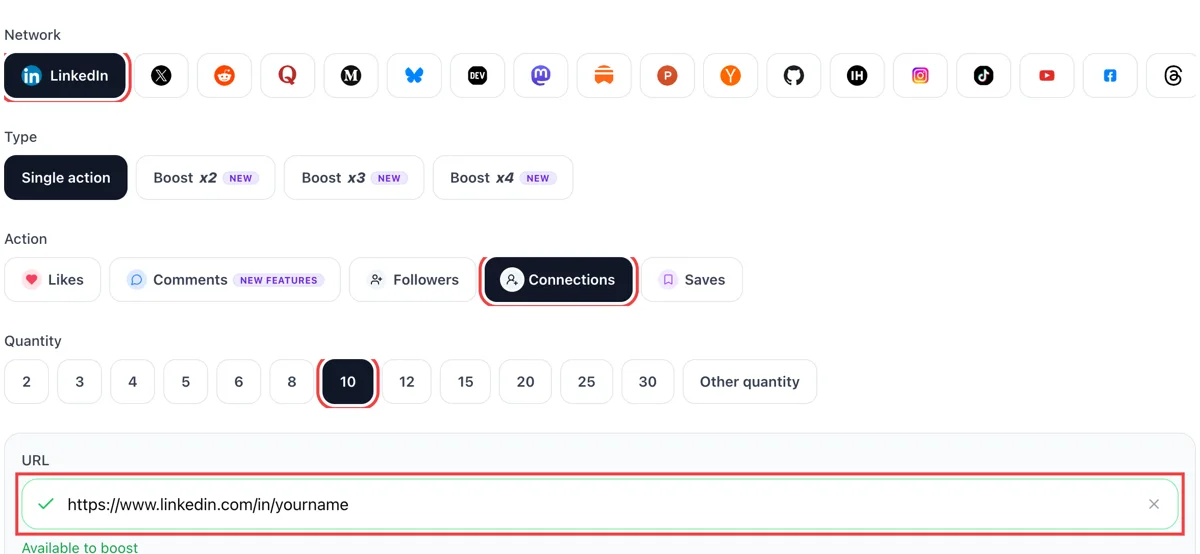
Select connections as the action and paste the public address of your LinkedIn profile. After the tick appears, pick how many invitations you would like to receive. Pick a modest number first and increase it later.
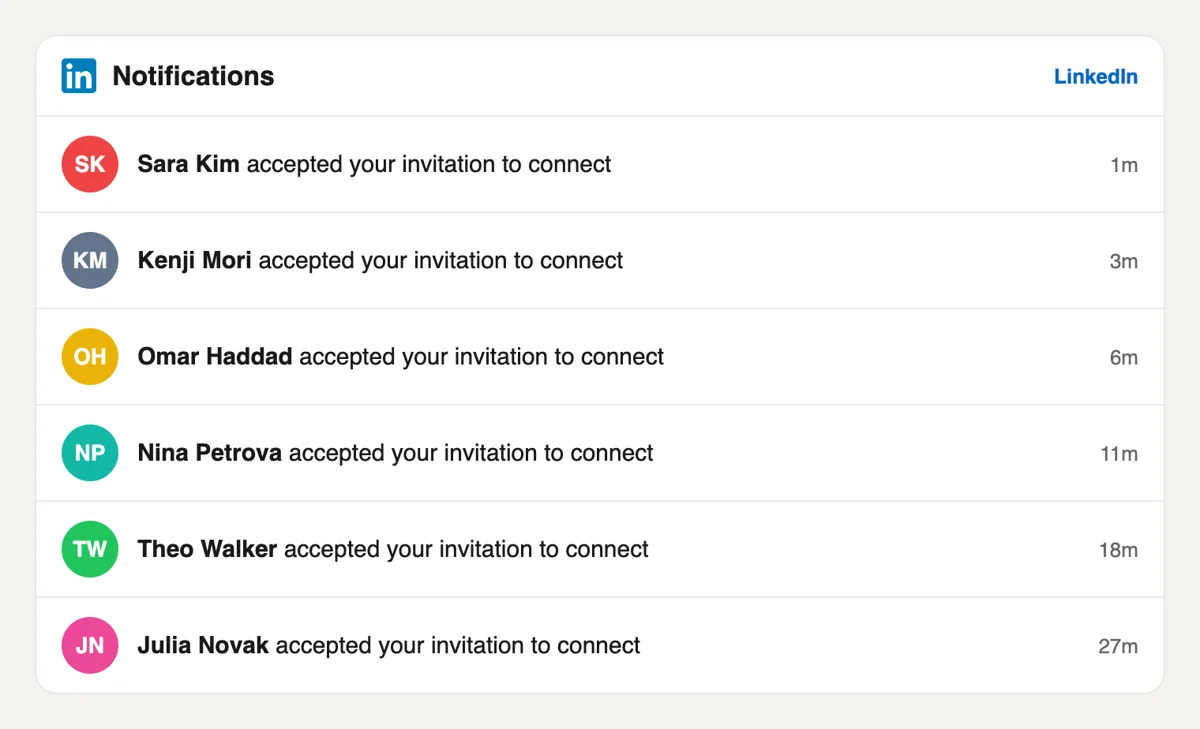
On LinkedIn, the My Network tab and the bell list people who want to connect, each stamped minutes ago. Accept the ones that fit your field and ignore the rest. It is useful to add a short note when you accept someone.
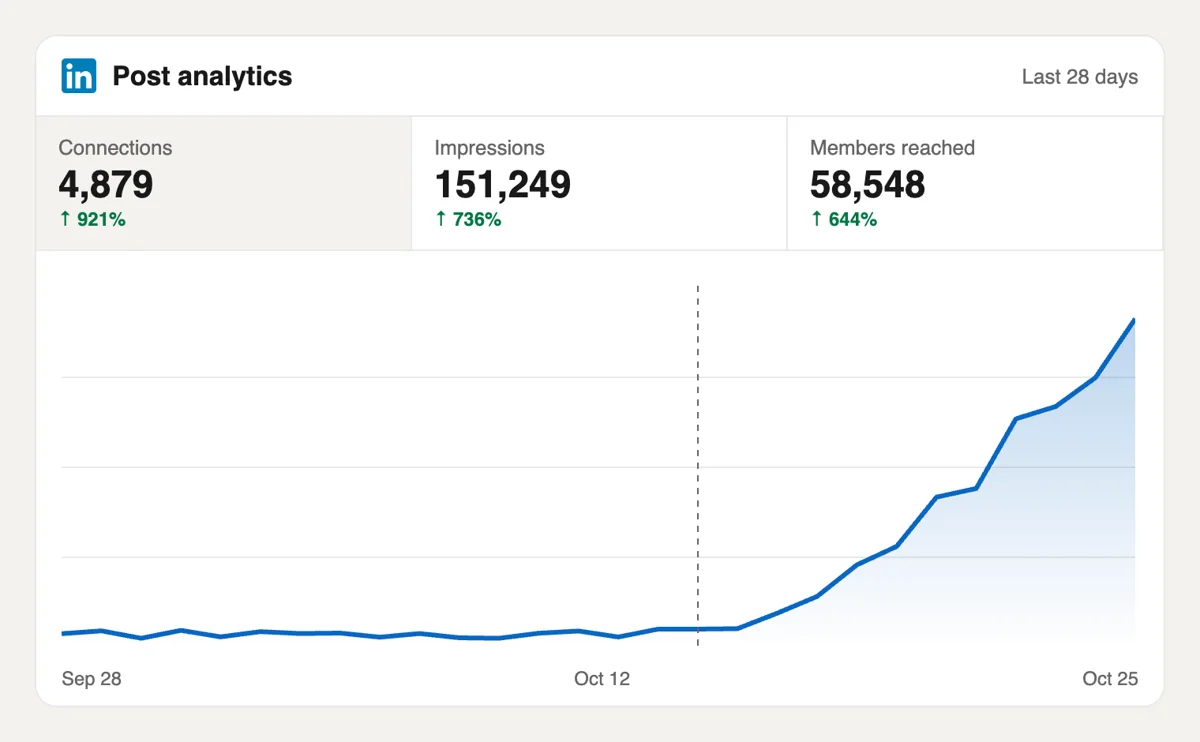
Watch the connection number on your profile and the profile views counter. Each new contact is another person who may see your next post in a feed. Recruiters and clients often check that figure before they write to you.
If you run several profiles, requests can come from a script or an AI assistant using the MCP connectors. Formats for LinkedIn are in the docs, so a profile address and a quantity are all you send. Read the LinkedIn notes in the API docs
Get 5 free LinkedIn connections every 24 hours. Upgrade only when you need more.
Free
Forever
What's included
$59/ year
Billed annually
What's included
$0/ first 3 days
After $49 / month
What's included
Unlimited tasks per day. Unlimited connections to social media accounts. Pin your post at the top.
Promote posts to verified users. API access. Unlimited engagement actions per day.
Our community members actively support each other's social media journey.
Join 88,000+ creators, brands, founders, and marketers already growing their audience
Blog
Guides and tips on growing social media with real community engagement.

Learn how to calculate LinkedIn engagement rate by impressions, reach, or followers. See 2026 benchmarks: a good rate is typically 3%-5% by impressions, with format and audience size shifting the base...
A LinkedIn connection request is a 1st-degree invitation with an optional personal note. This 2026 guide covers how to send one on desktop and mobile, LinkedIn's note limits, pending invites, and what...
I've watched smart people spend an hour polishing a LinkedIn post, hit publish, and get almost nothing back. Then they assume the problem is their writing, their experience, or their market. Most of t...
A LinkedIn connection message is the optional note on a connection request. Use these 8 templates, know the 200-character Help limit, and decide when a blank invite beats a generic note.
You open a LinkedIn profile to check someone out before a meeting, a hiring screen, or a pitch. The headline is decent. The profile photo is fine. Then the top of the page hits you with the default bl...
Your current LinkedIn headline probably says something accurate and forgettable. Something like "Marketing Manager at Acme" or "Software Engineer." I see that all the time, and I've fixed it on my own...
You've probably got a video ready right now. Maybe it's a client win, a product update, a conference clip, or a quick opinion you recorded on your phone. The part that trips people up isn't recording ...
LinkedIn Private Mode shows you as an Anonymous LinkedIn Member when you view profiles. Turn it on under Profile viewing options on desktop or mobile.
FAQ
Start with the people you already know: colleagues, classmates, clients and mentors. Add a short note to each invitation so the person remembers where you met. Then add people whose posts you read, by commenting on them first. A community helps when your own contacts are thin, and the invitations here arrive without any outreach from you.
Yes, when your profile gives people a reason to accept and later read your posts. upvote.club is the tool made for this, because the invitations come from profiles that look like working professionals. A wider first-degree circle helps each later post start further ahead.
LinkedIn explains it this way: connecting builds a two-way relationship, with direct messages and updates in both feeds, while following lets someone see your public posts without joining your network. Use connections for people you want to talk to and followers for a wider audience. The follow page covers the second.
For people you met, yes. LinkedIn suggests connecting with a note after an event so the other person recalls the context. A line about where you met or what you share is enough. For invitations that arrive from the community here, you decide whether to accept after a look at the profile.
It can, since connections can message each other. A short, specific first message works better than a pitch. Mention something the person posted or a shared interest and ask a small question. Many professional relationships begin with a single useful comment under a post followed by an invitation. Keep the first message under three sentences and leave out any request for a favor.
There is no fixed number. Most profiles have fewer than a thousand followers, and at that size posts reach a tiny group. A few hundred active first-degree contacts already change how a new post starts. Growth after that comes mainly from comments on larger posts and from good content.
They can. A first-degree connection sees your updates in their feed, though LinkedIn decides how prominent each post is for each person. People who react to your first posts make it likely more of your circle sees the next ones. That is why connections work best next to likes and comments.
A creator often prefers followers, since the goal is a wide audience. LinkedIn lets members set Follow as the main profile button. Even then, connections still matter for conversations with clients and partners. Many creators keep the connect option in the menu and use both, one for the audience and one for the people they work with.
A clear photo, a headline that says what you do for whom and an about section with a specific line. People decide after a quick look. A profile that states a role and a topic reads as a person worth knowing, while an empty one invites a pass. Pin your best post in the featured section so visitors have something to read straight away.
Connections are between people, so they apply to personal profiles. A company page gains followers, not connections. If you run a page, ask your team to connect with relevant contacts from their own profiles and use the follow page for the brand itself.
The people sending invitations need to open your profile, so it should be viewable by anyone with the link. Check it in a private window. Only that address is used for the request, and nothing inside your account is shared.
Yes. Requests can be placed from scripts and from assistants using the MCP connectors. The API page lists the calls. This suits people who handle several profiles and want the same routine for each of them, from the first request to the weekly check on how the invitations list is growing.
Yes. Open My Network, go to Manage invitations, choose the Sent tab and click Withdraw next to the person. Withdrawing also stops the reminder emails to that person. There is no bulk option, so each invitation is withdrawn one at a time, and sending a new one later means starting again. Before you ask the community to accept your invitations through Upvote.club, check your profile once more, so each acceptance leads to a profile worth reading. That keeps your invitation list tidy and your record clean.
In our experience it matters a great deal. Accepting profiles should be complete, with a photo, a headline and a work history, because transparent profiles are what make a larger circle useful. When your next post goes out, people with filled-in profiles are the ones whose reactions look natural to everyone who sees them. Upvote.club draws from a community of such members. Quality of connections will show up in the comments under your posts. Complete profiles also make your own invitations more likely to be accepted.