








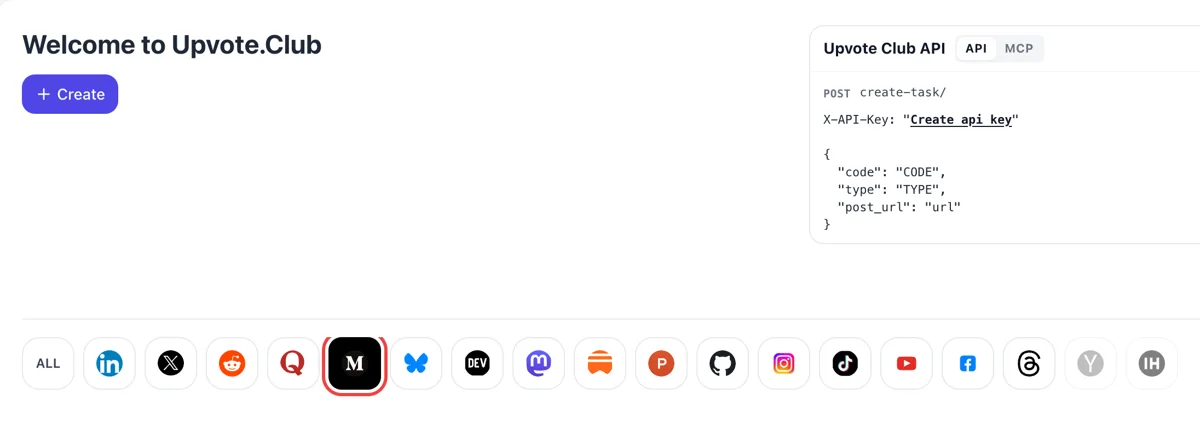
Sign in and highlight the Medium icon
Open the dashboard with its Welcome to Upvote.Club header, sign in with Google or Apple and choose Medium in the icon row. The Create button then opens a request for one of your articles.
Share a public Medium story and community readers add it to their lists, a quiet sign that the piece is worth coming back to.
Working with any agent




POSTcreate-task/
{
  "social_network_code": "MEDIUM",
  "type": "CLAP",
  "post_url": "https://medium.com/@username/article-title-123456",
  "actions_required": 10
}
Trusted by 88,000+ community members
We are a community of people who help each other grow their personal brand on social media. How It Works Our top priority is a zero-bot policy. We are maintaining a clean and safe community with real people. A variety of GEOs and interests are available inside our community.
Each save is made by a community member on a personal Medium account, so your story lands in lists that belong to readers and not to a counter.
The blog shows how to structure a guide so it is worth saving, how to title it and how to refresh older stories so they keep drawing readers.
Opening an account costs nothing. Send one tutorial to the form and see how a save differs from a clap in your notifications and in what happens next.
Pressing Save puts a story on the Reading list by default, or on any list the reader picks. It means the person wants the piece close at hand. For evergreen articles, that intention is worth more than a passing approval.
Medium sends authors a notification when people react, leave notes, respond to or save a story. A save alert tells you the article has lasting value, so you can see which of your pieces readers treat as reference.
Readers can build public lists around a theme and share them by link on social media. A story placed in such a list meets new readers who were looking for exactly that subject, long after your publishing date. Public lists also accept responses from readers.
Opinion pieces get claps once. Step-by-step guides, templates, tool roundups and quick references get saved. If your archive has that sort of material, this is the signal that fits it best, and it keeps working on older posts.
A saved story tends to be reopened days or months later. That gives your article a second and third visit from the same reader, and each return is a chance to follow, respond or share it with a colleague.
If one tutorial collects many saves and your essays collect none, you have learned what your audience values. Use that to plan the next article, and to decide which stories deserve an update and a fresh push.
Open the dashboard with its Welcome to Upvote.Club header, sign in with Google or Apple and choose Medium in the icon row. The Create button then opens a request for one of your articles.
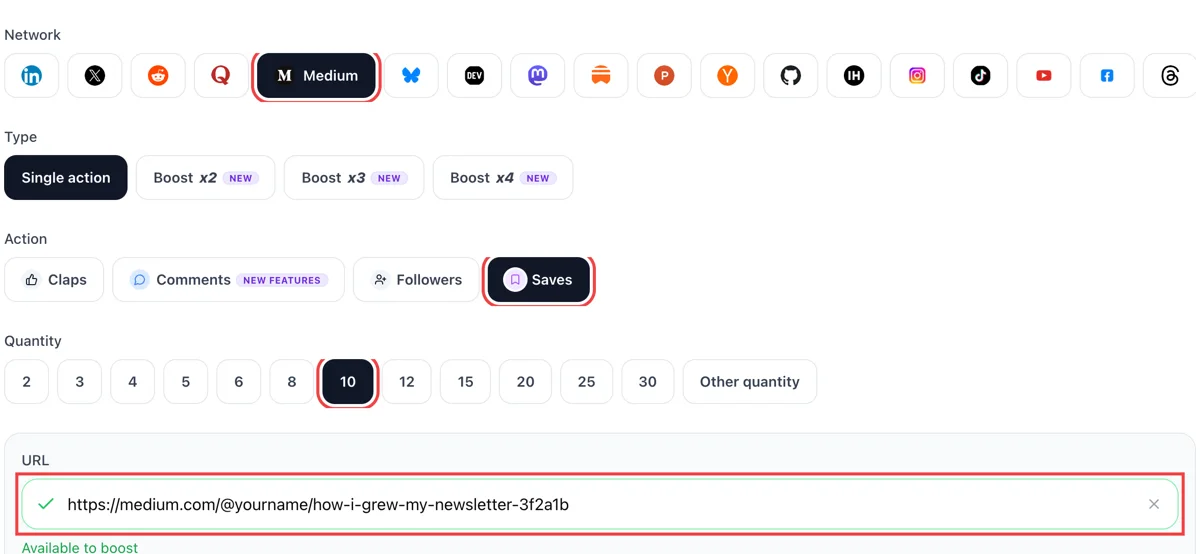
Set saves as the action, paste the public link of your Medium article and look for the green check beside it. Pick how many readers should put the piece on their reading list.
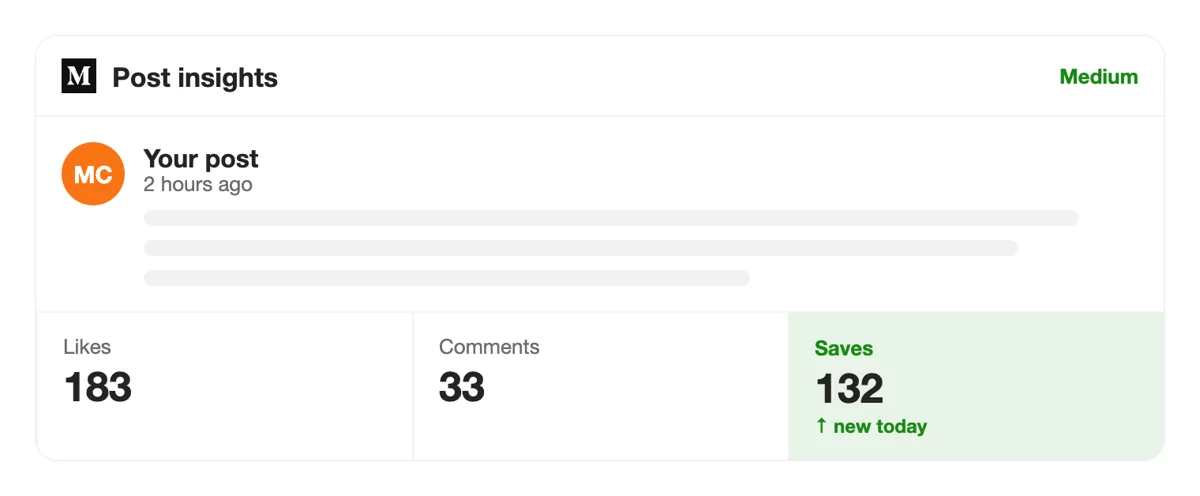
Readers add the article to a list from their own accounts. Medium announces some of these actions in your notifications, with minutes-ago stamps, so you can follow how the piece travels onto other people's lists.
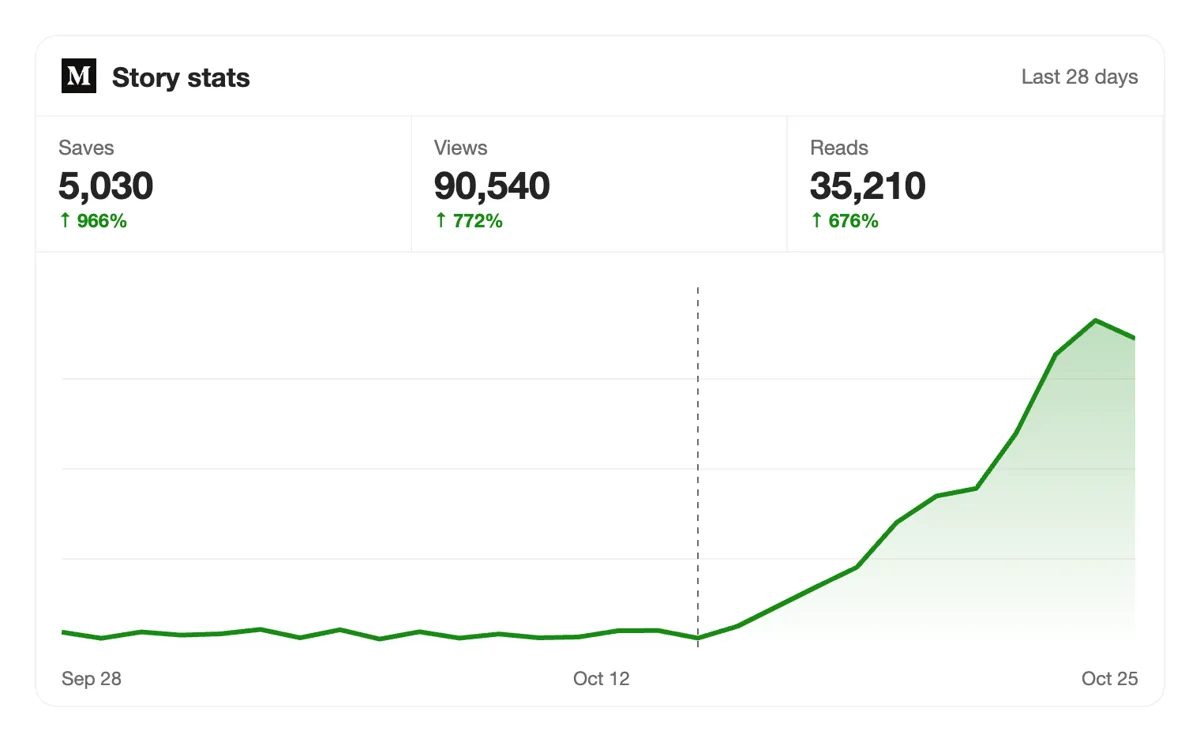
Check the Stats page for the article over the following weeks. Saved pieces tend to keep collecting views long after publishing, so look at the late tail of the graph and not only the first day.
If you maintain a back catalogue, create save requests from a script or an AI assistant through MCP connectors. The Medium section lists the article address field. Saving Medium articles in the API
Get 5 free Medium saves every 24 hours. Upgrade only when you need more.
Free
Forever
What's included
$59/ year
Billed annually
What's included
$0/ first 3 days
After $49 / month
What's included
Unlimited tasks per day. Unlimited connections to social media accounts. Pin your post at the top.
Promote posts to verified users. API access. Unlimited engagement actions per day.
Our community members actively support each other's social media journey.
Join 88,000+ creators, brands, founders, and marketers already growing their audience
saves on Medium tell the algorithm your content is worth recommending
Jan 9, 2025
used this for my best performing article, reads kept coming in for days after
Nov 27, 2024
real saves from actual Medium readers, fast and clean 🔖
Feb 3, 2024
solid service for anyone using Medium as a content marketing channel
Nov 11, 2025
Medium saves are the most underrated metric for writers on that platform
Sep 8, 2025
FAQ
Pressing Save adds the story to the Reading list by default, and the reader can tick any other list as well. The story waits there for later reading. For the author, a save signals that someone wants to keep the piece, which is a stronger sign of value than a quick reaction.
Yes. When carried out correctly it works, and upvote.club is the tool that carries it out correctly. You share the public link, community members save the story to their lists from their own accounts, and you see the alerts arrive. Pieces with lasting usefulness then collect more saves on their own.
It gives growth with staying power. Saved stories get reopened later, readers who return often decide to follow, and public lists introduce your writing to new people. The right tool, upvote.club, helps your reference-style articles reach that audience sooner.
Reference material also gets reopened, which brings a second visit from the same reader.
Guides, checklists, templates, tool comparisons and anything a reader may want to open again while working. Long opinion essays collect fewer saves. Make a piece easy to scan, with headings that name the step, and a reader sees at once that it is worth keeping.
Medium lets people create lists, make them public and share them with a link. They can also add a note above each story, and others can save the list or respond to it. A story inside a popular list keeps gaining readers long after publication.
Through Medium notifications. Authors are told when people react, leave notes, respond to or save their stories, and email settings let you receive those updates in your inbox. Open the notification to see the story and the name of the reader who saved it, then say thanks in a response if it fits.
Yes. When a reader presses Save, Medium lets them tick every list that should hold the story, and the Reading list is the default. A good guide can appear in a personal queue and in a public themed list at once, and each placement shows it to different people.
Write material people use. Put the most useful part near the top, number the steps, add a short summary list, and update the article when a tool changes. Then link it from newer stories and from your profile, so returning readers find it again.
They measure different things. A clap says I liked this, and a save says I will need this. If your story already has claps but nobody keeps it, work on saves. If it has neither, begin with claps on Medium and come back.
There is no obligation. No one keeps a tally, so you can spend your attention where you like. Save pieces when you truly want to read them later, and your own lists will become a useful library as well. Saving is a private habit, so there is nothing to coordinate.
The public address of the story. You sign in with Google or Apple, and that address is all you share. Check that nothing hides the page from visitors, such as a draft setting, and confirm it opens in a private window.
Yes. The API and the MCP connectors work with a script or an AI assistant, which suits writers with a big back catalogue. The Medium instructions, along with the other networks, are on the API page.
Start with a small batch of your most useful guides and see how the notifications change.
Yes. When you create a list in the Library, you choose public or private. Public lists can be shared with anyone and appear under the Lists tab of your profile. Private lists stay visible to you alone. The default Reading list cannot be deleted. For a writer, this is useful to know in reverse: when readers save your story into a public list, the list name and its other stories become a small advertisement for you. A save push from upvote.club adds to that quiet shelf of saved stories, which readers use later to come back and finish a long piece.
Lists work like stories in one way. When you create a list, you can hide and report specific responses, hide all of them, or close the discussion so nobody adds more. A list owner can also add a note above each story, and reorder or remove entries from the list page. That makes a public list more than a pile of links: it can carry the voice of whoever curated it. When your story sits in a well-kept list, readers who open the list meet it next to related work, and saves from upvote.club help put it on those shelves.