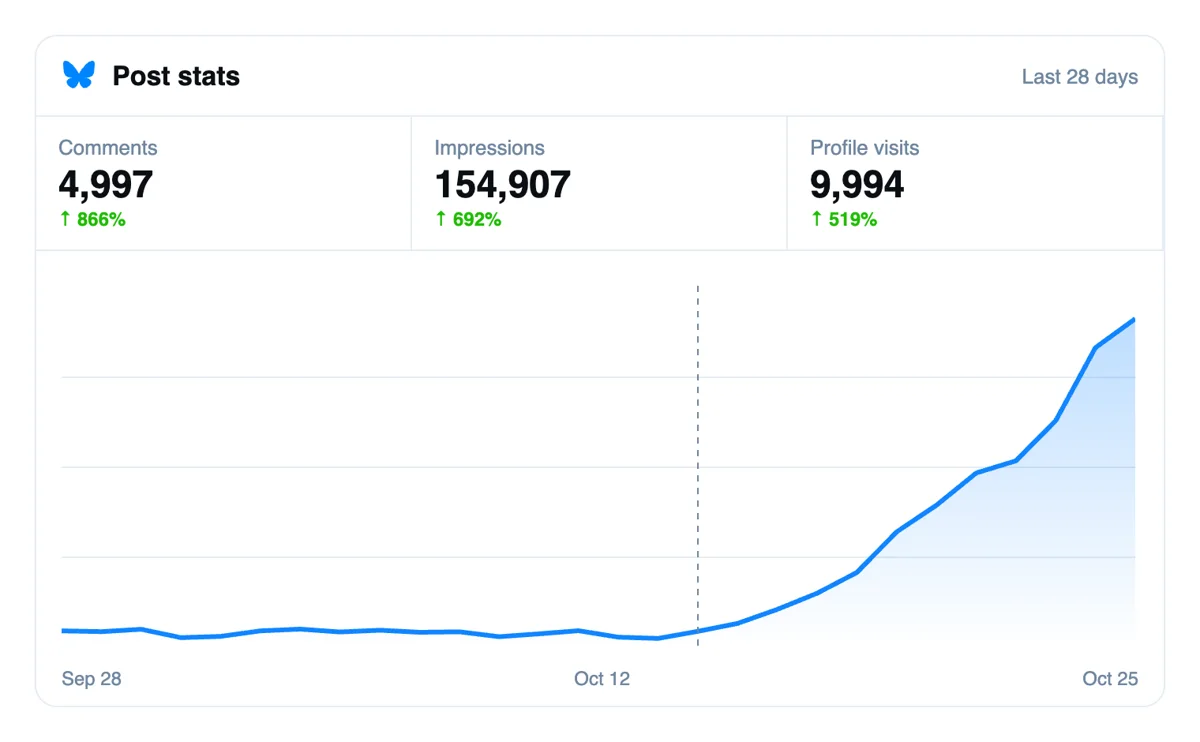










Get the conversation going under your Bluesky post

Give the community a public Bluesky post and they write replies underneath it from their own accounts.

Drop the link here to get 5 Free Bluesky Comments

Upvote Club API

Try the API

Working with any agentClaudeCursorChatGPTGrokVS Code

POSTcreate-task/

{
  "social_network_code": "BLUESKY",
  "type": "LIKE",
  "post_url": "https://bsky.app/profile/username.bsky.social/post/123456",
  "actions_required": 10
}
Upvote Club community members

Trusted by 88,000+ community members

We are a community of people who help each other grow their personal brand on social media. How It Works Our top priority is a zero-bot policy. We are maintaining a clean and safe community with real people. A variety of GEOs and interests are available inside our community.

Replies written as themselves

Every reply is written from a member's own Bluesky profile, so the thread under your post reads like any other thread, with avatars, handles and a visible posting record.

Only your post link is needed

Upvote.club works from the public address of your post. No access to your Bluesky account is required, and your reply settings stay exactly as you chose them.

Free to start

Replies can be tried on a single post before you decide anything else. The blog has walkthroughs on how to phrase a post so that people feel like answering it.

Why a quiet reply section holds a post back

A thread invites the next reply

People hesitate to go first in an empty thread. When two or three replies already sit under a post, the next reader sees a talk in progress and finds it easy to add a thought of their own.

Replies are read on Bluesky

Threads on Bluesky are still opened and read through, so a reply is seen by everyone who views the post. Each visible reply carries the replier's name and avatar, which puts your post in front of their followers too.

Reply authors may follow you

Someone who writes under your post has already given it real attention. Some of them open your profile afterwards, which is why replies often lead to follows more reliably than a bare heart does.

Questions draw better replies

A post that ends in a concrete question gives repliers something to answer. Pair a clear prompt with a few starter replies and the thread tends to attract more from people who read it later.

Works next to your reply settings

Bluesky lets you choose who may reply: everybody, nobody, your followers, people you follow, mentioned accounts or list members. Community replies fit whichever open setting you pick, and you can change it after posting.

Getting replies under a Bluesky post

Enter through the Bluesky tab

Enter through the Bluesky tab

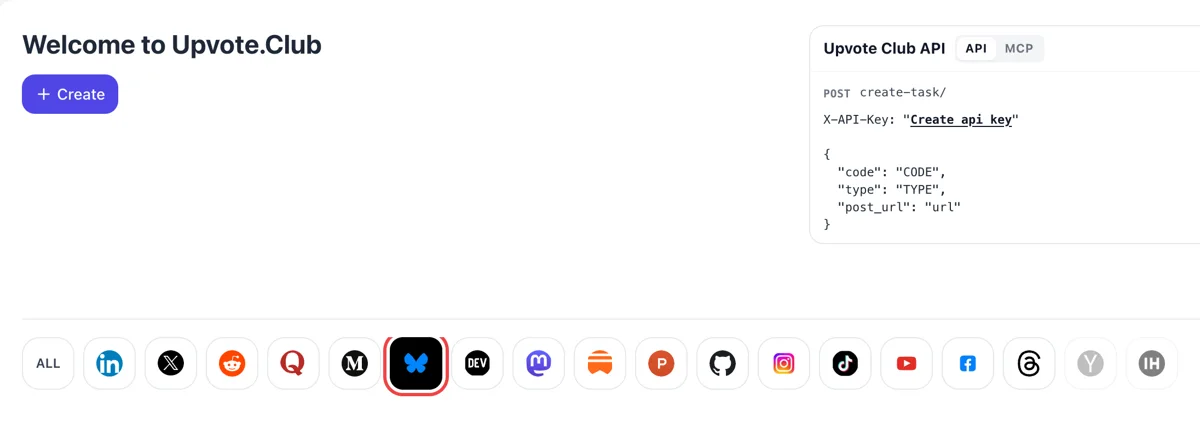
Visit upvote.club and sign in with Google or Apple. Pressing Create on the welcome page reveals the network logos, and Bluesky is the one you highlight. Beginning is free, and that account will open the other networks too.
Ask for replies, paste the post

Ask for replies, paste the post

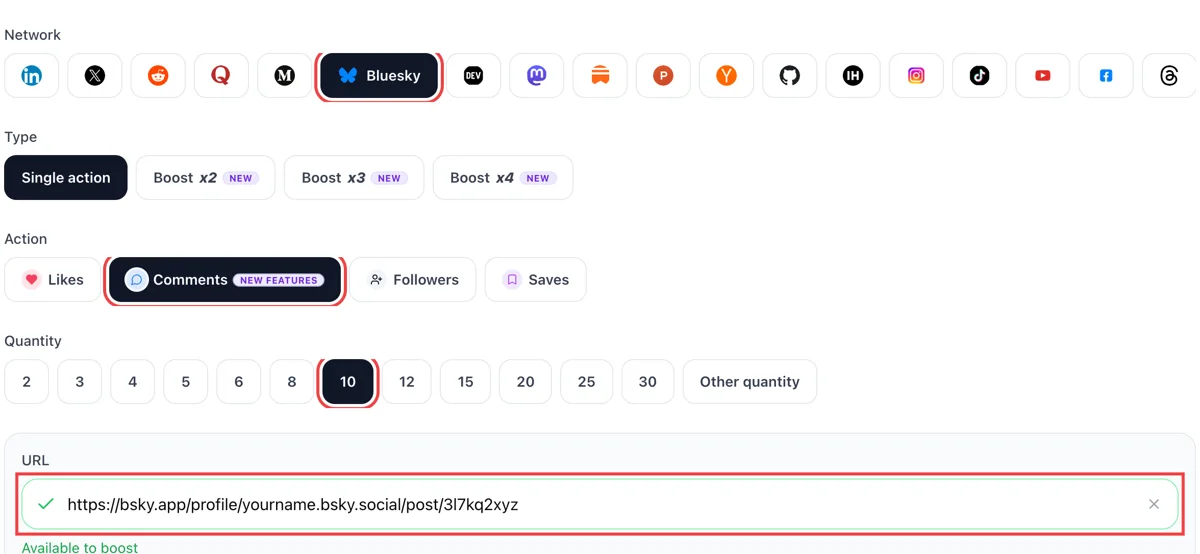
Select replies as the action and choose how many voices you want below the post. Paste its public address. A green tick in the link field means the thread loaded, and the request is ready to submit.

Read replies as they come in

Read replies as they come in

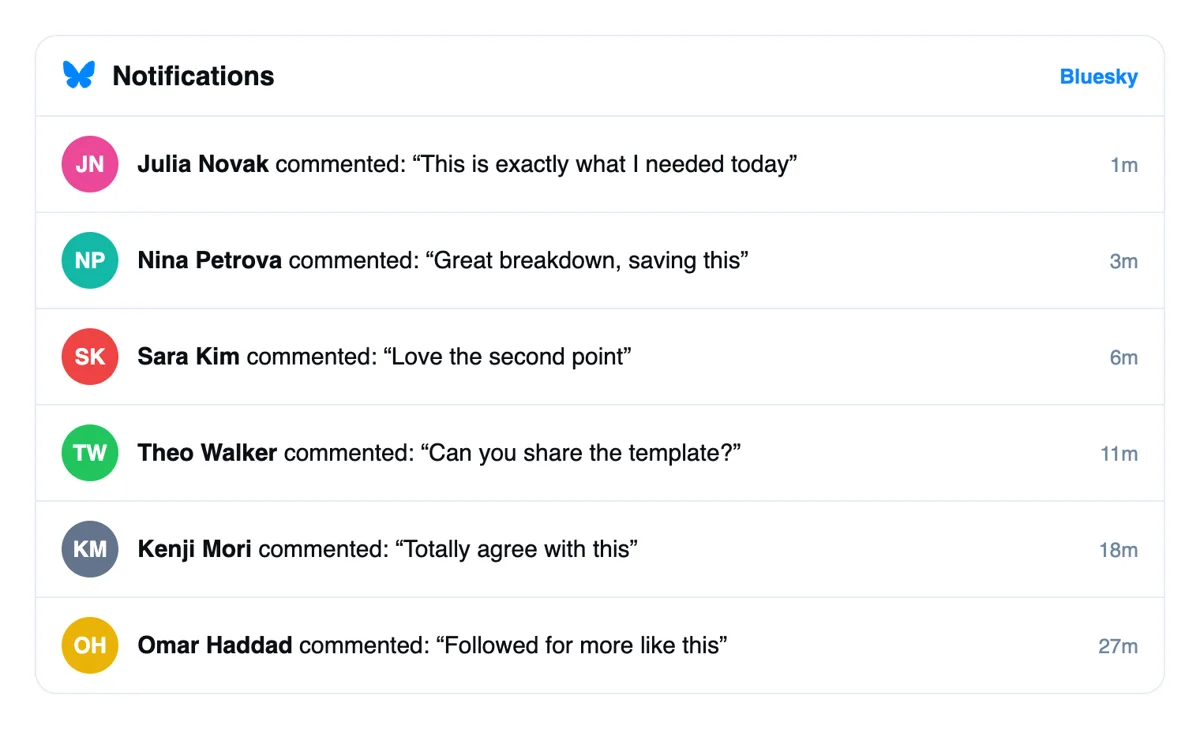
Each reply is written from a different Bluesky profile. They surface in your Notifications tab, marked as replies to your post, with the author and a time. You can answer them right there and keep the exchange rolling.

Follow the thread under your post

Follow the thread under your post

Open the post and scroll through the conversation. A thread holding several voices gives newcomers a reason to join in, which is why the reply count often keeps moving after the first responses land.

Queue replies from your own stack through the API

Anyone handling many posts can use the developer API or an MCP connector for Bluesky reply requests. Send them from a script, or tell an AI assistant which links to use, and keep your hands free for writing. Bluesky replies by API

Pricing

Get 5 free Bluesky comments every 24 hours. Upgrade only when you need more.

FREE

Free

Forever

Start free

What's included

  • New240+ free social media tools included
  • Create 1 task every 24 hours
  • Get 5 free Bluesky comments every 24 hours
  • 0% discount on task creation

MEMBER

$59/ year

Billed annually

Start free

What's included

  • New240+ free social media tools included
  • Unlimited tasks per day
  • Up to 1000 Bluesky comments every month
  • 0% discount on task creation
  • Pin your post at the top
  • Promote posts to verified users
  • API access
  • Long Form Comments
  • Meaningfull comments
  • Long-time view
  • Promote tasks to verified users
  • Unlimited social media accounts
  • Unlimited engagement actions per day
  • Cancel anytime — no questions asked
  • Same-day charge refund

MATE

$49/ month

Start free

What's included

  • New240+ free social media tools included
  • Unlimited tasks per day
  • Up to 1000 Bluesky comments every month
  • 40% discount on task creation
  • Pin your post at the top
  • Promote posts to verified users
  • API access
  • Pin your post at the top
  • Long Form Comments
  • Meaningfull comments
  • Long-time view
  • Promote tasks to verified users
  • Unlimited social media accounts
  • Unlimited engagement actions per day
  • Cancel anytime — no questions asked
  • Same-day charge refund

Unlimited tasks per day. Unlimited connections to social media accounts. Pin your post at the top.

Read more

Promote posts to verified users. API access. Unlimited engagement actions per day.

Join a Community

Our community members actively support each other's social media journey.

Join 88,000+ creators, brands, founders, and marketers already growing their audience

Upvote Club community members

Bluesky reply results from other users

4.8(4 reviews)

Bluesky is growing fast and comments really boost your visibility there

Jun 7, 2025

got real comments on my post, not emoji spam 👍

Jan 9, 2024

solid for building early traction on Bluesky

Feb 19, 2025

using Bluesky to grow my personal brand and this helped kick things off

Dec 22, 2024

FAQ

Common questions about Bluesky replies

Do Bluesky comments work for getting a post noticed?

Yes, when they are done right, and upvote.club is the tool that does it right. Replies make a post look alive, put it in front of each replier's followers and give later readers a reason to join in. Combine them with a post worth answering, written by you and ideally posted from your phone, since a clear question draws more discussion than a statement does.

Are Bluesky comments called replies?

Yes. Bluesky has no separate comment box. Anything written under a post is a reply, and a chain of replies is a thread. Quote posts are different: they put your post inside someone else's post with their own text above it. Upvote.club's comment option targets replies under your post.

Where do I read replies on my Bluesky post?

Open the post to see its thread, with replies listed in order under it. New replies also arrive in the Notifications tab, where you can filter for replies and mentions. If you cannot see a reply you expect, check whether you set your interaction settings to limit who can answer.

Which habits bring more replies on Bluesky without outside help?

End your post with a question that takes one sentence to answer. Reply to ten or so posts from other people in your field, since people click through to the profile of someone who answered them well. Keep posts short enough that a reply feels easy, and leave something unsaid so there is room for a view. Replies you write also bring people back to your own thread. Over a month, the habit of answering well builds a recognizable name in your niche, and that is what makes later posts easier to launch.

Can I choose who is allowed to reply?

Yes. Interaction settings let you allow everybody, nobody, or a mix of mentioned accounts, people you follow, your followers and list members. You can edit this after posting. For community replies to land, keep it open to everybody or to followers. A setting of nobody blocks every reply from outside your own thread.

What kind of post attracts the most replies?

Posts with a clear ask do best: a question, a poll-style either-or, a draft you want feedback on, or a small result with the story behind it. Vague announcements get hearts and silence. Add alt text to images and keep the first line strong, because that is all most readers see before deciding.

Is it worth answering every reply on my own thread?

Yes, and quickly if you can. An answer from the author keeps the thread active, signals that someone is home and often draws a second reply from the same person. Short, specific answers work better than thanks alone. If a reply raises a good objection, say so in public. Readers trust a thread where the author answers disagreement openly. A like on every reply is a fair minimum.

How big should a reply count be for a post like mine?

There is no fixed number. A handful of thoughtful replies under a modest post reads as healthy, and a thread of one-word answers does not. Start with a few, watch whether strangers join, and add more only if the conversation goes quiet. Judge the thread by whether a stranger writes the next line, not by the count alone.

Do replies help with followers too?

They can. Repliers tend to look at the profile of the person they answered, and people who read the thread may do the same. Make sure your bio and pinned post are ready. For a direct push on your follower count, see Bluesky follows.

Can hearts be added to a post that already has replies?

Yes, and the mix looks natural. Hearts show quick approval and replies show discussion. A post with a few of each reads as one people care about. You can request likes on the same link from the likes page after the first replies appear.

What should the post allow for the link to work?

The link has to open without a login, because members reach your post from the address you paste. Standard Bluesky posts already work this way. Check that your reply settings allow outsiders, otherwise replies will not attach to your thread.

Am I expected to write back to the people who replied?

No. You do not owe a favour to the specific accounts that wrote under your post. Answer the ones you find useful. Others you can like or leave alone, and nobody keeps a tally. That also means you can work through replies at your own pace without feeling that anyone is waiting on you. Your attention is better spent on your next post.

Can I hide a reply on my own Bluesky post?

Yes. Since app version 1.90 the author of a thread can hide replies, and hidden ones move behind a Hidden replies screen. They stay public data, only less visible, so this works as a tidy-up and not as an eraser. Use it when an off-topic reply pulls the thread away from your question, so the replies that follow stay on subject. Only the person who started the thread can do it. When replies arrive through upvote.club, a quick pass over the thread after the first wave keeps the conversation easy to read for the next person who opens it.

Do my replies appear in my followers' Following feed?

Bluesky changed this in 2024. The Following feed now shows a reply only when the conversation includes at least two people the viewer follows, so a reply on someone else's thread reaches fewer of your followers than a top-level post does. The same update helps you the other way: when you answer inside an older thread of your own, that thread moves to the top of your followers' feeds, with no need to repost your reply. A fresh reply under your own post is a cheap way to revive a discussion that is still collecting comments.

Do you have an API for Bluesky?

Yes! We are the only service on the market that provides a full API for Bluesky engagement. You can automate creating and tracking tasks for Bluesky through our REST API. This is perfect for agencies managing multiple clients, influencers who need consistent engagement, or developers building custom integrations via OpenClaw or similar platforms. View Bluesky API documentation.