








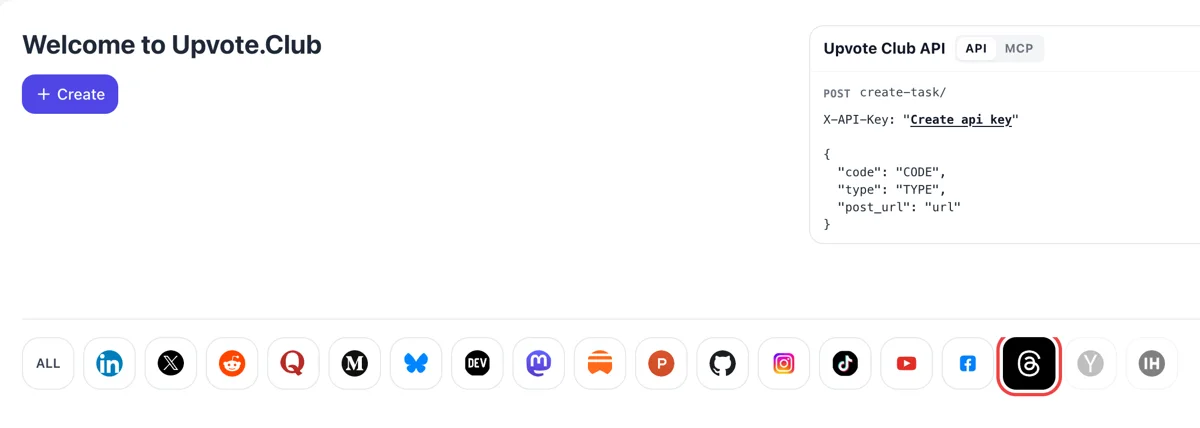
Sign in and click Threads
Google or Apple login opens the dashboard. Clicking Threads among the network icons changes the form to one for saves on posts, with the action already narrowed to what people can keep.
Add the address of a Threads post and members bookmark it in their private lists, one after another.
Working with any agent




POSTcreate-task/
{
  "social_network_code": "THREADS",
  "type": "LIKE",
  "post_url": "https://www.threads.com/@username/post/123456789",
  "actions_required": 10
}
Trusted by 88,000+ community members
We are a community of people who help each other grow their personal brand on social media. How It Works Our top priority is a zero-bot policy. We are maintaining a clean and safe community with real people. A variety of GEOs and interests are available inside our community.
Each save comes from a community member in the Threads app on a personal profile, so the post is bookmarked by people who actually opened it, one list at a time.
One post address and the action you want make up the request. Threads settings, drafts and direct messages are never part of the form.
The blog has short guides on writing lists, how-to threads and reference posts for Threads, the shapes that readers keep and return to over the following weeks.
A saved Threads post waits in a private list until the reader opens it again. Each return visit lands on your post and on your profile, which gives useful writing a second and third audience long after the first scroll.
A heart says that someone liked the post. A save says that someone wants to use it later. On Threads, where most posts are opinions that fade within hours, a saved post stands out as writing with lasting use.
Lists of tools, short how-to threads, book recommendations and checklists are posts people keep. Saves show that this kind of writing works for your readers, and they help you decide which format to repeat.
Meta tracks time spent on a post's permalink page, where the replies sit. A reader who returns to a saved post and reads the replies adds to that time, and may add a reply of their own.
A reader who saves a post usually wants more of the same. Meta lists the chance of opening the author's profile among its predictions, and a saved post is a natural reason to check what else you write.
Meta's help pages say only you can see what you saved, and the author is not shown who saved. That makes a save a quiet signal, free of social pressure, and a sign that the writing was useful.
Google or Apple login opens the dashboard. Clicking Threads among the network icons changes the form to one for saves on posts, with the action already narrowed to what people can keep.
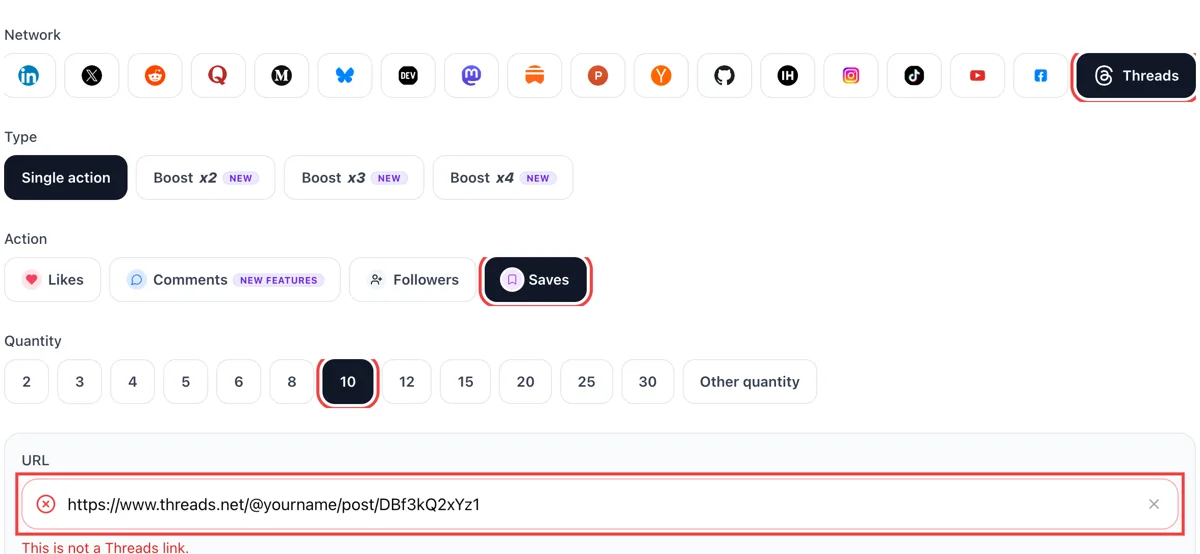
Copy the link from the post menu, pick saves and paste the address into the field. Add the number you want. A tick in green confirms the post opens for anyone.
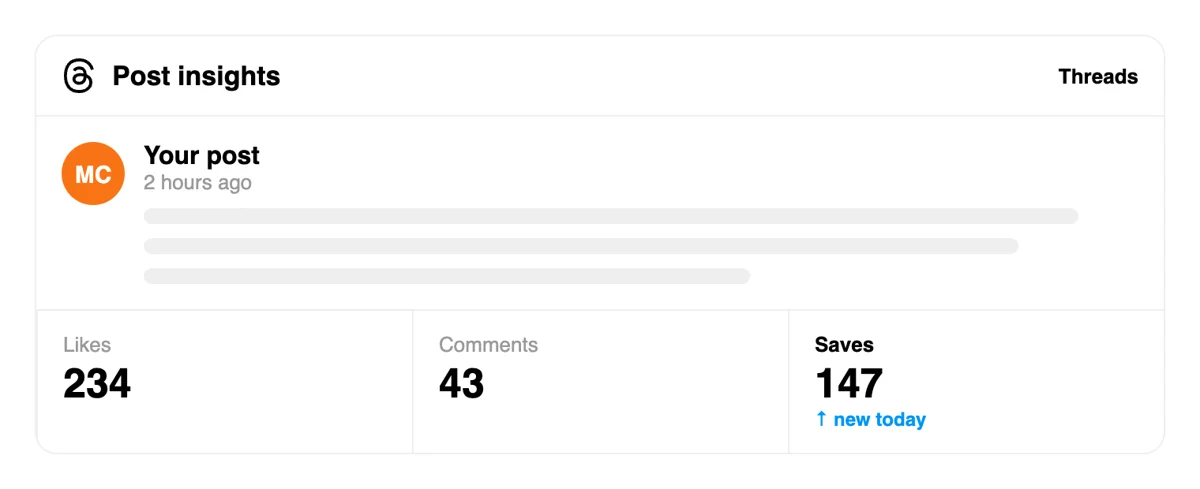
Threads does not announce a save, so the signal is the saved count in Stats, not a line in Activity. People keep the post in their saved list to return to later.
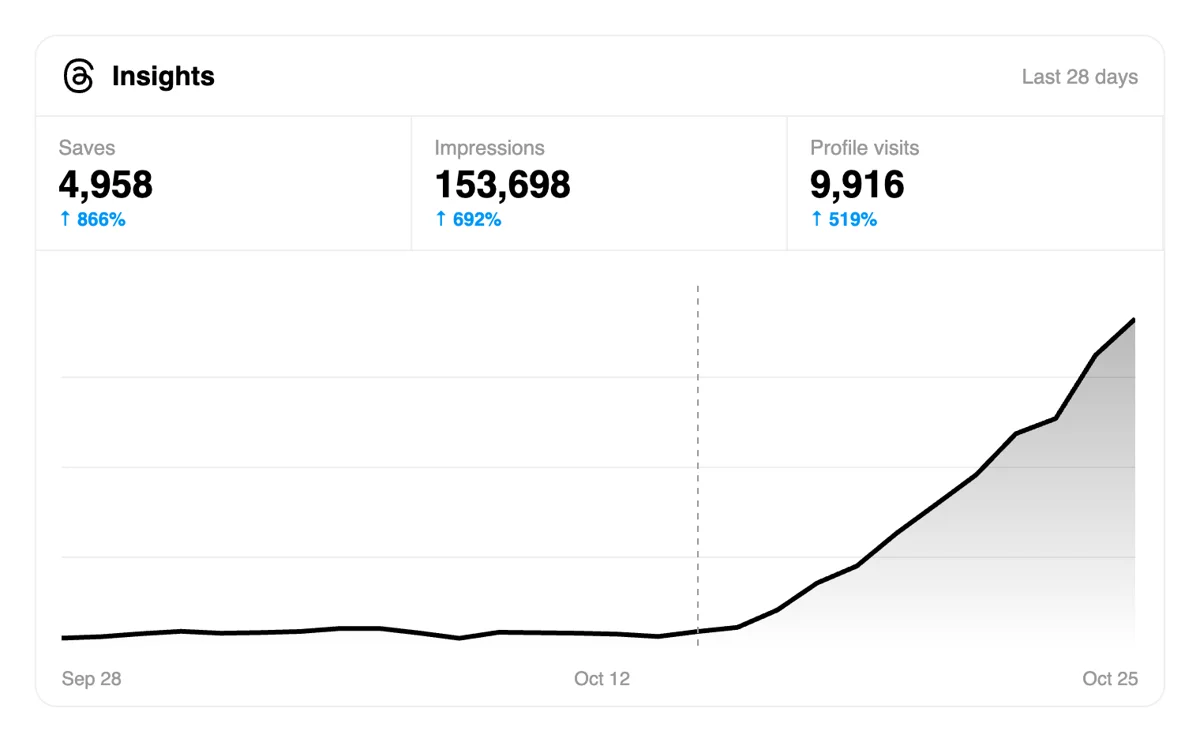
The post report shows saves with views and replies. A post that gathers saves has something readers want to return to, such as a list, a template or a short how-to.
Writers who share short guides each week can request saves via a script or an assistant once each one is published, then compare which guides were kept most. Writers can compare which guides get kept most. Save requests in the Threads API
Get 5 free Threads saves every 24 hours. Upgrade only when you need more.
Free
Forever
What's included
$59/ year
Billed annually
What's included
$0/ first 3 days
After $49 / month
What's included
Unlimited tasks per day. Unlimited connections to social media accounts. Pin your post at the top.
Promote posts to verified users. API access. Unlimited engagement actions per day.
Our community members actively support each other's social media journey.
Join 88,000+ creators, brands, founders, and marketers already growing their audience
saves on Threads are an underrated signal that pushes your content further
May 17, 2024
used this for my startup update post, reach improved noticeably after
Apr 17, 2025
real saves from actual Threads users, fast and clean 🔖
Jan 26, 2024
Threads saves are slept on by most people building there
Jan 5, 2026
FAQ
It marks a post as useful, and that is worth having. Meta's help page confirms the feature is private, so no one sees your list. Upvote.club gives such saves in the right way: members bookmark your post from their own profiles, and the post gets return visits and profile checks that follow from a reader who wants to keep it.
Only the person who saved. Threads help says only you can view the posts you have saved, and when you save someone's post they cannot see it. So nobody holds a list of who saved your writing, and a save works as a private vote of confidence, not a public number.
On the web, the Menu has a Saved entry. In the app, the profile page leads to settings, where Saved sits in the list. A post can be unsaved from the same three-dot menu. Knowing this helps you explain the feature to your readers, and it shows why a good post gets opened again.
Posts people expect to use later. Lists of resources, short guides, recipes for a routine, book or tool recommendations and clear explanations of a hard topic fit. A joke gets a heart, and a checklist gets a save. Write the post you wish you had found when you started out.
Hearts and saves do different jobs. Hearts show quick approval and feed the ratio of likes to views. Saves show lasting use, and they bring readers back to the post. For a profile that publishes advice or lists, saves tell you which posts deserve a follow-up, which a heart count alone can hide.
Yes. Send the address of any public post. Reference-style posts stay useful for months, and readers who arrive through search or your profile may save them. Choose your best older posts and give them a second push alongside the new ones, since they keep working for new followers who go through your feed.
State what the post gives in the first line, then deliver it in short lines. Number the steps or items, keep one topic and end with a question that invites replies, so the thread under the post adds to its use. Readers who find a clear promise at the top save the post before they scroll away.
Since saves are private, read the effects around them. Open the stats for the post and watch views, replies and follows over the following week. Compare a post that earned saves with a similar one that did not. If the first keeps drawing readers and the second fades, you have your answer for that format.
A plain request at the end of a useful post is fine, but the post must earn it. Meta lists posts that beg for reactions among the things people dislike, so lead with value and keep any request short. A reader who got what they came for will save without a push.
Some will, when the post helps them. Send the address to people who work on the topic and ask if it was useful. That costs only your time and tells you whether the post is any good. For wider reach beyond that circle, upvote.club handles saves from one address.
You can. A Google or Apple sign-in, a public address and the saves action are all the first run needs, and nothing is billed. Larger plans exist, and the site describes them elsewhere. Run it on your best post and see what follows over a week.
Threads keeps saved posts in one list under Saved, in the menu, and you can unsave a post at any time from its options. The help pages describe saving, viewing and unsaving, and no folders. Saves and likes sit on separate lists, and saving does not touch your likes. For a creator this shapes the post: a viewer who saves your thread will find it again among many others, so a clear first line that names the topic helps them spot it. Put the subject in plain words at the start, not a teaser that only makes sense in the feed.
Yes. Threads lets you pin one post at a time to the top of your profile, in the Threads section. A post that people save is usually a reference, such as a checklist, a framework or a list of sources, and the profile pin gives it a permanent place for visitors who arrive later. Unpin and replace it when a newer reference does better. Because saved posts stay private to each viewer, the pin is the only public signal of which post you consider the most useful. Pick the one that explains your topic best.
A post holds 500 characters, which is short for a checklist. Threads also allows a text attachment of up to 10,000 characters on a text-only post, shown as a box readers can expand. Put the hook and the main promise in the post itself, and place the full list in the attachment. Another route is a chain of replies to your own post, each with its own 500. Both create material that is worth saving, because a viewer who keeps the post can return to the entire reference. Keep the first line useful even for someone who never opens the box.