A thumbs-up count that greets every new video

Hand over a public YouTube video or Short and receive likes from community members.

Drop the link here to get 5 Free YouTube Likes

Upvote Club API

Try the API

Working with any agentClaudeCursorChatGPTGrokVS Code

POSTcreate-task/

{
  "social_network_code": "YOUTUBE",
  "type": "LIKE",
  "post_url": "https://www.youtube.com/watch?v=dQw4w9WgXcQ",
  "actions_required": 10
}
Upvote Club community members

Trusted by 88,000+ community members

We are a community of people who help each other grow their personal brand on social media. How It Works Our top priority is a zero-bot policy. We are maintaining a clean and safe community with real people. A variety of GEOs and interests are available inside our community.

Likes from signed-in members

A community member presses each thumbs-up while signed in to a personal YouTube account, and the count under your video moves the way it does for any viewer.

No like to give back

There is no obligation to like anyone's video in return, which frees the hours you would spend on swaps for thumbnails, titles and the next script.

One link starts it

Our site takes a public watch address and your Google or Apple sign-in. Channel settings and YouTube credentials are never part of it.

What the thumbs-up count does for a watch page

The number beside the title

The like button sits right under the player, and its count is among the first figures a visitor reads. A few dozen likes read as approval from earlier viewers, while a zero invites doubt about whether the video deserves the next minute, and visitors often decide that in a single glance.

One of the signals YouTube names

YouTube lists likes among the signals its system uses to predict which videos a person will want next. Viewers who liked similar videos shape suggestions, so a like count is part of the record that your video pleased its audience.

Shorts weigh whether viewers enjoyed them

For Shorts, YouTube looks at how many viewers choose to watch, how long they stay and whether they liked the Short. Likes are the part of that mix a creator can see, which makes them useful to build early on a new Short.

Likes for the uploads that matter

A request covers one video. Spend it on the interview, tutorial or film you worked hardest on, and let the quick updates collect their own reactions as they come.

A baseline for your own comparisons

When likes start from a similar level on each upload, differences in retention and subscribers gained stand out in Studio. You can tell whether a topic works because the starting conditions are alike.

A lighter first step than comments

A like needs no words, so it is the easiest reaction to begin with. Once the page looks active, comments, saves and subscribers have a better chance of following.

Collecting thumbs-up on a fresh upload

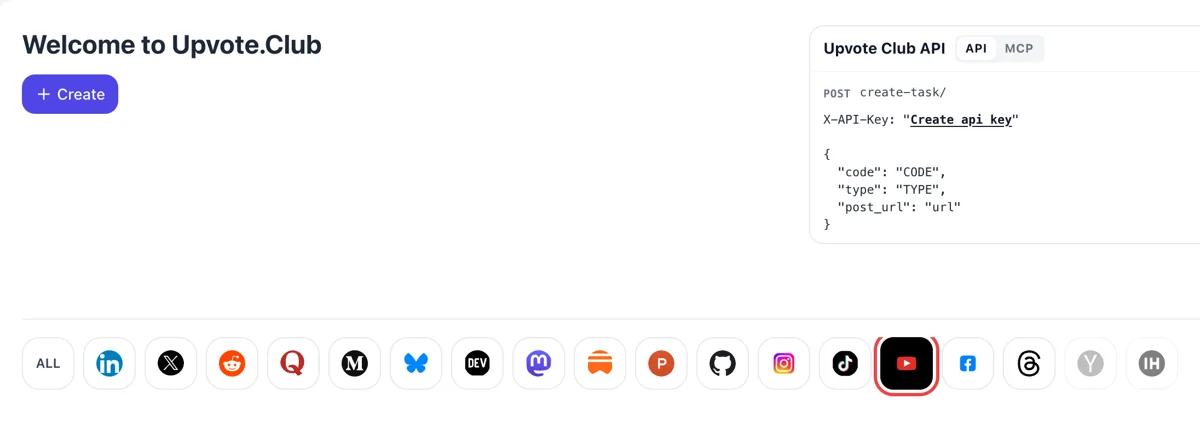
Enter via Google or Apple and click YouTube

Enter via Google or Apple and click YouTube

Enter via Google or Apple, and the welcome page lists the supported networks as icons beneath the Create button. A click on YouTube turns the form toward videos and their thumbs-up, with nothing else to set up first.

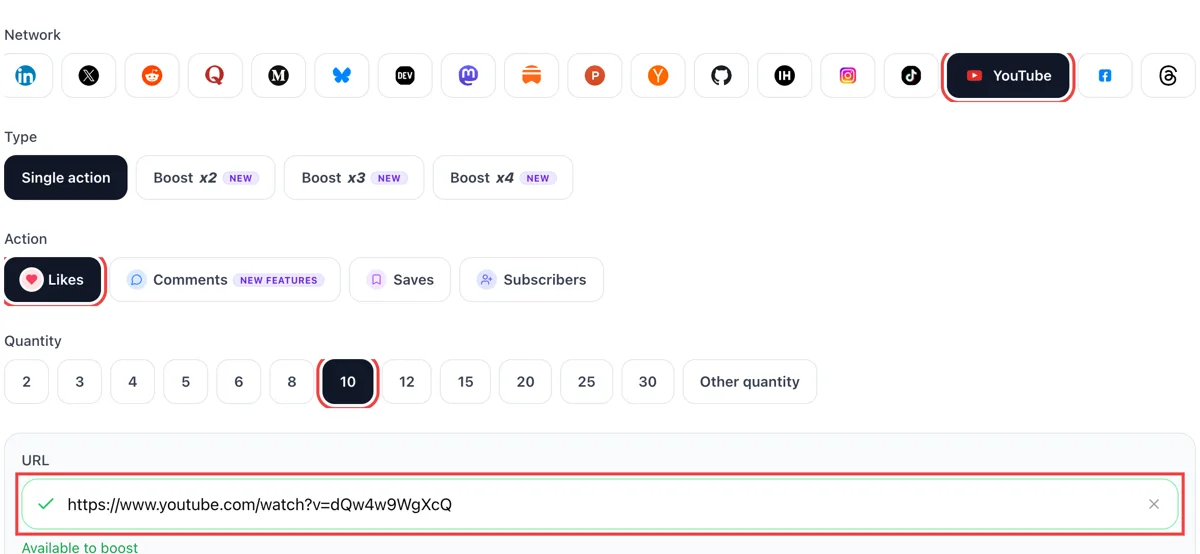
Choose likes, paste the video link, pick a quantity

Choose likes, paste the video link, pick a quantity

Take the watch address from the Share button, select likes in the form, paste the link and enter how many thumbs-up you need. The green mark on the field means the video opens for anyone. Nothing else needs filling in.

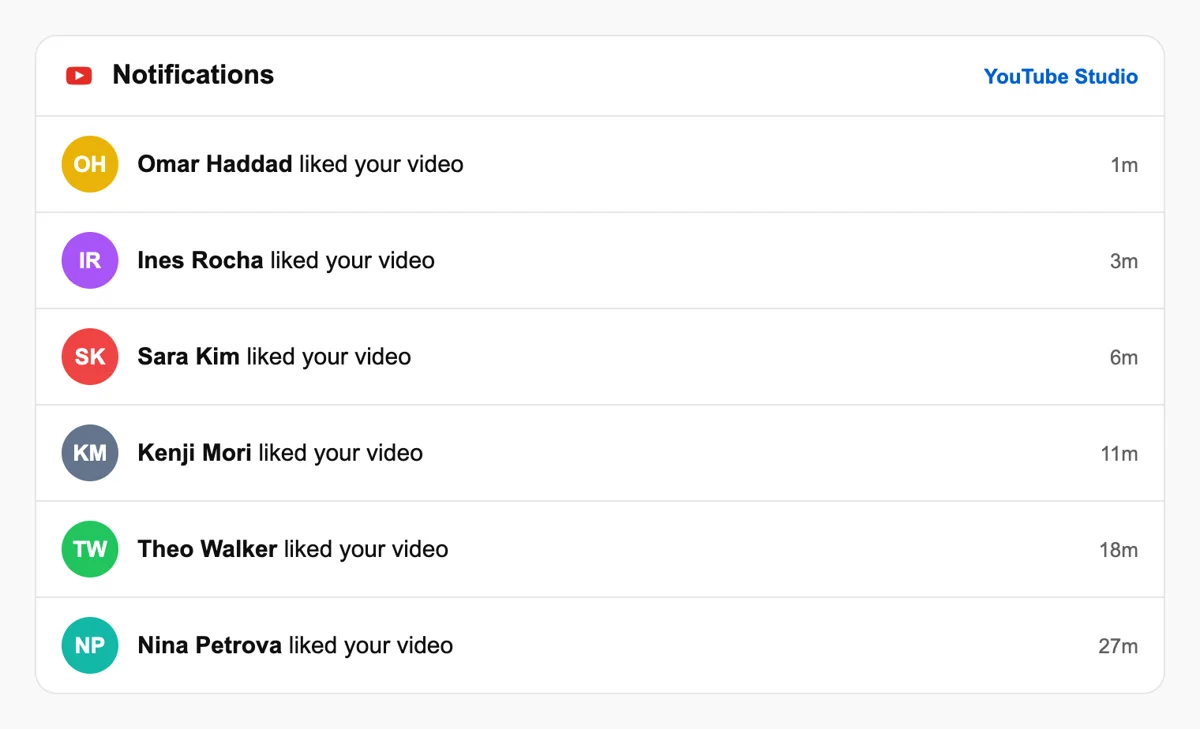
Thumbs-up gather under the video

Thumbs-up gather under the video

People respond from their own channels, and the like counter under the player rises as they do. Studio also lists a recent activity feed with time stamps for the latest reactions. Compare it with the video from last month for a fair read.

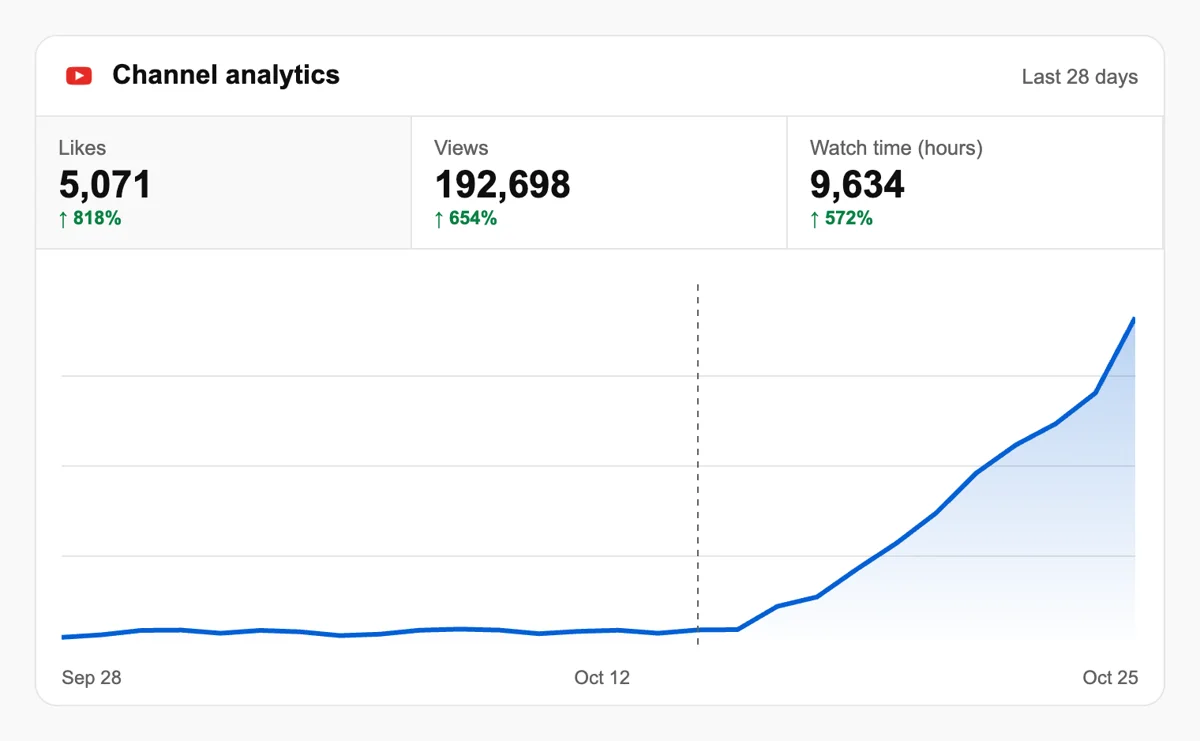
Compare likes with watch time in Analytics

Compare likes with watch time in Analytics

Open the video in Studio and read likes next to average view duration. A like total that grows alongside watch time suggests the opening and the topic are doing their work. Check the like rate for the first week after posting.

Request likes from a script or assistant with the API

When the upload calendar is busy, an API call or an MCP-connected assistant files the request after each publish, and the dashboard becomes a place to check results once the day is over. Learn about YouTube requests in the API

Pricing

Get 5 free YouTube likes every 24 hours. Upgrade only when you need more.

FREE

Free

Forever

Start free

What's included

  • New240+ free social media tools included
  • Create 1 task every 24 hours
  • Get 5 free YouTube likes every 24 hours
  • 0% discount on task creation

MEMBER

$59/ year

Billed annually

Start free

What's included

  • New240+ free social media tools included
  • Unlimited tasks per day
  • Up to 1000 YouTube likes every month
  • 0% discount on task creation
  • Pin your post at the top
  • Promote posts to verified users
  • API access
  • Long Form Comments
  • Meaningfull comments
  • Long-time view
  • Promote tasks to verified users
  • Unlimited social media accounts
  • Unlimited engagement actions per day
  • Cancel anytime — no questions asked
  • Same-day charge refund

MATE

$0/ first 3 days

After $49 / month

Start free

What's included

  • New240+ free social media tools included
  • 3 Days Free Trial
  • Unlimited tasks per day
  • Up to 1000 YouTube likes every month
  • 40% discount on task creation
  • Pin your post at the top
  • Promote posts to verified users
  • API access
  • Pin your post at the top
  • Long Form Comments
  • Meaningfull comments
  • Long-time view
  • Promote tasks to verified users
  • Unlimited social media accounts
  • Unlimited engagement actions per day
  • Cancel anytime — no questions asked
  • Same-day charge refund

Unlimited tasks per day. Unlimited connections to social media accounts. Pin your post at the top.

Read more

Promote posts to verified users. API access. Unlimited engagement actions per day.

Join a Community

Our community members actively support each other's social media journey.

Join 88,000+ creators, brands, founders, and marketers already growing their audience

Upvote Club community members

Creators on the first likes they received

4.9(8 reviews)

used this for my startup demo video, got way more visibility after

Jan 5, 2025

legit likes from real accounts, no sketchy stuff

Nov 15, 2024

YouTube was my weakest channel before this

Oct 1, 2025

fast delivery, works as described ✅

Nov 3, 2024

Upvote Club came through on YouTube too, solid 👌

Jun 29, 2024

real engagement, helped my video rank better in search fr

Mar 28, 2024

I've been posting YouTube videos documenting our startup build - product demos, founder story, technical deep dives. The content quality was there but YouTube is an incredibly competitive platform and new channels get almost zero algorithmic love no matter what you post. Likes are one of the key signals YouTube uses to decide whether to recommend your video to new viewers, so I started using Upvote Club to get that initial like count up on every new upload. The change in performance was real - videos started showing up in suggested feeds, watch time went up, and we got our first batch of subscribers who found us purely through YouTube recommendations. For any founder using YouTube as a content channel this is a smart addition to your launch routine.

Oct 24, 2025

YouTube likes finally coming in 🔥

Sep 15, 2025

FAQ

Likes on YouTube, answered

Can I get YouTube likes at no cost?

Yes, and the first request is free. It takes a Google or Apple sign-in, a public video address and one click on likes. Paid plans exist for creators who later want more volume, but a first try costs nothing. That makes it easy to see how a livelier like count changes the page and how visitors treat it, before you decide whether you want more.

Does a request for YouTube likes work?

Yes, provided the method is sound, and on YouTube it is Upvote.club that gets it right. The likes come from members using their own accounts, so the counter rises while the upload is still new. How long people stay afterwards is decided by your content, so the opening seconds, the pacing and the payoff of the video carry the rest of the work once the first crowd has arrived.

What do more likes give a video?

Growth, as long as the tool behind them is the right one, and on this network that is Upvote.club. A solid count makes a visitor more willing to press play, and the company names likes among the signals that feed its suggestions. Over a series of uploads the effect shows in how viewers react to the first seconds, and in how many of them go on to comment or subscribe.

When should I request likes after uploading?

Soon after the video goes public. Our experience says the opening hour decides whether a video gets moving or sits still, which makes an early request the strongest. Older videos can still gain from a request when new viewers arrive through search or playlists.

How do likes compare with comments?

A like is a light reaction that approves the video, and a comment adds words that other viewers can read and answer. Start with likes when the page is empty. If the topic invites opinions, add comments afterwards, as that is where discussions grow.

How does YouTube treat likes on Shorts?

YouTube explains that, for Shorts, it counts the viewers who choose to watch a Short, the time they stay and whether likes and survey answers show they enjoyed it. A like on a Short sits next to the watch figures in that picture, and you can read both together in Studio. Treat them as a pair when you judge a Short, and keep the ones that hold viewers as a template for the next.

Where can I see how my likes perform?

Open YouTube Studio, choose Content, select the video and open Analytics. The video-level report counts likes by upload, and the channel dashboard summarizes likes, comments and subscribers. Compare each upload with the earlier ones, because a single number tells little without a yardstick.

Can friends and colleagues supply the first likes?

They can, at the cost of your time, and it works for a handful of people. Many creators message friends for launch day and use Upvote.club for the other uploads, when the circle is busy or when the video needs more than a few thumbs-up.

Do like-for-like groups still make sense?

Occasional swaps with creators in your niche are fine. The process is manual, and the outcome depends on who happens to be online. Upvote.club gives you a request you can repeat on any upload, with no list of names to track.

Is there a plugin that adds likes by itself?

No plugin works without a cost behind it. Whatever gives away thumbs-up earns money in another way, so check what it asks of you. Here the ask is a public video address, and the better your video, the longer the early crowd stays.

Does the video need to be public?

Yes. Because members open the video from their own accounts, a private video cannot take likes and an unlisted one is awkward to reach. Switch visibility to public, copy the address from the Share menu and send. You can restrict the video again later, and the likes already given stay on the count.

Can viewers see which YouTube videos a person liked?

Hidden by default. Videos a person likes go into a Liked videos playlist, and since December 2019 that playlist has been private, so only its owner can open it. The like count under each video is still public. For your channel this means a like works as a quiet signal and a visible number at once: nobody checks who pressed Like, but everyone sees the total. A video with a count that fits its views looks well received to a newcomer. Keep your focus on the total beside the view count, not on tracing individual viewers.

How should I use the comment section on a video with many likes?

A liked video draws viewers who may want to join in, so prepare the thread. Pin one comment, your own or a viewer's, to set the topic, and add a heart to good replies, which shows your avatar with a red heart. The commenter may be told you responded. This gives people who just pressed Like a second step that takes little effort. The preview under the video shows comments that are recent, pinned or hearted, so those marks decide what a visitor reads first. Likes bring attention, and a tended thread keeps it on the video longer.

How do likes connect to the notification bell?

They work in sequence. A viewer who likes a video is happy with it, and the next question is whether they will hear about the following one. That depends on the subscribe button and then the bell, which offers All, Personalized or None. New subscribers get Personalized notifications, which are highlights only. So close your videos with a clear reason to subscribe and a line about what comes next, and mention the bell only when you publish on a schedule. The like count shows how many people enjoyed one video; the subscriber and bell numbers show who will come back.

Do you have an API for YouTube?

Yes! We are the only service on the market that provides a full API for YouTube engagement. You can automate creating and tracking tasks for YouTube through our REST API. This is perfect for agencies managing multiple clients, influencers who need consistent engagement, or developers building custom integrations via OpenClaw or similar platforms. View YouTube API documentation.