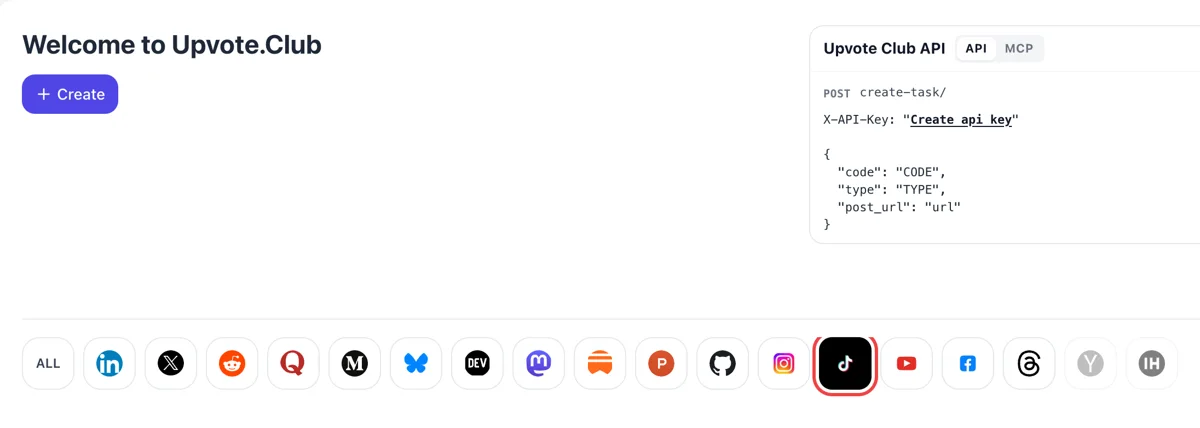
Pick TikTok after signing in
Choose Google or Apple to get in, then look under the Create button for the row of network icons. Selecting the TikTok icon opens the request form built for short video, with comments as one of its actions.
Share a public TikTok video and receive written comments from community members.
Working with any agent




POSTcreate-task/
{
  "social_network_code": "TIKTOK",
  "type": "LIKE",
  "post_url": "https://www.tiktok.com/@username/video/1234567890",
  "actions_required": 10
}
Trusted by 88,000+ community members
We are a community of people who help each other grow their personal brand on social media. How It Works Our top priority is a zero-bot policy. We are maintaining a clean and safe community with real people. A variety of GEOs and interests are available inside our community.
A community member types every comment on a personal TikTok profile, so the text sits in the thread like any other viewer reply and you can answer it as usual.
Quality comes from the profile behind the text. Members with filled-in profiles and avatars make a thread look credible when a stranger opens it from the For You feed.
You paste the public link to one video. Sign in with Google or Apple, and nothing more from your TikTok account is needed to receive comments.
Most viewers read the comment section before they write anything. An empty one feels like an empty room, while two or three lines of text show that talking here is normal. Early comments lower the barrier for the next person.
TikTok lists comments among the things it weighs when it picks videos for the For You feed, next to likes, shares and watch time. Written replies are a stronger sign of attention than a press on a heart, so a video with a thread gives the feed more to read.
A viewer who stops on your clip sees the comment count before the second hashtag. A number above zero with readable text underneath tells them other people already spent a minute on this video.
Comments that ask something give you the next video. Reply in text, or answer in a follow-up clip, and the same viewers return to see what you said. One good question can feed a week of ideas.
Comments read differently on a recipe, a skit and a product demo. Each request is aimed at one video, so the text in the thread matches what the clip shows instead of repeating the same line under every upload.
Viewers keep scrolling into comment sections days after a clip leaves the top of the feed. Text left under the video keeps greeting those late arrivals, which helps older uploads when someone opens your profile.
Choose Google or Apple to get in, then look under the Create button for the row of network icons. Selecting the TikTok icon opens the request form built for short video, with comments as one of its actions.
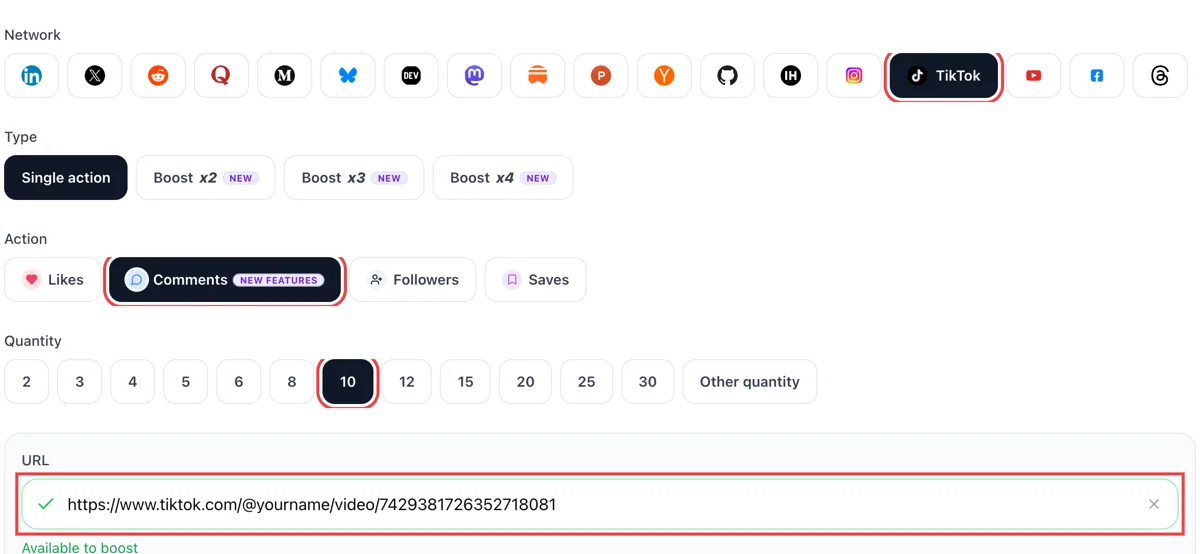
Switch the action to comments, drop the public address of the video that needs a conversation into the link box and enter how many comments you want. A green tick beside the address says the clip can be opened.
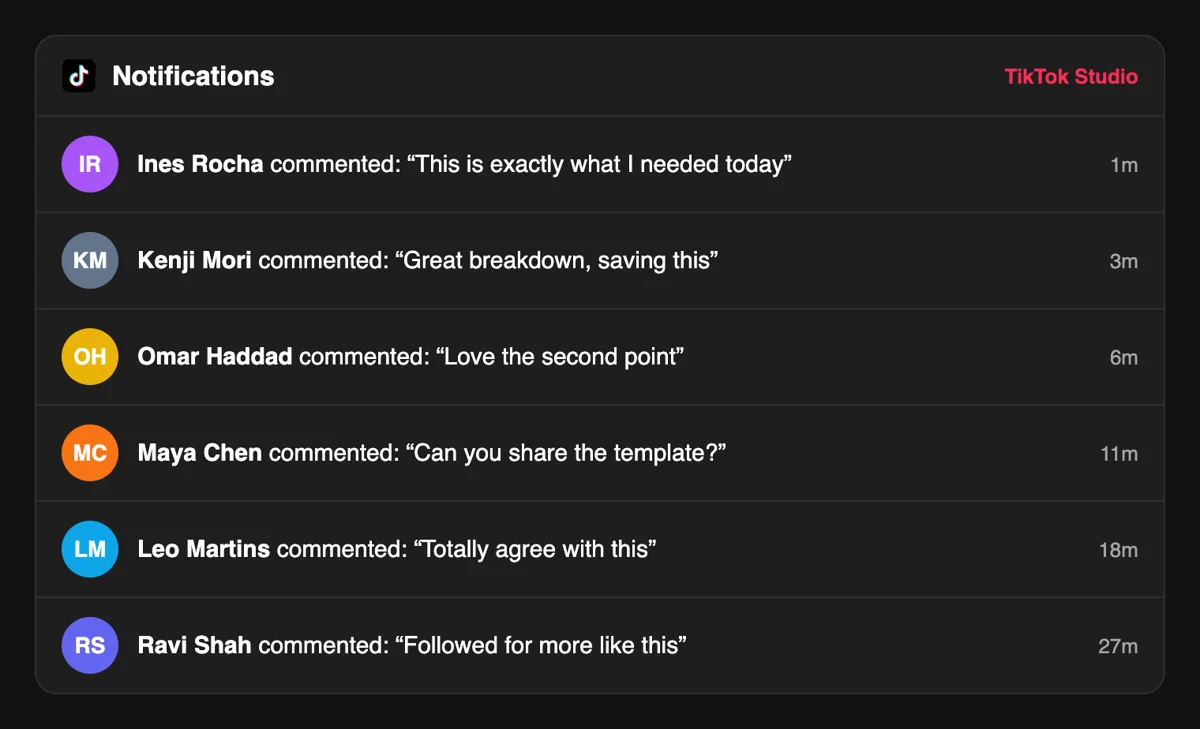
Comments appear under the video and also as lines in the Inbox activity list, each with the name of the commenter and a time stamp. Open one and answer it like any other viewer.
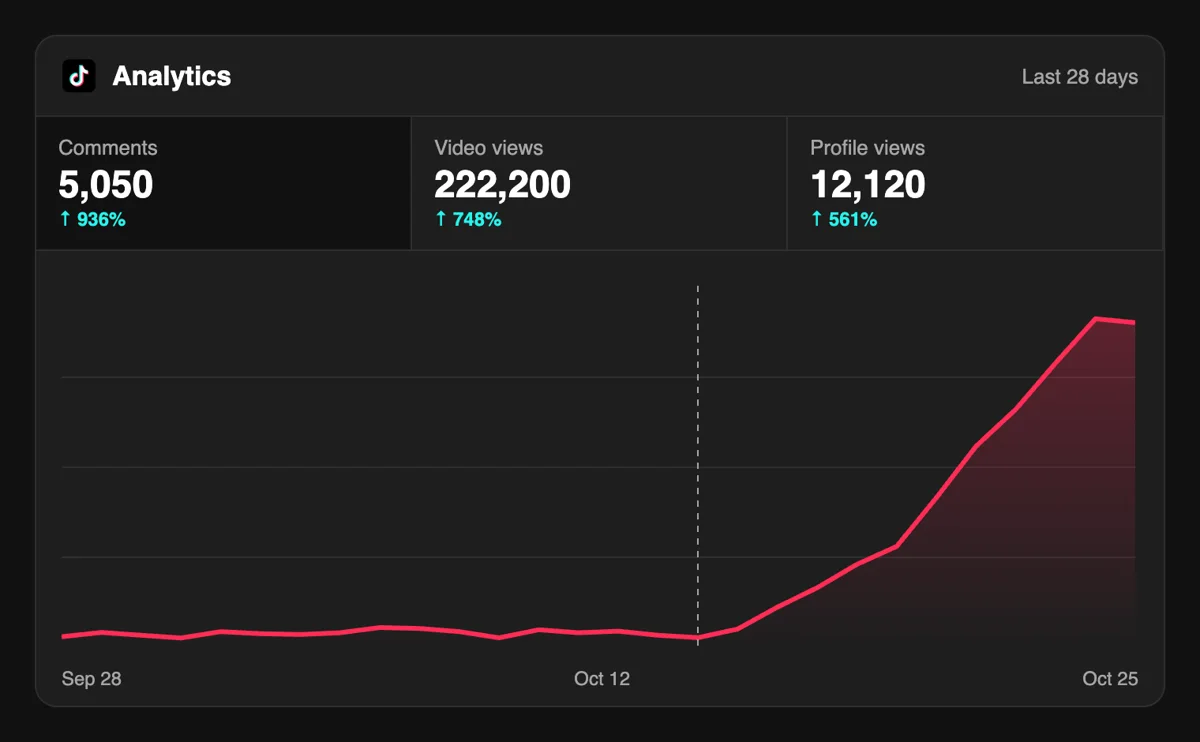
Answer a few comments, then check Analytics. A video with an active comment section tends to hold viewers longer, and the comment total sits beside views, likes and shares in the same report.
If uploads are frequent, an API call or an MCP-connected assistant can file the request after each one, so you spend your time in the app replying instead of filling in forms. See the API for comment requests
Get 5 free TikTok comments every 24 hours. Upgrade only when you need more.
Free
Forever
What's included
$59/ year
Billed annually
What's included
$0/ first 3 days
After $49 / month
What's included
Unlimited tasks per day. Unlimited connections to social media accounts. Pin your post at the top.
Promote posts to verified users. API access. Unlimited engagement actions per day.
Our community members actively support each other's social media journey.
Join 88,000+ creators, brands, founders, and marketers already growing their audience
Legit! 🙌
Oct 29, 2025
TikTok comments from real users actually boost your video in the algorithm
Apr 2, 2025
got meaningful comments on my startup video, not just emojis
Nov 6, 2025
fast delivery, real accounts, no drama ✅
Jan 12, 2026
been posting about my founder journey on TikTok and comments make it feel like a real community 🔥
Jan 12, 2026
TikTok comments are underrated for reach and Upvote Club delivers on that
Apr 13, 2025
Blog
Guides and tips on growing social media with real community engagement.

The hook must promise a payoff: a result, an answer, or a feeling.

Tips, hacks, and how-tos get sent to the one friend who needs them, and the share rate says whether to make more.

The TikTok hook is the mechanism that prevents early exit.

Stacking three questions splits attention and usually gets you zero answers instead of three.

The first two seconds are where the clearest idea has to land, before the rest of the video has a chance to explain it.

Make videos people actually finish and feel compelled to tap.
FAQ
Yes. You can start at no cost. A Google or Apple login and the link to a public video are enough to request comments. Paid plans exist if you later want more volume, but the first request costs nothing, so you can see how a thread changes the way viewers treat your clip.
Yes, if it is done the right way, which is what Upvote.club does. Community members watch your public video and write from personal profiles. What happens next depends on the clip, since a thread with a good question inside tends to pull in genuine replies from viewers.
Account growth is the result, with the right tool behind the thread, and for TikTok that is Upvote.club. A visible discussion tells new viewers the video is worth a pause, and your own replies create more activity under it. Over several uploads that habit shows up in watch time and returning viewers.
A like takes a second and says little. A comment takes effort and carries words, so it adds context other viewers can read. Likes make a video look approved, comments make it look discussed. For a clip that needs approval first, see the likes page.
Ask one thing that has more than one answer, such as which option people would choose or what they would add. Leave the sentence short and put it at the end so it sits near the comment box. A caption that closes the topic leaves nobody anything to say.
Reply to the ones that carry a question or an opinion. A short answer from you keeps the thread moving and tells viewers that the account has a person behind it. TikTok Studio gathers comments in one list with like and reply buttons, which saves time compared with scrolling under each video.
Clips that invite opinions benefit most: comparisons, hot takes, tutorials with a follow-up question, product reviews and before-and-after videos. A silent aesthetic montage gains less, since there is little for a viewer to react to in words. Saves suit that style better, as the saves page shows.
Yes. TikTok lets you choose who may comment on your posts, either in your privacy settings or on each video before you publish. Keep comments open to everyone on public accounts if you want community members to be able to write. A restricted setting hides the comment box for most viewers.
In our experience the first hour after publishing carries the most weight, so send the request while the video is new. A thread that starts early gets the next viewers into the habit of joining in. Later requests still help older clips that people find through your profile.
They come from community members, not from your circle. If you also ask friends and colleagues, you add genuine voices who know you, at the cost of your own time. Many creators combine both, with a request for the thread and a few messages to people they know.
No tool produces comments without somebody behind it. Anything that promises text under your video at no cost passes the expense to someone else. Pick a service whose audience you understand, and keep making videos that deserve a reply, because content is what keeps a thread alive.
You send only the public address of the video. It must be public so members can open it from their own accounts. Switch a private post to public before pasting the link, and you can still turn comments off for a particular clip whenever you like.
Yes. Press and hold a comment under your video, then choose Pin comment, and it moves to the top of the thread with a pinned mark. You can pin your own line or one written by a viewer. A good pick is the comment that answers the question most people ask, or one that adds a detail worth a second look. If several replies follow a pinned line, the thread feels active to the next visitor, who sees a conversation in progress and not an empty box. Reports differ on how many pins one video allows, so check the menu in your app version.
A video reply lets you answer any comment on your videos with a new clip, and the original comment can appear on screen as a sticker. The reply is published in the comment thread and also as a separate video on your profile, so one good question can feed a second piece of content. People who never open the thread still see it in their feed. When a thread under your video fills with questions, pick the one that shows up most, record a short answer, and the discussion keeps producing material instead of ending after the first wave.
It is a common habit, and it works as a prompt. Post a short line right after the video goes live: a question, a detail to look for, or the second half of a joke. It is not a pin and nothing holds it at the top, so the line moves down as the thread grows. Treat it as an invitation to answer, not as a place for information people must see. For anything that has to stay visible, put it in the caption or on screen, and use Pin comment on a line you want every new visitor to read first.