








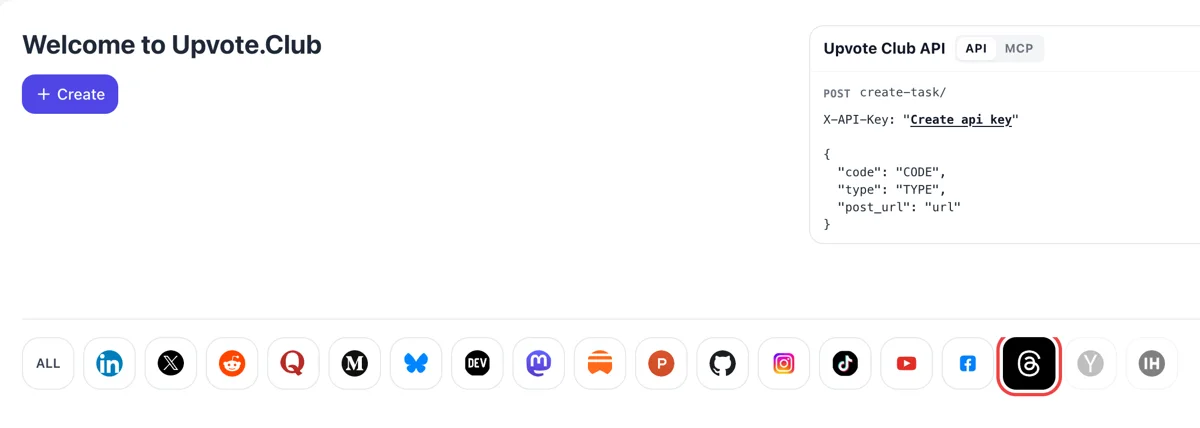
Enter with Google or Apple and select Threads
The dashboard opens after a Google or Apple login. Choosing Threads in the network row beside Create moves the form to profile requests, so nothing about single posts is in the way here.
Pass along the address of your Threads profile and members of the community follow it from personal accounts.
Working with any agent




POSTcreate-task/
{
  "social_network_code": "THREADS",
  "type": "LIKE",
  "post_url": "https://www.threads.com/@username/post/123456789",
  "actions_required": 10
}
Trusted by 88,000+ community members
We are a community of people who help each other grow their personal brand on social media. How It Works Our top priority is a zero-bot policy. We are maintaining a clean and safe community with real people. A variety of GEOs and interests are available inside our community.
Each new follower is a community member on a personal Threads profile with a name and a photo, so your list fills with accounts that look like the readers you want.
You provide the public address of your profile and the action you want. Your Threads settings, drafts and messages play no part, and you decide when to start and what to post.
The blog has pieces on topics, rhythm and reply habits for Threads, so the followers you gain meet a profile that keeps giving them posts worth reading.
Threads has a Following feed that lists posts from followed accounts, newest first, with no ranking in between. Each follower you add is a person who can see all of your posts there, whatever the ranking system decides elsewhere.
For You collects every post from accounts a person follows and a selection of other public posts. Your posts are always in the first group for your followers, while recommendations pick from only a portion of the rest.
Meta lists the chance that a viewer opens the author's profile among its predictions. A viewer who arrives and finds a few hundred followers and a clear bio has a reason to press follow, and a bare count gives them a reason to leave.
Replies make up almost half of Threads views. A larger follower base means more people who might answer your post, and a conversation under a post is what turns a follower into a regular reader.
A Threads account is attached to an Instagram account, and what a person does on Instagram shapes what they see on Threads. Followers you add here can also arrive from Instagram posts or Stories linking to your Threads page.
People build feeds around topics and profiles they care about. A profile with a clear theme and a decent follower base is easier to place in those feeds, and a bio that names what you write about helps readers choose it.
The dashboard opens after a Google or Apple login. Choosing Threads in the network row beside Create moves the form to profile requests, so nothing about single posts is in the way here.
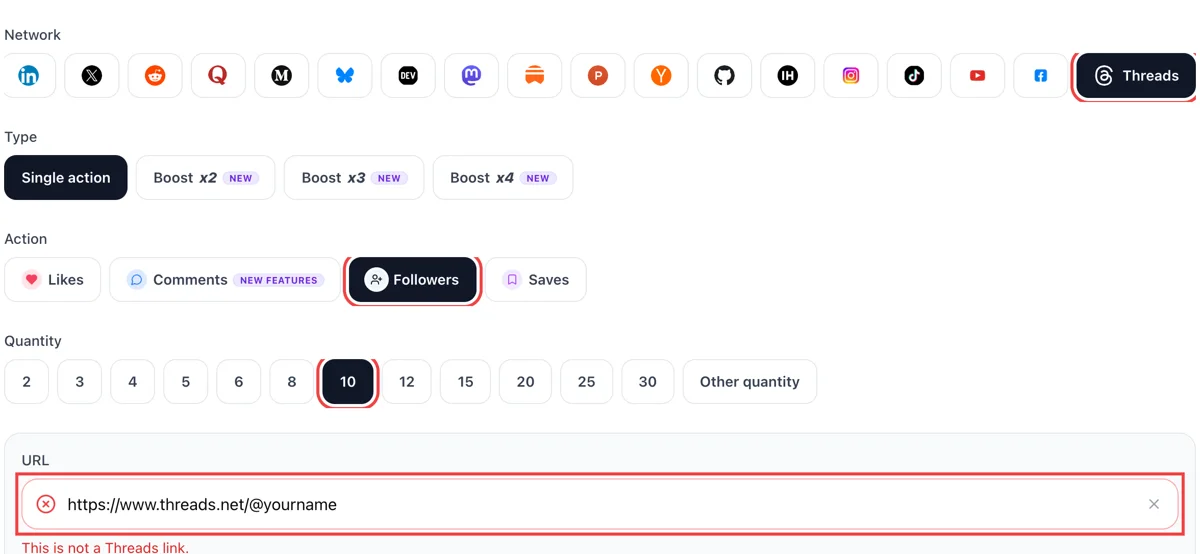
Open your Threads profile, use the share button to copy the link and paste it after choosing followers. Enter a number. The field turns green once the profile is found.
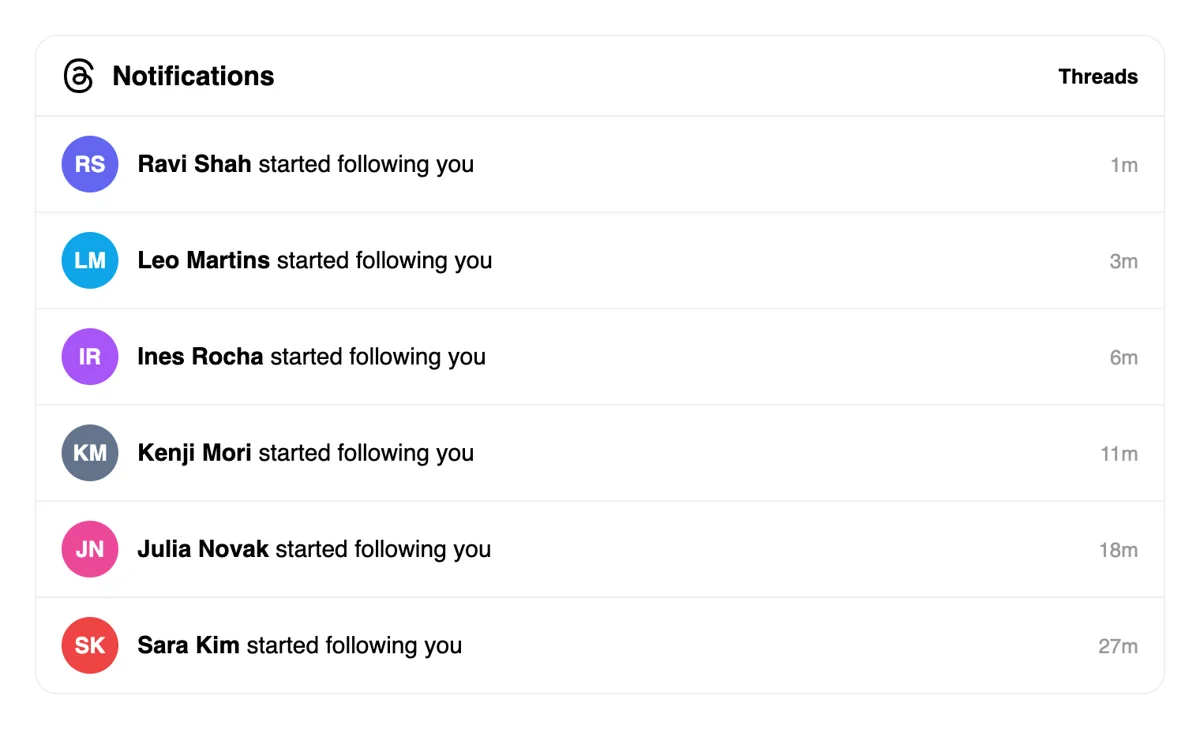
Each new follower is a line in the Threads Activity tab with a time stamp. Open the name to see the profile and follow back people who write about your topics. A reply to a newcomer makes your profile feel active.
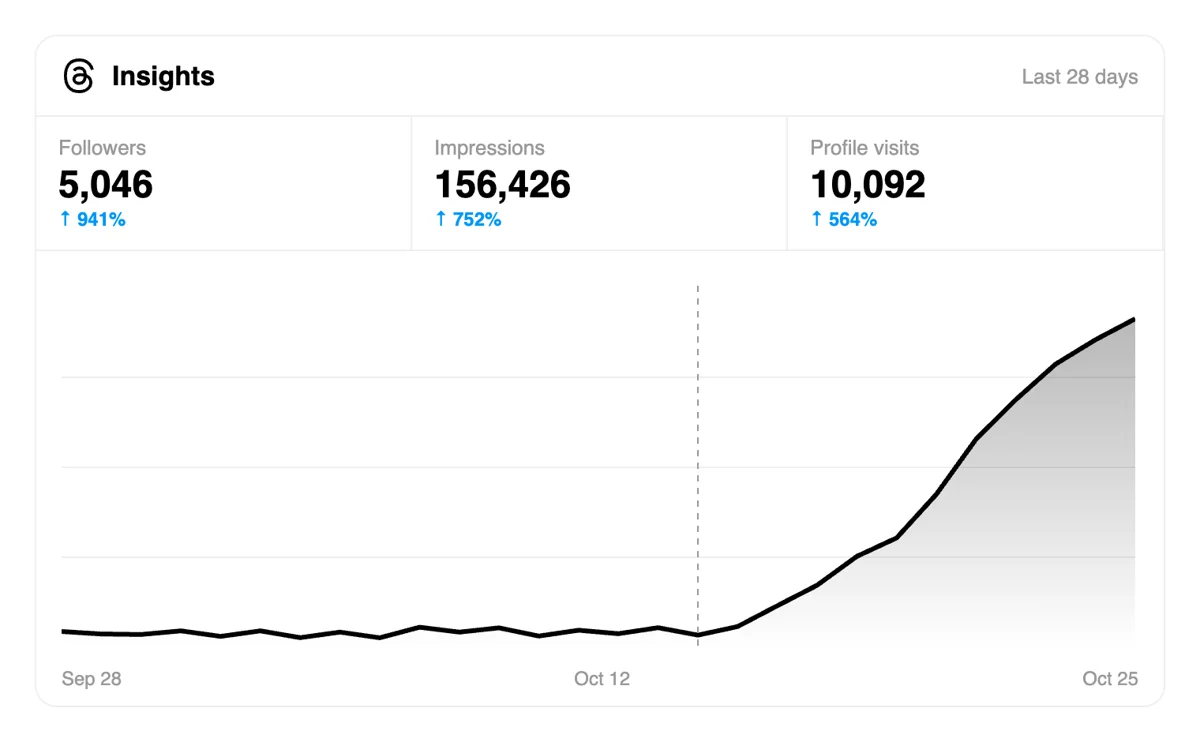
The Stats page shows total followers and where they come from. A larger audience means every new post is seen by more people in their feeds on the first day.
Brands with several profiles can file requests through the API or an MCP assistant, keeping one record across accounts, so each profile has its own history of what was asked and when. Follower requests in the Threads API
Get 5 free Threads followers every 24 hours. Upgrade only when you need more.
Free
Forever
What's included
$59/ year
Billed annually
What's included
$0/ first 3 days
After $49 / month
What's included
Unlimited tasks per day. Unlimited connections to social media accounts. Pin your post at the top.
Promote posts to verified users. API access. Unlimited engagement actions per day.
Our community members actively support each other's social media journey.
Join 88,000+ creators, brands, founders, and marketers already growing their audience
Solid! 💪
Mar 10, 2024
jumped on Threads early and this helped me build real momentum fast
Mar 1, 2026
real followers, clean process, no bots ✅
Jul 6, 2025
Threads is becoming my favorite platform and Upvote Club made growing there easy
Sep 22, 2024
solid for anyone establishing their presence on Threads before it blows up 🔥
Feb 14, 2026
FAQ
It can, when built the right way. Your followers are always part of the pool that sees your posts, in For You and in Following. Upvote.club builds it the right way: members follow your profile from personal accounts, so the list looks like readers and each post has people waiting.
Following lists posts from the accounts a person follows, newest first, with no ranking. So a follower who opens that feed sees your post if you published recently, even when recommendations skip it. It is the most dependable route to a reader, which is why followers are the base of growth on Threads.
Meta describes For You as posts from accounts a person follows plus a selection of other public posts. Every post from accounts they follow goes into the pool, while recommended posts come from only a portion of the rest, so followers start with an advantage. Commentators have also noted that the feed leaned toward followed accounts after late 2024.
Name your topics in the bio using plain words, and let the first few posts prove the claim. Pick a photo that stays readable at a small size and add your link if you have one. Visitors decide fast, and a profile that answers what they gain from following wins the follow. Update the bio when your topics change.
Your Threads page is built on your Instagram account. Many people who follow you there will follow you on Threads too if you send them there with a Story or a line in your bio. Grow that side first and bring the audience across.
Match it to your posting. A profile with two posts and a crowd of new followers gives them little to see. Add followers in steps while you publish regularly, so each group arrives to fresh posts and replies. Meta's notes count how often an author posts, replies included, so a steady rhythm helps.
Accounts with a photo, a bio and posts of their own. Visitors who check your list and find ordinary readers trust the profile more than visitors who find a column of blanks. Aim for a list that reads as alive. A modest list like that serves you better than a large one that looks hollow.
Write original posts about one subject, put the best line first and end with an easy question. Strong writing is what keeps people reading. Reply to the people who answer, because Meta says replies bring about half of all views. A follower who gets a reply tends to stay and answer again.
Do that. Colleagues, friends and relatives who work in your field make the best early followers, and asking costs only your time. It suits small numbers. For steady growth beyond that circle, upvote.club does the same job from one pasted address.
They are a legitimate way to begin, and plenty of accounts did. They need you to follow others one by one, and they rely on people being online. A pasted address with no obligation to follow back leaves more of your week for writing posts.
No. A Google or Apple login and the address of your profile start it, with followers as the chosen action. Paid plans are there for accounts that want more, and the site explains them when you look. Run one profile and watch how your next posts perform with the larger audience.
Threads lets you pin a single post at a time to the top of your profile, in the Threads section. That one slot should answer what a visitor wonders on arrival: who you are, what you post about, and why a follow is worth it. A short post that states your topic and shows one concrete example works well. New followers then see it before anything else, so it affects how many of them stay. Replace it when your focus shifts or a newer post performs better, using Unpin in the options menu to clear the slot.
Use the reply setting under the post. Anyone can reply is the default, and you can narrow it to Profiles you follow or Mentioned only before publishing. Reply approvals hold each reply until you approve it, which lets a post stay open while you keep the tone you want. New followers read the replies under your posts to judge the account, so a clean thread supports growth. Keep the open setting for most posts, and use a narrower choice on topics that tend to attract arguments. Check the setting before you publish each post.
Yes, within 15 minutes of posting. Open the options on the post, choose Edit, change the text and post it again. Attachments cannot be added or removed, and the post shows an Edited label if anyone has liked, replied to, reposted or quoted it before you finished. New followers often read your latest post first, so a fix in the first quarter of an hour matters. After that window, the choices are to delete the post or to add a clarifying reply and pin it to the top of the thread so readers see the correction.