








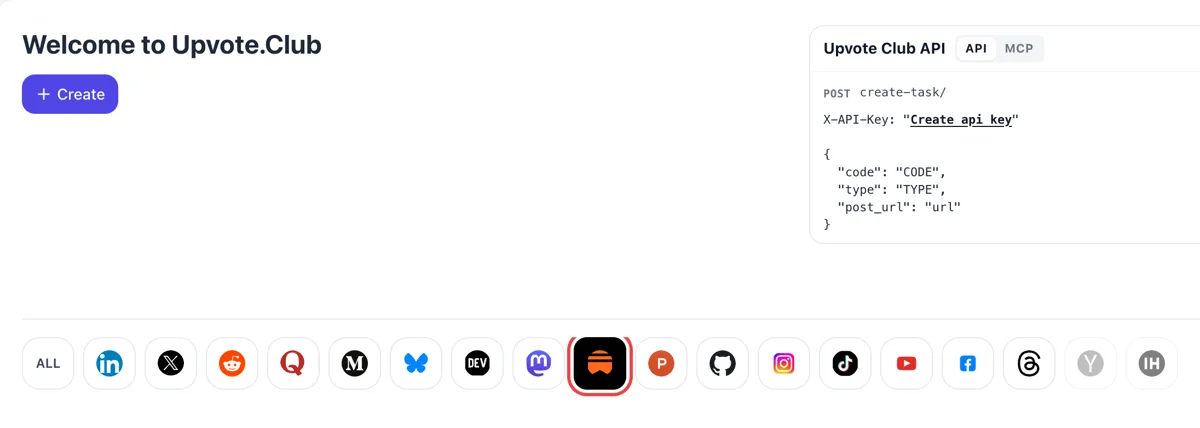
Sign in and select Substack
Sign in with Google or Apple on the starting dashboard and click the Substack icon. Create then opens a request for getting a post restacked into other writers' feeds.
Paste the link to a public Substack post or note and have it restacked into other members' Notes.
Working with any agent




POSTcreate-task/
{
  "social_network_code": "SUBSTACK",
  "type": "LIKE",
  "post_url": "https://username.substack.com/p/article-title",
  "actions_required": 10
}
Trusted by 88,000+ community members
We are a community of people who help each other grow their personal brand on social media. How It Works Our top priority is a zero-bot policy. We are maintaining a clean and safe community with real people. A variety of GEOs and interests are available inside our community.
Each restack comes from a member with a Substack account and followers of their own, so the share you see under your post links to a profile that anyone can open.
Restacks appear in the Restacks tab and in Notes in the standard format. Your page does not change, and you can hide any single restack from the post if you prefer.
The blog explains how to write an opening that survives a feed, how to pick a quotable line and how to thank people who share your work.
When someone restacks your post, it can appear in the Home feed of their subscribers and followers. A like stays with the person who gave it, while a restack hands your work to everyone that person reaches.
A restack is a reader saying this is worth your time, in front of their own audience. Followers trust that voice more than a cold post from a writer they never heard of, so the audience arrives warmer.
On the web, restacks can also appear in a tab under your post, next to the comments. Readers who open the page can browse who shared it and what they said about it, which adds proof beneath the text.
A person can restack with a line of their own, or highlight one snippet and share it as a quote. Your best sentence then travels alone, in a card, and readers who like it click through to read the rest.
Substack lets people restack posts, notes and comments. A short note of yours can be reshared as easily as a full issue, so a sharp thought gets distribution even in weeks when you have no new issue.
You receive a notification when someone restacks your note or post. Each one tells you who passed your work on, which is a ready list of people to thank and a hint about who reads you.
Sign in with Google or Apple on the starting dashboard and click the Substack icon. Create then opens a request for getting a post restacked into other writers' feeds.
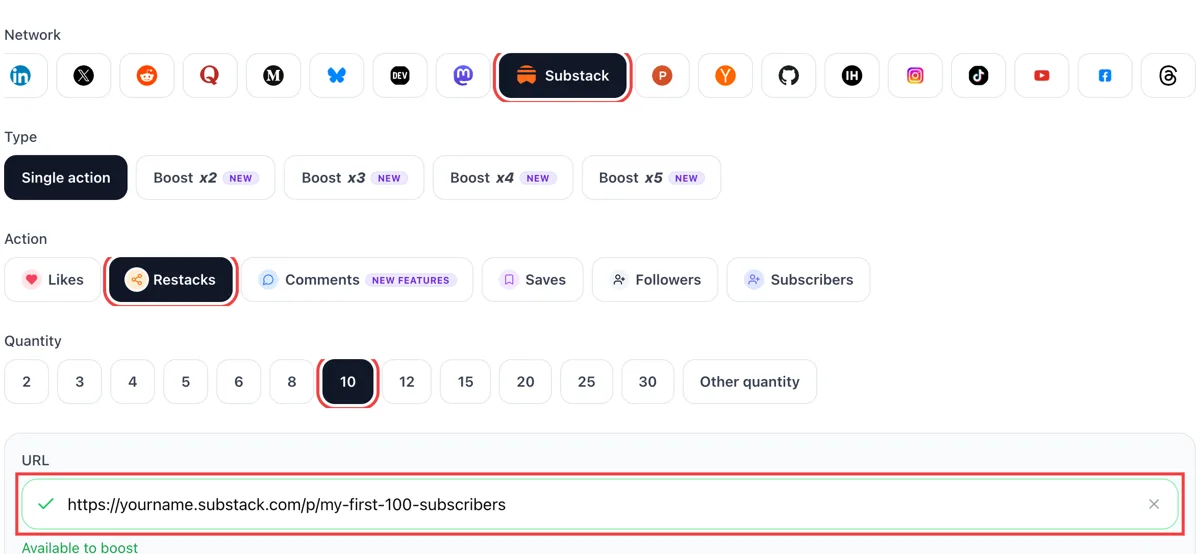
Set restacks as the action and paste the public link of your post. When the green check appears, pick how many restacks you want on Notes, and choose a post that reads well without context.
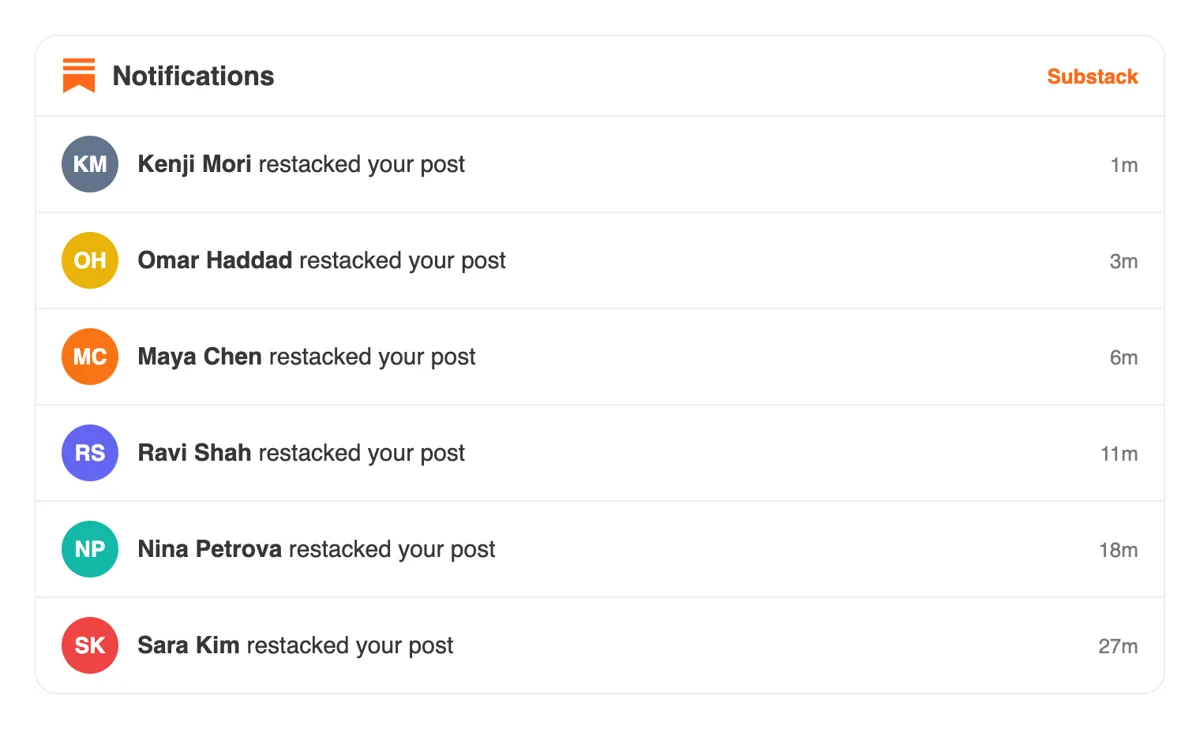
Members restack from their own profiles, and Substack lists each one in your notifications as someone restacking your post. Click to see the note they added above your piece, if they wrote one.
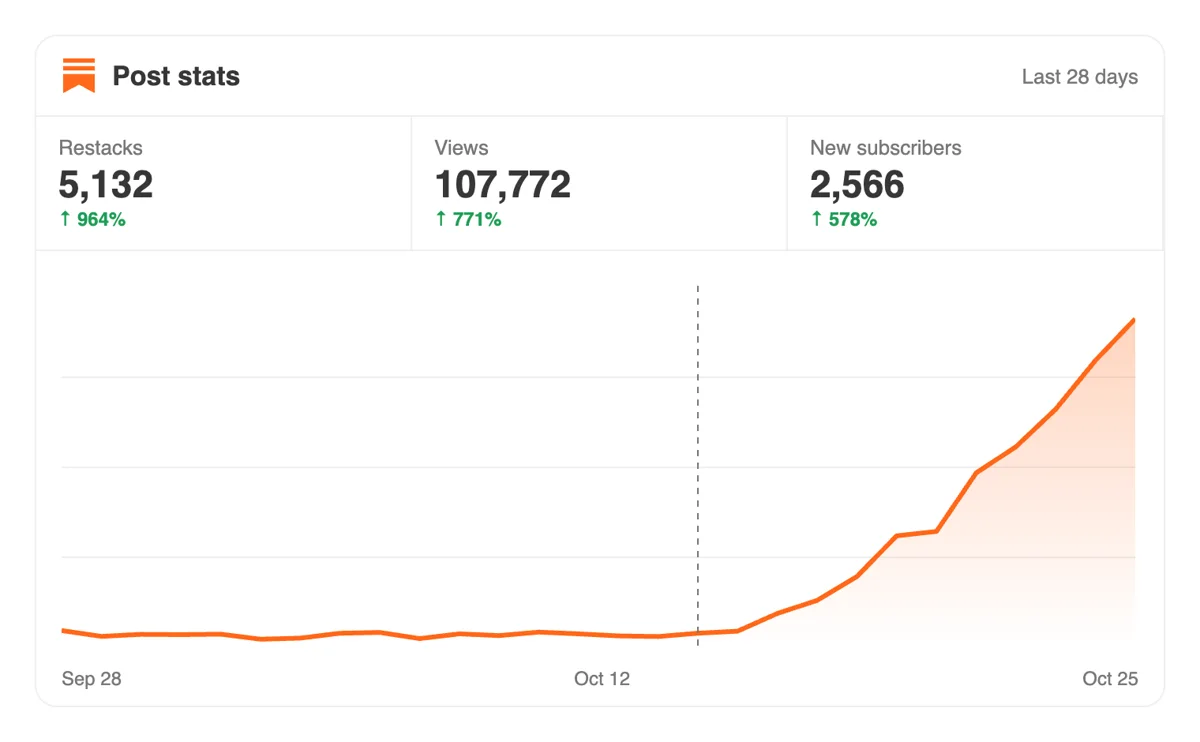
Open the Substack Stats page and check where your readers came from. Restacks put the post in front of other writers' audiences, so new views and subscribers often follow a few days later.
If you share each issue the same way, script the request or use MCP from an assistant. The docs for Substack show the post link field and the number of restacks to ask for. Restack calls for Substack in the API
Get 5 free Substack restacks every 24 hours. Upgrade only when you need more.
Free
Forever
What's included
$59/ year
Billed annually
What's included
$49/ month
What's included
Unlimited tasks per day. Unlimited connections to social media accounts. Pin your post at the top.
Promote posts to verified users. API access. Unlimited engagement actions per day.
Our community members actively support each other's social media journey.
Join 88,000+ creators, brands, founders, and marketers already growing their audience
restacks on Substack are how your content reaches new audiences, this is essential
Oct 12, 2024
used this for my best newsletter issue, subscriber count ticked up noticeably after 🔁
Oct 26, 2025
real restacks from actual Substack users, clean and fast
Nov 19, 2025
FAQ
A restack is Substack's way of resharing a post, note or comment with your own subscribers and followers in Notes. You can restack as is or add a few words of your own, and a highlighted snippet can be shared as a quote. It is closest in spirit to a retweet or a repost.
The post can show up in the Home feed of the restacker's audience, and on the web it can also appear in a Restacks tab under your post. You get a notification, so you know who passed your work along. Restacks are how a piece leaves your own list of readers.
Write pieces with a quotable line, open with something that makes sense on its own and share in Notes soon after publishing. To give a new post its first reshares, send the link to upvote.club and members will restack it from their own accounts.
Yes, when handled well, and upvote.club is the tool made for that job. Restacks place your writing in front of audiences you do not have yet. What you do next matters too, so keep an inviting profile and a clear subscribe button waiting for the people who click through.
Growth for your account, with the right tool. Restacks bring your post to the feeds of members who follow other readers, which means new names visiting your profile and your publication. Over several issues, that steady trickle of visitors is what builds a bigger readership.
It is a slow, steady effect.
On the web, open your post and switch to the Restacks tab under it. In the app, the Discussion tab lists commenting, restacking and quoting for each post. Your notification settings can also send an email or push each time someone restacks a post or note.
Check them once a week and thank the people who shared.
Yes. Publishers can use the three dots next to a restack and choose the option to hide that note from the post. You can also switch off the section that shows restacks below your posts from the Community part of your settings.
Yes, with a sentence of your own on top. Restacking writers in your niche shows your audience what you read and gives those writers a reason to notice you. Relationships that begin with a thoughtful reshare often lead to restacks in return.
Keep that habit modest, so your own notes still outnumber your reshares.
Yes. A person can highlight a passage, choose Restack, add a line and customize the card before sharing. That is why a post with a few strong standalone sentences travels better than one that depends on its context.
Pick the sentence you would be happy to see on its own, and make sure it closes a thought.
Yes. You sign in with Google or Apple and start at no cost. Paid plans exist for people who want more, and you never have to restack in return for the people who shared your work. Many authors try one note first, since a short note is the quickest thing to reshare and to measure.
It does. Members restack from their own accounts, so the post or note must load for anyone with the link. If your issue is paywalled, share the public preview or a free note, because that is the version the restack will display.
Before you send it, read the first two lines as a stranger would, since that is what the feed shows.
Yes. When someone restacks your post it can appear in the Home feed of their own subscribers and followers, who may never have seen your newsletter. The restacker can add their own words or share it as is, and can quote a highlighted passage. On your side, the Restacks tab beneath the post lists them, so the new conversation is visible to visitors. That is why a restack carries more reach than a like: it puts your post in front of a different audience. Restacks from upvote.club start that path for people outside your existing list.
Yes. Substack's subscriber activity rate counts people who liked, clicked a link, shared or restacked, commented, read to the bottom or watched media for 30 seconds. Each subscriber is counted once even if they did several of these, and people who are not subscribed are left out of the rate. So a restack from a non-subscriber shows in the Performance view and the Notes discussion, not in that percentage. Read both views after a push from upvote.club: the rate tells you about your list, and the restack count tells you about new readers.