Add followers to a TikTok profile that is ready for visitors

Share your public TikTok profile and let community members follow it.

Drop the link here to get 5 Free TikTok Followers

Upvote Club API

Try the API

Working with any agentClaudeCursorChatGPTGrokVS Code

POSTcreate-task/

{
  "social_network_code": "TIKTOK",
  "type": "LIKE",
  "post_url": "https://www.tiktok.com/@username/video/1234567890",
  "actions_required": 10
}
Upvote Club community members

Trusted by 88,000+ community members

We are a community of people who help each other grow their personal brand on social media. How It Works Our top priority is a zero-bot policy. We are maintaining a clean and safe community with real people. A variety of GEOs and interests are available inside our community.

Each follow is a person pressing Follow

Members follow you from personal TikTok accounts, which puts each new name in your followers list the way an unaided viewer would.

No follow-back owed

You are not asked to follow anyone in return. Your following list stays short and relevant, which matters when you want the Following feed to show only creators you like.

Just the profile link

Begin with the link to a public profile and a Google or Apple login. TikTok account details are not part of it.

Why the follower count matters on TikTok

A number that frames the profile

People glance at the follower count when deciding whether a creator is worth a second video. A profile that looks active and followed gets treated as an account with a voice, while an empty counter makes visitors hesitate before they press Follow.

A reader for your next upload

Followers get your new videos in their Following feed. That is a place where videos arrive without competing against the entire For You stream, so each upload has an audience waiting before you press publish.

Thresholds that open features

TikTok sets follower thresholds for some tools. Going LIVE requires 1,000 followers in many regions, and a personal account can add a website link to its profile at that same number. Followers move you toward those doors.

A profile that converts visitors

Followers help most when the profile is ready: a clear avatar, a one-line bio and three or four videos on a single theme. Visitors who arrive from a video then see a reason to stay and follow along.

Loyal viewers shape the For You page

TikTok weighs accounts you follow back and what you watch to the end when it ranks videos. Followers who keep watching make future uploads easier to place in front of people with similar taste.

A steady base to post into

Followers turn a one-off lucky clip into a growing account. When people come back for the second and third video, you can plan a series, a weekly format or a recurring topic around them.

Getting followers onto your profile, step by step

Enter with Google or Apple, then pick TikTok

Enter with Google or Apple, then pick TikTok

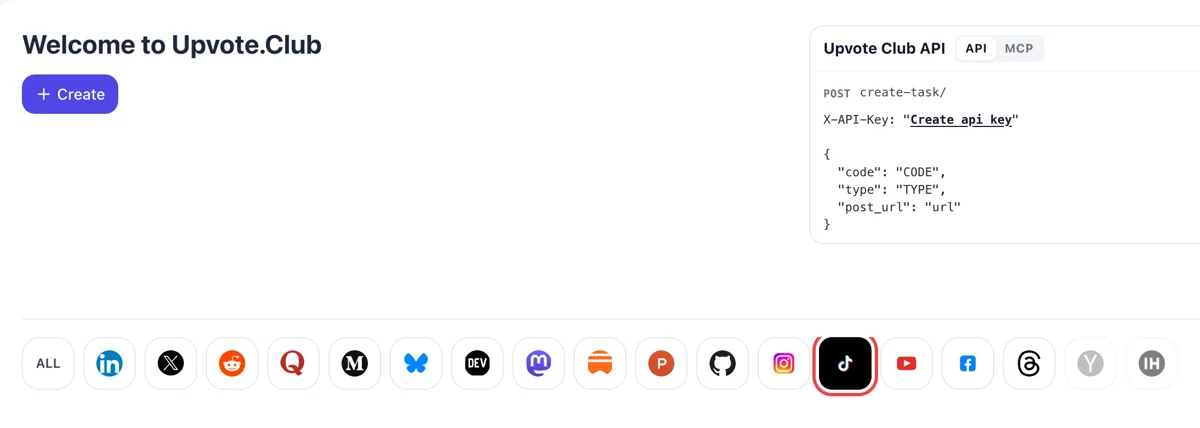
Sign-in is a single button for Google or Apple. Once inside, the network icons sit in a line under Create, and the TikTok one switches the form to profile requests, so nothing about single videos clutters the screen. One account later covers the other networks as well.
Paste your profile link and choose followers

Paste your profile link and choose followers

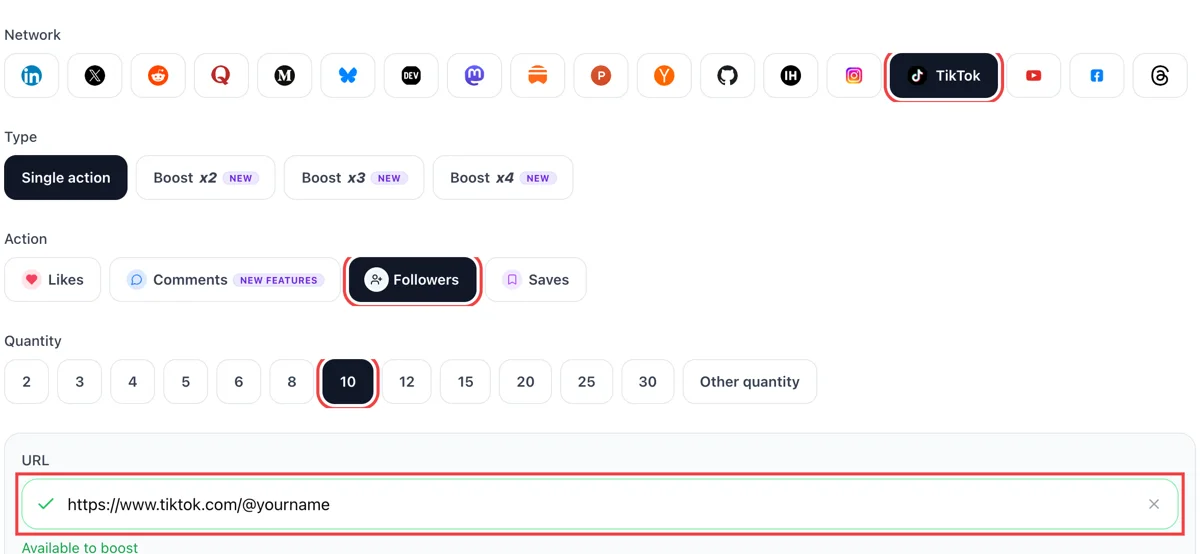
On your profile page press the share arrow, copy the link and bring it to the form. Select followers, paste the address and decide the number. The link field turns green when TikTok confirms the profile is public. Keep the profile public while the request runs.

Spot new followers in the Inbox

Spot new followers in the Inbox

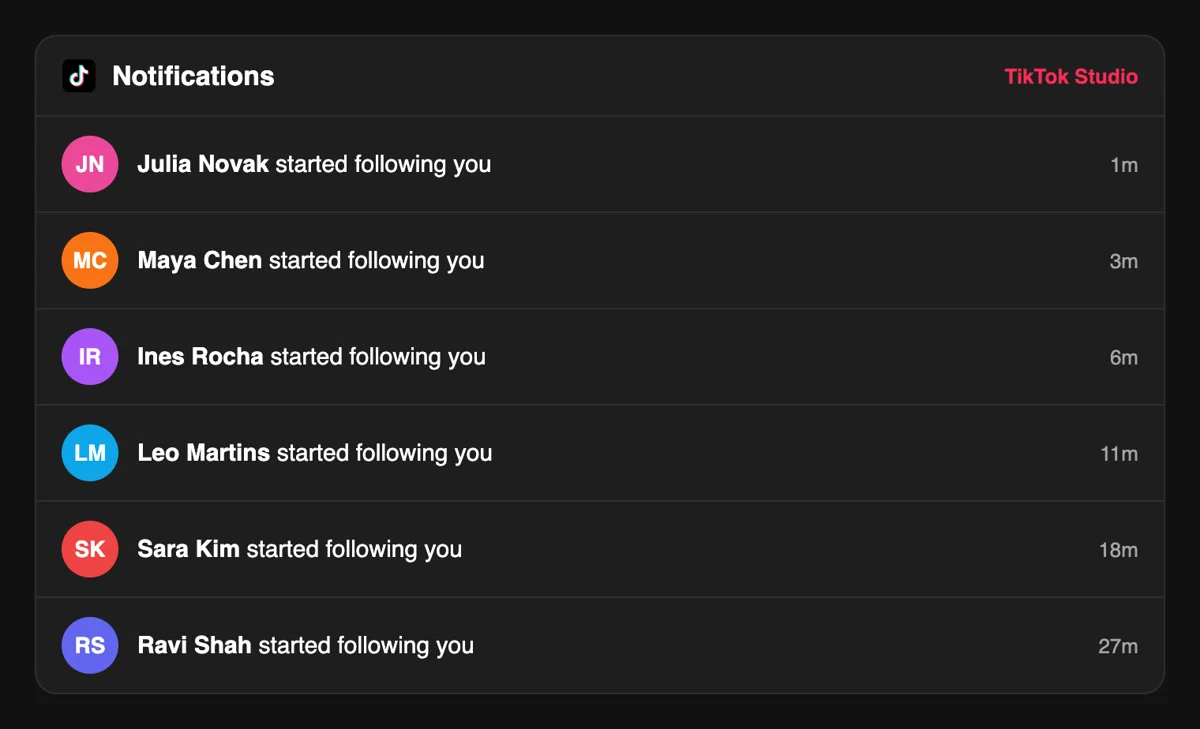
New followers show up as lines in the TikTok Inbox, each naming the person and showing how recently they arrived. Open a name to see the profile and follow back whoever fits your niche. A short welcome message costs nothing.

Track the follower curve in Analytics

Track the follower curve in Analytics

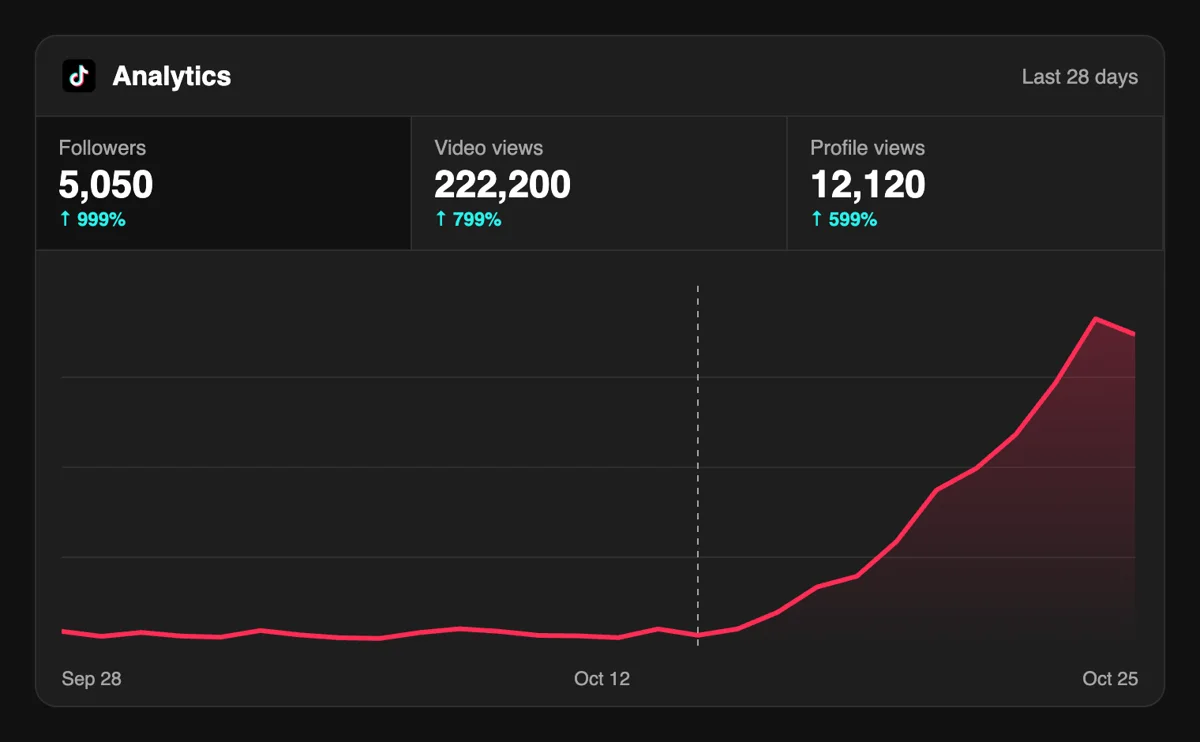
The Followers tab in Analytics plots total count and growth over recent weeks. A rising line gives each upload a larger audience on day one. Compare the weeks before and after to see which uploads brought people over.

Add followers from a script with the API

Agencies running several creator profiles can file follower requests through the API or an MCP assistant and keep one log of every request next to their posting calendar, plus a record of the numbers. Separate sheets per creator keep reports tidy. See profile requests in the API

Pricing

Get 5 free TikTok followers every 24 hours. Upgrade only when you need more.

FREE

Free

Forever

Start free

What's included

  • New240+ free social media tools included
  • Create 1 task every 24 hours
  • Get 5 free TikTok followers every 24 hours
  • 0% discount on task creation

MEMBER

$59/ year

Billed annually

Start free

What's included

  • New240+ free social media tools included
  • Unlimited tasks per day
  • Up to 1000 TikTok followers every month
  • 0% discount on task creation
  • Pin your post at the top
  • Promote posts to verified users
  • API access
  • Long Form Comments
  • Meaningfull comments
  • Long-time view
  • Promote tasks to verified users
  • Unlimited social media accounts
  • Unlimited engagement actions per day
  • Cancel anytime — no questions asked
  • Same-day charge refund

MATE

$0/ first 3 days

After $49 / month

Start free

What's included

  • New240+ free social media tools included
  • 3 Days Free Trial
  • Unlimited tasks per day
  • Up to 1000 TikTok followers every month
  • 40% discount on task creation
  • Pin your post at the top
  • Promote posts to verified users
  • API access
  • Pin your post at the top
  • Long Form Comments
  • Meaningfull comments
  • Long-time view
  • Promote tasks to verified users
  • Unlimited social media accounts
  • Unlimited engagement actions per day
  • Cancel anytime — no questions asked
  • Same-day charge refund

Unlimited tasks per day. Unlimited connections to social media accounts. Pin your post at the top.

Read more

Promote posts to verified users. API access. Unlimited engagement actions per day.

Join a Community

Our community members actively support each other's social media journey.

Join 88,000+ creators, brands, founders, and marketers already growing their audience

Upvote Club community members

Followers: what creators wrote after trying it

4.8(5 reviews)

real TikTok followers that actually watch your content, not ghost accounts

Jun 26, 2025

used this to grow my founder content account on TikTok, clean delivery

Apr 12, 2024

been posting about startup life on TikTok and this gave my following a real boost 🚀

Oct 11, 2024

fast and legit, no fake profiles

Jan 8, 2026

TikTok follower growth from zero is brutal, this makes it way more manageable

Feb 21, 2026

Blog

Latest from Our Blog

Guides and tips on growing social media with real community engagement.

FAQ

Followers on TikTok, the practical questions

Can I get TikTok followers without paying?

Yes. The first request costs nothing, and it only needs the link to your public profile after a Google or Apple sign-in. Paid plans exist for steadier volume. Start with an account that has a few videos posted, so new visitors have something to watch when they land.

Does asking for followers on TikTok work?

It does. The right tool makes the difference, and Upvote.club is that tool. Community members follow from accounts of their own and your counter moves. Keeping those followers interested then depends on posting, since people stay when the next video resembles the one that brought them to the profile.

What does a larger follower count give an account?

The answer is growth, with the right tool behind it, and for TikTok that means Upvote.club. A bigger audience gets your uploads into the Following feed, makes the profile look established and moves you toward thresholds such as LIVE access, which TikTok sets at 1,000 followers in many regions.

What should a profile look like before I ask for followers?

Use a clear avatar, a bio of one line that says what you post, and a handful of videos around one theme. A visitor decides quickly, so the profile has to answer who you are. Our guides on the blog walk through captions, covers and the order of your first uploads.

Which matters more, followers or video likes?

They do different jobs. Likes make one video look approved, while followers give every future video a place to land. If the profile is the weak spot, work on followers. If a single clip is quiet, the likes page is the better start.

What does a follower see after pressing Follow?

New uploads appear in their Following feed, and they can visit your profile from that feed. TikTok also counts accounts they follow back and the videos they watch to the end when it ranks recommendations, so a follower who keeps watching helps later videos find similar viewers.

What does the 1,000 follower mark open up?

In many regions, TikTok requires 1,000 followers before you can go LIVE, and a personal account at that count can put a website link on its profile. Rules differ across regions and change over time, so check the help center for your country before planning around it.

How often should I post while followers arrive?

Post on a rhythm you can keep, such as three or four times a week, and publish from your own phone instead of a scheduling tool. In our experience, accounts that post by hand keep better reach. A free scheduler can remind you, and you press publish yourself.

Do follow-for-follow groups still make sense?

They do for one-off swaps with people in your niche, and they remain a manual routine that takes time. Many creators mix them with Upvote.club, where you request followers for a profile whenever you want and you do not have to follow anyone back.

Why do some profiles lose followers over time?

People stay when the content matches the reason they pressed Follow. A profile that jumps between topics loses people, and a profile with a clear theme keeps them, which is why a recurring format helps so much after a burst of new names. A strong, consistent account will always hold more of its audience than a random one.

Can I request followers for a private profile?

No. Members need to open your profile and see the Follow button, so the account has to be public while the request runs. Switch it to public in your privacy settings, paste the link, and you can switch it back after the followers have arrived.

Is there an extension that adds followers at no cost?

No add-on does that without someone paying for the result. Be wary of anything that asks for your TikTok sign-in and pick a service where you only share a public link. Content remains the best long-term source of followers, and a tool can only bring the first ones.

How do pinned videos help a profile gain followers?

A visitor decides on a follow within a few seconds of opening your profile, and the top row gets read first. TikTok lets you pin up to three videos there, so they stay in place while you keep publishing. Use the slots for different jobs: one clip that explains who you are, one that earned the most reactions, and one that shows the kind of series people can expect next. When a request for followers brings new visitors to the profile, the pinned row is the first thing they meet, so it deserves more care than the grid below it.

Where do my followers actually see my videos?

They see them in the Following feed, which shows content from creators you follow, and in the Friends tab, which draws on followers you follow back. TikTok says each person's feed is built individually, so two people who follow the same creators can see different orders. Followers can also meet your videos on the For You feed, where interactions such as likes, shares and comments carry weight. A larger follower list gives every new upload a ready group of viewers, and their watching and reacting gives the video its first signals before strangers arrive.

Do you have an API for TikTok?

Yes! We are the only service on the market that provides a full API for TikTok engagement. You can automate creating and tracking tasks for TikTok through our REST API. This is perfect for agencies managing multiple clients, influencers who need consistent engagement, or developers building custom integrations via OpenClaw or similar platforms. View TikTok API documentation.