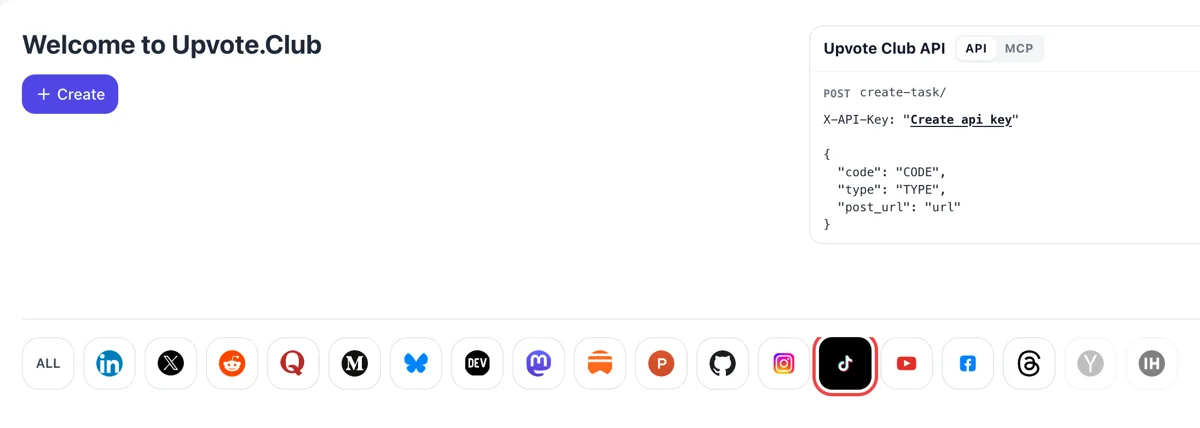
Open the dashboard and select TikTok
Authorize with Google or Apple and the dashboard appears, with the Create button above a row of network icons. Pressing TikTok makes it glow, and the form below turns to videos that viewers bookmark.
Paste a public TikTok video link and ask community members to add it to their Favorites.
Working with any agent




POSTcreate-task/
{
  "social_network_code": "TIKTOK",
  "type": "LIKE",
  "post_url": "https://www.tiktok.com/@username/video/1234567890",
  "actions_required": 10
}
Trusted by 88,000+ community members
We are a community of people who help each other grow their personal brand on social media. How It Works Our top priority is a zero-bot policy. We are maintaining a clean and safe community with real people. A variety of GEOs and interests are available inside our community.
Community members press the Favorites button on profiles that belong to them, so the count under the video climbs as it would for any viewer.
You are not asked to save anyone's videos in return, and no group needs to approve the request, so you can ask for saves whenever a new reference clip goes live.
The form takes a public video address and a Google or Apple sign-in. No other detail about your TikTok account is needed for saves.
A like says the viewer enjoyed the clip. A save says they plan to come back to it. For recipes, routines, travel plans, outfit ideas and short lessons, that difference is the whole value, and saves show it where the numbers sit next to the video.
The Favorites button sits on the side of the video and turns yellow once pressed. Viewers who see a healthy save count read the clip as reference material, and they are more likely to watch it to the end.
TikTok describes its recommendations as built from many interactions, and a save is a small act of intent. It belongs with the likes, shares and comments that show how a video was received, and it tells a different story from a quick press.
Saved clips get reopened. A person who saved your tutorial on Monday may come back on Friday to follow the steps, which brings another view and a fresh chance to follow your profile.
If one video collects saves while others do not, you have found the format your viewers treat as reference. Make more of it, label the series clearly and give those clips the best thumbnails and captions.
Saves work best with other reactions around them. A clip with hearts, a few comments and a save count looks complete, and the combination gives each viewer more than one reason to trust the video.
Authorize with Google or Apple and the dashboard appears, with the Create button above a row of network icons. Pressing TikTok makes it glow, and the form below turns to videos that viewers bookmark.
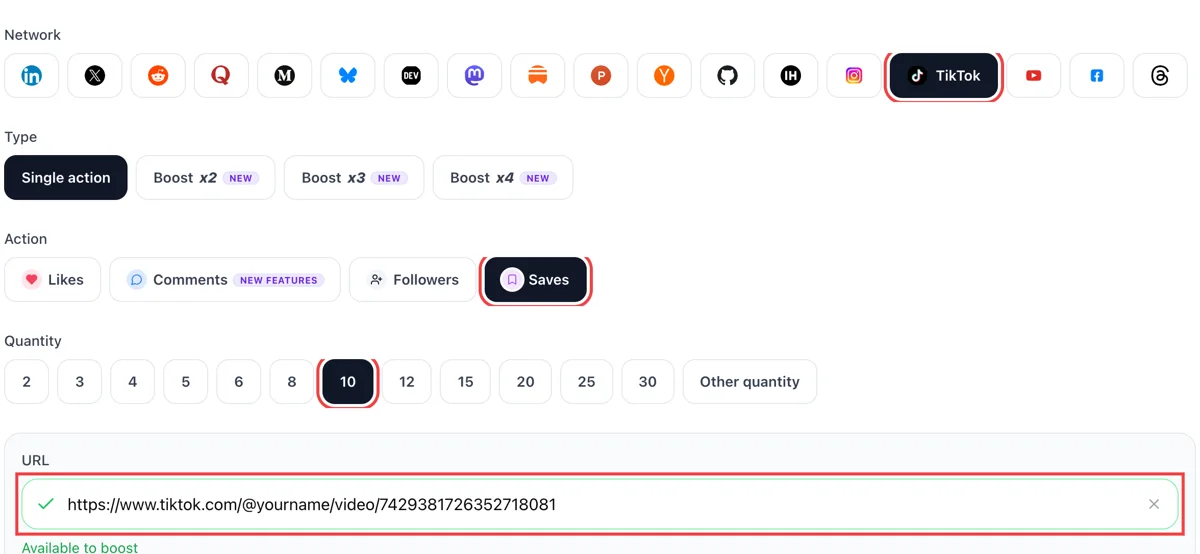
From the Share menu, copy the video link. Pick saves as the action in the form, paste the address and enter the amount. A tick in green on the link field shows the clip is public and reachable.
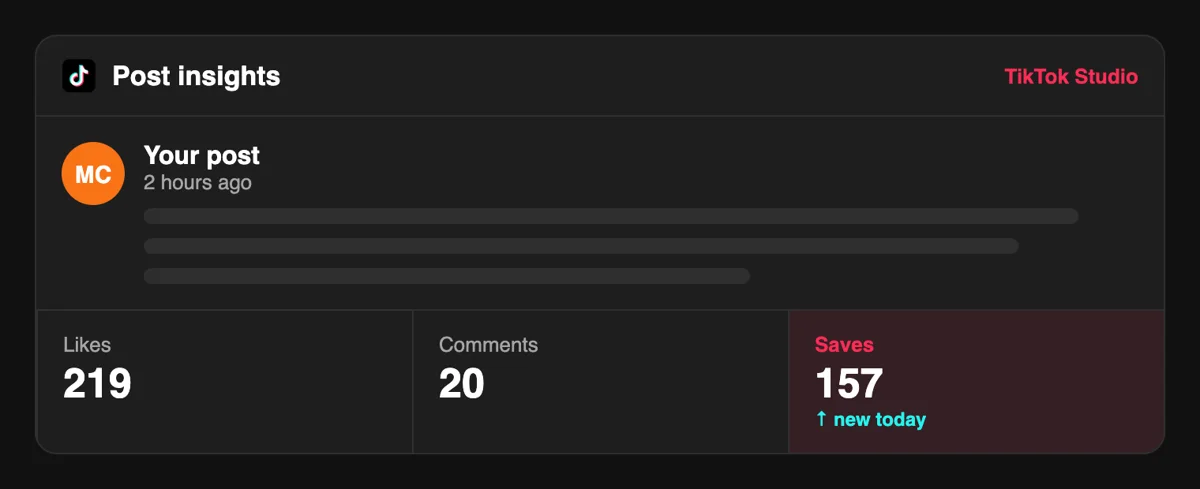
Open the Inbox on your phone and recent activity lists people who added the clip to their Favorites, each with a short time stamp. The bookmark count under the video moves with them.
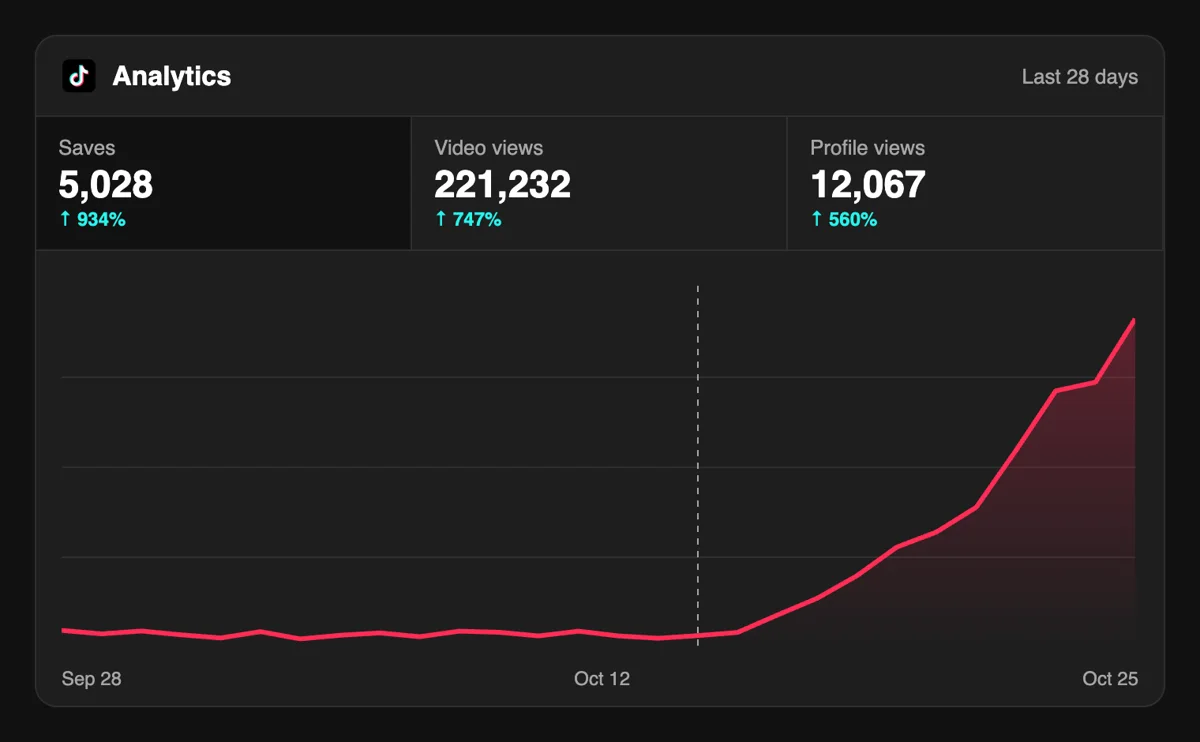
Analytics lists saves next to likes and shares for every video. A growing saves figure marks a clip viewers want to return to, which tells you which tutorials and recipes to make again.
Anyone publishing how-to clips on a schedule can ask for saves from a script or an assistant tied in over MCP, right after posting, and leave the form alone until it is time to review. Add TikTok saves through the API
Get 5 free TikTok saves every 24 hours. Upgrade only when you need more.
Free
Forever
What's included
$59/ year
Billed annually
What's included
$0/ first 3 days
After $49 / month
What's included
Unlimited tasks per day. Unlimited connections to social media accounts. Pin your post at the top.
Promote posts to verified users. API access. Unlimited engagement actions per day.
Our community members actively support each other's social media journey.
Join 88,000+ creators, brands, founders, and marketers already growing their audience
saves are the most underrated TikTok metric fr
Oct 6, 2025
fast delivery, real accounts, no drama
Jul 23, 2024
using TikTok to promote my brand and saves genuinely move the needle
Feb 12, 2026
legit service, worked exactly as expected ✅
Jul 3, 2025
saves are the most underrated TikTok metric fr
Feb 23, 2026
got my TikTok saves up and the algo started pushing my videos way more 🔥
Jan 9, 2024
fast delivery, real accounts, no drama
Dec 6, 2025
using TikTok to promote my brand and saves genuinely move the needle
May 6, 2024
legit service, worked exactly as expected ✅
Sep 13, 2024
I started posting on TikTok about my indie startup journey a few months back - behind the scenes stuff, building in public, the whole thing. Views were decent but saves were basically zero and I knew that was hurting my distribution. TikTok's algorithm treats saves as a strong signal that content is worth spreading, so I used Upvote Club to get that number up on my best videos. The difference in reach was noticeable within days - videos started getting pushed to new audiences, follower count ticked up, and a few people found our product directly through TikTok for the first time. Saves are slept on and this service gets it.
Dec 9, 2024
got my TikTok saves up and the algo started pushing my videos way more 🔥
Oct 1, 2024
I started posting on TikTok about my indie startup journey a few months back - behind the scenes stuff, building in public, the whole thing. Views were decent but saves were basically zero and I knew that was hurting my distribution. TikTok's algorithm treats saves as a strong signal that content is worth spreading, so I used Upvote Club to get that number up on my best videos. The difference in reach was noticeable within days - videos started getting pushed to new audiences, follower count ticked up, and a few people found our product directly through TikTok for the first time. Saves are slept on and this service gets it.
Nov 3, 2024
Blog
Guides and tips on growing social media with real community engagement.

The hook must promise a payoff: a result, an answer, or a feeling.

Tips, hacks, and how-tos get sent to the one friend who needs them, and the share rate says whether to make more.

The TikTok hook is the mechanism that prevents early exit.

Stacking three questions splits attention and usually gets you zero answers instead of three.

The first two seconds are where the clearest idea has to land, before the rest of the video has a chance to explain it.

Make videos people actually finish and feel compelled to tap.
FAQ
Yes. The first request is free of charge. A Google or Apple login, the video address and a tick on saves are what it takes. Paid plans exist for larger and more regular needs. Try it on a tutorial or a list clip first, because those are the videos that people actually keep.
Yes, if the request goes through the right tool, and Upvote.club is that tool. Community members add the video to Favorites from their own accounts, and the count shows under the clip. A clip that is useful then keeps collecting saves from viewers who discover it later.
They give growth when you use the right tool, and for TikTok that is Upvote.club. A save marks a video as reference material, which sets it apart from entertainment that people forget. Clips with that reputation tend to earn return visits, longer watch time and follows from people who want more of the same.
A share passes the video to someone else or to another app, and a repost shows it on the sharer's profile. A save, which TikTok calls Favorites, keeps it for the person who pressed it. Here you request saves only, and they sit privately in each member's own collection.
Open with one concrete promise, show the steps in sequence and close on a short recap on screen. Put the numbers that matter in the caption, because people often save a clip to copy a quantity or a name later. A clear title card helps them find it again.
TikTok places them in the Favorites area of the viewer's own profile, and the button on the side of the video turns yellow once the clip is saved. Pressing it again removes the save. Judge the result by how the save count compares with your views and by whether people mention the video in comments.
No. Choose clips that carry information, and leave comedy, trends and personal updates to likes and comments. A save count that appears on videos with an obvious reference value looks natural, which makes it more convincing to a new viewer scrolling your profile.
Soon after you publish, while the clip is new. In our experience the first hour is when a video gets its start, and saves from that period help the clip look useful from the beginning. Older tutorials can also be refreshed with a new request whenever you share them again.
Yes, and you can ask them in the caption or in a message. This works for a few people at the cost of your time, so it suits launches. Upvote.club suits regular posting, because you can request saves whenever a new reference clip is ready.
No tool does that for nothing, as somebody always pays for the result. Look at what a service asks from you and what it does with the answer. A public address is all that is needed here, and no sign-in to TikTok is part of the process.
Yes. Members open it from their own accounts, so private clips cannot be saved by them. Change the visibility to public first, paste the address and send the request. You can restrict the video again later if you prefer, since members only need access while they are saving it. Check the post settings screen before you send, and confirm the clip plays when you open the link in a private browser window.
Collections are private, so the folders a viewer builds appear only on their own account, and TikTok does not offer a public version of them. For a creator that means a save is a silent bookmark: nobody announces it, and nobody sees the folder name. Its value is the intent behind it. Someone who files a video under Recipes or Workouts plans to come back and use it. Videos that teach a step, list a set of options or show a result worth repeating suit that habit, and they are the ones worth building saves on.
Open the bookmark icon on a profile and the favorites screen shows separate tabs: Videos, Collections, Sounds and Effects, plus other saved items such as places, hashtags and products on some versions. Videos are the only items that go into collections. This tells you where your saved video lives for the viewer: in the same place as the sounds and effects they like to reuse. A clip with a distinctive sound can be saved twice, once as a video and once as a sound, and both routes bring a person back to your content later.
TikTok lets a viewer name a collection with up to 30 characters, and they can add a video to a collection right after favoriting it. That is a short space, so a creator helps by making the topic obvious: Part 1 and Part 2 in the caption, one subject per video, and a title line that fits a folder called Recipes or Travel. When your videos read like members of a set, a viewer who saves one is more likely to save the next into the same collection. Keep series wording consistent so the pattern is clear at a glance.