Table of Contents
- Does Buying Twitter Likes Break X Rules?
- How Upvote.club Approaches Twitter Likes
- Short Answer: How to Buy Twitter Likes on Upvote.club
- How much do Twitter likes cost?
- What is the best site to buy Twitter likes?
- How to Buy Twitter Likes on Upvote.club
- 1. Paste Your Twitter Post Link
- 2. Create Your Account
- 3. Select Your Country
- 4. Choose Your Account Type
- 5. Finish Setup
- 6. Choose Your Likes
- 7. Review and Pay
- Like for Like (and API)
- How to get more Twitter likes?
- Quick Recap
Does Buying Twitter Likes Break X Rules?
X restricts fake engagement, bots, and dump-style automation. It does not treat ordinary social support the same way: asking friends, family, coworkers, or peers to like your public post is normal platform use. People do that every day without violating the idea of real-account interaction.
Upvote.club works on a similar peer-to-peer pattern. It helps different real people and different accounts interact so your tweet can receive likes from community members who choose to engage, not from bots, automation, or fake profiles. Accounts go through moderation, and bot-like or suspicious profiles are blocked so delivery stays tied to real users.
How Upvote.club Approaches Twitter Likes
Upvote.club’s product choice is to keep Twitter likes inside a moderated community of real accounts, not a bot pipeline. The platform never asks for your Twitter or X password, and it favors gradual delivery over overnight dumps that look artificial.
If you want that same community model before paying, start with free Twitter likes. New accounts receive 13 free points after registration and can earn more by completing other members’ tasks.
Short Answer: How to Buy Twitter Likes on Upvote.club
To buy Twitter likes on Upvote.club, open the Twitter likes page, paste the public link to your tweet, continue with Apple or Google, complete the short account setup, choose a supported quantity, and review the Stripe checkout screen. You do not need to share your Twitter or X password.
Each like costs $0.45, and delivery by real community members usually happens gradually within 1-24 hours. The walkthrough below stops at Review and Pay and does not complete a real payment.
How much do Twitter likes cost?
Twitter likes cost $0.45 per like on Upvote.club. The minimum order is 2 likes, and you can buy as many as you want. Your total is the quantity you choose multiplied by $0.45.
What is the best site to buy Twitter likes?
The best option depends on whether its process matches your priorities. Upvote.club is designed for people who value likes from real community members, no Twitter password requirement, a clear $0.45 per-like price, gradual 1-24 hour delivery, and a peer-to-peer alternative to bot or fake-profile engagement.
Those features do not make any paid-like service X-approved. Compare the process with current X rules and your own risk tolerance before using it.
How to Buy Twitter Likes on Upvote.club
Buying Twitter likes on Upvote.club takes seven steps, from submitting a public tweet link to reviewing Stripe checkout. The process uses Apple or Google authentication and brief onboarding details. Steps 1-6 below include mobile screenshots; step 7 is described in text only and stops before a real payment.
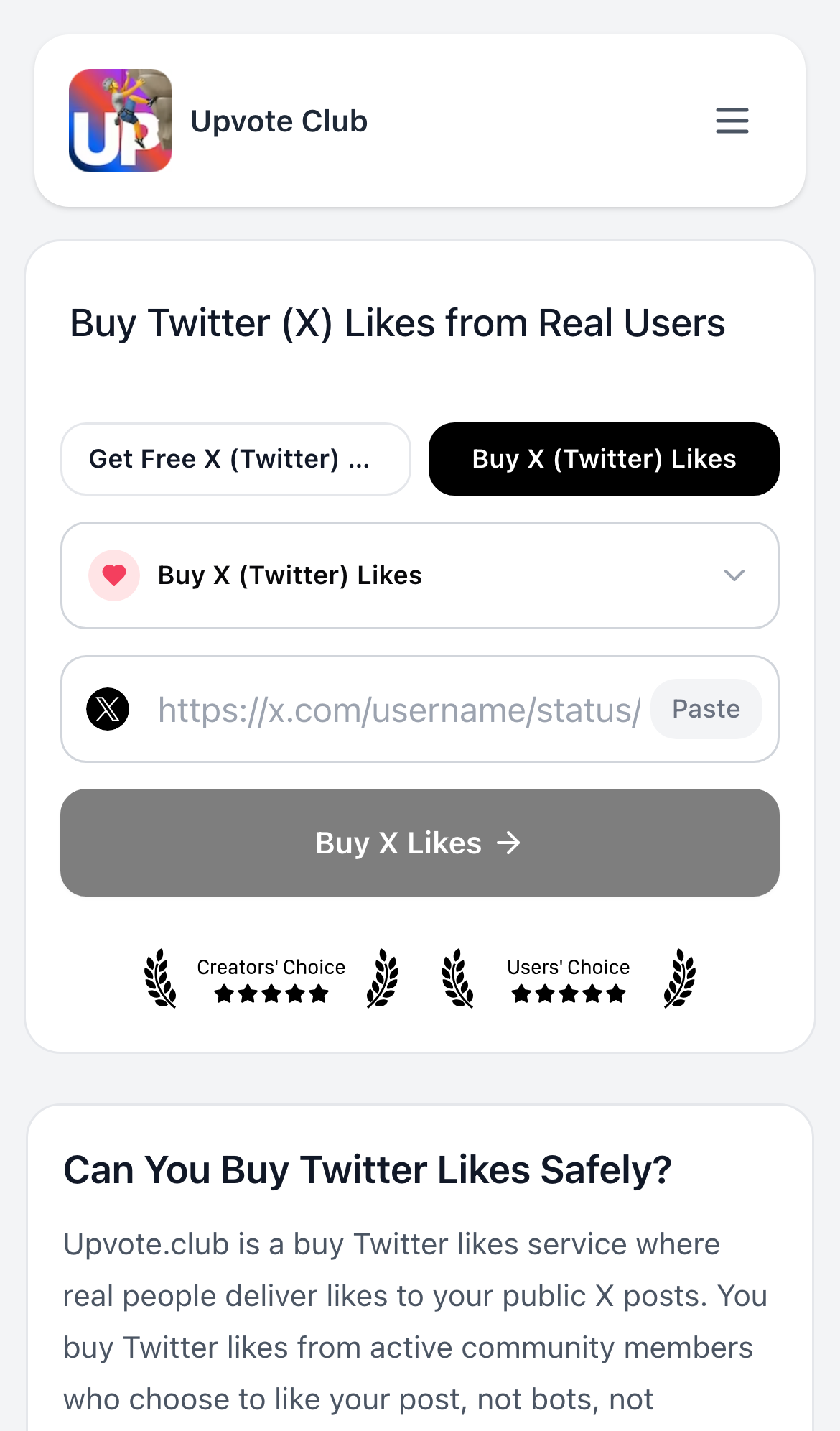
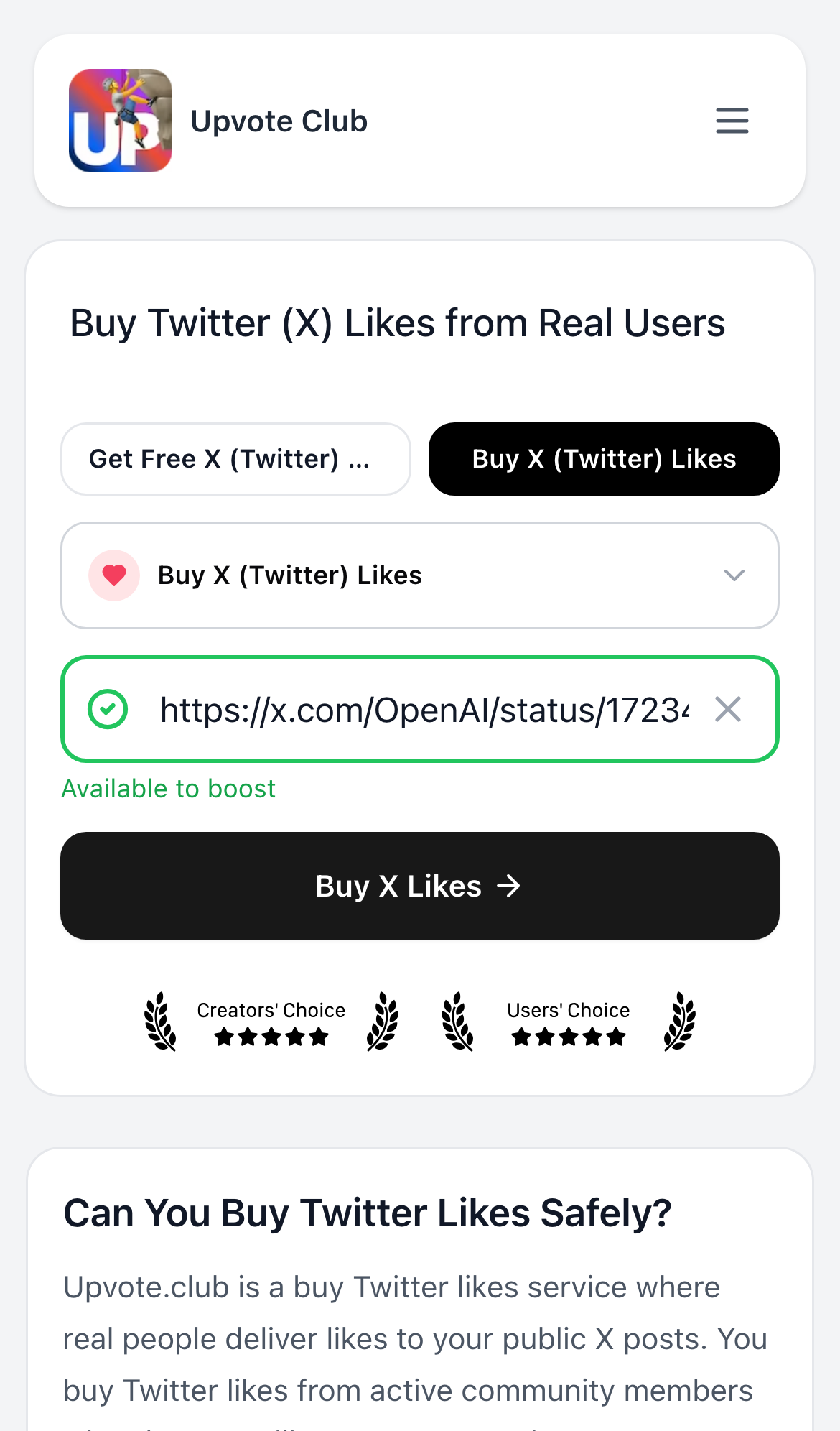
1. Paste Your Twitter Post Link
Open the buy Twitter likes page and paste the public URL of the tweet you want people to like. Upvote.club needs the post link only, not your Twitter username, password, or account access.
2. Create Your Account
Create or access your Upvote.club account by selecting Continue with Apple or Continue with Google. This authentication applies to your Upvote.club account and does not require your Twitter or X password.
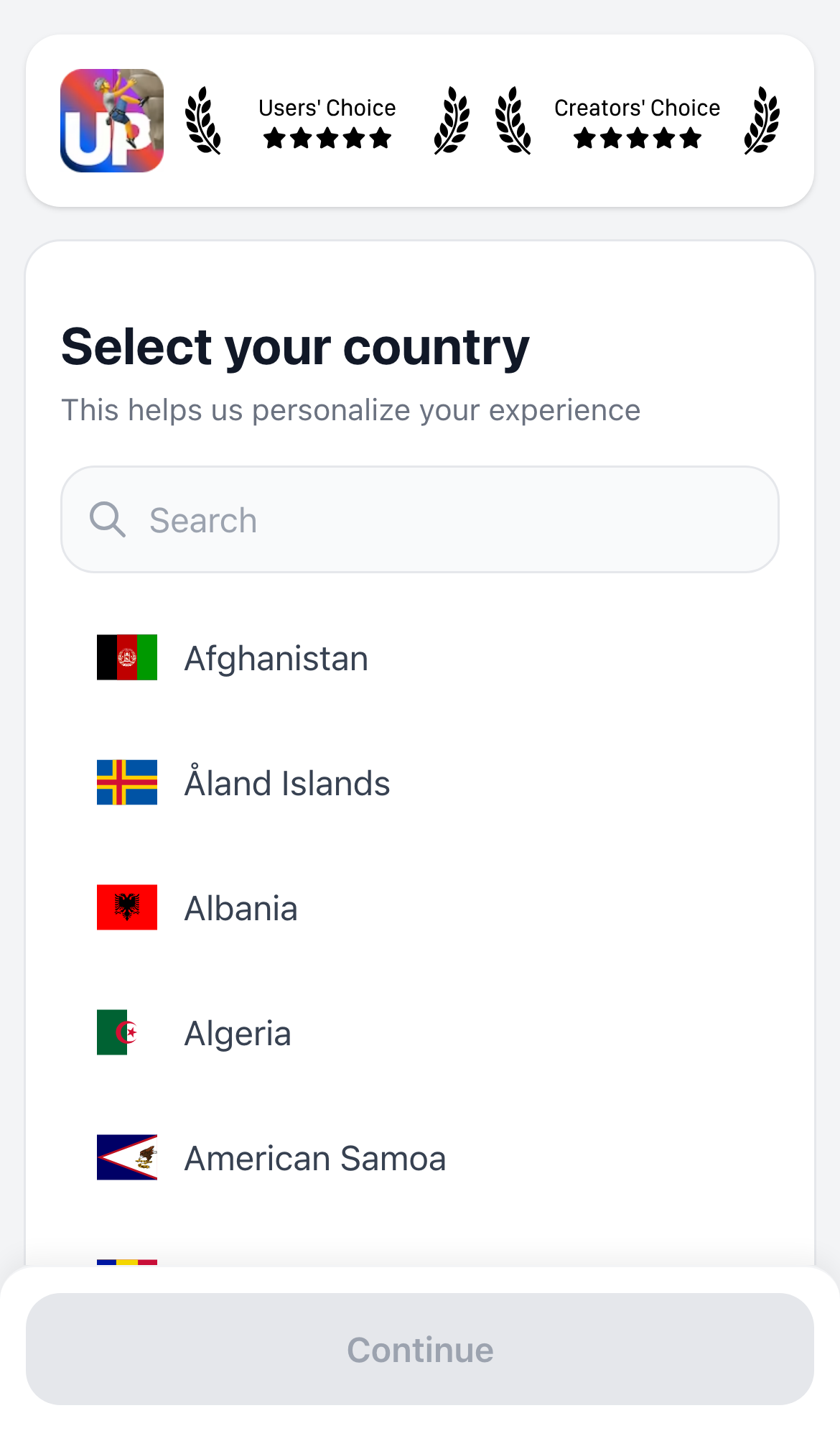
3. Select Your Country
Select your country during onboarding so Upvote.club can complete the required account setup. Choose the country that accurately reflects your location, then continue to the next screen.
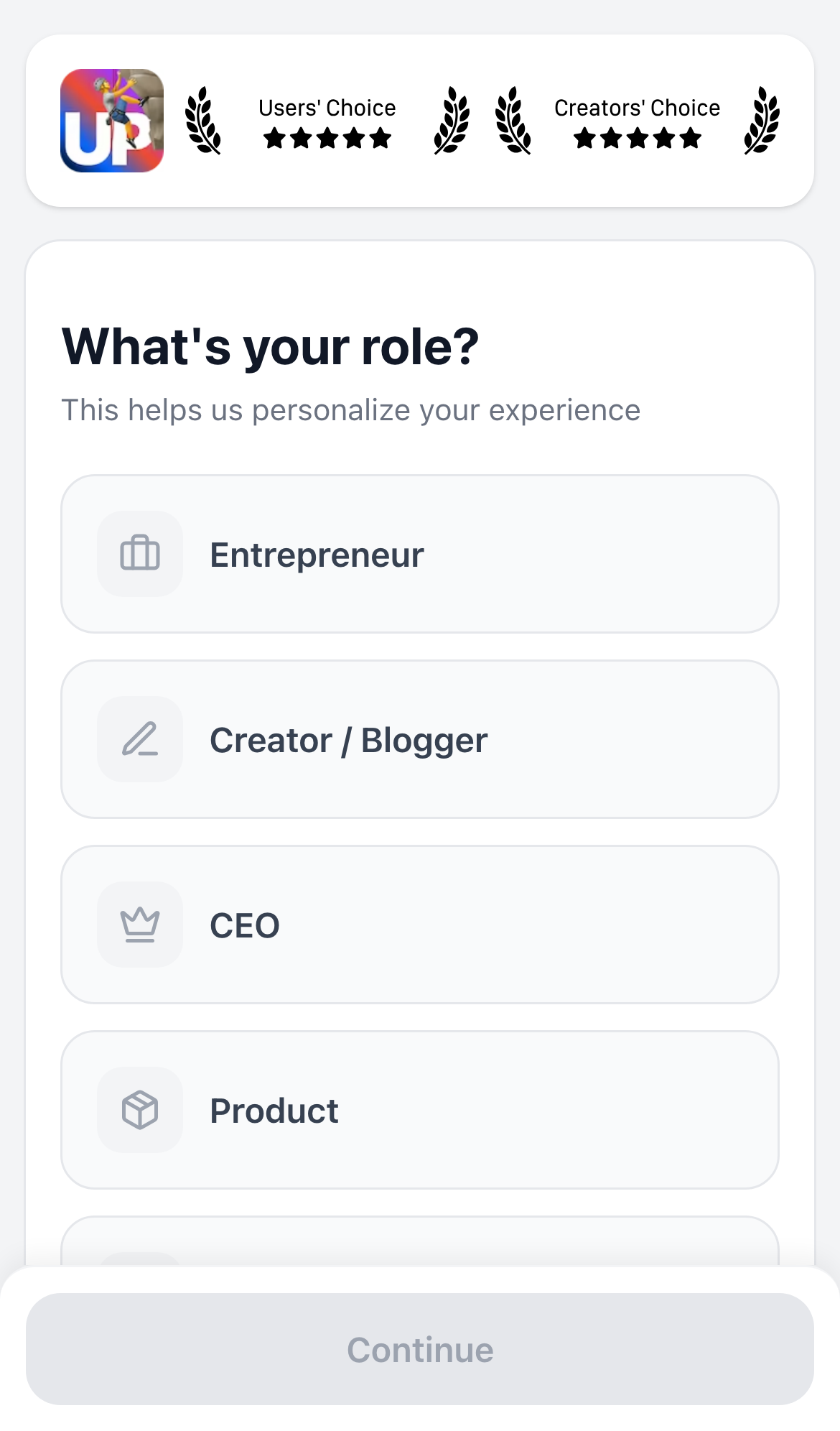
4. Choose Your Account Type
Choose the account type that best describes how you plan to use Upvote.club. This is an Upvote.club onboarding choice and does not connect the service to your Twitter login credentials.
5. Finish Setup
Finish the onboarding setup after confirming your selections. Once setup is complete, continue to the cart to configure the number of likes for your submitted tweet.
6. Choose Your Likes
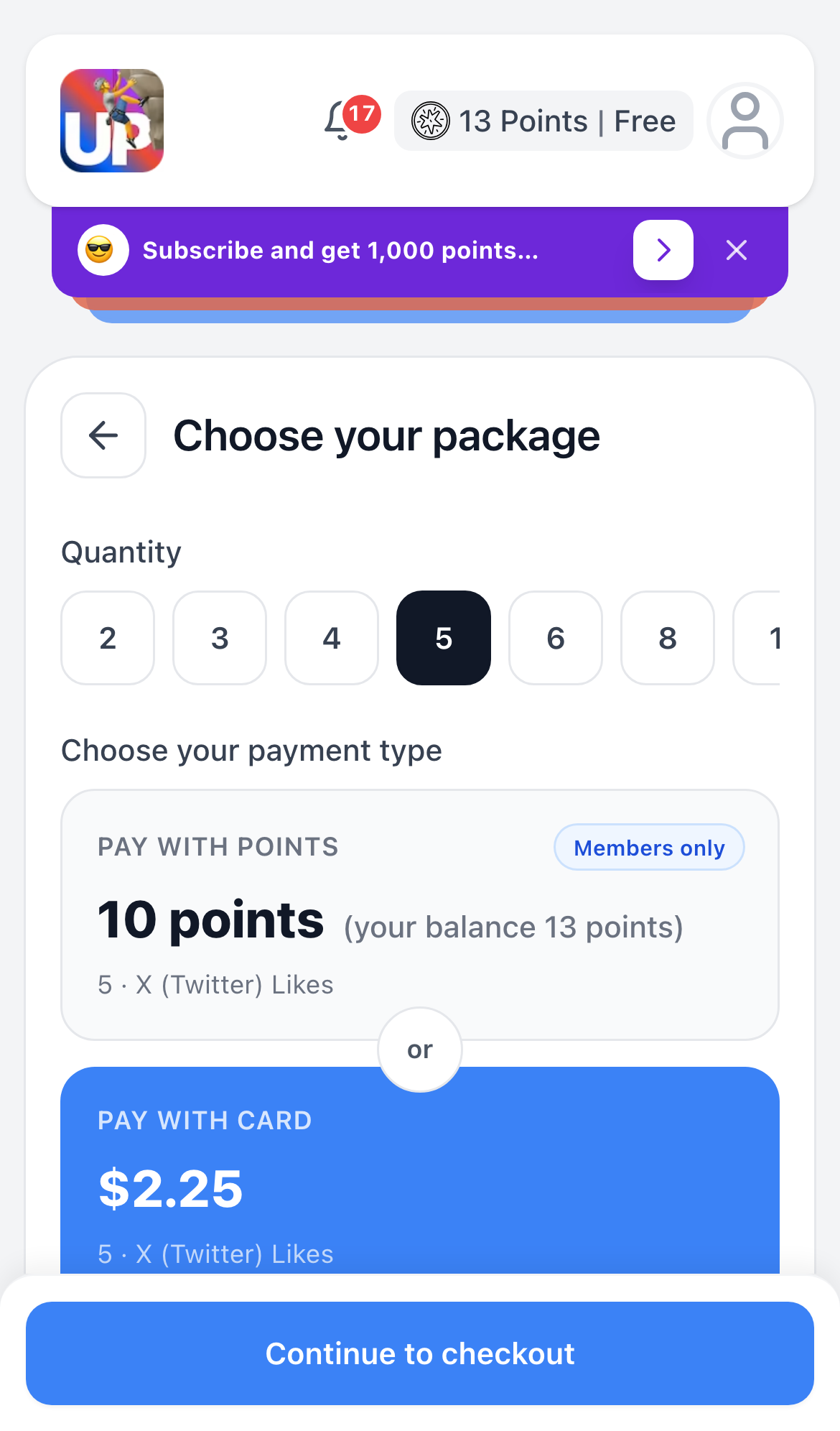
In the cart, choose how many Twitter likes you want. The minimum is 2, and you can buy as many as you want. At $0.45 per like, the cart total updates with your selected quantity.
7. Review and Pay
After you continue from the cart, review the tweet link, selected quantity, and total on the Review and Pay screen. Checkout is handled by Stripe. This guide does not include a payment-screen screenshot and does not walk through submitting a real charge.
If you complete checkout later on your own, real community members like the submitted tweet, with delivery usually occurring gradually within 1-24 hours.
Like for Like (and API)
Like for like lets you earn points by completing other members’ Twitter Like tasks, then spend those points on likes for your own tweet. New accounts receive 13 free points, so the free Twitter likes workflow offers a community exchange option alongside buying likes.
Upvote.club also provides an API for automating task workflows. The API is an optional workflow tool, not a claim that coordinated likes are approved by X, and its implementation details are outside this guide.
How to get more Twitter likes?
To get more Twitter likes, combine community participation with stronger content. You can complete other members’ Like tasks to earn points for your own post, while also improving the tweet itself with a clear opening, useful information, relevant timing, and replies that invite genuine conversation.
Buying likes is only one route and carries platform-policy considerations. Consistent posting and content that gives the intended audience a reason to respond can support more durable engagement.
Quick Recap
X restricts buying, selling, and coordinating engagement, so buying Twitter likes is not risk-free or X-approved. Upvote.club differentiates its process by using real community members instead of bots or fake profiles, requiring only a public tweet link, and usually delivering likes gradually within 1-24 hours.
To use the paid flow, visit the buy Twitter likes page, paste your post URL, continue with Apple or Google, complete setup, choose at least 2 likes (or as many as you want) at $0.45 each, and review the Stripe checkout screen before deciding whether to pay.