








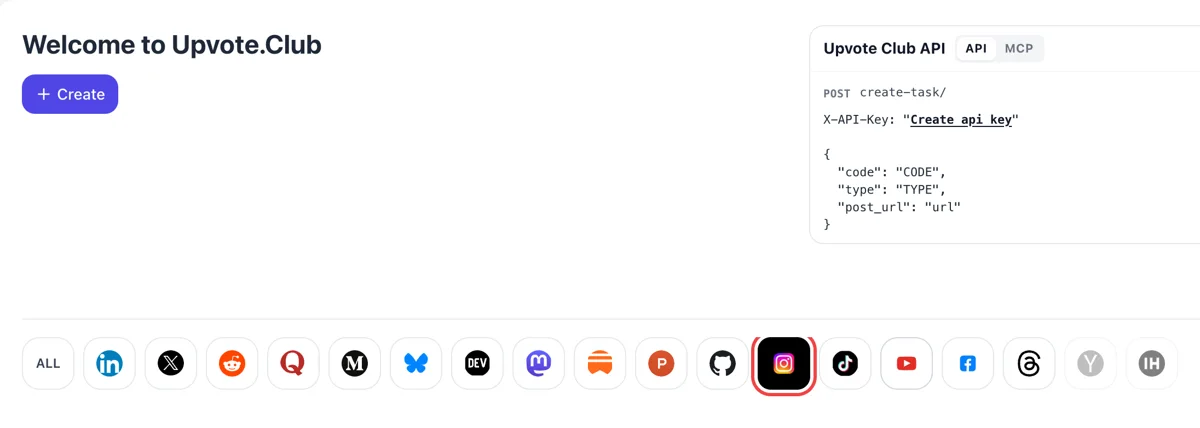
Open Instagram from the welcome screen
After a Google or Apple login the welcome page shows Create and a line of network icons. Selecting the Instagram icon tunes the form for posts, carousels and Reels, and the amount field waits below.
Give a post or Reel a head start: members of the community like it from their own phones and accounts.
Working with any agent




POSTcreate-task/
{
  "social_network_code": "INSTAGRAM",
  "type": "LIKE",
  "post_url": "https://www.instagram.com/p/ABC123xyz/",
  "actions_required": 10
}
Trusted by 88,000+ community members
We are a community of people who help each other grow their personal brand on social media. How It Works Our top priority is a zero-bot policy. We are maintaining a clean and safe community with real people. A variety of GEOs and interests are available inside our community.
Each like on your Instagram post comes from a member of the community pressing the heart on their own account, so the post gathers activity the way a busy post normally does.
Only the address of your post goes into the form, plus your choice of likes. Everything else about your Instagram account, from direct messages to drafts, remains untouched.
The blog covers Instagram timing, formats and caption habits, so you can pair a stronger heart count with posts that deserve the attention once it arrives.
Adam Mosseri, who runs Instagram, has named likes as one of the three top ranking signals, next to watch time and sends. A post that collects hearts early shows a stronger likes-per-reach rate, and that rate is what the feed compares across posts.
Mosseri says likes weigh slightly more when a post is shown to people who already follow you. More hearts early means the post is more likely to stay in front of your own audience instead of sliding down their feed.
Someone scrolling past a photo with a few hundred hearts pauses more often than on one showing three. The count reads as a vote that the post is worth a look, and a viewer who pauses may comment, save or open your profile.
Reels travel mostly to people who do not follow you yet. A Reel with a healthy like rate next to good watch time gives Instagram a reason to keep showing it to new viewers, and new viewers are where new followers come from.
A heart count is the first number anyone sees on a carousel, before they swipe. A stronger count gets more people to swipe through all the slides, which also lifts the time spent on the post.
When you can add hearts on demand, you can compare ideas fairly. Post one idea as a photo and another as a Reel, support both the same way, then read the stats screen: reach, likes and sends side by side show what your audience prefers.
After a Google or Apple login the welcome page shows Create and a line of network icons. Selecting the Instagram icon tunes the form for posts, carousels and Reels, and the amount field waits below.
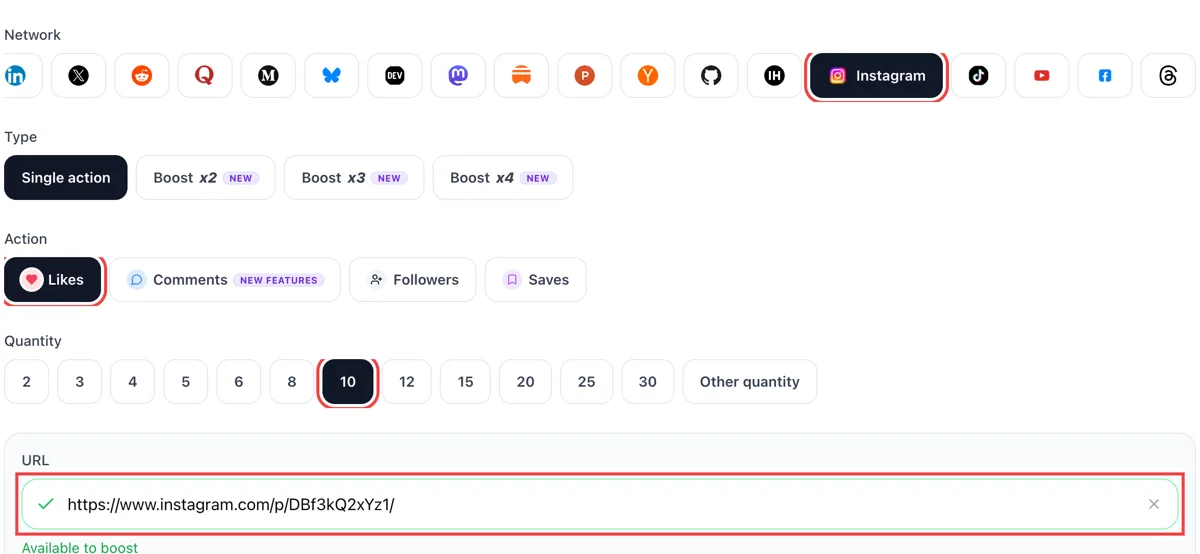
Copy the post link from its three-dot menu, select likes and paste it into the field. Add how many hearts you want. A green check confirms the post is public.
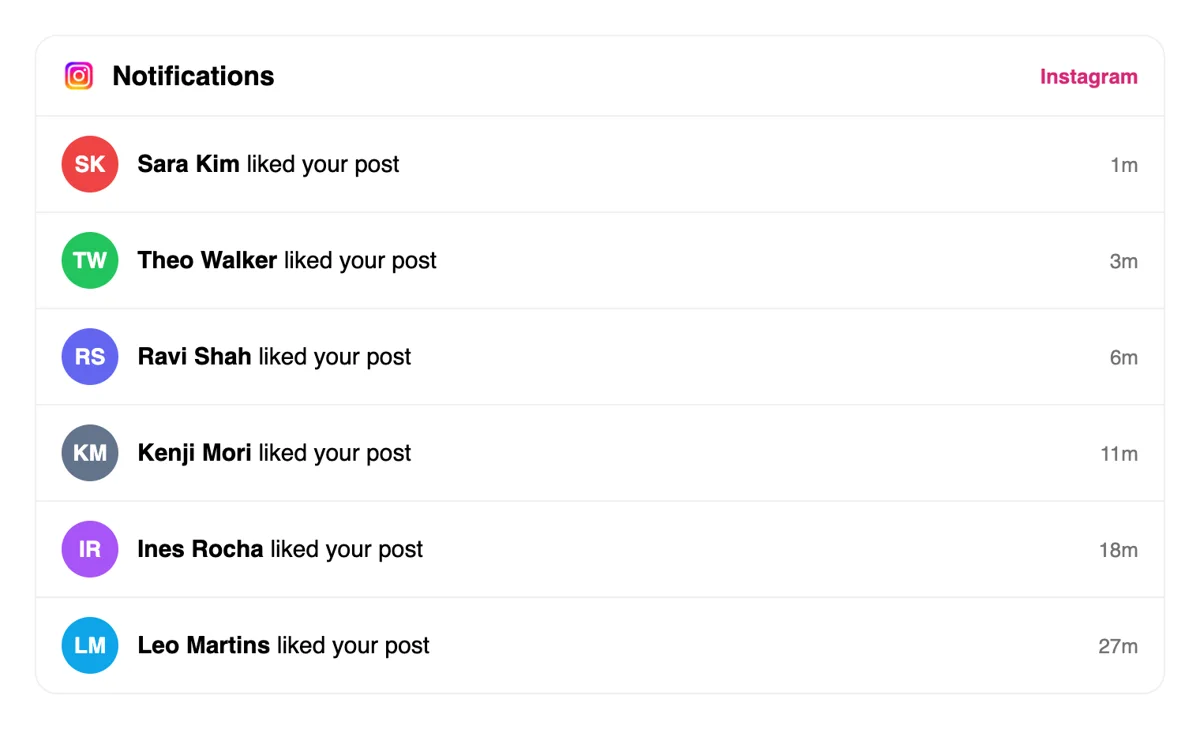
Likes come from other accounts, and the heart tab in Instagram lists them as short lines with time stamps. The count under the photo grows alongside those notices, so you can watch the post pick up pace.
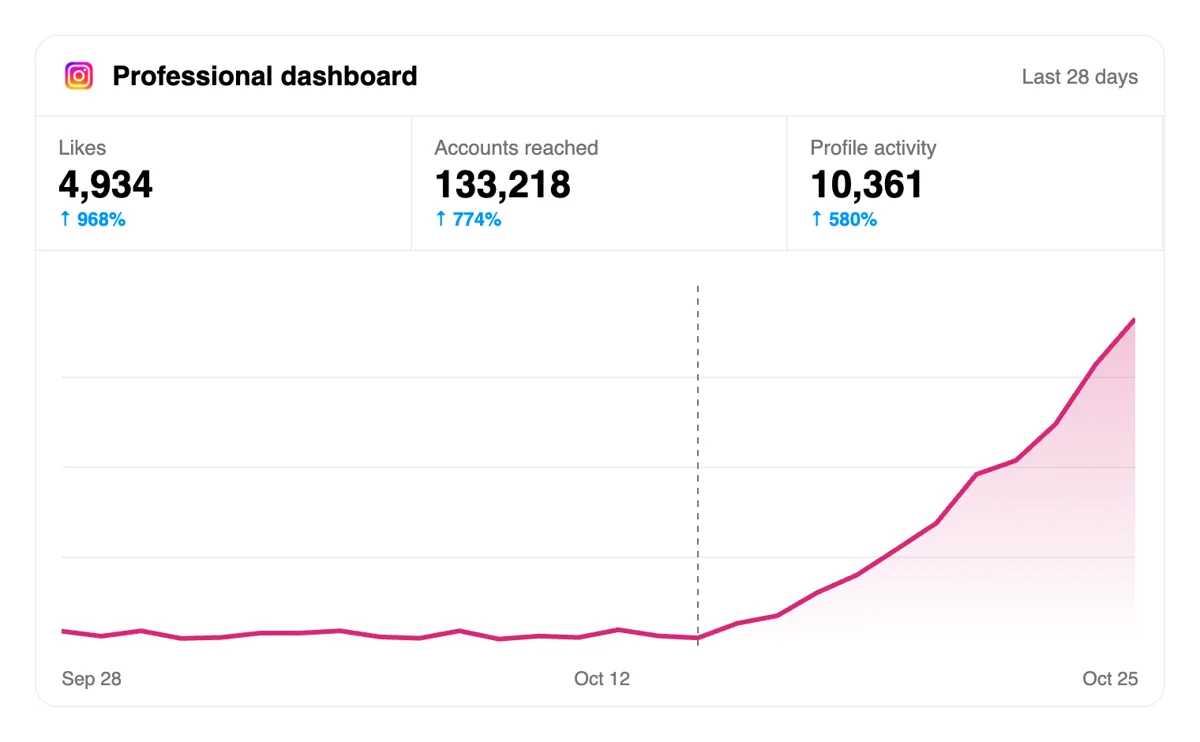
Open the post Stats and read likes next to accounts reached. When hearts climb with reach, the content is travelling past your followers, which is the sign to make more of the same format.
A regular posting calendar pairs well with a script or an AI assistant that files the like request for each new post, with nobody opening the form, and the dashboard kept for review. Read the Instagram API notes
Get 5 free Instagram likes every 24 hours. Upgrade only when you need more.
Free
Forever
What's included
$59/ year
Billed annually
What's included
$0/ first 3 days
After $49 / month
What's included
Unlimited tasks per day. Unlimited connections to social media accounts. Pin your post at the top.
Promote posts to verified users. API access. Unlimited engagement actions per day.
Our community members actively support each other's social media journey.
Join 88,000+ creators, brands, founders, and marketers already growing their audience
likes on IG are the foundation of algorithm performance, this delivers
Oct 12, 2024
used this for my product launch post, reach went way up after
Nov 1, 2025
real likes from real accounts, fast and clean ❤️
Mar 21, 2024
solid service, my IG posts finally get the traction they deserve
Jan 3, 2024
this is the easiest way to get real engagement on Instagram
Oct 13, 2025
been posting consistently on IG for months and this finally moved the needle
Jun 15, 2024
Blog
Guides and tips on growing social media with real community engagement.
"What do you think?" gets almost nothing.

People are having a marathon in their Instagram Reels tab.

Stories get more views when you post at the times your specific audience is already scrolling.
The fastest path to more Reels views is trending audio, and posting at your audience's peak activity times.
That means hooks built for identification and inside jokes, not just curiosity, paired with a posting cadence steady enough for Instagram's ranking systems to trust your account.
FAQ
They do, provided they are added properly. Mosseri lists likes in Instagram's top three ranking signals, and a high likes-per-reach rate keeps a post in circulation. Upvote.club adds them properly: members open the post and like it from personal accounts, so the numbers in your stats shift the way they do on a post that people enjoyed.
It changes two things you can see. The heart count under the post gets bigger, and the likes-per-reach rate in the stats goes up, which is the figure Instagram weighs against your other posts. Together they help the post reach more of your followers and more people who do not follow you yet. Growth follows when the post itself is worth a second look.
Open the stats of a post, take the number of likes and divide it by accounts reached. A Reel reaching 4,000 accounts with 120 likes sits at 3 percent. Compare that figure with your own recent posts, not with other creators. A rate only means something next to your own normal level, and the trend over a month tells you more than a single post.
Use a Reel when you want strangers to find you, because Reels go mostly to people who do not follow you. Use a photo or carousel to keep your current followers interested, since likes weigh slightly more for connected reach. Many accounts alternate, then check the stats after a week and put more weight on whichever format produced the better rate.
Right after you publish. The first hours decide a lot of how widely a post travels, and every other tactic builds on getting reactions early. Ask colleagues and friends too, since that costs only your time. Add upvote.club when the audience you can reach personally is small, so the post still opens with a visible heart count.
On most posts you can open the likes list and see the accounts, so the hearts you gather are visible to you and to your visitors. That is why the quality of the accounts matters: people with filled-in profiles and profile photos make the list look like an audience, and profiles like that are what help a post move up.
Yes. Paste the link of any public post, new or old. Older Reels sometimes keep attracting viewers through search and the Reels tab, and a stronger heart count helps those viewers decide to stay. Posts you published recently still get the most value, because Instagram gives newer posts a larger share of each day's impressions.
Treat the post as the product. Hearts only add to what is already there, because strong content is what carries an account. Open with a clear first frame or first line, name the topic in the caption, and keep the format native to Instagram. A post that people want to send to a friend gets a second wave on its own.
Most networks now push back on auto-posting and machine-written filler, and accounts that rely on such tools often see their reach cut. We recommend posting from your phone yourself. If you want a reminder to publish at the right time, the free scheduler on the site sends you a nudge and leaves the publishing to you.
Reaction groups, like-for-like threads and exchange lists all work, and many people start there. The difference is effort and consistency: groups depend on who happens to be online and on you returning each favour. Here you paste a link and choose likes, and you are not obliged to like anyone back, so it fits a regular posting routine.
No charge. A Google or Apple sign-in and one public address start it. Plans with more volume exist and have their own page. Begin with a single post and see how its rate compares with your usual figures, since that comparison tells you whether extra support is worth it.
Yes. Before you share a post, open Advanced settings and switch on the option to hide like and view counts, or use the post menu afterwards. You still see the total on your own posts, and other people see only a few names. The setting applies to posts in Feed, so counts can still appear in places like the Reels tab. Hiding the number does not remove the likes, and you can show it again whenever you want. Hide it if the count is not ready to be seen, and show it once the post has momentum.
Open the analytics view and look at the post you added likes to. Views and interactions appear in the overview, and the single-post view shows how that content performed and how people responded to it. Divide likes by views to get a rough rate, and compare it across several posts of the same format. A photo and a Reel will not match, so keep like for like. If views rise while the rate stays steady, the post is reaching more people who respond. Record the numbers each week, since a single post says little on its own.