Build an audience that sees every LinkedIn post you write

Enter your profile or page address, pick follows, and community members follow through their own profiles.

Drop the link here to get 5 Free LinkedIn Followers

Upvote Club API

Try the API

Working with any agentClaudeCursorChatGPTGrokVS Code

POSTcreate-task/

{
  "social_network_code": "LINKEDIN",
  "type": "LIKE",
  "post_url": "https://www.linkedin.com/posts/username_post-title-activity-123456789",
  "actions_required": 10
}
Upvote Club community members

Trusted by 88,000+ community members

We are a community of people who help each other grow their personal brand on social media. How It Works Our top priority is a zero-bot policy. We are maintaining a clean and safe community with real people. A variety of GEOs and interests are available inside our community.

Profiles with a history

Followers arrive from accounts that show photos, titles and recent activity. A follower list that looks like a mixed professional crowd reads well to anyone who checks it.

An ordinary follow

The follow button is the same one a colleague would press. Your profile shows the new followers like any others, and you can see who they are in your notifications.

Growth advice with it

The answers below cover profile setup, commenting on large posts and company pages. The blog has longer guides on how accounts reach their first ten thousand followers.

What followers give a LinkedIn profile or page

A follower sees your posts by default

Someone who follows you gets your public posts in their feed without becoming a connection. That is a standing audience for every future post, which a single like on one post can never give you.

A larger base changes how new posts start

A post from a profile with a few hundred followers starts with a tiny pool of viewers. A bigger base means each new post meets more eyes in its opening hour, when the feed is deciding how far to carry it.

Profiles and company pages both work

You can paste a personal profile link or a company page link. Page owners often find followers the slowest to collect, since people rarely follow a brand without a reason to.

Follow suits people who do not know you

LinkedIn describes following as the option for someone who likes your content but has no relationship with you. It gives readers a low-commitment way in, and many prefer it to a connection request.

Your profile turns visits into follows

A clear photo, a specific headline and a clean summary affect whether a visitor follows. They leave your reach alone and decide how many of the people who arrive actually stay.

Free to start, no follow-back needed

Starting costs nothing. The people who follow you are not waiting for a follow in return, so the accounts in your own feed stay the ones you chose.

From profile link to a growing audience

Apple sign-in and the LinkedIn icon

Apple sign-in and the LinkedIn icon

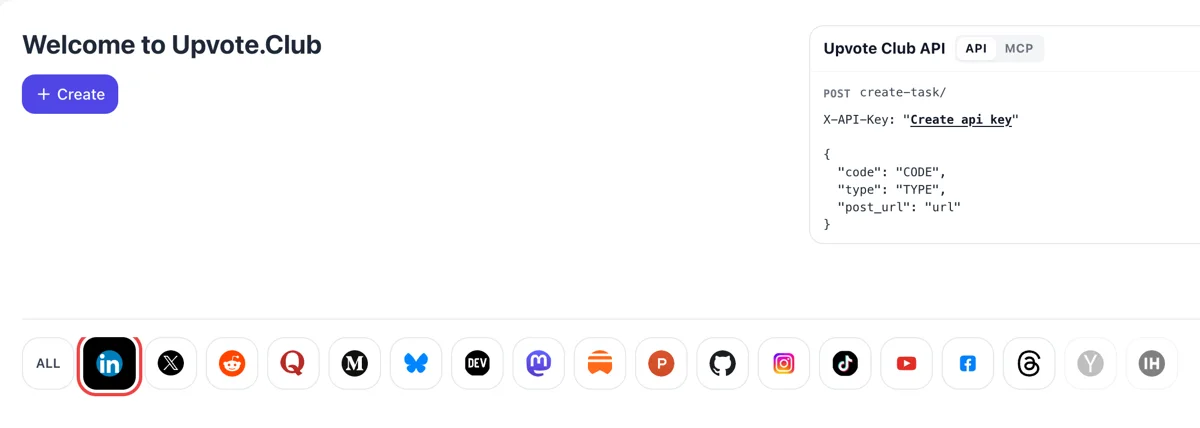
Sign in with Apple on the Welcome to Upvote.Club page, press Create and choose the LinkedIn logo in the strip of networks. The form opens for a profile or company Page. Your personal profile and a company Page are both accepted.

Choose followers and paste the link

Choose followers and paste the link

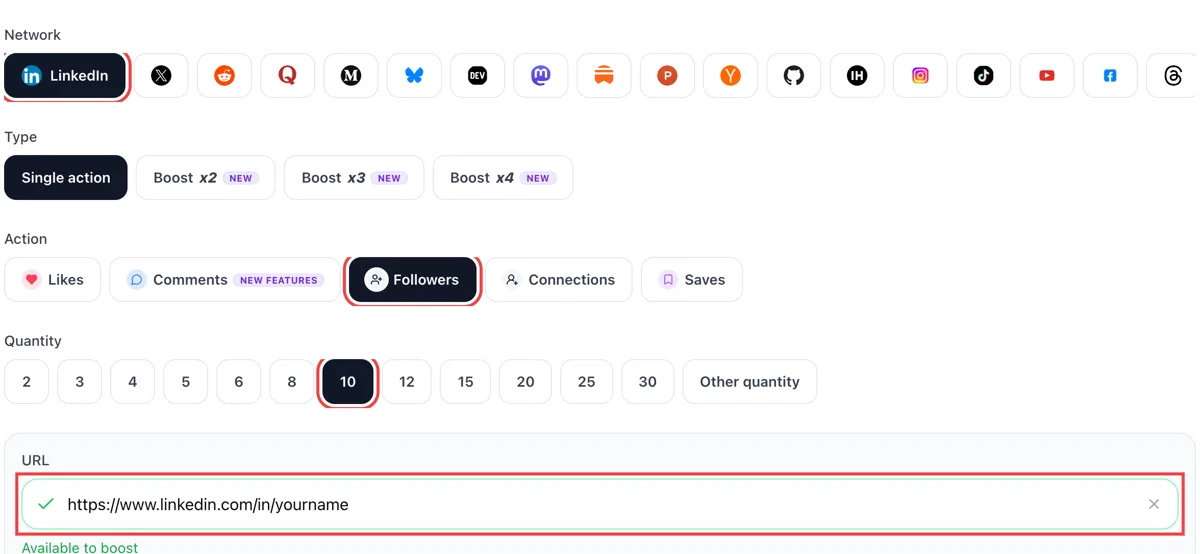
Select followers in the action list and paste the public link of your profile or Page. Once the tick shows, decide how many followers to add. Use the address from the browser bar.

Followers appear in LinkedIn notifications

Followers appear in LinkedIn notifications

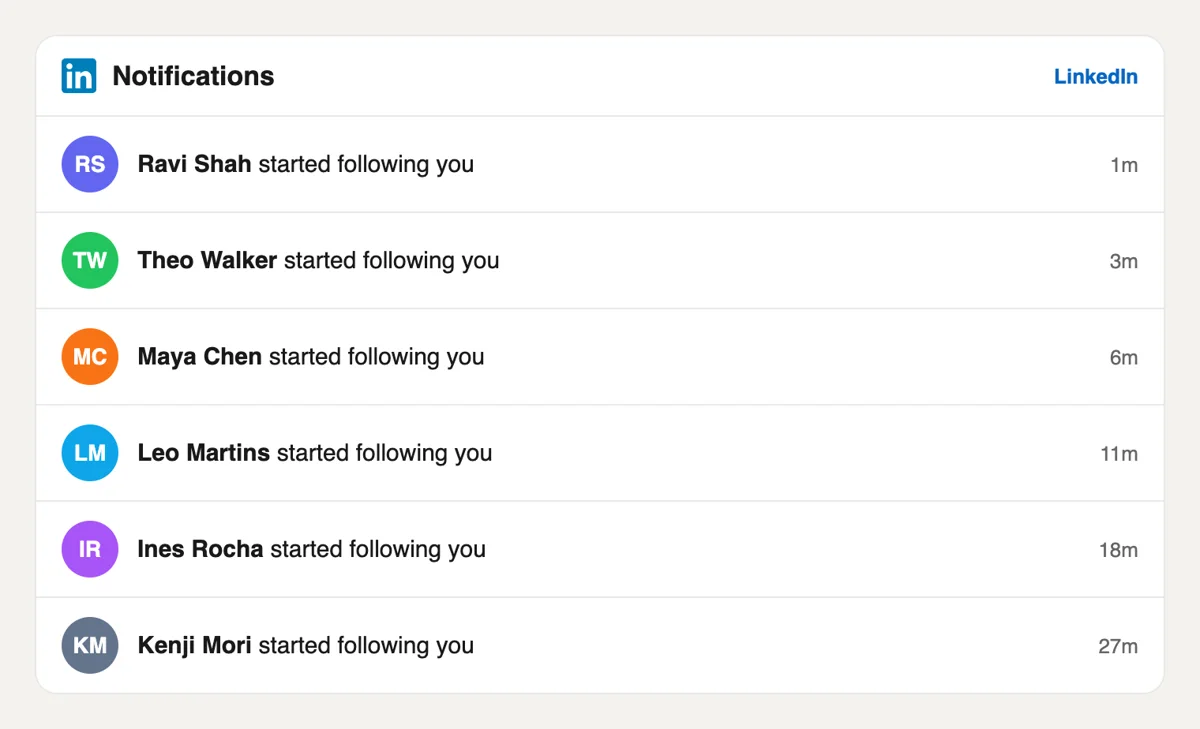
The Notifications tab on LinkedIn lists started following you, each with a minutes-ago label. Names link to ordinary member profiles with a job title and photo. Opening a few shows whether the audience matches your industry.

The audience number grows

The audience number grows

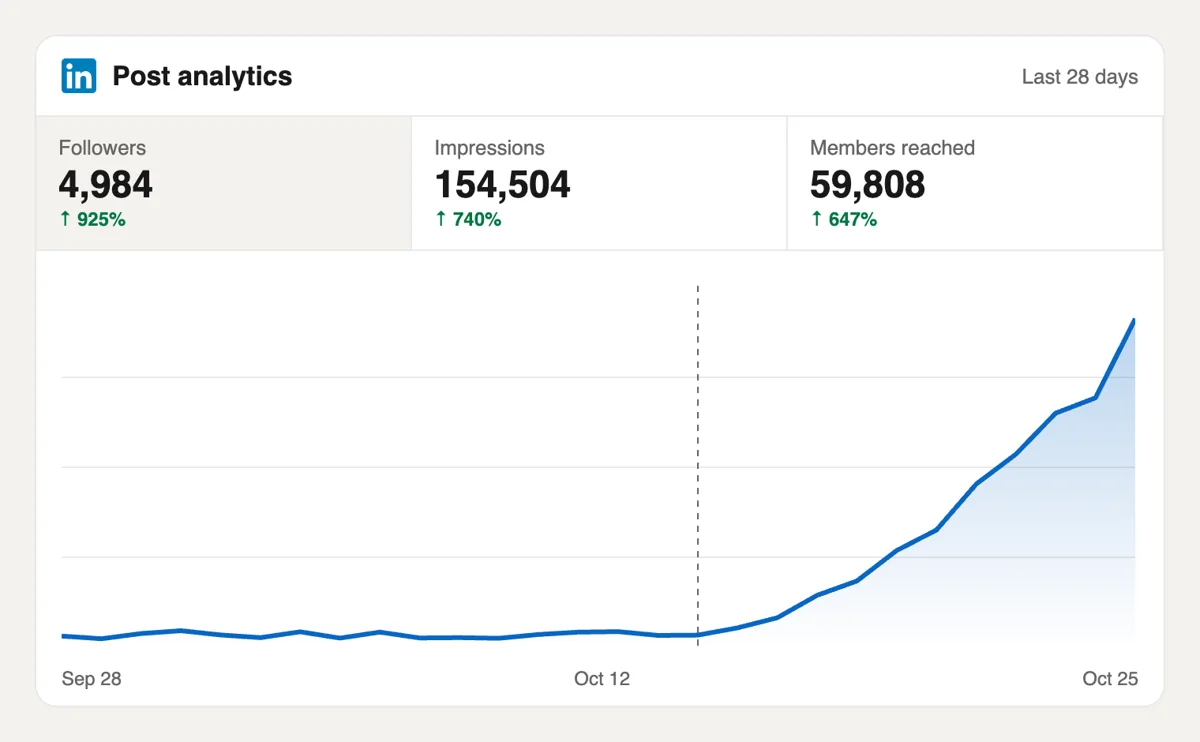
Read the followers figure on your profile and the audience section of analytics. A bigger audience means each new post reaches more people before any sharing begins. Compare it with the figure from a month ago.

See how follow requests work in the API

Teams publishing on several LinkedIn pages can order followers from a script or an AI assistant through the MCP connectors. Details sit in the docs, with the profile and Page address formats. See how follow requests work in the API

Pricing

Get 5 free LinkedIn followers every 24 hours. Upgrade only when you need more.

FREE

Free

Forever

Start free

What's included

  • New240+ free social media tools included
  • Create 1 task every 24 hours
  • Get 5 free LinkedIn followers every 24 hours
  • 0% discount on task creation

MEMBER

$59/ year

Billed annually

Start free

What's included

  • New240+ free social media tools included
  • Unlimited tasks per day
  • Up to 1000 LinkedIn followers every month
  • 0% discount on task creation
  • Pin your post at the top
  • Promote posts to verified users
  • API access
  • Long Form Comments
  • Meaningfull comments
  • Long-time view
  • Promote tasks to verified users
  • Unlimited social media accounts
  • Unlimited engagement actions per day
  • Cancel anytime — no questions asked
  • Same-day charge refund

MATE

$49/ month

Start free

What's included

  • New240+ free social media tools included
  • Unlimited tasks per day
  • Up to 1000 LinkedIn followers every month
  • 40% discount on task creation
  • Pin your post at the top
  • Promote posts to verified users
  • API access
  • Pin your post at the top
  • Long Form Comments
  • Meaningfull comments
  • Long-time view
  • Promote tasks to verified users
  • Unlimited social media accounts
  • Unlimited engagement actions per day
  • Cancel anytime — no questions asked
  • Same-day charge refund

Unlimited tasks per day. Unlimited connections to social media accounts. Pin your post at the top.

Read more

Promote posts to verified users. API access. Unlimited engagement actions per day.

Join a Community

Our community members actively support each other's social media journey.

Join 88,000+ creators, brands, founders, and marketers already growing their audience

Upvote Club community members

Members on the audience they built on LinkedIn

4.9(8 reviews)

real followers only

Nov 12, 2025

used this to grow LinkedIn followers from the USA and the profiles actually look real

Nov 13, 2025

no drops, steady

Dec 3, 2025

more LinkedIn followers EZ

Dec 18, 2025

Goal was 1K followers, I was stuck at 777. This helped close the gap

Jan 18, 2026

perfect if you want to scale followers fast but keep growth stable

Jan 22, 2026

LinkedIn followers from real professionals make such a difference for post reach

Oct 7, 2025

used this to grow my company page, organic reach genuinely doubled after 📊

Jul 2, 2024

Blog

Latest from Our Blog

Guides and tips on growing social media with real community engagement.

How to Request Connection on LinkedIn (2026 Guide)

How to Request Connection on LinkedIn (2026 Guide)

A LinkedIn connection request is a 1st-degree invitation with an optional personal note. This 2026 guide covers how to send one on desktop and mobile, LinkedIn's note limits, pending invites, and what...

8 Proven LinkedIn Connection Message Templates

8 Proven LinkedIn Connection Message Templates

A LinkedIn connection message is the optional note on a connection request. Use these 8 templates, know the 200-character Help limit, and decide when a blank invite beats a generic note.

A Winning Headline for LinkedIn: A Step-by-Step Guide

A Winning Headline for LinkedIn: A Step-by-Step Guide

Your current LinkedIn headline probably says something accurate and forgettable. Something like "Marketing Manager at Acme" or "Software Engineer." I see that all the time, and I've fixed it on my own...

FAQ

LinkedIn followers: what to know before you start

What is the difference between a follower and a connection?

A follower sees your public posts without joining your network. A connection is a two-way relationship, and the two of you can message each other. LinkedIn suggests following for people whose content you enjoy and connecting for people you know. For growth, followers matter most for reach. Connections matter for conversations. See the connect page.

Does it work to add followers from a community?

Yes, if the profile behind them is worth following. A follower base gives each new post a larger starting audience, and upvote.club suits this job because the new followers are profiles that look like working professionals. Pair it with posts people want to read for the best result.

What is the best free way to gain LinkedIn followers?

Comment under large posts that are already flying. While you have fewer than ten thousand followers, a thoughtful reply that gets liked is shown above many others and sends visitors to your profile. Pair it with a clear profile and regular posts. It takes steady work, and ten thousand followers in a year is a reachable target.

Do my photo and headline affect how many people see my posts?

Indirectly at most. Reach depends on how readers respond to the content, while your photo, headline and summary decide how many visitors follow once they arrive, so they shape conversion. Fix them before you start, because every new visitor sees them first, and a half-empty profile wastes a visit that cost you effort to earn.

Can I add followers to a company page?

Yes. Paste the page link in the same form. A company page can do everything a profile does, including commenting and reacting from the page account, and nothing limits that. Pages collect followers slowly, so a first group of followers gives the page an audience from the start.

Can I make Follow the main button on my profile?

Yes. LinkedIn lets members set Follow as the main profile action, so visitors see it ahead of Connect. This suits creators and experts who want an audience and have no use for a long contact list. Visitors can still connect through the menu, and when they do they follow you while the invitation waits.

Will followers also like and comment on my posts?

Followers see your posts and may react, but a follow is not a reaction request. For likes or replies on one specific post, make separate requests: likes and comments. The three together give a post a full start, and your new followers then see it in their feeds the moment it goes out.

How often should I post to keep new followers?

Choose a rhythm you can keep. Two or three posts a week, written by hand and published from your own phone, is better than a burst followed by silence. Auto-posting tools tend to cut reach, so the manual habit pays back. Followers come back to profiles that stay active, and an account that publishes steadily gives visitors a reason to follow.

Is it better to grow followers or connections?

For reach, followers. For conversations with specific people, connections. Many accounts need both. A creator profile leans towards followers, while a salesperson or recruiter needs connections to message. Choose the one that matches how you want people to find your posts.

Do I need a big following before this helps?

No. It helps most at the start. LinkedIn shows a small account to very few people, so even a modest follower base changes how a new post starts. After that, content and comments take over as the main sources of growth.

Does my profile need to be public?

Yes. People need to open your profile or page to follow it, so it should be visible to anyone with the link. Open it in an incognito tab and confirm that people outside your network can see it. Only the address is shared, not your login or anything inside your account.

Can I request followers through the API?

Yes. Follow requests can come from scripts and from AI assistants that use the MCP connectors. The API page lists the calls and shows how to authorize them. This helps agencies that look after several profiles and company pages at once, since each client can be handled in the same way from one place.

How do I see who follows me on LinkedIn?

Click My Network, open the Manage my network dropdown, choose Following and followers, then the Followers tab. You also receive a notification whenever someone who is not a connection follows you. The followers of a company Page cannot be listed this way. After followers arrive through Upvote.club, scan the list and note which job titles appear, because that tells you whether your profile is attracting the audience your posts are written for. Followers come from posts, so the list is also a record of which of your posts mattered.

What grows a follower count apart from asking for follows?

From our work with accounts across networks, the top driver of growth for any account is good content. People follow a profile after seeing a post that taught them something. Post from your own phone and skip an autoposting tool, since networks are pushing back on automated posting and such tools tend to cut reach. Then use Upvote.club to give each good post a larger first audience, and followers come with it. Treat each new batch as a first audience, and give it something to read every week.

Do you have an API for LinkedIn?

Yes! We are the only service on the market that provides a full API for LinkedIn engagement. You can automate creating and tracking tasks for LinkedIn through our REST API. This is perfect for agencies managing multiple clients, influencers who need consistent engagement, or developers building custom integrations via OpenClaw or similar platforms. View LinkedIn API documentation.