








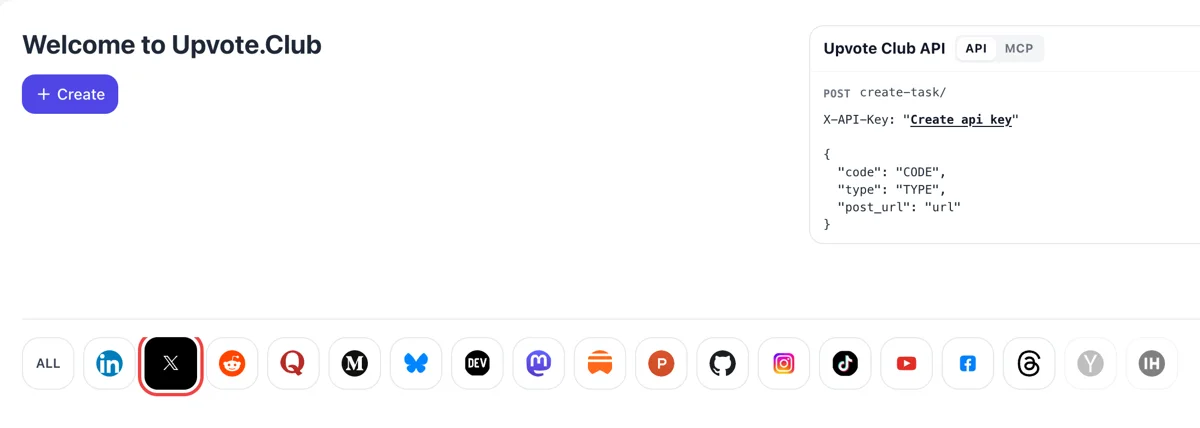
Come in through Apple and choose X
Use your Apple ID to enter Upvote.Club, press the Create button and click the X emblem among the networks. The form that follows is worded for replies under a tweet.
Give the address of a public X post and people from the community write replies under it, so the post starts life with a thread.
Working with any agent




POSTcreate-task/
{
  "social_network_code": "TWITTER",
  "type": "LIKE",
  "post_url": "https://twitter.com/username/status/123456789",
  "actions_required": 10
}
Trusted by 88,000+ community members
We are a community of people who help each other grow their personal brand on social media. How It Works Our top priority is a zero-bot policy. We are maintaining a clean and safe community with real people. A variety of GEOs and interests are available inside our community.
A person with a personal X profile reads your post and writes a reply, which gives the thread the texture of an ordinary discussion between readers.
Only the public address of a post is passed along, and the login for the service itself goes through Google or Apple. Your X account and direct messages stay out of it.
Question formats, thread structures and posting habits for X are collected on the blog, so your own audience keeps answering long after the first replies.
People hesitate to be the first voice under a post. Once two or three replies sit there, the barrier drops and readers add their own. A starter thread turns a silent post into a place where a conversation is already under way.
X's open-sourced ranking model predicts replies as one of the actions a viewer might take, next to likes and reposts. A post that already collects replies gives that model more evidence that people want to talk about it.
Someone deciding whether to follow you often scrolls through the replies to see what kind of people respond. A thread with relevant comments shows an audience that pays attention, and that makes the follow button easier to press.
If you ask the audience something, the thread is the answer sheet. Early replies show others what kind of response is welcome, and the length and tone of those replies set a pattern that later readers follow.
Replying under a larger account puts your name in front of its audience. If you paste your own reply link, extra responses to your reply keep it visible in the thread so more readers open your profile.
A post with a live discussion is easier to quote and to extend into a longer thread. You can mine the replies for the next topic, since readers tell you exactly what they want to hear more about.
Use your Apple ID to enter Upvote.Club, press the Create button and click the X emblem among the networks. The form that follows is worded for replies under a tweet.
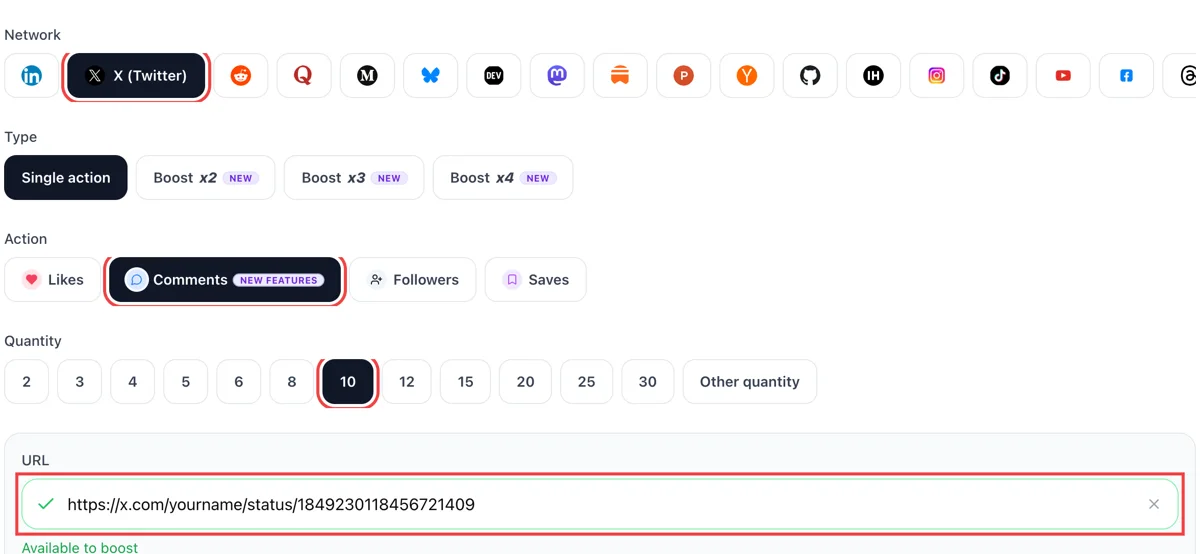
Switch the action to comments, then paste the public address of the post you want discussed. Once a tick shows beside the field, type how many replies you would like to read.
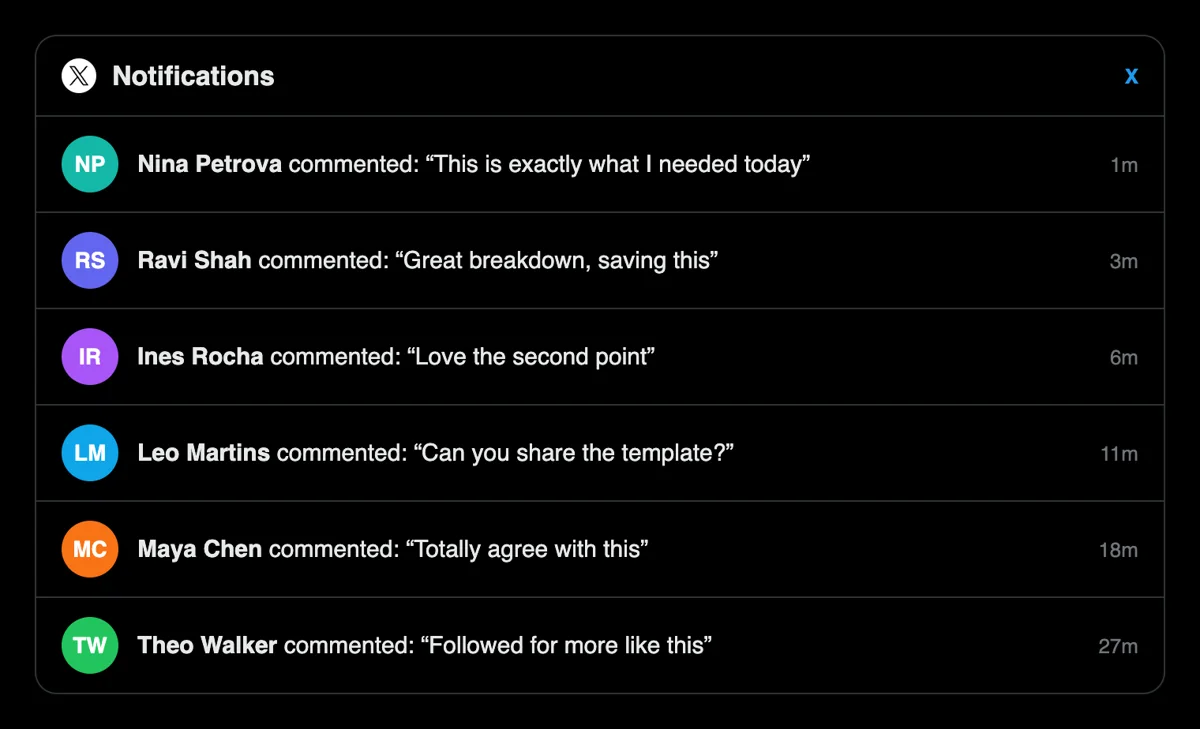
On X, the Notifications list shows entries like replied to your post, each stamped just minutes ago. Click one and the thread opens so you can answer in the same moment.

The reply counter next to the speech bubble climbs, and a visitor scrolling by finds an active discussion where silence used to be. X analytics adds profile visits for that same post.
If you look after many posts, replies can be ordered from a script or AI assistant through the MCP connectors. Parameters are laid out in the docs. Each reply request needs only the post address. See reply calls for X in the API docs
Get 5 free X (Twitter) comments every 24 hours. Upgrade only when you need more.
Free
Forever
What's included
$59/ year
Billed annually
What's included
$0/ first 3 days
After $49 / month
What's included
Unlimited tasks per day. Unlimited connections to social media accounts. Pin your post at the top.
Promote posts to verified users. API access. Unlimited engagement actions per day.
Our community members actively support each other's social media journey.
Join 88,000+ creators, brands, founders, and marketers already growing their audience
Super Engagement
Jan 1, 2026
real comments showing up
Jan 22, 2026
сomments made my posts feel alive again, not just numbers.
Jan 23, 2026
got my retweets
Jan 23, 2026
once comments appeared, engagement picked up fast
Jan 23, 2026
comments on X are slept on for reach, this is the move 🔥
Jun 14, 2024
got real comments on my tweet, sparked actual engagement
Dec 16, 2024
legit and fast, no fake accounts ✅
Feb 3, 2024
Blog
Guides and tips on growing social media with real community engagement.

Imagine you're standing backstage at the biggest concert of your life. The lights are dim. You can hear the crowd murmuring. The first chord hits and only those with rhythm, presence, and reputation w...

Discover the 10 best Twitter marketing tools of 2025. Compare features, pricing, and real results. From AI content to analytics. Save 15+ hours weekly

The Dirty Fantasy of Twitter Fame Everybody circles the same fire: how to get famous on Twitter? They don't ask it out loud, but the hunger is visible in every indie hacker drafting threads or solo cr...
FAQ
They work when the post hands people something to answer. A thread of relevant replies tells visitors that discussion is happening, and X's ranking code lists replies among the actions it predicts. Upvote.club places those first voices correctly. Bring a post with a real question and the thread has something to grow from.
A visible audience. A thread keeps new readers on the page, makes the profile look attended to and hands you material for later posts, including a log of the questions your niche keeps asking. Via Upvote.club the first voices belong to the community, and the thread is yours to join afterward.
Posts with a narrow question or a firm opinion. Asking which tool someone uses, what they paid attention to last month, or whether they agree with a stated claim all produce answers. Announcements with no angle leave readers with nothing to say. Write the question first and wrap the context around it.
You can paste the address of your own reply under any public post, and extra answers to it keep it visible in that thread. This works best when your reply adds something new, such as a short example or a counterpoint, because readers open your profile when the reply is worth reading.
A heart is a quiet vote. A reply is a sentence that other readers can see and answer. Use likes for the first impression and replies for discussion. Replies are slower to collect on their own, which is why a starter thread helps a new post.
They respond to your post, so a clear post gets clear answers. If the post is a question about your niche, replies come back on that question. If it is a vague line, the replies stay generic. Spend a minute sharpening the wording before you submit.
Yes. An answer from the author keeps the thread going and shows later readers that the account is attended to. Answer the best two or three, ask a follow-up and thank people briefly. Threads where the author joins in are the ones strangers feel comfortable adding to.
Yes. Post a question and read what comes back. The words people use in replies show how they describe the problem, and you can reuse those words in your next post or thread. It is a quick way to learn what your audience wants more of.
No answer is owed. People who replied do not expect one, and nobody counts. Reply to the comments that interest you and skip the rest, because your account does not depend on how many threads you join. A short answer to the sharpest comment is usually enough to keep the thread moving for the next reader.
It needs to be. Posts from a protected account can be opened only by approved followers and are hidden from search engines, so outside readers cannot answer them. Make the account public or choose another post, then copy the address. Replies to a public post also reach anyone who finds it through search.
You can. The API and the MCP connectors let a script or an AI assistant submit reply requests for each new post, which fits teams that publish often and want threads to open the same way every time, whether the post comes from a calendar, a sheet or a draft in a chat window.
Starting costs nothing. Log in through Google or Apple, drop in the address of your post and pick replies. Paid plans exist for later, and a single post is enough to see what a thread looks like before you decide on more. Judge it by the replies under that one post and by how long readers stay.
Either can work, but a question gives readers the clearest job. A statement with a clear stance works when people will want to agree or push back. A neutral announcement gives them little to say. If you are unsure, finish the post with a short question that can be answered in one line, and keep the topic narrow enough that a stranger can answer without background.
Yes. Your reply under a larger account has its own address, so you can request replies on it. Make the reply add something: a sharp example, a short counterpoint or a useful link. Readers open profiles from replies that are worth reading, so quality decides whether the extra answers turn into visits.
Yes. X offers four reply settings: everyone, accounts you follow, only accounts you mention, and only verified accounts. On a public account the default is everyone, and on a protected account only followers can answer. If you want a thread to collect replies from the wider community, leave it on everyone before you paste the link into Upvote.club. A narrower setting is useful for announcements, but it also narrows who can leave a response under the post. Pick the setting before publishing, since it applies from the first minute people see the post.
A standard X post holds up to 280 characters, and it can carry photos, GIFs and video. Short posts that end on a clear question or a stated opinion give a replier something to react to in one line. Long explanations tend to get a heart and no sentence back. Write the version you would answer yourself, publish it, then use Upvote.club to bring the first replies so the thread already looks like a conversation when strangers arrive. Read it back on your phone, where most replies are written, and cut any line a person would skip.