Table of Contents
- Decoding Your First LinkedIn Metric: Impressions
- How LinkedIn Measures Impressions, Reach, and Views
- The Difference Between Impressions and Reach
- What About Views?
- Finding Your Impression Data in LinkedIn Analytics
- Accessing Broader Analytics
- Why Impressions Matter for Your LinkedIn Growth
- The Power of Early Engagement
- Actionable Strategies to Increase Your LinkedIn Impressions
- Give Your Posts a Nudge With Community Power
- Boosting Impressions: Organic vs Community-Powered Methods
- Your Top Questions About LinkedIn Impressions, Answered
- So, Are High Impressions a Guaranteed Win?
- Why Are My Impressions So Much Higher Than My Reach?
- Can I Just Pay to Get More Impressions?
- Does Seeing My Own Post Count as an Impression?
On LinkedIn, an impression is counted every single time your post shows up on someone's screen.
Think of it like a digital billboard on a busy highway. Every time a car drives past and the driver sees it, that's one impression. It doesn't matter if it's the same person driving past ten times a day—that still counts as ten separate impressions.
Decoding Your First LinkedIn Metric: Impressions
Before we get too deep, it's important to understand what impressions mean on LinkedIn at their core. This number is the total tally of how many times your content has appeared on a screen, whether that's in someone's feed, on a profile, or via a repost.
Technically, LinkedIn logs an impression once at least 50% of your post has been visible for 300 milliseconds. It's a fleeting moment, but it's the standard for being "seen."
This quick map breaks down the key differences between impressions and other metrics you'll see, like reach and views.
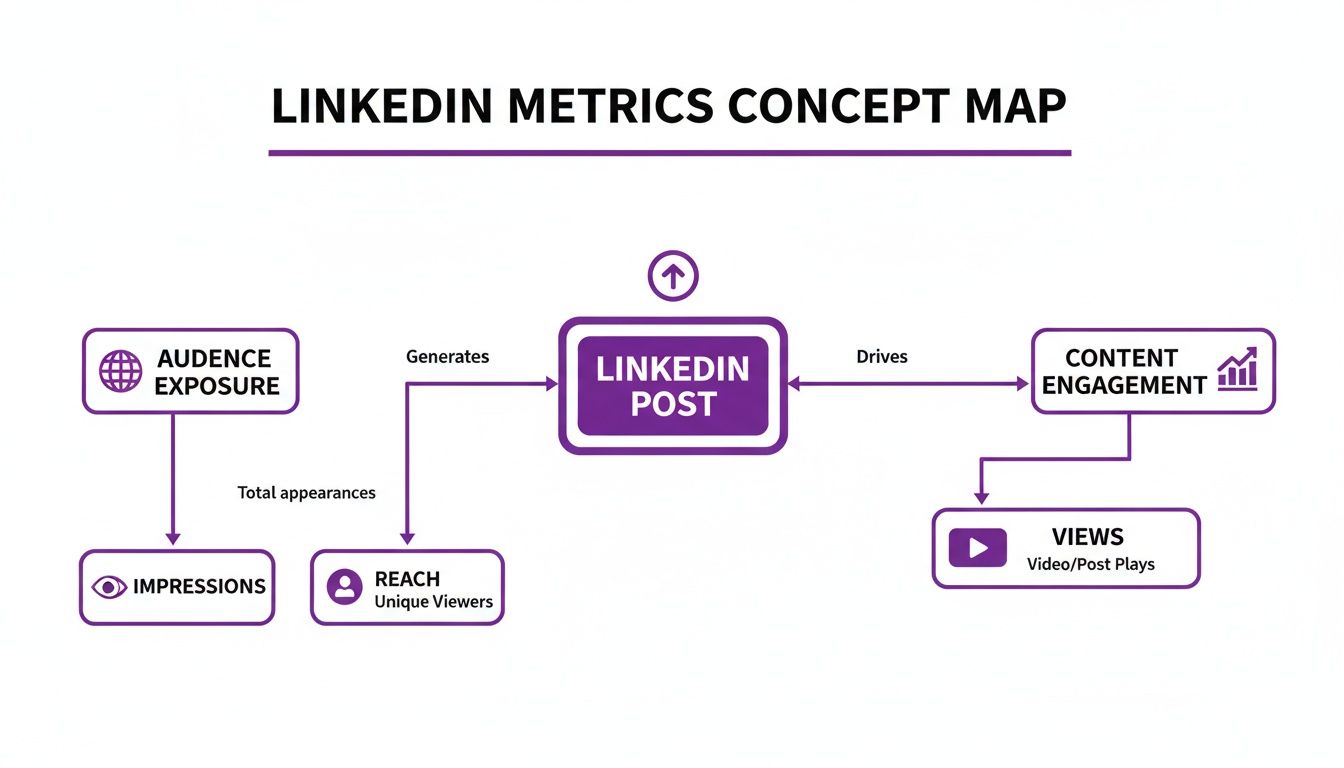
As you can see, impressions count every display, while reach counts the unique people who saw it. Views, on the other hand, track direct interactions with media like videos. Visibility is a great start, but what really gets the LinkedIn algorithm excited is getting genuine engagement within the first hour of posting. That's the signal that your content is worth showing to more people.
That initial traction is exactly why we built Upvote.club. With our Upvote.club service, you can join a community of real people to get authentic likes and comments right after you post. This community-driven boost helps drive up your impressions organically, giving your content the best shot at widespread visibility. If you're looking for more tips, you might find our guide on boosting your LinkedIn presence helpful.
How LinkedIn Measures Impressions, Reach, and Views
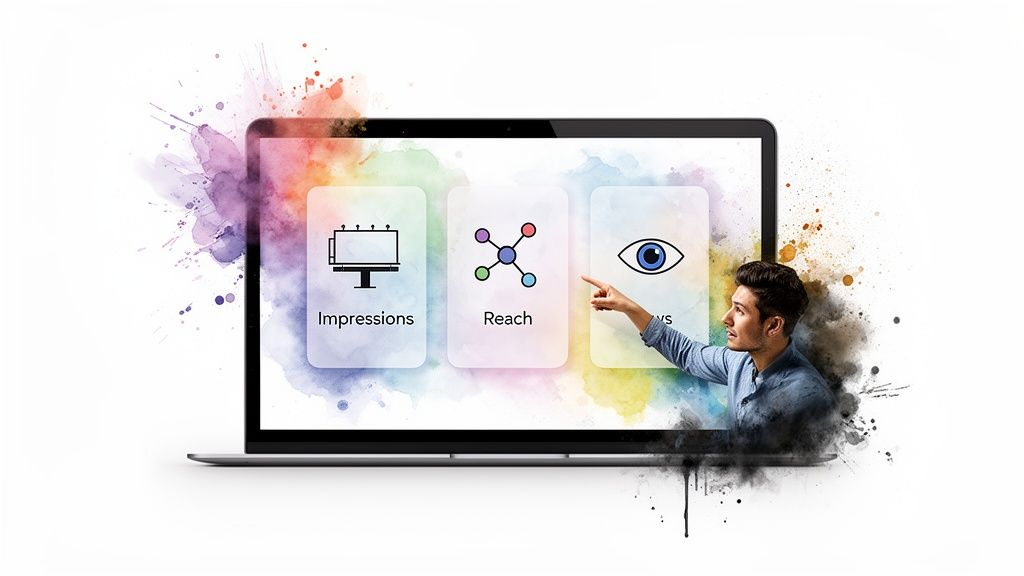
To really get a grip on your LinkedIn analytics, you have to understand how the platform talks about visibility. You’ll see a few core metrics pop up again and again, and while they might seem interchangeable, each one tells a different part of your content's story.
Impressions, reach, and views are the big three. Nailing down what each one actually means is the first step to figuring out what’s working and what’s falling flat.
The Difference Between Impressions and Reach
The most common mix-up is between impressions and reach. It’s pretty simple when you break it down: Impressions count every single time your post shows up on someone's screen. Reach, on the other hand, counts the number of unique people who saw it.
Let's walk through a quick example:
- Your colleague scrolls past your post on their feed Monday morning. That’s 1 impression and 1 person reached.
- On Tuesday, a mutual connection reposts your content, and your colleague sees it again. That’s another +1 impression, but 0 new people reached.
- For just that one colleague, you’ve racked up 2 impressions but only have 1 person in your reach count.
This is exactly why your impression count is almost always higher than your reach. If you see a really high ratio of impressions to reach, it’s a good sign that your content is getting shown to the same people multiple times—meaning it’s really sticking within a certain corner of your audience.
What About Views?
Then there are views. This metric adds another layer and is usually reserved for specific formats like videos or articles. A view isn't just a passive glance; it's counted only after someone takes a specific action. Think watching a video for at least three seconds or actually clicking to open and read a LinkedIn Article.
An impression is passive—it just has to appear on a screen. A view, however, requires a conscious choice from the user to engage, signaling a much stronger level of interest.
While racking up high impressions is a great start, it doesn't automatically lead to engagement. That's where we come in at Upvote.club. We help you get real likes and comments from our community right after you post. This early buzz tells the LinkedIn algorithm your content is worth showing to more people, which in turn drives up your organic impressions and expands your reach to a much wider audience. Our Upvote.club service is a community-driven growth tool that helps users build real engagement without bots.
Finding Your Impression Data in LinkedIn Analytics
Okay, so you understand what impressions are. But knowing the theory is one thing—finding your actual numbers is where the rubber meets the road.
Thankfully, LinkedIn doesn't hide this data. You can easily check the performance of a single post or zoom out to see your overall trends, which is exactly how you connect your content strategy to real, tangible results.
For any post on your personal feed, the data is hiding in plain sight. Just look right below your content for a small graph icon or text showing the initial view count. Give that a click, and a detailed analytics window will pop right up.
Here’s what that little analytics dashboard looks like for a single post:
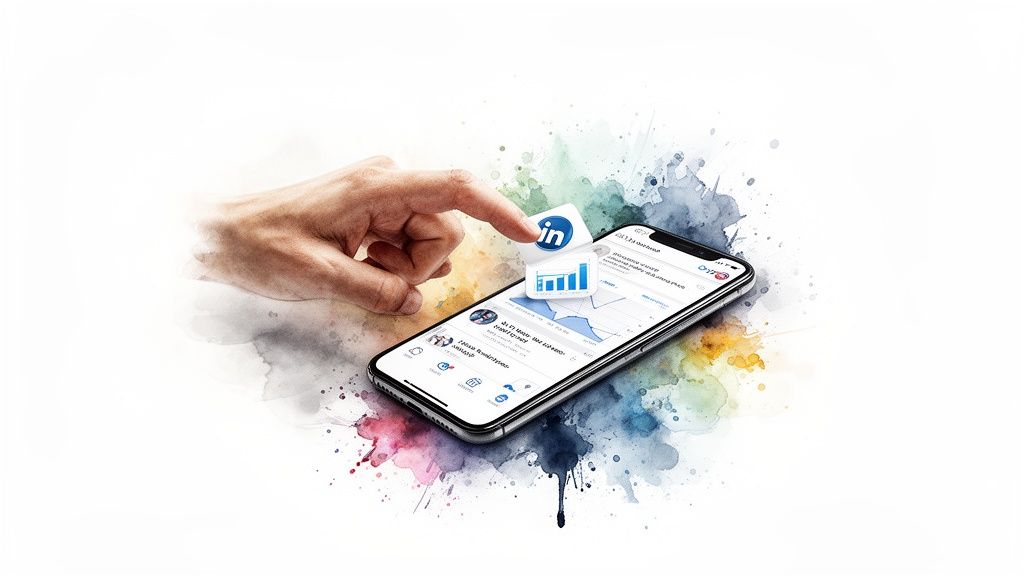
This pop-up gives you a quick, clean summary of your post's impressions alongside other metrics like reactions and comments. It's a good little snapshot.
Accessing Broader Analytics
If you manage a Company Page or have turned on Creator Mode for your personal profile, LinkedIn gives you the keys to a much more powerful analytics dashboard.
- For Personal Profiles (Creator Mode): Head to your profile page and look for the "Analytics" section right under your main profile card. This is where LinkedIn pulls together all the data from your recent content into one place.
- For Company Pages: Go to your page and click the "Analytics" tab in the main menu. This dashboard is where you can really dig deep, exploring visitor demographics and tracking content performance over different timeframes.
While a high impression count is a fantastic sign that you're getting seen, it's not the whole story. Visibility doesn't automatically equal engagement.
At Upvote.club, we help you close that gap. Our community gives your posts the real, timely engagement they need right after you hit publish. That initial flurry of activity signals to the LinkedIn algorithm that your content is worth showing to more people, which naturally drives up your organic impressions and expands your overall reach. Getting more LinkedIn likes right away is a proven method to kickstart your visibility.
Why Impressions Matter for Your LinkedIn Growth
It’s easy to dismiss impressions as just another vanity metric, but on LinkedIn, they’re the bedrock of your visibility. Think of every impression as a breadcrumb you're dropping for the LinkedIn algorithm. A high count tells the system your content is hitting the mark and grabbing attention, which in turn prompts it to show your post to even more people. This is step one for expanding your professional circle.
Without a decent number of impressions, your content is essentially invisible. It never gets the chance to earn likes, comments, or shares. It's the spark that starts the fire. Every meaningful action—from a profile click to a new connection request—begins with your post showing up on someone's screen.
The Power of Early Engagement
There's a reason the first hour after you post is often called the "Golden Hour." Strong, immediate engagement sends a clear signal to the algorithm that your content is quality stuff and worth distributing widely. A post that gets a flurry of interaction right away is far more likely to see its impression count snowball.
This is exactly where our Upvote.club service gives you an edge. We connect you with a community of real, verified users who give your posts authentic engagement when it matters most. Getting genuine likes and comments quickly sends a powerful, positive signal to LinkedIn.
This isn't about gaming the system; it's about showing the algorithm that your content is sparking real conversation right from the get-go.
With our Upvote.club service, you join a community where everyone helps each other grow. You earn points by completing tasks for others, then use those points to get engagement on your own content. We have strict moderation to ensure there are no bots—just authentic interaction. This approach helps boost your impressions and expand your organic reach naturally. For those looking to grow their network, learning how to get more LinkedIn followers is the perfect next step.
Actionable Strategies to Increase Your LinkedIn Impressions
Alright, so you get what impressions are. Now for the fun part: making that number go up. Growing your impression count isn't about getting lucky with a viral post. It’s about building a consistent, thoughtful strategy around your content and how you show up in the community.
You'd be surprised how much of a difference the simple things make. Using relevant hashtags, tagging people or companies you mention, and posting when your audience is actually online are foundational. These are the universal social media posting best practices that set the stage for everything else.
Give Your Posts a Nudge With Community Power
Here’s a secret about the LinkedIn algorithm: it loves seeing a post get engagement right after it goes live. This early buzz tells the platform, "Hey, people like this!" and it starts showing your content to a much wider audience. This is where a community-driven approach can be a game-changer.
That’s exactly what we built with Upvote.club. We connect you with a whole community of real, verified LinkedIn users who are all helping each other grow. Our Upvote.club service is not about buying engagement—it's about participating in a community. You earn points by engaging with other members' content, and then you spend those points to get real eyeballs and interactions on your own posts.
This creates a genuine burst of activity right when you need it most. When a bunch of real people start liking and commenting on your post, the algorithm takes notice and your impressions naturally start to climb. If you want to see how this works for shared content, check out our guide on boosting LinkedIn reposts.
This method is about collaboration, not manipulation. By participating in the Upvote.club community, you're not just getting engagement; you're helping others achieve their growth objectives too.
Boosting Impressions: Organic vs Community-Powered Methods
A solid LinkedIn strategy has room for both organic tactics and community-powered boosts. Think of your organic efforts as building a strong foundation, while community support gives your posts the initial push they need to really take off. Here’s a quick breakdown of how they compare.
| Strategy | How It Works | Potential Impact |
|---|---|---|
| Consistent Organic Posting | You create good content, use hashtags, and engage with comments over time. | Steady, long-term growth. Builds trust and a loyal following, but can be slow to gain momentum. |
| Tagging & Mentions | You tag relevant people and companies, notifying them and their networks. | Targeted boost. Can increase impressions if the tagged accounts engage or share. |
| Community-Powered (Upvote.club) | You get a quick burst of real engagement from a community of users right after posting. | Immediate, high-impact boost. Triggers the algorithm to show your post to a much wider audience, fast. |
At the end of the day, these methods work best when you use them together.
Here at Upvote.club, we've designed our platform to slot right into your existing routine. The idea is simple: help others out, and they'll help you back. When a user registers, we give you 13 free points and 2 task slots to get you started right away. Need more? Just jump in and engage with the community to earn them. It keeps every interaction human-powered and genuine, which keeps your account safe while delivering real results.
Your Top Questions About LinkedIn Impressions, Answered
Alright, let's tackle some of the most common questions that pop up when people start digging into their LinkedIn analytics. Think of this as the myth-busting section to clear up any confusion.
So, Are High Impressions a Guaranteed Win?
Not by themselves, no. A big impression number is a great start—it means you're showing up in people's feeds. But that's only half the story.
If you have thousands of impressions but crickets in the comments and very few clicks, it's a sign that your content is visible but not compelling. The real goal is to pair high impressions with a healthy engagement rate. That's the sweet spot where you know your content is not only being seen but is also genuinely hitting home with your audience.
Why Are My Impressions So Much Higher Than My Reach?
This is totally normal, so don't sweat it. It’s actually expected.
Think of it this way: reach counts the unique people who saw your post, while impressions count every single time your post was displayed on a screen.
Let's say one of your connections sees your post in their feed three different times throughout the day. Your analytics would log it like this:
- +3 Impressions (one for each time it appeared)
- +1 Reach (for that single, unique person)
A high impression-to-reach ratio often means your content has good staying power and is getting multiple chances to be seen by the same people.
Can I Just Pay to Get More Impressions?
You sure can, but there's a right way and a wrong way to do it.
The official route is through LinkedIn's advertising platform. This is a standard way to guarantee your content gets in front of a specific, targeted audience. The wrong way? Paying shady services that promise to boost your numbers with bots or fake accounts. That’s a fast track to violating LinkedIn's policies and getting zero real results.
At Upvote.club, we take a completely different approach. We don't sell impressions. Our service is built around a community of real, verified people who provide genuine engagement on your posts. This initial activity signals to LinkedIn's algorithm that your content is worthwhile, which then naturally boosts your organic impressions—the right way.
Does Seeing My Own Post Count as an Impression?
Nope. LinkedIn is smart enough to know it's you.
The platform is designed to filter out any views from the post's author. The numbers you see in your analytics are a reflection of how many times other signed-in members have seen your content. This ensures you're getting an accurate picture of your post's visibility to your actual audience.
At Upvote.club, we've built a community to help you get the real, early engagement that drives organic growth. When you join, you become part of a network of professionals all working to help each other succeed, one post at a time. Learn more about how our community can support your LinkedIn strategy at https://upvote.club/twitter.