








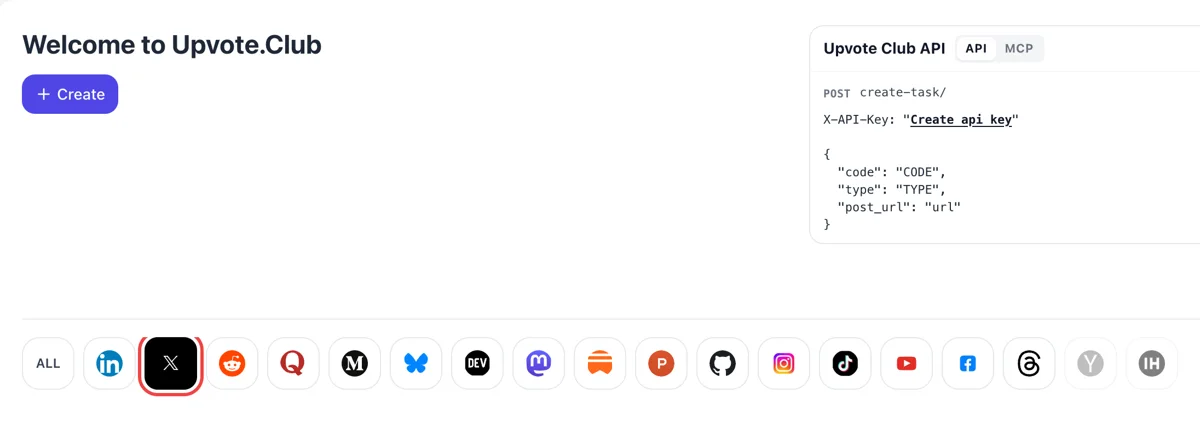
Pick X after signing in with Apple
Sign in with Apple on the Welcome to Upvote.Club page, press Create and choose the X logo in the strip of networks. You land on a form built around hearts.
Submit the address of a public X post and the community adds hearts to it.
Working with any agent




POSTcreate-task/
{
  "social_network_code": "TWITTER",
  "type": "LIKE",
  "post_url": "https://twitter.com/username/status/123456789",
  "actions_required": 10
}
Trusted by 88,000+ community members
We are a community of people who help each other grow their personal brand on social media. How It Works Our top priority is a zero-bot policy. We are maintaining a clean and safe community with real people. A variety of GEOs and interests are available inside our community.
Every heart is pressed by a person with a personal X profile, so the count climbs the way it does under any post that people notice.
A public post address is the whole input. Your X credentials, direct messages and followers list play no part in placing a heart.
Guides on openings, formats and timing for X sit on the blog, so the likes you collect land on posts that earn them.
Under every X post sits a row of numbers, and the heart count is the one a visitor reads before the text. Two likes and twenty likes send different messages. Early likes give a new post the look of something worth stopping for.
Posts on X are judged quickly. The For You feed predicts whether a viewer will like, reply or repost, and a post that already has likes is easier to show to the next viewer. An early burst of hearts gives the post momentum when it counts most.
When a stranger likes a post, the author sees it in notifications. When a stranger reads a post that others already like, they are more likely to click your name next. More profile visits means more chances for a follow.
Post two versions of an idea and compare their like counts after a few days. Readers vote with a single press, so the numbers show which topic, hook or format your audience prefers, and you write more of what works.
Your best older post can use fresh likes as well. Paste its link, add likes, and the post that anchors your profile or your pinned slot looks as strong as the work it represents.
No extra steps are needed after you have the post link. Copy the address of a public post, choose likes, and you are done, so likes fit into the routine of publishing and never replace it. Most people finish the request in under a minute and go back to writing.
Sign in with Apple on the Welcome to Upvote.Club page, press Create and choose the X logo in the strip of networks. You land on a form built around hearts.
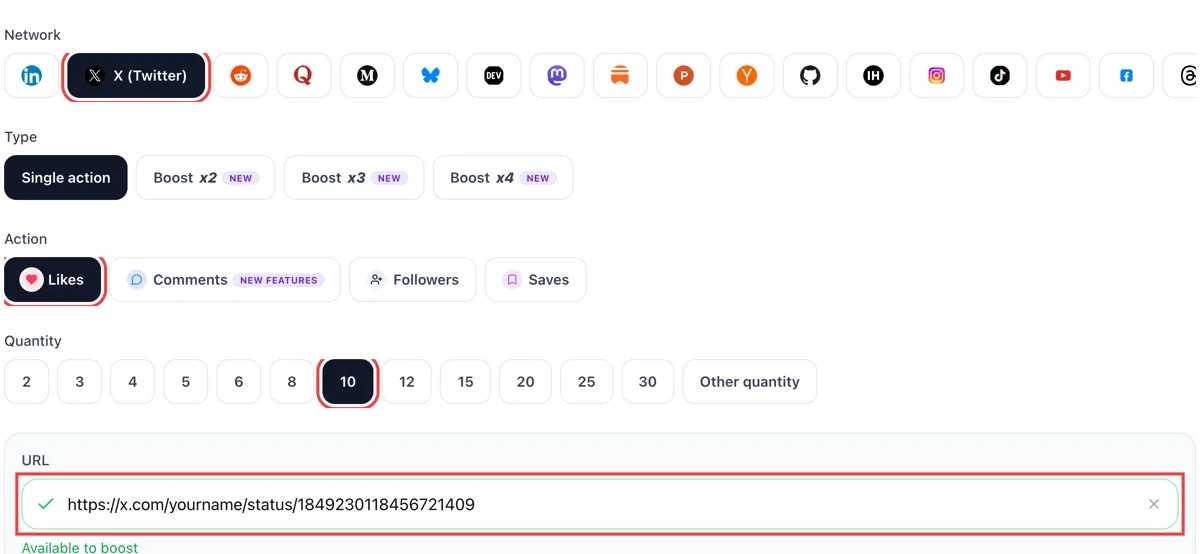
Hearts are the action to select. Next comes the address of one public tweet, and a tick confirms that X can open it. Finish with the count of hearts you want sitting under that post.
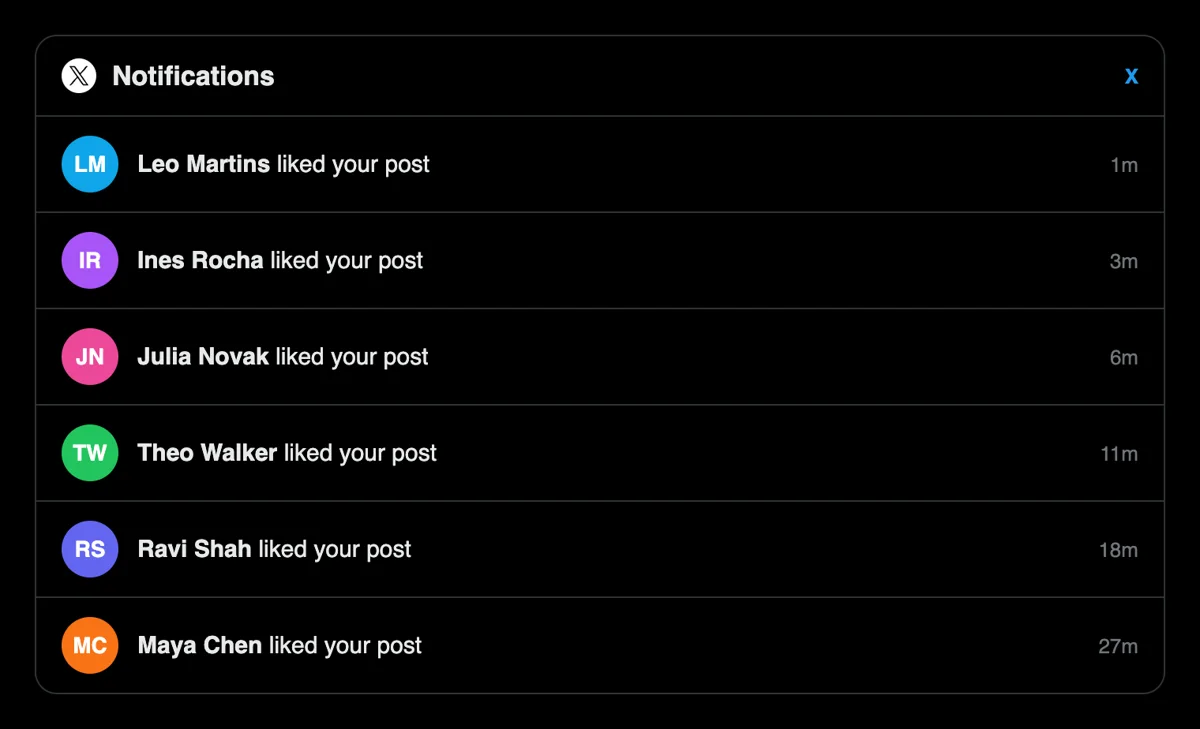
Switch to Notifications on X and you will see liked your post, each stamped a few minutes ago. Open one and check who pressed the heart and what else they publish.
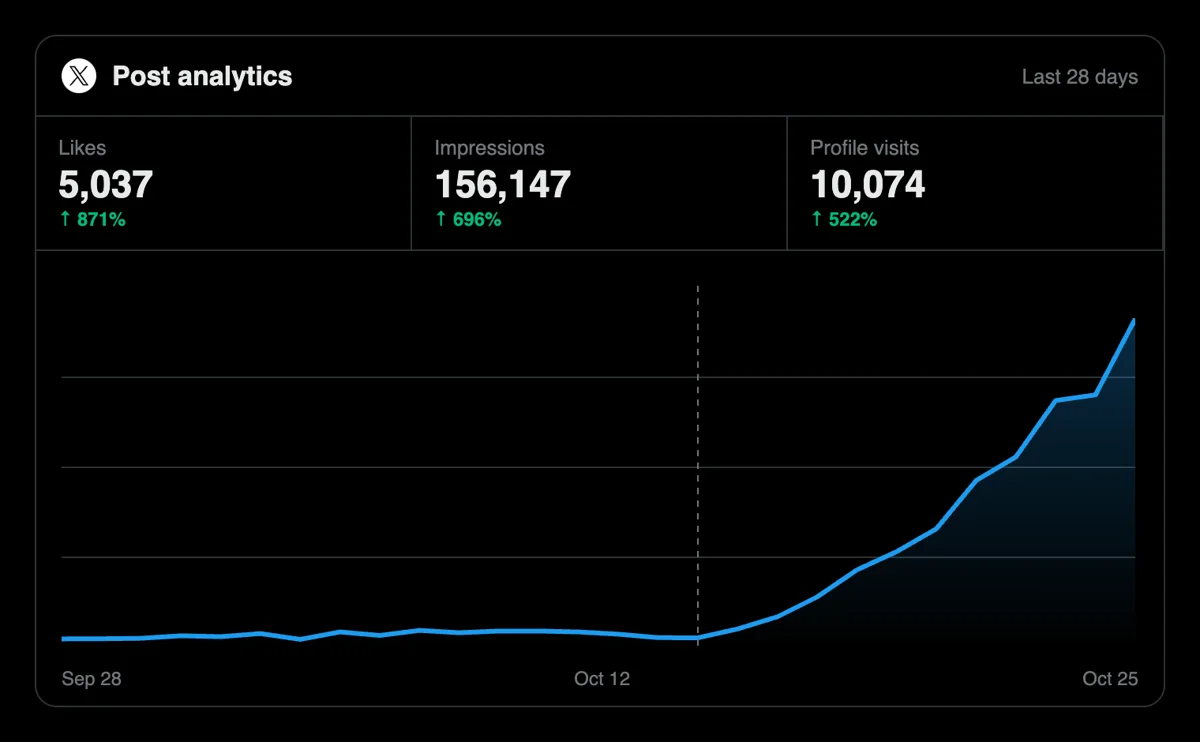
Watch the figure beside the heart climb, then compare it with your last few posts. X analytics shows whether impressions went past your own followers this time.
Writers on a posting schedule can have a script place heart orders as each tweet goes out, or hand the job to an AI agent speaking MCP. Fields and examples for X sit in the docs. Check the X likes call in the API docs
Get 5 free X (Twitter) likes every 24 hours. Upgrade only when you need more.
Free
Forever
What's included
$59/ year
Billed annually
What's included
$0/ first 3 days
After $49 / month
What's included
Unlimited tasks per day. Unlimited connections to social media accounts. Pin your post at the top.
Promote posts to verified users. API access. Unlimited engagement actions per day.
Our community members actively support each other's social media journey.
Join 88,000+ creators, brands, founders, and marketers already growing their audience
Twitter likes aren’t everything, but they help. And this made that part easier.
Nov 17, 2025
If you know how X works now, you know early likes matter. This helped with that part.
Dec 4, 2025
very nice
Nov 22, 2025
Wow
Dec 3, 2025
my X posts were dying on arrival, not anymore
Aug 31, 2024
fast likes on Twitter, clean process 👌
Jan 1, 2026
used this to boost my tweets about our product launch
Oct 4, 2024
thought it was too good to be true but it delivered
Jan 30, 2024
great for getting early traction on important tweets ✅
Aug 15, 2025
I run X as my main channel for sharing startup updates and industry takes. The problem with Twitter's algorithm is brutal - if a tweet doesn't get likes in the first 30 minutes it's basically dead. I started using Upvote Club to seed likes on my most important posts right after publishing and the difference is huge. Tweets stay alive longer in the feed, get picked up by people outside my followers, and sometimes catch enough momentum to go semi-viral in my niche. It's become part of my posting routine at this point and I'm not going back.
Jan 6, 2024
my X posts were dying on arrival, not anymore
Feb 22, 2024
fast likes on Twitter, clean process 👌
Feb 26, 2024
used this to boost my tweets about our product launch
Jul 20, 2024
thought it was too good to be true but it delivered
Sep 7, 2024
great for getting early traction on important tweets ✅
Mar 7, 2026
I run X as my main channel for sharing startup updates and industry takes. The problem with Twitter's algorithm is brutal - if a tweet doesn't get likes in the first 30 minutes it's basically dead. I started using Upvote Club to seed likes on my most important posts right after publishing and the difference is huge. Tweets stay alive longer in the feed, get picked up by people outside my followers, and sometimes catch enough momentum to go semi-viral in my niche. It's become part of my posting routine at this point and I'm not going back.
Feb 27, 2026
Blog
Guides and tips on growing social media with real community engagement.

Imagine you're standing backstage at the biggest concert of your life. The lights are dim. You can hear the crowd murmuring. The first chord hits and only those with rhythm, presence, and reputation w...

Discover the 10 best Twitter marketing tools of 2025. Compare features, pricing, and real results. From AI content to analytics. Save 15+ hours weekly

The Dirty Fantasy of Twitter Fame Everybody circles the same fire: how to get famous on Twitter? They don't ask it out loud, but the hunger is visible in every indie hacker drafting threads or solo cr...
FAQ
Yes, on a post that deserves attention. A visible heart count gives a stranger a reason to read, and the For You feed weighs predicted likes when it picks what to show next. Getting the setup right is what Upvote.club is for. Add a clear opening line and the effect becomes easier to measure.
Growth you can read off the post. A strong count attracts profile visits, visits turn into follows, and followers meet your next post in their timeline. Through Upvote.club the likes arrive from the community, so the benefit builds on every later post you write.
No. Since June 2024, X keeps the list of liked posts private to each account, so the Likes tab on a profile can be opened only by its owner. The author of a post still sees the likes it received in notifications, and the total count stays visible to everyone under the post.
As soon as the post is live. The timeline moves fast, and the first stretch after publishing decides whether the post spreads past your followers. Publish by hand, copy the link straight away and submit the request while the post is still new. Older posts can also take likes, which helps when you pin one.
Yes. Any public post has its own address, including replies and quote posts, and you can paste that address in the same way. This is handy when a reply under a bigger account gets noticed, because extra hearts keep that reply visible for longer in the thread.
A like is a quick vote, and a reply is a sentence of conversation. Likes help a post look worth reading, and replies help it feel alive. If you have to choose one for a new post, take likes first, then add replies when the post has an idea people can discuss.
Indirectly, yes. Likes make a post look worth reading, and readers who agree tend to click your name. If your profile has a clear bio and a strong pinned post, that visit becomes a follow. For a direct route, use the follow page on the profile itself.
Short, specific posts. A result with a number, a screenshot with one line of context, a clear opinion or a small win from this week tend to collect hearts. Long preambles and generic motivation collect few. Study your three best posts and copy the shape, not the topic.
No tally exists. Likes you receive are not a loan, and people who pressed the heart will not check your account for a return visit. Like other posts when you enjoy them, and keep your own Likes list for yourself.
It does. According to X, protected posts can be opened only by approved followers and stay out of search engines, so an outsider who receives the address sees nothing. Open the account or pick a public post before you copy the link.
There is, together with MCP connectors for AI assistants. Anyone who publishes many posts can have each new address submitted automatically, so every post collects its first hearts without a trip to the browser. The API page has the examples.
Nothing. Log in with Google or Apple, add the address of a public post and select hearts. Paid plans exist for heavier use, and you can compare the count under that single post with your usual numbers before you think about them at all.
Yes. Any public post has a lasting address, so you can submit one from last week or from last year. Older posts that still collect visits from search or from your pinned slot benefit most, because the heart count is what a new visitor reads first when they land there.
There is no fixed number. Compare with your own recent posts and with accounts of a similar size in your niche. A post that clearly sits above your usual count reads as a success to a visitor. Look at your last ten posts, find the typical range and aim a little above it.
Open the post and select view post activity, or use X analytics for a table of all your posts. Each row shows impressions, interactions, likes, reposts, replies and profile clicks. Looking at likes next to impressions tells you whether the hearts came along with wider reach. Check the post a few days after hearts from Upvote.club arrive and compare it with an earlier post that had none, so you can judge the difference from your own numbers. The same panel also lets you compare a thread against a single post, which is the quickest way to learn which format your readers prefer.
Premium subscribers can switch on Undo post and choose a delay of 5, 10, 20, 30 or 60 seconds before a post goes out. Within that window you can pull the post back and correct it, which keeps a wrong link or typo from collecting hearts. Hearts belong on the final version, so send the post, confirm the link works, and only then paste it into Upvote.club. A short delay is cheap insurance for anyone who posts in a hurry.