

Table of Contents
- Building Your Content Calendar Foundation
- Define Your Core Content Pillars
- Set Specific and Measurable Goals
- Identify and Understand Your Audience
- Choosing Your Tools and Template
- Finding the Right Tool for Your Workflow
- Essential Fields for Your Calendar Template
- Driving Engagement from Day One
- Filling Your Calendar with Strategic Content
- Give First, Sell Second: The 80/20 Rule
- Keeping the Idea Well from Running Dry
- Matching the Format to the Platform
- The Magic of Batch Creating
- Scheduling Posts and Driving Early Engagement
- Timing Is Everything
- How We Make Early Engagement Simple
- Why This Method Works
- Measuring Performance and Refining Your Plan
- Identifying Your Key Performance Indicators
- Key Metrics to Track Based on Your Content Goal
- From Data to Actionable Adjustments
- How We Use Data to Refine Engagement
- Your Top Content Calendar Questions, Answered
- How Far Ahead Should I Actually Plan My Calendar?
- What Are the Best Free Tools for a Content Calendar?
- Okay, I’ve Scheduled My Content. Now How Do I Get People to See It?
Every solid content calendar starts with a plan. You need to figure out your goals, get clear on your audience, and choose your core content pillars. This groundwork is what makes sure every single thing you create has a purpose and connects with the right people.
Building Your Content Calendar Foundation
Before you think about scheduling a single post, you need a strategy. A content calendar without a solid foundation is just a list of random ideas. The real work is in answering three questions: Why are you creating content? Who is it for? And what are you going to talk about?
Nailing these fundamentals is what turns a basic schedule into a real engine for growth.

Define Your Core Content Pillars
Content pillars are the main themes you'll consistently talk about. Think of them as the handful of topics you want your brand to be known for. These pillars keep your brainstorming focused and your message consistent, so your content doesn't feel all over the place.
For example, a small business that sells eco-friendly home goods might land on these pillars:
- Sustainable Living Tips
- Product Spotlights & Behind-the-Scenes
- DIY Home Projects with Natural Materials
See how they tie directly into the business and what their audience cares about? Sticking to these helps them build authority and attract followers who are interested in what they have to say. For more on this, check out this guide on how to create a content calendar that fuels LinkedIn growth.
Set Specific and Measurable Goals
Your content needs a job. If you don't have clear goals, you have no way of knowing if your efforts are paying off. Your content objectives should always tie back to bigger business outcomes.
Instead of a vague goal like "get more followers," get specific. Try something like this:
- Increase website traffic from social media by 15% in the next quarter.
- Generate 20 new leads per month through our blog content.
- Boost engagement rate on Instagram posts by 2% over the next 30 days.
These kinds of goals give you clarity. Now, every idea you consider for your calendar can be measured against one question: "Does this help us hit our target?"
Identify and Understand Your Audience
You can't create content that connects if you don't know who you're talking to. Go beyond basic demographics. You need to map out your ideal audience's real-world pain points, questions, and interests. What problems keep them up at night? What kind of content do they enjoy consuming?
Let's say a financial advisor is targeting young professionals. They might find out this group struggles with investing basics and prefers short, punchy educational videos on TikTok. That information tells them what formats and topics need to fill their calendar. It also helps tailor the message for specific platforms, like we cover in our guide on how to generate leads on LinkedIn.
A successful content calendar is built on knowing your audience's needs. It's not about what you want to say; it's about what they need to hear.
Once you have these foundational pieces in place—your pillars, goals, and audience information—you're finally ready to start building the calendar itself. This initial strategic work is what separates content that gets ignored from content that builds a loyal community and drives real results. After all, a plan is only as good as the strategy behind it.
Choosing Your Tools and Template
Alright, you've got your strategy mapped out. Now for the next part: building the calendar. This is where your big-picture plans become a real, working document that you'll use day-to-day.
Don't overthink the tool at this stage. The "best" tool is simply the one your team will use. Many people get hung up on finding the perfect, feature-packed software, but you can get started with something simple.
I’ve seen marketing teams run their entire operation from a well-organized Google Sheet. As your needs grow, you can always move to something more specialized.
Finding the Right Tool for Your Workflow
The market is full of content planning tools, and each has its own strengths. Your choice boils down to your team's size, your budget, and the features you need.
- Spreadsheets (Google Sheets, Excel): This is the perfect starting point. They're free, infinitely customizable, and easy for small teams or solo creators. You can set up columns for all your key info and share access in seconds.
- Project Management Tools (Trello, Asana, Monday): These platforms bring a more visual style to the process. Trello's Kanban boards are great for dragging content from an "idea" column to "published." Tools like Asana and Monday are more robust, built for assigning specific tasks, managing deadlines, and handling complex workflows with larger teams.
No matter what you pick, the goal is the same: to get your entire content process organized in one place.
Essential Fields for Your Calendar Template
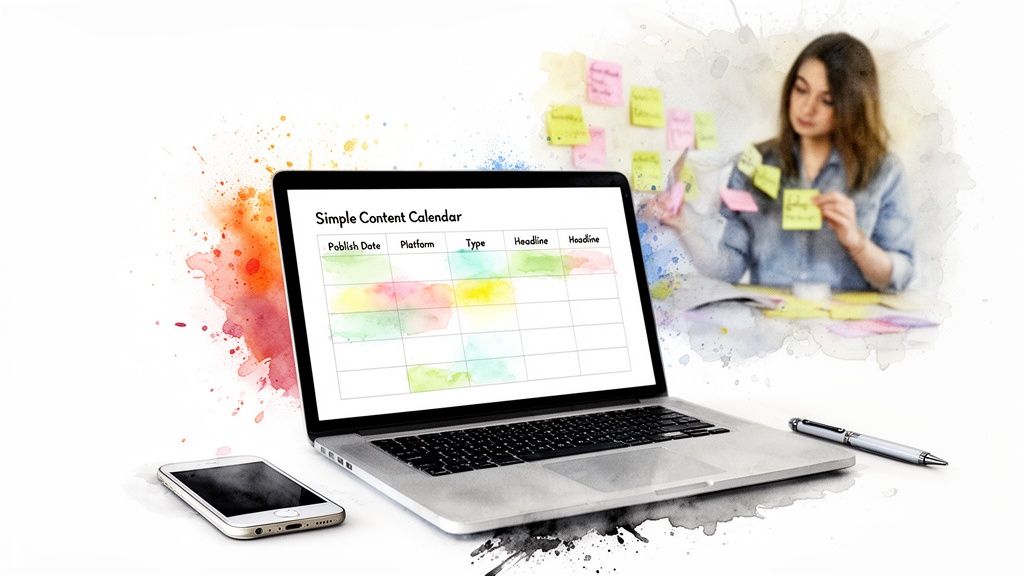
A useful calendar is all in the details. Getting the right information locked in from the start keeps everyone on the same page and makes it easier to see what’s working later on. Think of it as building the foundation—every effective template needs a few key fields.
At a minimum, your calendar needs to answer the basics: what's being published, where is it going, when does it go live, and who's responsible? It also needs a simple way to track where each piece of content is in the pipeline.
Here’s a breakdown of the key components to include in your content calendar for effective planning and tracking.
| Field | Purpose | Example |
|---|---|---|
| Publish Date & Time | Specifies exactly when the content will go live to maintain a consistent schedule. | October 26, 9:00 AM EST |
| Platform | Identifies the social network or channel where the content will be posted. | Instagram, TikTok, LinkedIn |
| Content Type | Defines the format of the post to ensure a good mix of content. | Carousel, Video, Blog Post |
| Topic/Pillar | Connects the post back to your core content strategy and themes. | Sustainable Living Tips |
| Headline/Caption | Provides the final copy for the post, ready for publishing. | "5 Easy Swaps for a Greener Kitchen" |
| Visuals | Links to the image, video, or graphic assets needed for the post. | [Link to Google Drive folder] |
| Status | Tracks the content's progress through the production workflow. | Idea > In Progress > Approved > Scheduled |
| Performance Metrics | Records key data points after publishing to measure success. | Likes, Comments, Shares, Clicks |
Once you have these fields set up, your calendar becomes more than just a schedule—it’s the single source of truth for your entire content operation.
An effective content calendar is more than just a schedule; it’s a single source of truth for your entire content operation. It aligns your team, clarifies responsibilities, and provides a clear view of your strategy in action.
Driving Engagement from Day One
Once your calendar is running, you can start layering in promotion. Getting that initial burst of engagement right after you hit "publish" is important. It sends a signal to the algorithms that your content is worth showing to a wider audience.
This is where you can plug a service like our own, Upvote.club, directly into your workflow. As you’re scheduling a post in your calendar, you can just as easily create a task in our system to get that initial traction. With our Upvote.club service, you can use our Chrome extension for social media tasks to make this very convenient.
When you join our Upvote.club community, we give you 13 free points and two task slots to get you started. You can use these to get your first few likes from our community of real, verified people. We operate on a community-driven model: you earn points by completing tasks for others, then spend those points to create your own tasks. It's a simple, authentic way to kickstart the engagement every piece of content needs to perform well.
Filling Your Calendar with Strategic Content
So, you've got a solid template. That's a huge step. But now you're staring at a grid of empty boxes, which can feel just as intimidating as a blank page.
The trick is to stop thinking about creating content from scratch every single day. Instead, you need a repeatable system for generating and scheduling ideas. This takes the daily pressure off—"What am I going to post today?"—and replaces it with a calm, strategic process. The goal is to build a bank of content that's ready to go, aligned with your pillars, and planned out weeks ahead.
Give First, Sell Second: The 80/20 Rule
Not every post should be a sales pitch. Most of them shouldn't be. A great way to structure your calendar is by using the 80/20 rule.
This means 80% of your content should be helpful, educational, or entertaining for your audience. Only 20% should be directly promotional.
This is how you build a real community and earn trust. That 80% is where you share industry information, answer common questions, or show behind-the-scenes content. The 20% is where you earn the right to talk about what you're selling.
When your audience knows you're there to help them more than you're there to sell to them, they'll be far more receptive when you do present an offer. It shifts the entire dynamic of your relationship.
Keeping the Idea Well from Running Dry
Your calendar needs a steady flow of fresh ideas to work. The good news? You don't have to reinvent the wheel every time. Here are a few reliable ways to keep your idea pipeline full.
Repurpose Your Winners: Look into your analytics. Which blog post drove the most traffic? What video got the most comments? Take that proven piece of content and slice it into new formats. A hit blog post can easily become an Instagram carousel, a series of TikTok videos, or an infographic. You already know the topic connects, so just give it a new life.
Plan Around Key Moments: Your calendar should be anchored by important dates. Get all the relevant holidays, industry conferences, and seasonal trends on there well in advance. This lets you build entire campaigns around these events instead of scrambling to put something together at the last minute.
Answer Your Audience's Questions: Your DMs, comment sections, and customer support tickets are a goldmine for content ideas. What are people asking you all the time? Every one of those questions is a potential post, video, or even a detailed guide. For a deeper look at turning audience questions into engaging articles, check out our resources on writing for platforms like Medium.
Matching the Format to the Platform
The way you present your content is just as important as the topic itself. A brilliant idea that would work well as a Twitter thread might bomb as a single Instagram image. Your calendar needs to specify the format for every single piece.
For example, data shows that Instagram carousels can drive higher engagement than static posts. On the other hand, short-form video is king on platforms like TikTok and YouTube Shorts. When you're planning, always ask: what's the best way to package this message for this specific platform?
The Magic of Batch Creating
Once you have a list of ideas and their formats, the single most efficient way to get it all done is batching. This means you dedicate specific blocks of time to create a week's—or even a month's—worth of content all at once.
Instead of trying to write a post, film a video, and design a graphic every single day, you do all your writing on Monday. All your filming on Tuesday. All your design on Wednesday. This workflow is a game-changer because it eliminates context-switching and saves a great deal of time and mental energy. Your calendar is what makes this possible, showing you what needs to be created and when.
When you pair batching with a smart promotion strategy, your content calendar becomes a true growth engine. After batch-creating your posts, you can also batch your engagement. With our Upvote.club service, you can line up authentic engagement for all your upcoming content in one go. That way, the moment your scheduled posts go live, our community of real users is ready to provide that first wave of likes and comments, giving each piece the momentum it needs.
Scheduling Posts and Driving Early Engagement
Creating great content is only half the job. You can build the most organized content calendar in the world, but if nobody sees what you post, what's the point? This is where we move from planning to execution—getting your content scheduled for maximum impact and kicking off engagement the second it goes live.
There's a concept that top influencer agencies have been using for years: the "Golden Hour." It’s that first hour after a post is published. This is when social media algorithms are paying close attention to how people are reacting.
Early likes, comments, and shares act as a powerful signal that your content is good. This initial buzz tells the platform, "Hey, people like this!" and encourages it to push your post to a much wider audience. Nailing this initial interaction isn't just a nice-to-have; it's a core part of a winning content strategy.
This simple workflow shows how to think about your content process, from balancing what you create to working efficiently.
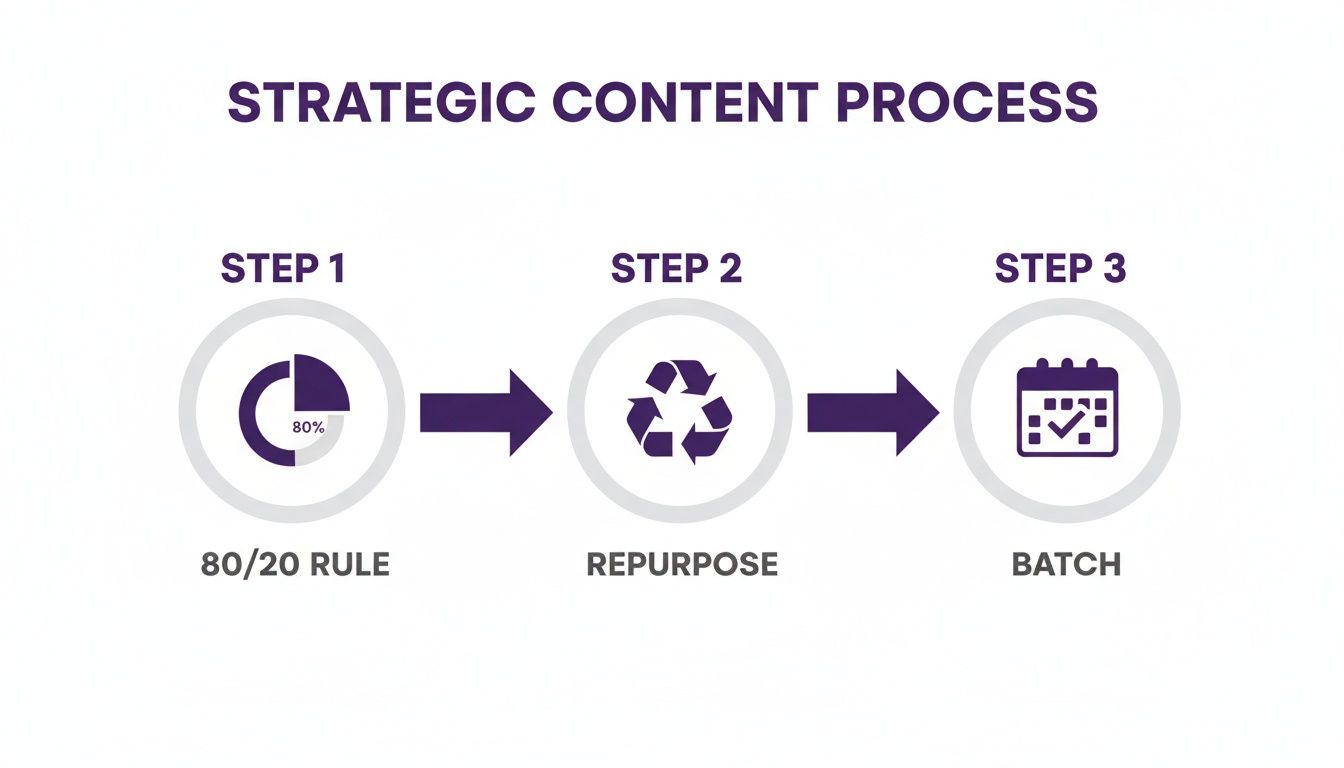
By mixing up your content types and batching your work, you build a system that's both effective and sustainable.
Timing Is Everything
Every platform has its own rhythm, its own peak hours when users are most active. Posting when your audience is scrolling gives your content the best chance of being seen right away. Your own analytics will always be your best guide, but there are some general rules to start with.
- Instagram & TikTok: People are often scrolling during weekday lunchtimes (11 AM – 1 PM) and after work (7 PM – 9 PM).
- LinkedIn: It’s all about the 9-to-5 crowd. Think Tuesday through Thursday mornings, between 9 AM and 11 AM.
- Twitter (X): This platform moves at lightning speed. You'll often find high activity during morning commutes and lunch breaks.
Of course, you don’t have to be glued to your phone to hit these windows. Scheduling tools are your best friend here. If you want to get smart about it, you can even schedule social media posts with AI to handle the busywork.
How We Make Early Engagement Simple
This is where a tool like our own, Upvote.club, fits perfectly into your workflow. Instead of hoping for engagement, you can build it right into your calendar. Our platform is a community of real, verified users who are all helping each other grow. This isn't about buying fake likes; it's a give-and-take community.
With our Upvote.club service, you can set up tasks for your newly published content to get likes, comments, and shares from real people. Because every interaction comes from a genuine user, it’s the kind of authentic engagement that platform algorithms are designed to reward.
Here’s what that looks like in practice:
- Schedule Your Post: Use your calendar and scheduling tool to set your content to publish.
- Create a Task in Upvote.club: Pop over to our platform and create a task for that specific post, asking for likes, comments, or whatever you need.
- Launch the Task: Set the task to activate right after your post goes live.
When you sign up, we start you off with 13 free points and two task slots—more than enough to try it out. For example, getting a few likes on a Twitter post might only cost 4 points. You earn more points by completing tasks for others. It’s a self-sustaining cycle of authentic interaction.
The first hour of a post's life can determine its entire reach. Securing early, authentic engagement is one of the most direct ways to tell algorithms that your content deserves attention.
Why This Method Works
There are only two real ways to grow on social media: consistently post high-quality content and get engagement. The Golden Hour principle is a proven strategy used by the pros to give their content an immediate advantage.
By creating that initial burst of activity, you're giving the algorithm exactly the signals it’s looking for. It sees your post as engaging and is more likely to feature it on discovery pages or push it into more user feeds.
With Upvote.club, we're making this powerful method accessible to everyday users who want more reach on social media. Our moderation is strict—no bots allowed—and our unique emoji-based verification keeps your account safe without ever asking for your password. By building this step into your content calendar, you shift from just publishing content to actively engineering its organic growth from the very first minute.
Measuring Performance and Refining Your Plan
A content calendar isn't a "set it and forget it" thing. Think of it as a living document, a dynamic tool that should shift and adapt based on what your data is telling you. Publishing content without tracking its performance is like shouting into the void—you have no idea who's listening or what's landing.
This is where you close the loop, turning raw data into smarter decisions for what you've got planned next. Getting good at creating a content calendar that works means getting comfortable with your analytics. The goal isn't just to rack up numbers, but to understand the story they tell about your audience and your strategy.

Identifying Your Key Performance Indicators
The metrics you track should tie directly back to the goals you set in the beginning. If your main objective is to build brand awareness, then metrics like reach and impressions are your North Star. If you’re focused on building a community, then engagement rate is what matters most.
Don't fall into the trap of tracking every single metric. That's a sure way to get overwhelmed. Instead, focus on the handful that truly indicate whether you're moving closer to your goals. This clarity keeps you from getting lost in a sea of data that doesn’t help you make your next move.
To help you get started, here's a quick look at which performance indicators you should focus on based on your primary objectives.
Key Metrics to Track Based on Your Content Goal
A guide to selecting the right performance indicators to measure content success based on your primary objectives.
| Content Goal | Primary Metrics | Example Measurement |
|---|---|---|
| Increase Brand Awareness | Reach, Impressions, Follower Growth | "Our Instagram reach increased by 20% month-over-month." |
| Boost Community Engagement | Likes, Comments, Shares, Saves | "The average engagement rate on our carousels was 4.5%." |
| Drive Website Traffic | Click-Through Rate (CTR), Link Clicks | "Our latest blog post drove 500 clicks from Twitter." |
| Generate Leads | Form Submissions, Download Counts | "The ebook download link generated 75 new email sign-ups." |
When you align your metrics with your goals like this, you create a clear feedback system that tells you what’s hitting the mark and what’s falling flat.
From Data to Actionable Adjustments
Once you have your data, it's time to dig in. Start looking for patterns. Are video posts consistently outperforming your static images? Does your audience engage more with "how-to" guides than with your behind-the-scenes content?
These observations are gold. They're telling you exactly what your audience wants more of. If you find that posts about a specific content pillar are getting massive engagement, that's a clear signal to double down on that topic in next month's calendar.
A content calendar should be a feedback loop, not a rigid schedule. Your performance data is your audience telling you what they want to see next. Listen to it.
This process is all about making small, informed tweaks over time. Maybe you notice your LinkedIn posts perform best when published at 9 AM, not 11 AM. You adjust the schedule. Perhaps a certain type of call-to-action is driving more clicks. You start using it more often. Simple as that.
How We Use Data to Refine Engagement
At Upvote.club, we see the direct impact of this refinement process every day. When our users set up engagement tasks, they can see exactly which posts benefit most from that initial boost. For example, you might run two tasks—one for a video on TikTok and another for a carousel on Instagram.
By looking at the results, you might find that the initial engagement on your videos provides a much bigger lift in organic reach. With our Upvote.club service, you can use this information to focus your points and efforts on the content formats that give you the best return.
This helps you refine not just your content, but your entire promotion strategy as well. This data-driven approach is how you turn a good content calendar into a great one—constantly improving and delivering better results with each post.
Your Top Content Calendar Questions, Answered
Even the most seasoned pros run into questions when building out a content calendar. It's just part of the process. Getting these common sticking points sorted out early can save you a ton of headaches and keep your strategy moving along. Let's tackle a few I hear all the time.
How Far Ahead Should I Actually Plan My Calendar?
This is a classic "it depends," but I can give you a solid starting point. Planning one month in advance is the sweet spot for most people. It gives you enough breathing room to create high-quality content without feeling like you're on a hamster wheel, but you're still agile enough to jump on timely topics.
Of course, if you're gearing up for a big launch or a seasonal campaign, planning a full quarter ahead makes sense. For something fast-moving like X (Twitter), you might schedule your core posts for the month but leave daily slots open for spontaneous, in-the-moment updates. The goal is to find a rhythm that feels organized but not rigid.
What Are the Best Free Tools for a Content Calendar?
You don't need to spend a fortune to get organized. If you're just starting out or working with a lean budget, Google Sheets and Airtable are great. They're basically blank canvases, so you can build a template that tracks exactly what you need—nothing more, nothing less. Plus, they make collaboration a breeze.
Another great free option is Trello. It uses a visual Kanban-style board that’s perfect for dragging content ideas from "To-Do" to "Published." While paid tools have more bells and whistles, these free ones are more than powerful enough to run your entire content operation.
Okay, I’ve Scheduled My Content. Now How Do I Get People to See It?
This is the million-dollar question, isn't it? Getting that initial burst of visibility right after you post—especially in that "Golden Hour"—is important. This is where a smart promotion plan comes into play. We've talked about this concept in our guide on how to use Quora for marketing, where the first few answers often get the most traction.
The moment your content goes live, you need to send signals to the platform's algorithm that people are interested. With our Upvote.club service, you can schedule tasks to go live right after you publish. This sends a wave of likes and comments from our community of real people, helping your content break through the noise and reach a wider audience organically.
We built our platform to slot right into your publishing workflow. You do the hard work of creating great content; we help you get that initial engagement.
It all works on a community-based model. You earn points by helping other members, and then you spend those points to get your own content boosted. It’s a simple, sustainable loop.
When you sign up, we'll give you 13 free points and 2 task slots to get your feet wet. You can use them to get your first likes or comments from our community—which is strictly moderated to ensure it’s all real people. No bots, ever. And since we never ask for your passwords, your accounts always stay secure. It’s a straightforward way to make sure all that carefully planned content gets the attention it deserves.
Ready to give your content the initial push it needs to succeed? Join Upvote.club and become part of a community dedicated to authentic growth. Get started on Twitter and beyond.
