








Help new YouTube videos find their first audience

Add the link to a public video or channel, then choose likes, comments, saves or subscribers.

Drop the link here to get 5 Free YouTube Likes

Upvote Club API

Try the API

Working with any agentClaudeCursorChatGPTGrokVS Code

POSTcreate-task/

{
  "social_network_code": "YOUTUBE",
  "type": "LIKE",
  "post_url": "https://www.youtube.com/watch?v=dQw4w9WgXcQ",
  "actions_required": 10
}
Upvote Club community members

Trusted by 88,000+ community members

We are a community of people who help each other grow their personal brand on social media. How It Works Our top priority is a zero-bot policy. We are maintaining a clean and safe community with real people. A variety of GEOs and interests are available inside our community.

Responses arrive from member channels

A signed-in community member makes every like, comment, save and subscription from a personal account, which is why each shows on the watch page and in Studio.

Two inputs, no more

A request is made of two things: the address of a public video or channel and a Google or Apple sign-in on our site. Your YouTube account stays out of it.

Guides for each format

Our blog walks through titles, thumbnails, Shorts, comment replies and the first day after an upload, one guide per topic, for channels of any size and any format.

What visible reactions do for a YouTube channel

A watch page that looks lived in

Viewers read the like count and the comment section within seconds of a video starting. A page with some likes and a few comments feels established, so a visitor who clicked from search gives the opening minute a fair chance, and the bounce back to the results page becomes less likely.

Signals the recommendation system reads

YouTube lists likes among the signals behind its suggestions, next to watch history, search history and subscriptions. Reactions will not rescue a weak video, yet they add to the record that viewers who saw it were pleased.

Subscribers who see the next upload

A subscriber sees your new videos in the Subscriptions feed and may receive notifications when you publish. Each channel needs that base, because the first viewers of an upload decide how the video starts, and a video that starts well gets watched by many more people than one that starts in silence.

Comments that keep a video discussed

A comment thread gives viewers a reason to stay on the page and a place to ask questions. You can heart or pin the best comment, which turns a fan's line into part of the video.

Saves that bring people back

When a viewer saves a video to Watch Later or a playlist, they have decided to return. Tutorials, long interviews and reference videos earn this kind of reaction, and each save is a likely second view.

A route toward partner thresholds

YouTube sets subscriber and watch-time thresholds for monetization, starting at 500 subscribers for the first tier. Subscribers are only one part of that list, but they are the part a new channel can move quickly.

Four reaction types, one request form

Likes, comments, saves and subscribers do different jobs on YouTube. You choose per video or per channel, and you can change the mix as the channel grows.

From upload to a busier watch page

Sign in and choose the YouTube icon

Sign in and choose the YouTube icon

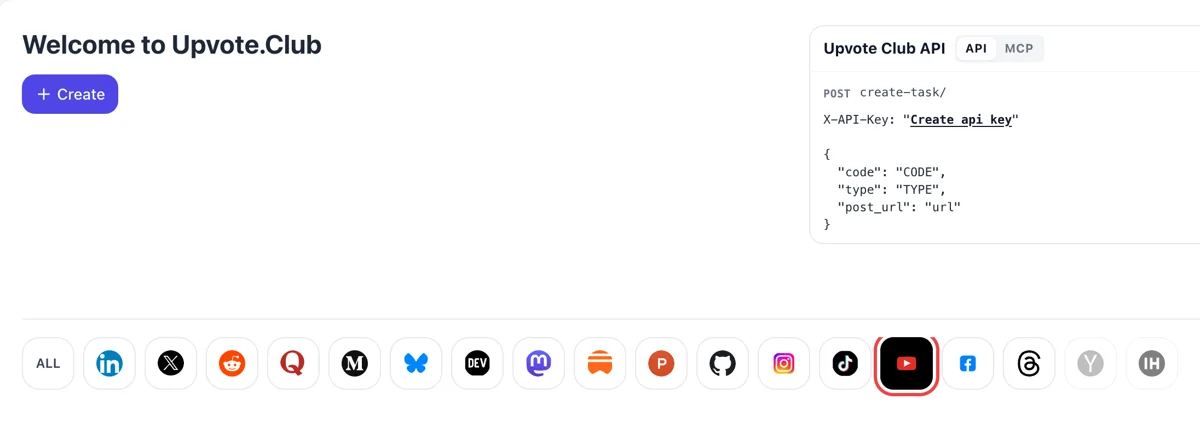
Sign in through Google or Apple and the welcome page appears. Among the icons beside Create, YouTube lights up when clicked, and the request form then covers videos, comments and channels. Nothing else needs setting up first. The same account later covers the other networks.
Pick an action, paste the watch link, set the count

Pick an action, paste the watch link, set the count

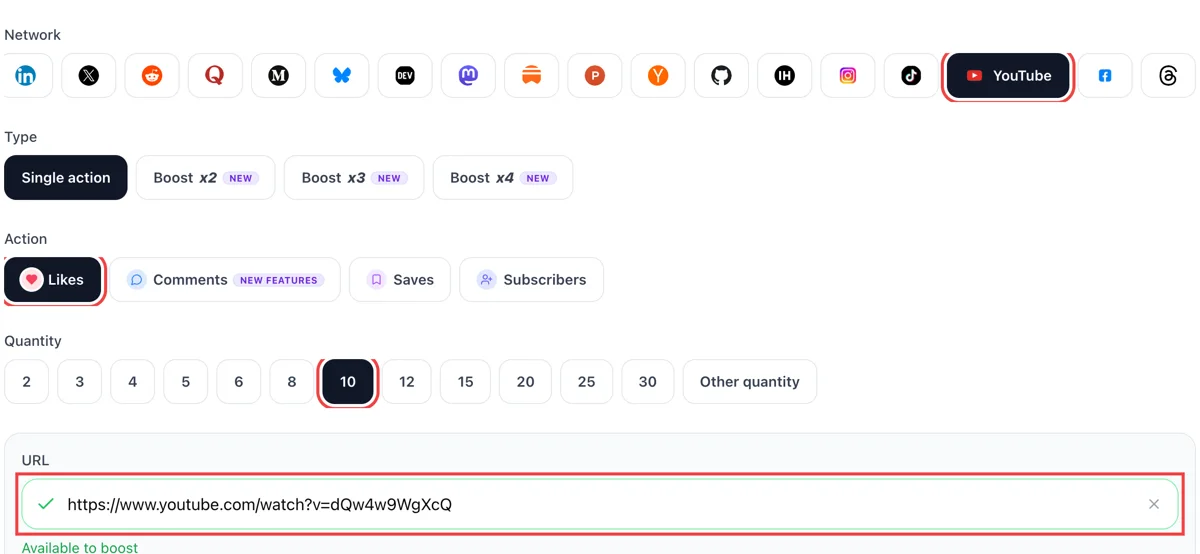
Grab a video address from the browser bar or the Share button. Choose views, likes, comments, saves or subscribers in the form, paste the link and add a number. The field flashes green when YouTube can open that video. Unlisted links work too.

Watch the bell notifications and comments

Watch the bell notifications and comments

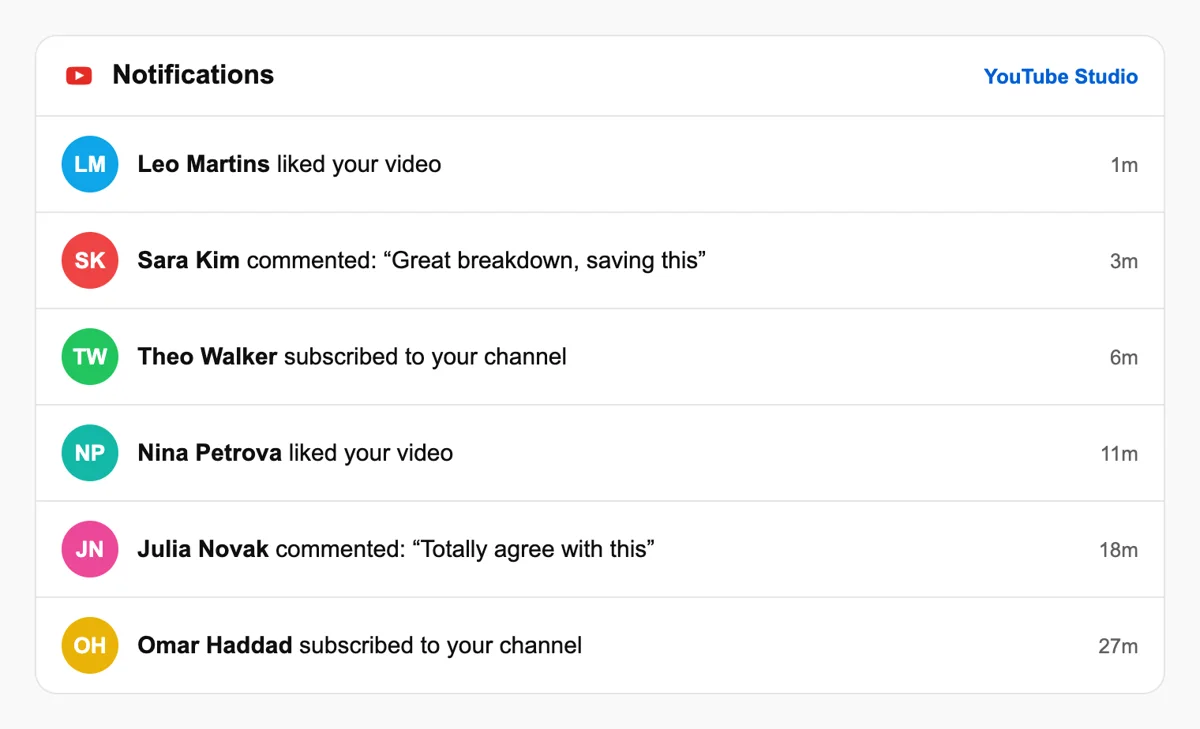
People respond from their own channels, and the bell menu in YouTube lists new comments and subscribers with a time stamp. Likes and views gather quietly beside the video. A new subscriber often arrives after a comment thread has formed.

Read the results in YouTube Studio

Read the results in YouTube Studio

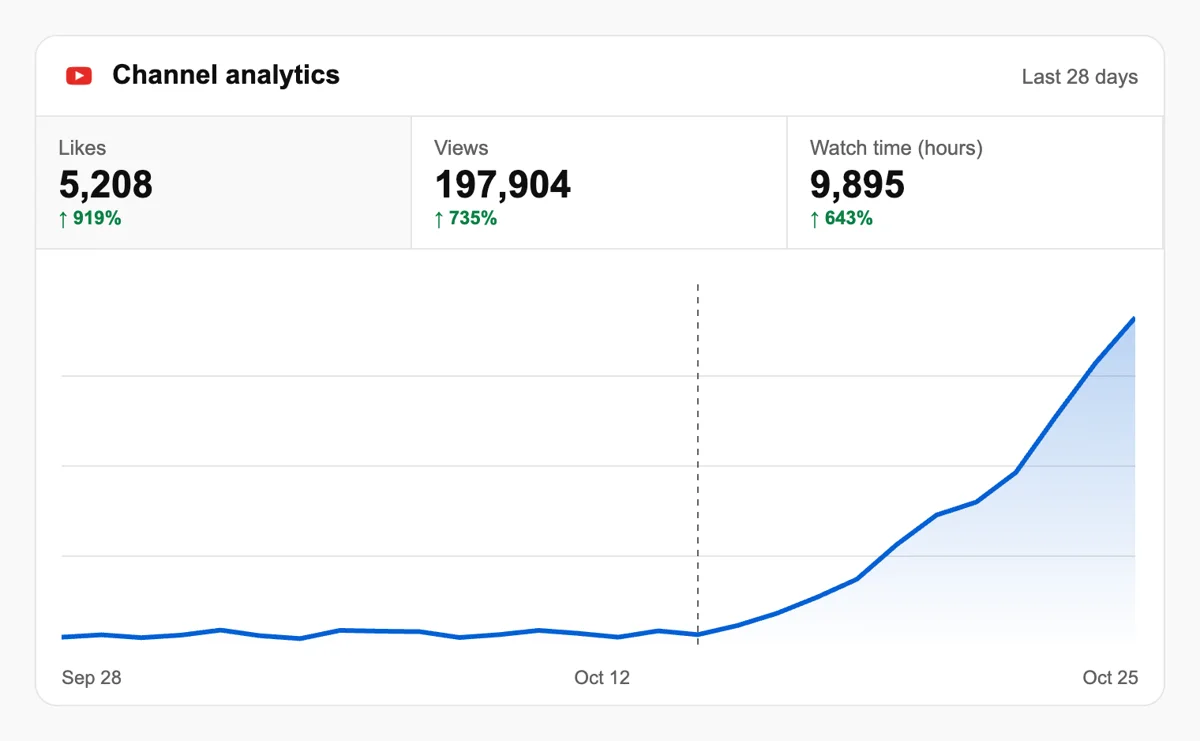
Studio Analytics charts views, watch time and subscriber change for each upload. An early lift in those lines gives the next video a stronger start in Browse and Suggested. Check the traffic sources report for the split, and note returning viewers. Retention curves show where viewers leave.

Use the API or MCP for repeat uploads

Channels with a weekly rhythm can file these requests from code, or from an AI assistant using MCP, after each upload. The dashboard then serves for reviewing what came in. Afterward, open Studio and compare the new numbers with last week's. Read the YouTube section of the API

Pricing

Get 5 free YouTube likes, comments, saves, or subscribers every 24 hours. Upgrade only when you need more.

FREE

Free

Forever

Start free

What's included

  • New240+ free social media tools included
  • Create 1 task every 24 hours
  • Get 5 free YouTube likes every 24 hours
  • Get 5 free YouTube comments every 24 hours
  • Get 5 free YouTube saves every 24 hours
  • Get 5 free YouTube subscribers every 24 hours
  • 0% discount on task creation

MEMBER

$59/ year

Billed annually

Start free

What's included

  • New240+ free social media tools included
  • Unlimited tasks per day
  • Up to 1000 YouTube likes every month
  • Up to 1000 YouTube comments every month
  • Up to 1000 YouTube saves every month
  • Up to 1000 YouTube subscribers every month
  • 0% discount on task creation
  • Pin your post at the top
  • Promote posts to verified users
  • API access
  • Long Form Comments
  • Meaningfull comments
  • Long-time view
  • Promote tasks to verified users
  • Unlimited social media accounts
  • Unlimited engagement actions per day
  • Cancel anytime — no questions asked
  • Same-day charge refund

MATE

$49/ month

Start free

What's included

  • New240+ free social media tools included
  • Unlimited tasks per day
  • Up to 1000 YouTube likes every month
  • Up to 1000 YouTube comments every month
  • Up to 1000 YouTube saves every month
  • Up to 1000 YouTube subscribers every month
  • 40% discount on task creation
  • Pin your post at the top
  • Promote posts to verified users
  • API access
  • Pin your post at the top
  • Long Form Comments
  • Meaningfull comments
  • Long-time view
  • Promote tasks to verified users
  • Unlimited social media accounts
  • Unlimited engagement actions per day
  • Cancel anytime — no questions asked
  • Same-day charge refund

Unlimited tasks per day. Unlimited connections to social media accounts. Pin your post at the top.

Read more

Promote posts to verified users. API access. Unlimited engagement actions per day.

Join a Community

Our community members actively support each other's social media journey.

Join 88,000+ creators, brands, founders, and marketers already growing their audience

Upvote Club community members

FAQ

YouTube growth questions, one at a time

Can I get YouTube likes and subscribers without paying?

You can start at no cost. Sign in through Google or Apple, add the link to a public video or channel, and name the reaction you want. Plans with a bill exist for creators who later want a steadier flow, but nothing is charged for the opening request. One video with a clear title and thumbnail makes a tidy experiment, and Studio shows the before and after.

Does asking for reactions on YouTube work?

It does, once the method is right, and Upvote.club is the service made for that. Members of the community react on your public video from channels of their own, and the counters rise. Keeping viewers afterwards depends on the video, so give titles, openings and pacing the biggest share of your effort.

What does a channel gain from this?

It gives growth when the right tool is used, and for YouTube Upvote.club is that tool. A watch page with likes and an active comment section looks established, and subscribers receive each upload in their feed. Across a run of videos the effect appears in how many viewers stay beyond the first minute. Replying to comments and pinning the best one adds a second layer, because YouTube lets the channel owner pin a comment to the top of the thread.

Which reaction fits which situation?

Likes suit a silent new video. Comments fit talks, reviews and opinions, saves fit tutorials, and subscribers belong to the moment the channel page is ready for visitors. Two pages go deeper on the two most common ways to begin: likes and subscribers.

How does YouTube choose which videos to recommend?

YouTube explains that its system reads watch history, search history, subscriptions, likes, dislikes, not-interested choices and satisfaction surveys. Each viewer gets a feed of their own. Reactions are a single input among many, so the video still has to keep people watching after they arrive. Retention, the share of a video people actually watch, is something you can read per upload in YouTube Studio.

Do Shorts and long videos need different handling?

They do. With Shorts, YouTube measures how many viewers pick a Short when it is shown, how long they remain and whether they liked it. Long videos lean on the title, the thumbnail and retention. Likes help both formats, comments and saves suit longer videos, and subscribers help every upload. A channel that mixes the two formats can ask for different reactions on each.

What subscriber numbers matter for earning on YouTube?

The expanded Partner Program starts at 500 subscribers, with three public uploads and either 3,000 watch hours or 3 million Shorts views in set windows. The higher tier asks for 1,000 subscribers plus more watch time or Shorts views. Rules differ by country, so read YouTube's own page before planning around them.

Should friends and colleagues be my first audience?

They make a solid start and they cost time. A short message to people you know can cover a launch or an announcement, although the group stays small and depends on who is free that day. A community service takes over when you publish regularly and nobody in your circle can watch every upload.

How do sub-for-sub and like-for-like groups compare?

Those groups suit swaps between creators who agree to back each other. Each exchange is arranged by hand and results vary from one video to the next. Plenty of channels run them in parallel with Upvote.club, where a reaction can be requested for a video or a channel whenever you need one.

Should an auto-uploader publish my videos?

We recommend publishing by hand from your own account. Many networks work against automated posting and low-effort content, and tools that publish for you can cost reach. An upload takes a few minutes and keeps the page looking like yours. Our free scheduler can remind you when it is time, and you press publish yourself, which keeps the upload under your own account.

Is there a free tool that adds likes automatically?

Nothing runs without a cost behind it, so somebody always pays for the result. The sensible question is who, for what reason, and whether their audience resembles yours. Pick a service whose members you can describe, and keep producing videos worth finishing, because content is what grows a channel over the long run.

What do I need to hand over to start?

Only the public address of a video or channel. A private video cannot receive reactions and an unlisted one is harder for members to open, so switch the video to public before you submit the address. Developers who prefer code can read the API page for the setup.

What should a channel trailer and the Home tab show?

YouTube can show a trailer to visitors who have not subscribed, while returning subscribers see a different featured video. Treat the trailer as a first hello for someone who has never heard of you: say what the channel covers and show a clip that proves it. The Home tab holds up to 12 sections, with Shorts, uploads and playlists filled in by default. Arrange them so a new visitor reaches your strongest series first. When likes or subscribers bring new people to the channel, this page decides whether they stay for a second video or leave after one.

What does the notification bell do for subscribers?

The bell sets how often a subscriber hears from your channel. All sends notifications for long videos and live streams, Personalized sends a selection based on the viewer's habits, and None sends nothing. New subscribers start on Personalized, so many people see only highlights. YouTube Studio reports how many of your subscribers chose All, under Analytics, then Audience. A steady upload rhythm and clear titles give people a reason to move to All. Counting subscribers is only half the picture; the bell share shows how many of them actually get told when you publish.

Do you have an API for YouTube?

Yes! We are the only service on the market that provides a full API for YouTube engagement. You can automate creating and tracking tasks for YouTube through our REST API. This is perfect for agencies managing multiple clients, influencers who need consistent engagement, or developers building custom integrations via OpenClaw or similar platforms. View YouTube API documentation.