Table of Contents
- Build a Profile That People Actually Want to Follow
- Crafting a Bio That Converts
- Building a Strong Foundation for Engagement
- Create Content That Stops the Scroll
- Sparking Genuine Conversation
- The First Hour of a Tweet
- Use Visuals and Timing to Your Advantage
- Grab Attention with Smart Visuals
- Pinpoint Your Audience's Most Active Times
- How to Engage and Build a Real Community
- Make Replying a Non-Negotiable Habit
- Strategically Engage with Others in Your Niche
- Participate in Twitter Spaces and Communities
- Give Your Content the Nudge It Needs to Fly
- How Our Community-Powered Engine Works
- Getting Started While Keeping Your Account Safe
- Why This Method Actually Works
- Your Toughest Twitter Questions, Answered
- How Many Hashtags Should I Actually Use?
- What's the "Right" Posting Frequency?
- What Is the 4-1-1 Rule on Twitter?
- Why Do I Get Likes but Zero Replies or Reposts?
- Why Am I Getting No Likes on Twitter?
- Is Buying Likes Going to Wreck My Account?
- How Much Does Twitter Pay for 1,000,000 Views?
Want more likes? It starts before you even tweet.
Creators get more likes when they combine a polished profile, scroll-stopping content, and early engagement in the first 30–60 minutes after posting. Your profile is the first handshake—if it’s sloppy, incomplete, or confusing, people will scroll right past your content without a second thought.
Build a Profile That People Actually Want to Follow
Before anyone ever likes one of your tweets, they’ll probably take a quick look at your profile. It's that split-second glance that builds credibility—or shatters it. A weak profile suggests that you're not serious, stopping potential engagement dead in its tracks.
Your profile picture is the face of your account. If you're building a personal brand, use a high-quality, professional headshot where your face is clear. It creates an instant human connection. For companies, a crisp, clean logo is the way to go, just make sure it’s recognizable even when it’s tiny. Steer clear of cluttered images or photos where you're a tiny dot in the distance.
Then there's your header image—that big banner at the top. This is your billboard, your prime real estate. Use it to tell a story.
- Show off your product or service.
- Display a tagline that nails your mission.
- Feature a shot of you speaking at an event to build authority.
- Announce a new launch or a big project you're working on.
It should work together with your profile picture and bio to create a cohesive, professional look that makes sense at a glance.
Crafting a Bio That Converts
You’ve got 160 characters for your bio. That’s your elevator pitch. It has to quickly tell visitors: Who are you? What do you do? And why should they bother following you?
Don't be vague. "Marketing enthusiast" is forgettable. "Helping SaaS startups grow with content strategy" tells me exactly what you do and who you do it for. It immediately signals what you bring to the table.
A compelling profile isn’t just a formality; it’s the foundation that makes people curious enough to see what you have to say. Small tweaks here can turn casual visitors into followers who are ready to engage with your content from day one.
And don't forget to add a link. Your website, portfolio, or latest project—give interested people a place to go next. This turns your profile from a simple bio into a genuine lead-generation tool.
Building a Strong Foundation for Engagement
A polished profile is your starting line, but you need a consistent presence to back it up. To really make a dent on Twitter, you need to build your overall social media presence, not just fix one profile. Once you're optimized, the real work begins: filling that profile with followers who will actually like and share your stuff.
A community-first approach can help with that early audience. On Upvote.club, you can create tasks to receive followers from verified community members and verified profiles. You earn points by completing tasks for others, then spend those points on your own content—a participation model built around real people, not bot farms.
See how it works and get more Twitter followers here: Twitter followers.
Create Content That Stops the Scroll
Likes aren't an accident; they're earned with content that actually connects. Your profile can be perfect, but if your tweets are bland, you’ll never see the engagement you want. The whole game is about creating content that makes someone stop their endless scroll and pay attention.
This all starts with a killer hook. Seriously, the first sentence is everything. It has to grab a reader. A bold take, a shocking stat, or a problem everyone secretly has—these are the things that make people stop and read the rest.
Sparking Genuine Conversation
One of the best ways to earn likes is to just invite people into a conversation. Asking questions is a simple, powerful way to do this. Instead of just stating your opinion, frame it as a question to your audience.
So, instead of tweeting, "Content marketing is the best strategy," try this: "What's the one content marketing strategy you absolutely can't live without?" See the difference?
Polls are another fantastic tool for low-effort interaction. They give your audience a dead-simple way to weigh in without having to type out a whole reply. People love to vote, and a sharp poll can generate a ton of quick engagement, which is a massive signal to the algorithm that your content is worth showing around.
The goal is to provide real substance with every single tweet. Whether you're dropping educational threads, quick tips, or sharp commentary, your content should leave your audience feeling like they actually gained something.
Beyond questions and polls, sharing personal stories is incredibly powerful. People connect with people, not faceless brands. A behind-the-scenes look at a project, a story about a mistake you made, or a personal win builds a much deeper connection. This is the kind of material that turns passive followers into a real community.
The First Hour of a Tweet
That first 30–60 minutes after you hit "Post"? That's the Golden Hour—the algorithm window when your content has its best shot at catching fire and reaching a way bigger audience. A quick burst of likes, replies, and reposts right away tells the Twitter algorithm your content is high-quality and needs to be seen by more people.
This initial surge is the exact strategy big influencer agencies use to make sure their clients' content gets attention. A post that gets early interaction is far more likely to get pushed into the "For You" feeds of users who don't even follow you yet.
If you want a community nudge in that window, you can create a task for early Twitter likes from verified community members on Upvote.club. You earn points by helping others, then spend them on your own posts—mutual support, not bot likes.
This principle of community engagement is powerful on any platform, by the way. Many of the same concepts apply everywhere. If you're looking to expand your reach, you might want to check out our guide on how to get more engagement on Instagram, where similar community-driven methods can deliver huge results.
By focusing on scroll-stopping hooks, sparking real conversation, and understanding the power of that first hour, you can completely transform your Twitter game and finally learn how to get more likes on Twitter consistently.
Use Visuals and Timing to Your Advantage
A brilliant tweet can easily die on the vine if it's just a wall of text you post while your audience is asleep. If you're serious about getting more likes, you need to master two brutally simple but powerful factors: what your tweet looks like and when you post it.
Get this right, and you've got a one-two punch that gives your content its best shot.
Grab Attention with Smart Visuals
Twitter is a firehose of information. To stop someone mid-scroll, you need something that snags their eye. Plain text can work, sure, but visual content consistently punches above its weight. It breaks up the monotony of the feed and gets your message across in a split second.
Visuals aren't just pretty filler; they are engagement magnets. One recent analysis drove this point home: tweets with images get 150% more likes, and video content can pull in up to 280% more likes.
Think about that. Over 500 million tweets fly out every day, but only about 15% bother to include visuals. Yet, that small fraction accounts for nearly 60% of all likes on the platform. That’s a massive, wide-open opportunity. For more on these stats, check out the full report from MissTechy.com.
You don't need a degree from art school to make this work. Here are a few dead-simple ideas:
- High-Quality Stock Photos: Sites like Unsplash or Pexels are goldmines of free, professional images.
- Simple Graphics: Use a tool like Canva to whip up branded quotes, quick tips, or basic infographics. It takes minutes.
- Embrace GIFs: A perfectly timed GIF adds personality and humor, making your tweet instantly more relatable.
Here’s a quick look at three types of interactive content that are practically guaranteed to stop the scroll: hooks, questions, and polls.
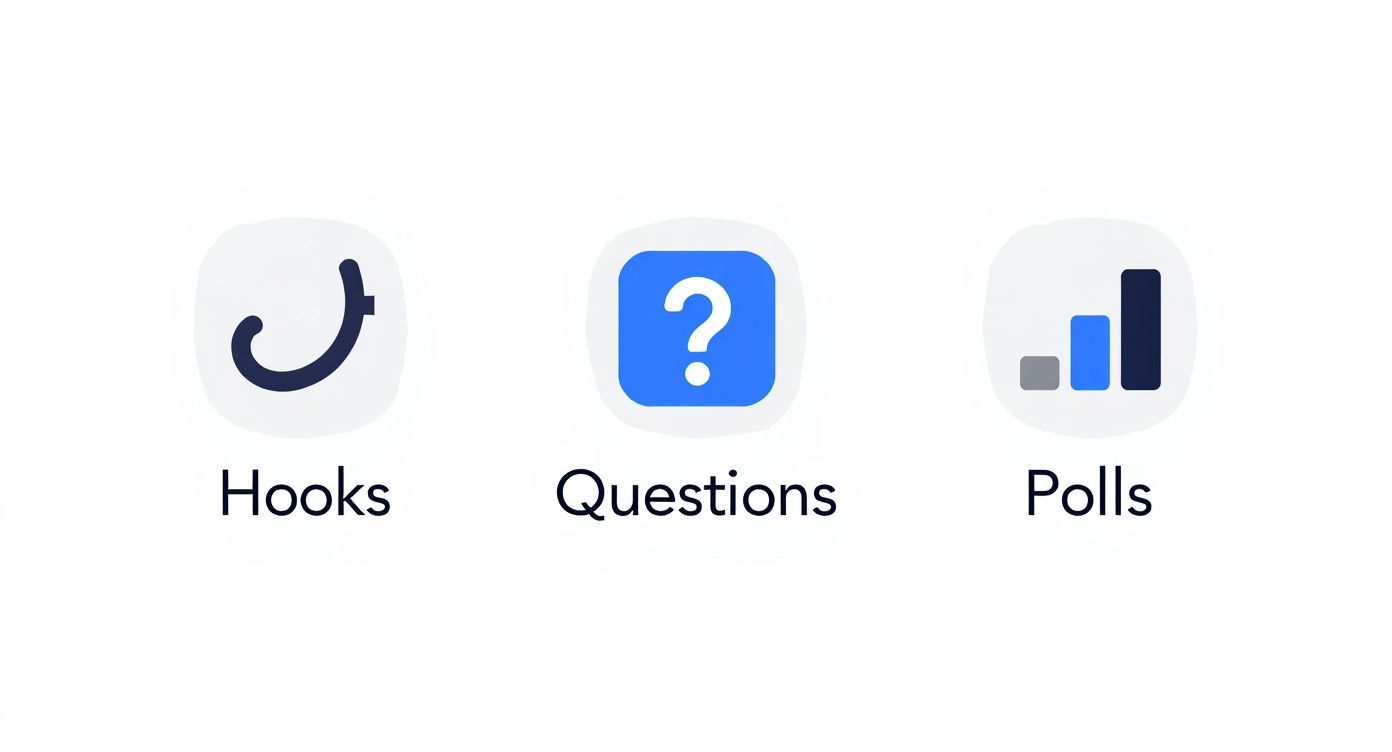
This just shows how combining a visual cue with an interactive prompt is a surefire way to drive up engagement. The principle is universal, too. It’s the same reason the visual tactics in our guide on getting more TikTok engagement work so well.
Pinpoint Your Audience's Most Active Times
Find your audience's most active times by checking when your own posts receive the most impressions and engagement. Review your X analytics if those insights are available to your account, or record the posting time and first-hour engagement for each tweet in a simple spreadsheet.
Test two or three consistent time windows for at least a week, then keep the slots that produce the strongest early response. Your own results are more useful than a universal “best time” because every audience has different habits and time zones.
If you're just starting out, general data can give you a solid baseline. The table below, based on data from Sprout Social, shows the peak engagement times for most audiences.
Optimal Posting Times for Twitter Likes (Local Time)
Posting during these peak windows can boost likes by up to 35%. The data from Sprout Social shows clear patterns during the work week when people are most likely to be taking a break and scrolling.
| Day | Best Time Window | Peak Engagement Time |
|---|---|---|
| Monday | 10:00 AM – 12:00 PM | 11:00 AM |
| Tuesday | 9:00 AM – 1:00 PM | 10:00 AM – 11:00 AM |
| Wednesday | 9:00 AM – 2:00 PM | 11:00 AM – 12:00 PM |
| Thursday | 9:00 AM – 1:00 PM | 10:00 AM – 12:00 PM |
| Friday | 9:00 AM – 11:00 AM | 10:00 AM |
Use these times as a starting point. Test them for a week, check your analytics, and adjust. The goal is to find the rhythm that works specifically for your followers.
Remember: The first 30–60 minutes after you post matter. This is the "Golden Hour," where the algorithm decides if your tweet is worth showing to more people. A quick burst of likes sends a powerful signal that your content should be seen.
This is the exact playbook top-tier influencer agencies use. They launch content at peak times to catch that initial wave of engagement. If you want a community nudge in that window, create an early Twitter likes task on Upvote.club so verified members can help your post get a fair shot in the first hour.
How to Engage and Build a Real Community
You want more likes? Stop shouting into the void. Likes are a side effect of connection, and connection doesn't happen when you just broadcast your own stuff and log off.
The real game is community. It means showing up, jumping into conversations, and adding something to the mix instead of just dropping links. This is the one thing that separates accounts that flatline from the ones that actually grow. When you're an active participant, both the algorithm and real people take notice.

Make Replying a Non-Negotiable Habit
Let’s get one thing straight: when someone comments on your tweet, replying isn’t optional. It’s the cost of entry. Ignoring comments is like hanging a "we don't care about you" sign on your profile. It's the fastest way to kill any future interaction.
Sure, a quick "thanks!" is fine in a pinch. But the real magic happens when you ask a follow-up question or build on their point. That simple back-and-forth makes people feel heard and encourages others to jump in.
A like is a nod. A reply is a handshake. Reply to every single comment, and you'll turn passive scrollers into people who actually care what you have to say.
Strategically Engage with Others in Your Niche
Your job doesn't end under your own tweets. You have to get out there and mix it up. Set aside a little time each day to interact with other accounts in your space—and I don't mean dropping generic "great post!" comments. Add something to the conversation.
Here's how to do it without being spammy:
- Curate a Hit List: Find 10-15 accounts in your field that are either influential or just really active.
- Add, Don't Just Agree: See a good post? Instead of a simple compliment, drop a related thought, ask a smart question, or share something that complements their point.
- Show Up Consistently: A few thoughtful comments every day will do more for you than a frantic burst of activity once a week.
This gets you on the radar of bigger accounts and, more importantly, their audiences. When people see you consistently adding smart takes to the conversation, they'll get curious and click over to your profile.
Participate in Twitter Spaces and Communities
Think of Twitter Spaces (live audio chats) and Communities (topic-focused groups) as your cheat code for finding your people. It’s like walking into a party where everyone is already talking about the exact things you're obsessed with.
When you're in a Space, don't just lurk in the audience. Raise your hand and share a point. In Communities, answer questions and start discussions. It’s a direct line to show off what you know and connect with some of the most engaged people on the platform.
For a deeper look, check out these proven strategies to boost overall social media engagement.
Building a community is a marathon, not a sprint, but it's the only way to get sustainable results. The likes you get from a real community are from people who actually care.
When you need a spark to start the conversation, you can create a task for verified community members to leave Twitter comments on your tweets. Earn points by helping others, then use them on your own posts.
Give Your Content the Nudge It Needs to Fly
Give a tweet its initial nudge by generating genuine likes, replies, and reposts during the first 30–60 minutes after publishing. Early interaction can help the post demonstrate relevance and earn wider distribution.
Start organically by publishing when your audience is active and replying quickly to comments. If you need additional momentum, use community participation from real people rather than fake engagement from bot farms.
https://www.youtube.com/embed/ClzBLPBSYHY
People usually mix three paths: organic tactics (this guide), free community engagement, and paid services. If you want free Twitter likes specifically, start with our free Twitter likes guide—or create a community likes task on Twitter likes. Buying fake likes from bot farms is a different (and riskier) path; keep any paid approach focused on real accounts.
How Our Community-Powered Engine Works
Upvote.club is a community-driven service where real people help each other grow—not a bot-like farm. You’re joining a network of creators and builders, with moderation focused on community members and verified profiles.
Our system uses a simple give-and-get model. You earn points by completing small tasks for other members, then spend those points to create your own tasks for likes or comments on your latest content. By helping others, you earn the ability to promote your own posts. It creates a self-sustaining cycle of genuine interaction.
The whole idea is to get your content the initial traction it needs to get noticed by the algorithm, all without touching the risky tactics that can get your account suspended. It’s about real people giving your work a real push.
When a user registers with our service, they receive 13 free points and 2 task slots. These can be used to create the first task. For example, getting 2 likes on Twitter might cost 4 points (a minimum of 2 points each). If more points are needed, the user must complete tasks for others.
Getting Started While Keeping Your Account Safe
The first time a user completes a task with our service, the system will ask them to verify their social media accounts. We put a lot of thought into this, creating a unique and secure verification process that never asks for your passwords.
We use a simple emoji-based system to confirm you're the real owner of the account. You only have to do it once per social network, and it ensures your account's integrity is always protected.
Additional task capacity depends on your plan and activity—it is not a universal daily free slot for every FREE user. Subscriptions can add points and task slots if you want to move faster, though availability and value vary by plan.
Why This Method Actually Works
There are only two real ways to grow on social media: consistently post high-quality content and get engagement. Getting likes and comments within the first 30–60 minutes after posting is what matters—this is the Golden Hour.
When that initial activity comes from real accounts, you’re sending all the right signals to the algorithm. With Upvote.club, you can coordinate early engagement—for example, create a task for a handful of likes right after you post. Getting those first interactions is often the hardest part. For that early nudge, see Twitter likes.
This initial boost helps your content break through the noise and reach a larger, organic audience—which is the entire point for anyone trying to figure out how to get more likes on Twitter.
Your Toughest Twitter Questions, Answered
Let's cut through the noise. You're creating content, pushing it out into the world, but the results feel random. Sometimes a tweet takes off, other times it dies on arrival. This isn't about luck; it's about understanding the mechanics. Here are the straight answers to the questions every creator wrestles with.
How Many Hashtags Should I Actually Use?
Forget everything you think you know about stuffing your tweets with tags. Less is more. Way more.
The sweet spot is 1-2 hyper-relevant hashtags. Anything more and you start looking like a bot, which is an instant turn-off for both users and the algorithm.
Think of it like this: are you trying to shout into a crowded stadium or have a meaningful conversation in a quiet room? A broad tag like #marketing is the stadium. A specific one like #contentstrategy or #saasmarketing is the room where your ideal audience is already gathered. Use a tool to find good options, sure, but your brain is the best filter—if the tag doesn't perfectly match the tweet's message, drop it.
What's the "Right" Posting Frequency?
Consistency eats volume for breakfast. The goal isn't to flood the timeline; it's to become a reliable presence people look forward to seeing.
For most people, posting 1-3 thoughtful tweets per day is the magic number. It's enough to stay visible without becoming background noise.
Posting too often is the fastest way to get muted. Posting too little is how you get forgotten. The real rule is simple: one brilliant tweet will always do more for you than five mediocre ones.
The key is to establish a reliable presence. A scheduling tool can be a game-changer here, helping you maintain a consistent posting cadence even when you're not actively online.
What Is the 4-1-1 Rule on Twitter?
The 4-1-1 rule is a simple content mix: for every six posts, share about four helpful or entertaining posts from others, one soft piece about your brand or work, and one direct promotion or CTA. The point is to stay useful in the feed instead of turning every tweet into a sales pitch.
You do not need a perfect ratio. Treat 4-1-1 as a reminder that likes tend to rise when most of what you post gives value first—tips, commentary, questions, and shares—while promotions stay occasional. Pair that mix with the 1–3 thoughtful tweets-per-day cadence above.
Why Do I Get Likes but Zero Replies or Reposts?
This is a classic problem, and the diagnosis is simple: your content is agreeable, but it isn't compelling.
A like is the lowest-effort interaction possible. It's a passive nod. To get replies and reposts, you have to demand more from your audience—you have to make them think or feel something.
Here's how you shift the dynamic:
- To get replies: Ask sharp, direct questions. Post a firm (but respectful) opinion that invites debate. Ask people to share their own experiences. Make your tweet the start of a conversation, not the end of one.
- To get reposts: Create something with tangible utility. A killer quote, a shocking statistic, a practical tip, or a clean infographic—these are things people share to make themselves look smart. If your content makes your audience look good for sharing it, it will get shared.
Why Am I Getting No Likes on Twitter?
Zero likes usually means the post never reached enough people—or it reached them and did not earn a reaction. Common causes include a weak hook, plain-text posts with no visual, posting when your audience is offline, an incomplete profile that fails the credibility check, or content that is too promotional or too vague for your niche.
Fix the basics first: clarify your bio and photo, lead with a strong first line, add a visual when it helps, post in your peak windows, and reply in your niche so more people see your name. Then protect the first 30–60 minutes with replies and conversation so the algorithm has a reason to show the tweet more widely.
Is Buying Likes Going to Wreck My Account?
Buying fake likes from bot farms can wreck your account. It violates platform rules, algorithms are better at spotting artificial activity, and the downside ranges from suppressed reach to a permanent ban. It is rarely worth the risk.
If you still want a non-organic nudge, prefer real community engagement over shady farms. On Upvote.club you participate with verified community members—see Twitter likes—instead of buying bot likes. That keeps the early signal closer to authentic growth.
How Much Does Twitter Pay for 1,000,000 Views?
There is no fixed payout for 1,000,000 views on X. Creator Revenue (when available) depends on eligibility, geography, Premium status, and ad demand around your impressions—not a flat rate per million views.
Even large view counts may pay little or nothing if you are outside the program or ads are scarce in your niche. Treat monetization as separate from likes: the engagement tactics in this guide can improve reach signals, but they do not guarantee ad revenue.
Ready to give your content the initial push it needs with real engagement from a genuine community? Start with Twitter likes on Upvote.club—or keep stacking the organic habits above. Build authentic momentum today.