Table of Contents
- Build a Profile That Naturally Pulls in Followers
- Craft a Headline That Tells a Story
- Choose a Professional and Approachable Photo
- Write an About Section That Connects
- Complete Every Single Profile Section
- Develop a Content Plan That Connects
- Find Your Content Pillars
- Map Out a Sustainable Posting Schedule
- Mix Content Formats for Maximum Impact
- LinkedIn Content Format Performance Overview
- The Power of Initial Engagement
- Master High-Impact Content Formats
- The Undisputed King: Document Posts
- Go Native with Video and Images
- The Golden Hour and Getting a Boost
- Use Polls for Quick Wins
- Put Your Networking on Overdrive
- Find Your Tribe in Niche Groups
- Ride the Coattails of Influencers (The Smart Way)
- Stop Sending Generic Connection Requests
- Engage With Every Single Comment on Your Posts
- Use Community Engagement to Kickstart Your Reach
- How Community-Driven Growth Works
- Putting the System into Action
- Why This Method Supports Follower Growth
- Got Questions About Growing on LinkedIn?
- How Often Should I Be Posting?
- What Are the Best Times to Post?
- How Many Hashtags Should I Actually Use?
- Should I Focus on Connections or Followers?
- How Do I Get More Engagement on My Posts?
If you want to get more LinkedIn followers, you have to start with a simple truth: your profile needs to do the heavy lifting for you.
Think about it. Before anyone ever reads your content or smacks the "like" button on a post, they're going to land on your profile. A great profile is like having a silent salesperson working 24/7, telling visitors exactly who you are and why they absolutely need to click "Follow."
Build a Profile That Naturally Pulls in Followers
Your LinkedIn profile is so much more than a digital resume. It's the cornerstone of your professional brand and your number one tool for attracting the right kind of followers. An incomplete or generic profile screams "I don't pay attention to details," which is the last message you want to send.
On the flip side, a thoughtfully crafted profile signals you're a serious professional. That first impression is often the make-or-break moment for a potential follower. To really nail this, you'll want to use some proven strategies for profile optimization.
Craft a Headline That Tells a Story
Your headline is the most important piece of real estate on your entire profile. It shows up everywhere—next to your name in search results, in every comment you leave, and on every connection request you send.
Don't just list your job title. That's a huge missed opportunity. Use this space to spell out the results you deliver. Ask yourself: what problems do I solve, and who do I solve them for?
A headline like "Marketing Manager at Company X" is instantly forgettable. A much stronger approach is specific and benefit-focused: "Driving B2B SaaS Growth | Content Strategy & Demand Generation | Helping Tech Startups Find Their Voice." Right away, people know what you do, who you help, and what they can expect from your content.
Choose a Professional and Approachable Photo
Your profile picture is your digital handshake. The data doesn't lie: profiles with a professional headshot get up to 21 times more views and 9 times more connection requests.
Your photo should be high-resolution, just you in the frame, looking directly at the camera with a friendly expression. Ditch the distracting backgrounds, group photos, and overly casual selfies. The goal here is to look both credible and approachable.
Your banner image is another chance to support your brand. Use that space to show your work in action, display a company logo, or add a tagline that drives home the message in your headline.
Write an About Section That Connects
The 'About' section is your chance to expand on the promise you made in your headline. Don't just spit out a list of skills; tell a compelling story. Make sure you structure it with short paragraphs and bullet points so people can actually scan it.
Your 'About' section should quickly answer three key questions for any visitor:
- Who are you and what do you do?
- Who do you help and what problems do you solve?
- What's the next step they should take? (e.g., follow you, check out your site)
This is also prime real estate for keywords related to your industry. Weaving them in naturally helps you show up higher in LinkedIn's search results when people are looking for someone just like you. And if you're looking for more ways to grab their attention, our full playbook on how to get more LinkedIn followers at https://upvote.club/linkedin has you covered.
Complete Every Single Profile Section
That "All-Star" profile status isn't just for show. LinkedIn’s algorithm actively favors complete profiles in its search results. Go through and make sure every section is filled out properly.
- Experience: Don't just list your responsibilities. Focus on your accomplishments. Use real numbers whenever you can (e.g., "Grew organic lead generation by 45% in six months").
- Skills: Add at least five relevant skills. This makes it easy for others to endorse you and validates what you're good at.
- Education & Licenses: Fill these out completely. They add more layers and credibility to your professional story.
By treating your profile as a dynamic, always-on landing page, you build a powerful asset that works tirelessly to attract your ideal audience. This foundation is non-negotiable before you even think about creating content or engaging on the platform.
Develop a Content Plan That Connects
A polished profile gets you in the game, but a steady stream of solid content is what wins it. Without a plan, you’ll end up posting whenever you feel like it, burning out fast, or just sharing stuff that nobody in your target audience really cares about.
The real goal here is to get into a sustainable rhythm. You want to consistently show up with content that solves problems, offers a fresh perspective, or gives a behind-the-scenes peek at your journey. People don't just follow profiles; they follow people who make their feed smarter and more interesting.
Find Your Content Pillars
Before you even think about writing a post, you need to lock down your core topics. I recommend picking 3-5 themes you can talk about all day long. The sweet spot is where your knowledge, your audience's pain points, and your business goals all meet.
Let's say you're a software developer trying to connect with other devs. Your pillars could be:
- Code Quality: Sharing quick tips on writing cleaner, more efficient code.
- Career Growth: Talking honestly about interview prep, salary talks, and leveling up.
- New Tech: Breaking down the latest developments in a specific language or framework.
These pillars are your North Star. They tell your audience what to expect from you and cement your authority in a specific niche. This focus is what turns random profile visitors into actual, engaged followers.
Map Out a Sustainable Posting Schedule
I'll say it louder for the people in the back: consistency beats frequency. Trying to post five times a day right out of the gate is a one-way ticket to burnout city. Find a cadence you can actually stick with for the long haul.
It turns out businesses that post on LinkedIn just 1–2 times per week see some great results: they pull in 2x higher engagement and grow their follower count 7x faster than pages that post less often. A steady, predictable rhythm really pays off.
My advice? Start with two or three solid posts a week. Get a feel for the workflow, see what lands, and then adjust. It's always better to share two amazing pieces of content than five mediocre ones.
And you don't always have to create something new from scratch. Learning how to repurpose your existing assets is a total game-changer. Check out this complete guide to repurposing content to see how you can turn a single blog post into a week's worth of LinkedIn updates.
Mix Content Formats for Maximum Impact
Not all content is created equal. Different formats work for different things and grab the attention of different people. A smart content plan mixes it up to keep your feed from getting stale.
To give you a clearer picture, here’s a quick rundown of how different formats typically perform on LinkedIn.
LinkedIn Content Format Performance Overview
| Content Format | Average Engagement Rate | Best Use Case |
|---|---|---|
| Document Posts (Carousels) | High | Sharing step-by-step guides, breaking down complex data, or creating mini-presentations. |
| Text & Image Posts | Moderate | Telling a personal story, sharing a quick tip, or highlighting a key statistic with a supporting visual. |
| Polls | Moderate-High | Generating quick interaction, gathering audience opinions, and starting conversations. |
| Native Video | Varies | Building a personal connection, conducting short interviews, or demonstrating a product. |
By playing with these formats, you’ll quickly learn what your specific audience loves. Maybe they go crazy for your short video tips but couldn't care less about polls. The only way you’ll find out is by experimenting. And remember, when people save your content, that's a huge signal to the algorithm. We've put together some ideas on how to get more saves on your LinkedIn posts.
The Power of Initial Engagement
Here's the hard truth: no matter how brilliant your content is, it needs a little nudge to get seen. The LinkedIn algorithm loves posts that get traction fast. That initial burst of likes and comments tells the platform, "Hey, this is good stuff, show it to more people!"
This is exactly why we built Upvote.club. With our Upvote.club service, you can create a task for your latest post and get genuine likes and comments from other members to give it the momentum it needs. It’s our way of helping great content break through the noise and reach the wider audience it deserves.
Master High-Impact Content Formats
A solid content plan is your roadmap, but knowing which car to drive is what gets you there faster. On LinkedIn, not all post types get the same love from the algorithm. If you want to get your content in front of more people—and rack up more followers—you have to understand what the platform prefers.
Simply put, you need to master the formats that LinkedIn wants to show people. This means going beyond basic text updates and learning how to create content that genuinely stops the scroll and gets people talking.
The Undisputed King: Document Posts
If there's one format to double down on right now, it's the document post, also known as a PDF carousel. These slide-style posts are doing very well because they do one thing exceptionally well: they keep people on your post for longer.
The numbers don't lie. Document posts are seeing a 6.60% average engagement rate. That's 278% higher than video and an almost unbelievable 596% higher than a simple text post.
Think of it like a mini-presentation. Each slide should be clean, visually appealing, and tell one small part of a bigger story.
- Slide 1: A hook. A bold headline that grabs attention and promises something good.
- Slides 2-5: The meat. Break down your key points, one idea per slide. Use simple visuals, charts, or icons to make it scannable.
- Final Slide: The ask. A clear call-to-action, like "Follow me for more tips" or "What's your take? Drop a comment below!"
This format is a goldmine for repurposing blog posts, sharing key stats from a report, or walking your audience through a step-by-step process.
Go Native with Video and Images
While document posts are in a league of their own, native video and sharp image posts are still heavy hitters. The key word here is "native"—upload your content directly to LinkedIn instead of just sharing a YouTube or website link.
For video, keep it snappy. Anything under 90 seconds usually performs best. And always, always add captions, since most people are scrolling with the sound off. Use video to tell a quick story, share a hot take, or give a behind-the-scenes glimpse into your work.
Images paired with thoughtful text are also a powerful combo. But please, no generic stock photos. Create simple graphics with a key statistic, a powerful quote, or a question for your audience. The visual stops the scroll; your caption starts the conversation.
The Golden Hour and Getting a Boost
No matter what you post, the first hour is everything. This is when the LinkedIn algorithm is watching to see if your content is a hit or a dud. Quick engagement—likes, comments, reposts—is the signal it needs to show your post to a wider audience.
Getting that initial traction is what tells LinkedIn, "Hey, people are talking about this!" But let's be real, getting that early momentum consistently can be tough. That’s why at Upvote.club, we built a community to help give your content the push it needs right out of the gate. With our Upvote.club service, you can get real interactions from other verified members, giving your post the best possible shot at breaking through.
Consistent posting is the other side of this coin. As the chart below shows, regular activity is directly tied to better engagement and, ultimately, more followers.
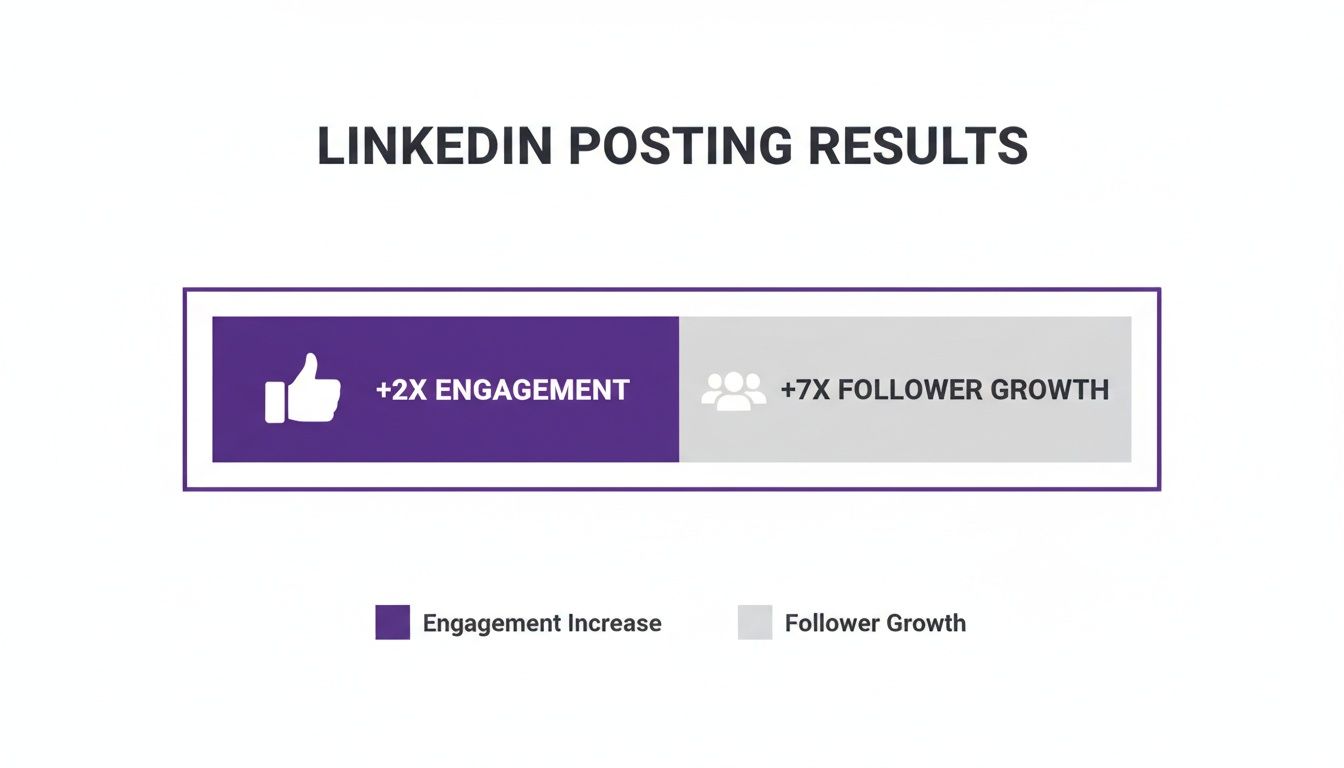
It’s pretty clear: a steady, strategic presence pays off in a big way.
Use Polls for Quick Wins
LinkedIn Polls are a low-effort, high-reward tactic for driving immediate interaction. They’re dead simple to create and make it incredibly easy for your audience to weigh in.
The secret to a great poll? Ask a question that’s relevant to your niche but also sparks a little curiosity or debate. Ditch the boring "yes/no" questions and offer options that make people think.
For example, a project manager could ask, "What's the biggest project killer in 2024?" with options like "Scope Creep," "Poor Communication," "Unrealistic Deadlines," and "Lack of Resources." This not only spikes your engagement but also gives you useful information about your audience's pain points.
Always follow up after the poll closes. Share a new post summarizing the results and add your own two cents to keep the conversation going. And if a post really takes off, don't be afraid to give it a second life. Strategically using reposts can spread your best content; check out our guide on how to get more reposts on LinkedIn to learn more.
Put Your Networking on Overdrive
Having a great profile and a solid content game is a fantastic start, but it's only half the equation. If you really want to kick your follower growth into high gear, you need to switch from being a passive publisher to an active participant.
Simply posting content and hoping people find you is a slow, painful grind. The fastest way to get noticed by the right people is to go where they already are and jump into the conversation. This isn't about spamming or self-promotion; it's about making your presence felt and adding real substance.
Find Your Tribe in Niche Groups
LinkedIn Groups can be a goldmine, but only if you know how to work them. Forget those massive, generic groups with hundreds of thousands of members—your voice will just get lost in the noise.
The real magic is in the smaller, hyper-specific groups dedicated to your niche. Once you're in, the worst thing you can do is lurk or drop links to your own stuff. That's a one-way ticket to being ignored or booted.
Instead, your goal is to become a recognized name. Here’s how:
- Answer questions: Look for people asking for help and give them genuine, detailed answers.
- Start conversations: Post an interesting question or a provocative thought that gets people talking.
- Share smart takes: Find a great third-party article, post the link, and add a quick summary or your own two cents to kick off a discussion.
Do this consistently, and people will naturally start checking out your profile to see who this helpful person is.
Ride the Coattails of Influencers (The Smart Way)
This might be one of the most powerful, underutilized growth hacks out there: leaving thoughtful comments on posts from the big players in your industry. When you drop a gem of a comment on a post from someone with a massive following, you're essentially borrowing their audience.
A single, well-crafted comment can get you more eyeballs than one of your own posts, especially when you're just starting out. The key is to add to the conversation, disagree respectfully, or offer a unique perspective that builds on what they said.
Skip the lazy "Great post!" or "I agree." Those are invisible. Instead, write a mini-post in the comments. This gets you noticed by the original poster and the thousands of others reading their content.
Stop Sending Generic Connection Requests
If you find someone you want in your network, never, ever use the default "I'd like to connect with you on LinkedIn" message. It’s lazy, impersonal, and screams "I'm just trying to boost my numbers."
Always add a personal note. Seriously. It takes 30 seconds and makes all the difference.
Try a simple, genuine template like this:
"Hi [Name], I saw your recent post on [Topic] and really appreciated your take on [Specific Point]. I'm also interested in this area and would love to connect and follow your work."
This shows you've actually paid attention and have a real reason for reaching out. It's a small detail that completely changes the dynamic. And don't forget, active participation pays off. LinkedIn's own data shows that pages posting weekly see 5.6 times more follower growth. You can dig into the full analysis of LinkedIn statistics on Buffer.com to see how a regular presence builds serious momentum.
Engage With Every Single Comment on Your Posts
When someone takes the time to leave a comment on your post, you absolutely have to respond. It’s non-negotiable.
Responding does two important things: it makes the person who commented feel seen and heard, and it encourages other people to jump into the conversation.
More importantly, a bustling comments section is a massive green light for the LinkedIn algorithm. It signals that your content is sparking real discussion, which prompts the platform to push it out to a much wider audience. This simple habit can dramatically expand the reach of every single thing you post.
Use Community Engagement to Kickstart Your Reach
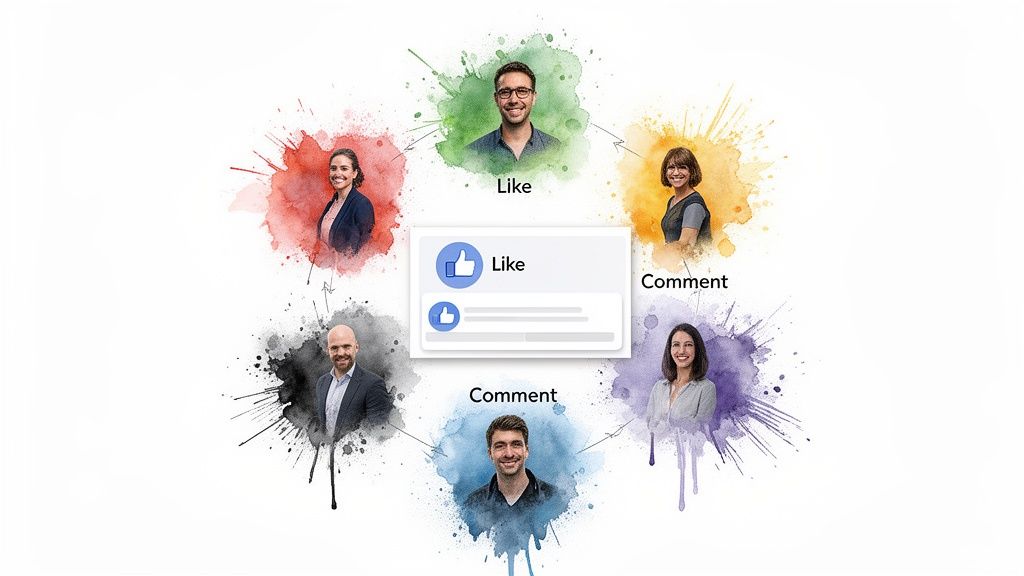
We've all been there. You spend hours crafting what you think is a great post, hit "publish," and… crickets. Even the best content on LinkedIn can fall flat if it doesn't get that initial burst of traction.
There’s a reason people call the first hour after posting the "Golden Hour." It’s when the algorithm is watching closely, trying to decide if your post is worth showing to a bigger audience. A few early likes and comments are the signals it needs to see.
This initial velocity is the secret sauce influencer agencies have used for years to give their clients a head start. But what about the rest of us? When you’re still building your audience, getting that immediate engagement is often the hardest part of the entire process.
This is where community-driven platforms can be a game-changer. They help you solve the "empty room" problem by giving your content a starting point. With our Upvote.club service, we’ve made this tactic accessible to everyone. We built a system that connects you with real people who can give your posts the nudge they need to be seen.
How Community-Driven Growth Works
Our Upvote.club service works differently from other services. While other platforms let you buy likes, our service is not about buying engagement — it's about participating in a community. Our platform operates on a community-based model where users help each other grow. We maintain strict moderation, and bot accounts are not allowed. If a user joins and completes tasks using a real account, they become a part of the community.
Here’s how it works. Users earn points for completing tasks — an internal currency that can be used to create their own tasks. In other words, by helping others, you earn the ability to promote your own content.
The system creates a sustainable cycle of authentic interaction. Since every user is both giving and receiving engagement, the whole community benefits. This peer-to-peer model ensures the interactions are genuine and come from real people with active accounts.
We take the quality of this community seriously. With our service, we have strict moderation and verification systems in place to keep bots out. This focus on real users protects your account and ensures the engagement you get is the kind that LinkedIn’s algorithm actually wants to see.
Putting the System into Action
When a user registers with our service, they receive 13 free points and 2 task slots. These can be used to create the first task. For example, getting 2 likes on a LinkedIn post might cost 4 points. If more points are needed, the user must complete tasks for others. The first time a user completes a task with our system, we will ask them to verify their social media accounts. Each social network only needs to be verified once. No passwords are required — instead, we use a unique emoji-based verification system.
The process is transparent and straightforward:
- Join the community and claim your starting points.
- Complete tasks for other members to earn more points.
- Use your points to create tasks for your own LinkedIn content.
- Receive engagement from other verified, human members.
Every 24 hours, users receive 1 free task slot. If more tasks are needed, users can purchase a subscription with us. While the subscription isn't cheap, it provides a large number of points and free task slots right away.
Why This Method Supports Follower Growth
By getting that important engagement within the first hour, you’re giving your content the best possible chance of breaking out beyond your immediate network. When LinkedIn’s algorithm sees your post is sparking conversation, it starts showing it to more of your second- and third-degree connections.
This extra visibility naturally leads to more profile views from people who are interested in what you have to say. And if you’ve optimized your profile (like we talked about earlier), a good portion of these new viewers will hit that "Follow" button. It’s a direct line from initial engagement to organic follower growth, powered by real people.
If you want to look deeper into the mechanics, check out our guide on how to get more comments on LinkedIn to see how specific types of interaction can supercharge your reach.
Got Questions About Growing on LinkedIn?
Look, navigating the path to more followers on LinkedIn brings up a lot of the same questions for everyone. Getting straight answers is the fastest way to stop guessing and start focusing your efforts where they'll actually make a difference. Let's tackle the most common ones.
How Often Should I Be Posting?
This is all about finding a sustainable rhythm, not just hitting a certain number. The sweet spot for most people is somewhere between 2 to 5 times per week.
This keeps you consistently visible in your network's feed without turning into that person who just won't stop posting. If you post less than twice a week, it's really tough to build any kind of momentum. On the flip side, posting more than once a day often means your own content starts competing with itself, and you'll see engagement drop on each post.
The real goal is to find a schedule you can actually stick with long-term.
What Are the Best Times to Post?
While the "perfect" time depends on your specific audience, there's a ton of data pointing to some pretty reliable windows. Unsurprisingly, the best times are when professionals are most plugged in during the workday.
- Mid-morning: Think 8 AM to 11 AM on Tuesdays, Wednesdays, and Thursdays. This is prime time.
- Lunchtime: Right around 12 PM is solid, as people are taking a break and scrolling.
- Late afternoon: You can often catch a final wave of activity around 4 PM before people sign off.
Generally, you'll want to avoid posting late at night or on weekends when engagement tends to fall off a cliff. The best advice? Use these as a starting point, but test different times within these windows to see what your own audience responds to.
How Many Hashtags Should I Actually Use?
Hashtags are your friend for getting your content discovered, but it's easy to go overboard and look spammy. I've found that the magic number is 3 to 5 highly relevant hashtags per post.
This is just enough to give the algorithm clear signals about what your content is about without cluttering up your message.
A smart approach is to mix broad and niche hashtags. For example, if you're posting about project management software, you could use a big one like
#ProjectManagement, a community tag like#Agile, and a more specific one like#ScrumMasterTips.
This combo helps you reach a wider audience while still hitting the very specific people you want to attract as followers.
Should I Focus on Connections or Followers?
This really depends on what you're trying to achieve, but for most people who want to build influence and be seen as an authority, followers are where the real impact is.
A connection is a two-way street; you both have to agree. A follower is someone who has decided your content is good enough to see in their feed, no mutual agreement needed.
When you focus on getting more LinkedIn followers, you're building an audience for your ideas and knowledge. It's how you expand your reach far beyond your immediate network. Think of it this way: connections are your inner circle, but followers are your audience.
How Do I Get More Engagement on My Posts?
The secret to LinkedIn's algorithm is getting a burst of engagement right after you post. That first hour is absolutely important. It's when the platform decides whether your content is worth showing to more people or if it's a dud.
This is where a community-driven approach can be a game-changer.
We built Upvote.club to solve this exact problem. It’s a community of real, verified professionals who help give your content that essential early push. You earn points by completing simple tasks for others, then use those points to create your own tasks for likes and comments. It's a simple, ethical way to get the momentum your posts need to reach a wider audience and start attracting new followers organically.
Ready to give your LinkedIn posts the initial boost they need to get seen? Join the community at Upvote.club and see how real engagement can kickstart your growth. You can get started for free.