

Table of Contents
- The Disappearing Instagram Like Counter Explained
- Why this changed how people work
- How to View and Restore Your Like Counts
- See the like count on your own posts
- Restore public visibility on an existing post
- See who liked another person’s post
- Tracking Likes for Performance Analysis
- A manual spreadsheet method that still works
- When to move to analytics tools
- Creating an Instagram Like Counter for Your Website
- The simple route with widget tools
- The developer route with API access
- The Community Method for Authentic Like Growth
- What works better than bought likes
- Why the first hour changes the outcome
- Troubleshooting Common Like Count Issues and Policies
- Problem when views are high but likes are low
- Problem when your like count doesn’t appear publicly
- Problem when likes rise but reach stays weak
- Problem when hidden likes create posting anxiety anyway
You post something good on Instagram, check it an hour later, and the number you want most either isn’t visible or doesn’t tell the full story. That’s where many creators get stuck with the like counter instagram problem. You can still use likes well, but you have to treat them as one signal inside a wider system.
The practical shift is simple. Stop treating the visible count as the whole game. Start treating it as a measurement tool, a posting toggle, and a short-term momentum signal. If you do that, you’ll make better decisions about content, reporting, and early engagement.
The Disappearing Instagram Like Counter Explained
Instagram changed how public likes work, and that changed how marketers judge post performance. Instagram began testing the removal of public like counts in 2019 and expanded the feature globally in 2021, while letting users hide counts on their own posts. By 2021, Instagram had around 1.4 billion monthly active users, and the shift pushed brands and creators toward native analytics and API-based reporting instead of relying on a visible count alone, as noted in Sotrender’s overview of historical Instagram data.
For everyday creators, the frustration is obvious. You open a post and can’t instantly benchmark it against older content. For managers, the issue is bigger. Public likes used to act as a fast screening tool for content quality, campaign traction, and creator fit.
That doesn’t mean likes stopped mattering. It means public visibility changed, while internal measurement stayed useful.
Why this changed how people work
Before hidden counts, many teams used visible likes as the first filter. If a post had traction, it got more attention from managers, partners, and possible sponsors. Once the public number became optional, reporting moved inside Instagram Insights and external dashboards.
That forced a healthier habit in many cases:
- Creators had to check account-level patterns instead of judging one post in isolation.
- Agencies had to report real performance with screenshots, dashboards, or API-connected tools.
- Brands had to compare posts by context such as format, follower count, and posting date.
Practical rule: If you're still judging Instagram only by what the public can see, you're working with an outdated workflow.
If your current setup still depends on eyeballing visible likes, switch to a proper tracking habit and use a tool stack built for hidden-count Instagram. If you want a starting point for Instagram growth workflows, Upvote Club’s Instagram page gives a useful view of how creators think about engagement actions beyond a simple public count.
How to View and Restore Your Like Counts
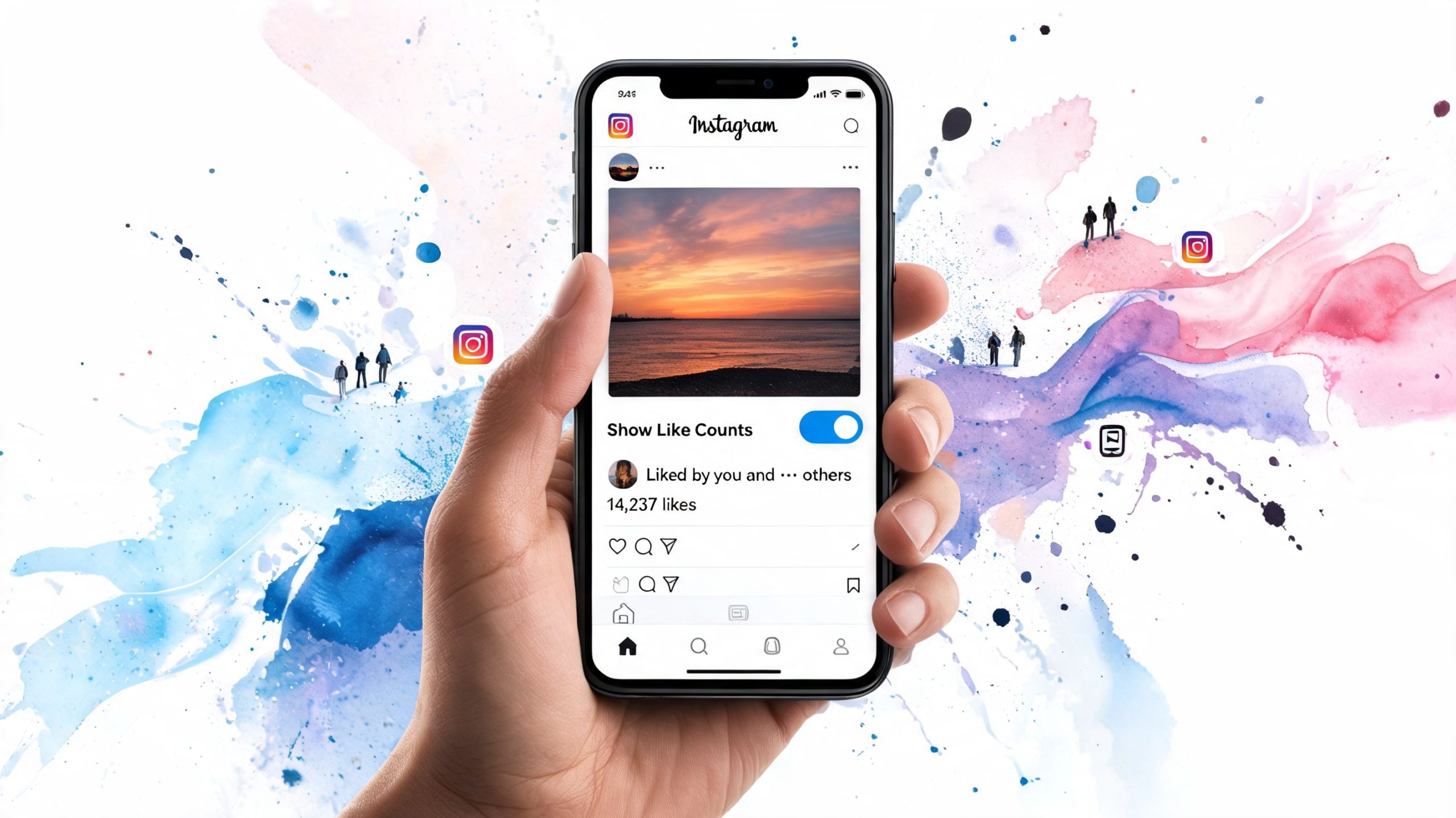
You can still see your own likes. You can also control whether other people see them on your posts. Most users miss this because Instagram hides the option inside post settings instead of placing it in a clear reporting panel.
See the like count on your own posts
Open your profile and tap the post you want to check. On your own content, Instagram still lets you access the exact engagement behind the post even if the public-facing display is limited.
Use this simple process:
- Open your Instagram profile and select the post.
- Look beneath the post content where likes are normally shown.
- Tap the likes area if it appears in partial form, such as a name followed by “others.”
- Open post options through the three-dot menu if you want to change visibility settings.
- Check post settings for the hide or unhide like-count option.
If the count is hidden from others, that doesn't mean it's hidden from you. Instagram separates owner access from public display, which is why creators can still manage reporting without showing every number publicly.
Restore public visibility on an existing post
If you hid likes earlier and now want them back, Instagram usually lets you reverse that on a post-by-post basis.
Look for the following:
- Three-dot post menu: The hide or unhide setting typically resides within it.
- Existing post controls: Changes apply to that post only, not every post in your feed.
- Immediate effect: Once changed, viewers can see the visible count again if Instagram supports full count display in their view.
This matters when you're running a campaign, announcing a launch, or using social proof as part of your conversion path.
See who liked another person’s post
On someone else’s post, you may not get a full visible total, but you can often still see part of the audience that engaged.
Do this:
- Tap the liked-by text under the post.
- Review the visible list of accounts that liked it.
- Use this for research, not vanity. It helps when you're studying audience overlap, creator communities, or likely engagement patterns.
A simple way to think about the like counter instagram issue is this: Instagram didn’t remove likes. It removed easy public comparison.
For people who want more direct Instagram engagement workflows, this Instagram likes page from Upvote Club is relevant because it centers on actions around likes rather than vague growth talk.
Tracking Likes for Performance Analysis
Seeing likes isn’t the same as tracking them. A post can look strong on day one and weak by the end of the week, or the reverse can happen if comments, shares, and profile visits keep it moving. If you want reliable decisions, log performance over time.
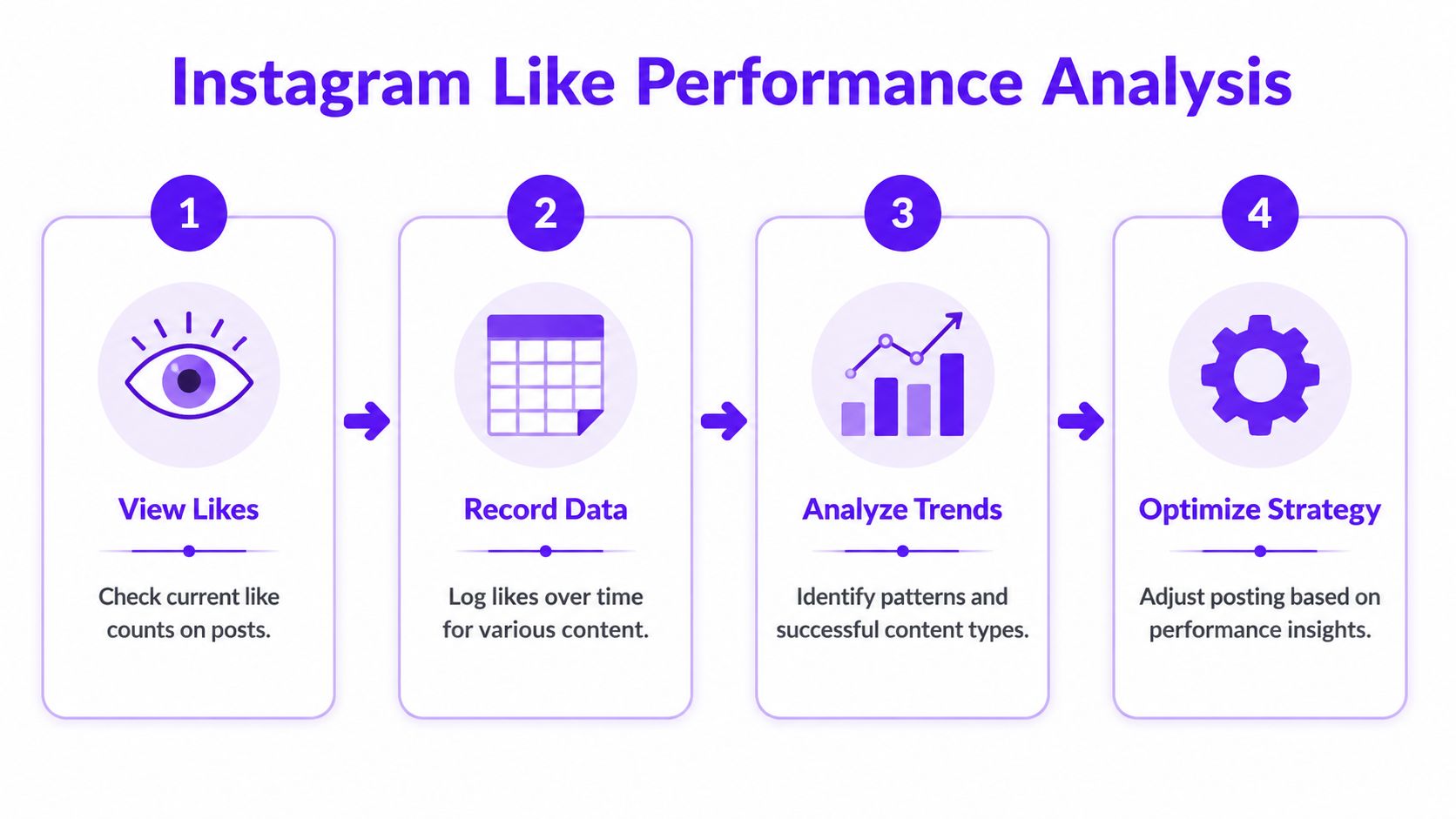
According to Socialinsider’s Instagram analytics calculator, average likes are calculated by dividing total likes by the number of posts in a period, and engagement rates around 1 to 3% are often treated as a strong sign of healthy interaction for accounts with thousands of followers. That benchmark is useful, but only when you compare similar content and a stable follower base.
A manual spreadsheet method that still works
If you're managing one account or a small portfolio, a sheet is enough.
Track these fields for each post:
| Field | What to log | Why it matters |
|---|---|---|
| Post date | The publish day and time | Helps spot timing patterns |
| Format | Reel, carousel, static image | Lets you compare content types |
| Likes | Current total likes | Baseline engagement signal |
| Comments | Current total comments | Adds conversation context |
| Followers | Follower count at posting time | Needed for fair comparison |
After that, calculate:
- Average likes: total likes divided by total posts in your chosen period.
- Basic engagement rate per post: likes plus comments, divided by followers, then multiplied by 100.
- Content-type averages: compare reels against carousels and static posts separately.
That last point matters more than is often realized. Many weak reporting setups compare all posts together, which hides what’s proving effective.
A like count without context leads people to repeat the wrong content.
When to move to analytics tools
A spreadsheet breaks down when you’re posting often, managing multiple brands, or handing reports to clients. At that point, use a third-party analytics platform or Instagram’s native Insights for cleaner trend analysis.
Good tracking setups should help you answer questions like:
- Which post format earns stronger average likes
- Whether comments rise with likes or lag behind
- How your follower growth changes post-level benchmarks
- Which posts attract healthy engagement, not just attention
If you want a good primer on understanding influencer engagement rates, that guide is worth reading because it frames why raw likes can mislead if you ignore rate-based comparison.
The best operators don’t stare at one viral-looking post. They compare patterns over weeks and months, then repeat the content structures that hold up across multiple posts.
Creating an Instagram Like Counter for Your Website
There are good reasons to place Instagram activity on your site. It can support trust, show that your account is active, and give visitors a quick sense of momentum before they click through to your profile. But a website counter only helps if it’s current, clean, and tied to the right use case.
The simple route with widget tools
Many users don’t need to build this from scratch. Third-party widget providers usually connect through Instagram’s approved access methods and give you embed code for WordPress, Webflow, Squarespace, or a custom site.
When choosing a widget provider, check for:
- Update frequency: stale numbers make your brand look unattended.
- Display options: recent posts, follower display, and post-level engagement previews are more useful than a plain badge.
- Mobile layout: many widgets look fine on desktop and break on phones.
- Permission clarity: if a provider asks for too much account access, skip it.
A useful website module doesn’t need to show every metric. In many cases, recent post embeds and a clean follow button do more work than a flashy counter.
The developer route with API access
If you run a custom stack, you can build your own display layer. This gives you more control over layout, caching, and how often data refreshes.
That route makes sense when:
| Scenario | Better option |
|---|---|
| Personal site or small brand | Widget tool |
| Custom product or app | API-based build |
| Fast setup needed | Widget tool |
| Full design control needed | API-based build |
For many, the hard part isn’t the embed. It’s deciding what metric belongs on the page. A homepage usually needs current activity. A media kit page may need selected post performance. A creator portfolio might need recent content rather than totals.
Don’t add a counter just because you can. Add it if it helps a visitor trust you faster.
If you're installing social growth tools alongside site widgets, this Chrome Social install page from Upvote Club is one useful reference point for people building a broader workflow around cross-platform engagement actions.
The Community Method for Authentic Like Growth
Most advice about likes breaks down at the same moment. You post, the first hour lacks activity, and the content never gets enough early interaction to build momentum. That’s why creators chase hacks. Some work briefly, many fail, and the worst ones damage reach.
The trade-off is simple. You can chase inflated engagement, or you can build real interaction from real accounts. Only one of those holds up.

What works better than bought likes
A lot of people still think the answer is purchasing bulk likes. In practice, that creates weak engagement patterns, low trust, and bad reporting. The better model is organized participation from verified humans who complete engagement actions.
That lines up with how platforms evaluate quality. According to CMSWire’s analysis of Instagram hidden likes and engagement quality, Meta penalizes inauthentic engagement patterns, gives full algorithmic weight to interactions from verified human accounts, and repeat offenders can see reach suppressed by 40 to 60%.
That changes the growth playbook.
- Bot-heavy services fail quality checks because their interaction patterns look artificial.
- Low-trust exchanges create noisy signals if participants don’t behave like normal users.
- Human-centered communities hold up better because the engagement comes from actual accounts completing real actions.
Why the first hour changes the outcome
Practitioners often talk about the “Golden Hour” for a reason. Early likes, comments, saves, and reposts can help a post gain traction while it still has a fresh chance to circulate.
That doesn’t mean any like is good. It means timely, believable, human engagement matters more than raw quantity.
A practical early-engagement workflow looks like this:
Publish with intention
Don’t post filler and expect engagement tactics to save it. Strong creative still comes first.Trigger immediate activity
Share to stories, message warm followers, and activate trusted communities quickly.Watch secondary signals
If likes rise but comments, saves, or profile actions stay flat, something’s off.
If you're working on mastering Instagram promotion, it helps to pair promotion mechanics with engagement quality, not just posting frequency.
For creators who want more discussion around their posts rather than likes alone, Instagram comment growth workflows from Upvote Club fit that broader strategy well.
Troubleshooting Common Like Count Issues and Policies
The hardest part of the like counter instagram issue isn’t finding the setting. It’s understanding why counts, views, and results don’t line up. Most confusion comes from mixing public display with ranking logic.
Instagram still uses likes in the backend even when the public count is hidden. TechCrunch reported that Instagram’s product team tied the change to user pressure, and that 68% of creators said they felt “very high pressure” from public like counts, with some deleting posts that performed below their usual level, as covered in TechCrunch’s report on Instagram’s hidden like counter.
Problem when views are high but likes are low
This is common. A post or reel can get seen without generating a matching number of likes.
Possible reasons include:
- Weak content-to-audience fit: people watch, but don’t feel moved to react.
- Passive consumption: short-form viewers often scroll without tapping.
- Mixed creative signal: the hook earns a view, but the content doesn’t earn approval.
Fix it by tightening the first frame, sharpening the caption angle, and giving people a direct reason to interact.
Problem when your like count doesn’t appear publicly
This usually comes down to settings, not a bug.
Try this checklist:
- Review post-level settings: the post may have hidden likes enabled.
- Check feed-wide privacy options: some users hide counts across the app experience.
- View from another account if possible: owner view and public view can differ.
Problem when likes rise but reach stays weak
Likes still matter, but they aren’t enough on their own. If a post gets some likes and still stalls, look at the rest of the behavior around it.
Use this quick comparison:
| Signal | What it suggests |
|---|---|
| Likes only | Surface approval |
| Comments plus likes | Active response |
| Saves plus shares | Strong utility or relevance |
| Profile visits after post | Curiosity and intent |
Hidden public counts changed perception more than ranking. The platform still reads the interaction.
Problem when hidden likes create posting anxiety anyway
Some creators feel less pressure when counts are hidden. Others just shift that stress to comments, shares, or story views. If that sounds familiar, stop checking single-post performance too early.
Use a better rule:
- Judge posts in batches
- Compare similar formats
- Keep weak early numbers from pushing you into deleting solid content
That last habit matters. Deleting a post too quickly often kills the chance to learn what the content did well with a slower audience.
If you want a practical way to build real engagement across Instagram and other platforms without bots, Upvote Club is built around a community model rather than bought vanity metrics. With our Upvote.club service, you can earn points by completing tasks for others, then use those points to request likes, comments, reposts, saves, and follows from verified human accounts. We give new users 13 free points and 2 task slots, each network is verified once with a password-free emoji system, and users receive 1 free task slot every 24 hours. We’ve built it to support a safer cycle of real interaction across Instagram, TikTok, YouTube, X, LinkedIn, Reddit, Product Hunt, GitHub, and more.
