

Table of Contents
- Why Your LinkedIn Strategy Needs a Hard Reset in 2026
- What a working LinkedIn system looks like
- Building Your Professional Foundation on LinkedIn
- Fix the personal profile first
- Use proof, not decoration
- Build a company page people can actually use
- Match the profile and page without copying them
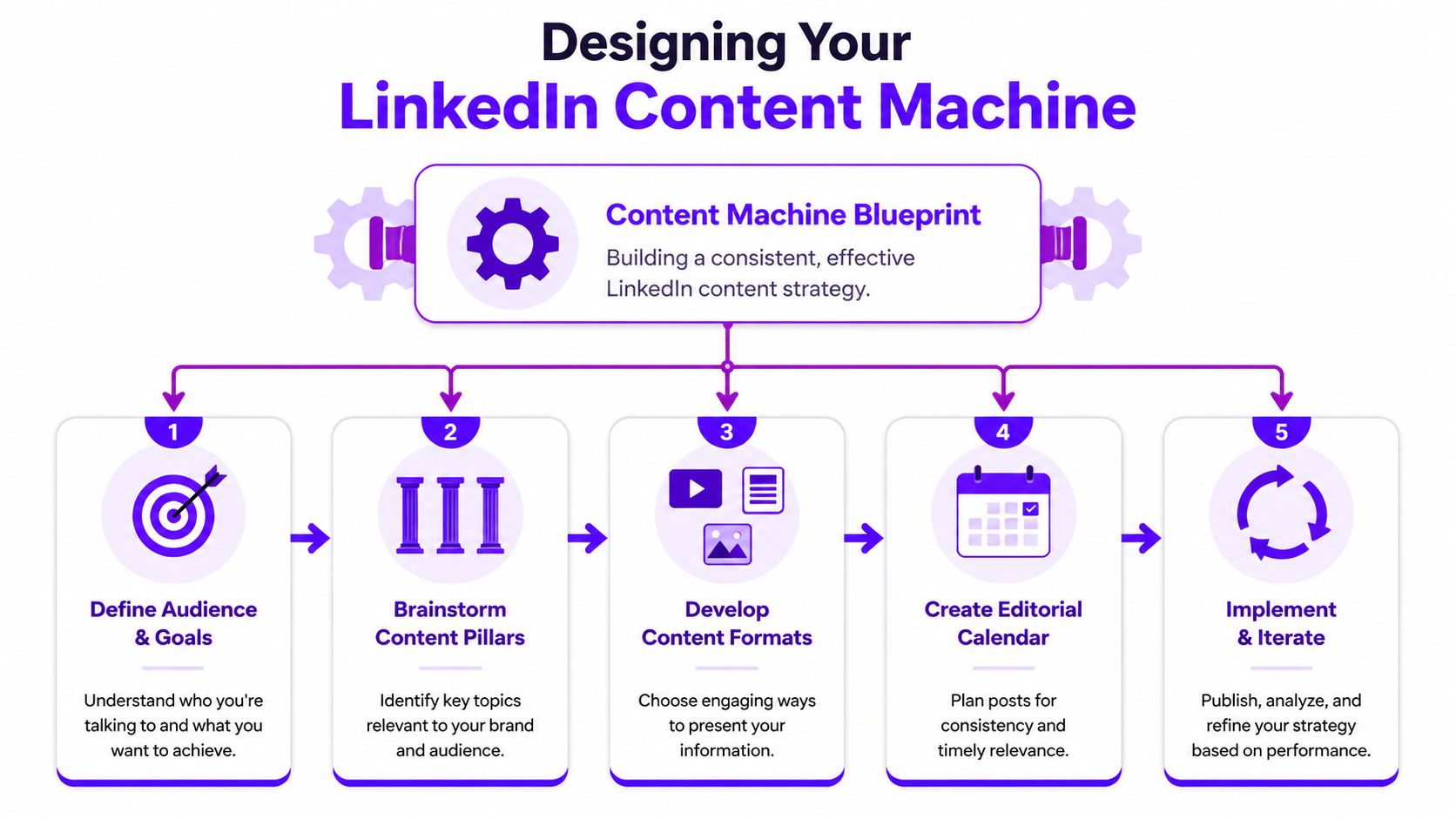
- Designing Your LinkedIn Content Machine
- Pick three to five content pillars
- Match the format to the message
- Build around profile-first distribution
- Keep the posting rhythm realistic
- Sample Weekly LinkedIn Content Calendar
- Use a backlog, not a blank page
- What works and what usually doesn’t
- Mastering the Art of Posting and Engagement
- Work the first hour like it matters
- Stop using automation as a substitute for interest
- Tags, hashtags, and the shape of the post
- Build an engagement workflow that scales
- What usually kills a good post
- Measuring Performance and Proving Your Impact
- Track business metrics first
- Build one reporting view for personal and company activity
- Use native analytics, then add context
- Sentiment belongs in the report
- Scaling Your LinkedIn Operations with Teams and Tools
- Split the work by function
- Build a tool stack by category
- Use team-based engagement where it matters most
- Decide what stays manual and what gets standardized
I used to treat LinkedIn like a place to post polished updates and wait. The posts looked fine, the profile was tidy, and the pipeline impact was weak. The change came when I stopped treating LinkedIn as a résumé site and started running it like an operating channel.
Why Your LinkedIn Strategy Needs a Hard Reset in 2026
Organizations still manage LinkedIn as if it’s a side platform. That’s the mistake.
In 2026, LinkedIn continues to drive 75–85% of all B2B leads from social media, which means 4 out of 5 B2B social media leads originate from LinkedIn, and 40% of B2B marketers rate it as the single most effective channel for high-quality leads according to Martal’s LinkedIn statistics roundup. If you work in B2B, social media management linkedin isn’t a branding extra. It’s part of demand generation.
That shift changes how you should run the channel. Posting when someone “has time” won’t hold up. Neither will a company page that reads like a press release feed, or a founder profile that looks active but never starts conversations.
What a working LinkedIn system looks like
A LinkedIn operation that produces business results usually has four parts:
A clear professional foundation
Your personal profile and company page need to answer three questions fast. Who are you, who do you help, and why should anyone trust you?A repeatable content plan
You need defined topics, formats, and publishing rhythm. Otherwise the channel turns into random acts of posting.Active engagement after publishing
Good posts die every day because nobody works the comment section, DMs, and early distribution.Measurement tied to business outcomes
Reach and reactions matter, but only if they connect to profile visits, clicks, conversations, and leads.
LinkedIn rewards operators, not tourists.
The teams getting results aren’t always the loudest. They’re the ones with tight positioning, steady output, and fast follow-up. They know which posts belong on a personal profile, which belong on a company page, and when to push discussion instead of broadcasting updates.
That’s the reset. Treat LinkedIn like a managed system with inputs, workflows, and reporting. Once you do that, the platform gets a lot more predictable.
Building Your Professional Foundation on LinkedIn
Before you write a content calendar, fix the profile people land on after the post works.

A lot of LinkedIn underperformance has nothing to do with content quality. It comes from weak conversion surfaces. Someone reads a smart post, clicks your profile, and finds a generic headline, a thin About section, and no proof of work. That click is wasted.
Fix the personal profile first
Your personal profile usually does more work than your company page because people trust people faster than logos.
Start with the headline. Don’t use only your job title. Titles describe your org chart. Headlines should describe your market fit. Include your role, who you help, and the problem you solve in plain language. If a recruiter is part of your audience, FaceJam’s guide on how to get noticed by recruiters on LinkedIn is a useful reference because it focuses on what gets profile clicks to turn into contact.
Then tighten the About section. Skip the autobiography. Use short paragraphs that cover:
- What you do: Say the work plainly.
- Who you do it for: Name the audience or buyer.
- What results matter: Keep this qualitative unless you have approved proof to cite.
- What to do next: Give a clear action, such as message you, visit your site, or book a call.
Practical rule: If a buyer scans your profile for ten seconds, they should still understand your category, audience, and angle.
Use proof, not decoration
The Featured section is where a lot of good profiles waste space. Don’t fill it with random links.
Use it to pin assets that reduce doubt:
- A flagship post that started strong discussion
- A case-study style post that shows your thinking
- A lead magnet or article tied to your core service
- A company page link if you want to push visitors into brand content
Your banner image matters too, but keep it simple. One message. One audience. One offer or positioning line. Most banners fail because they look like crowded ads.
The same goes for experience entries. Add short descriptions that explain scope, not internal jargon. Buyers don’t care that you “owned omnichannel alignment.” They care that you ran content, pipeline support, community, or partnerships.
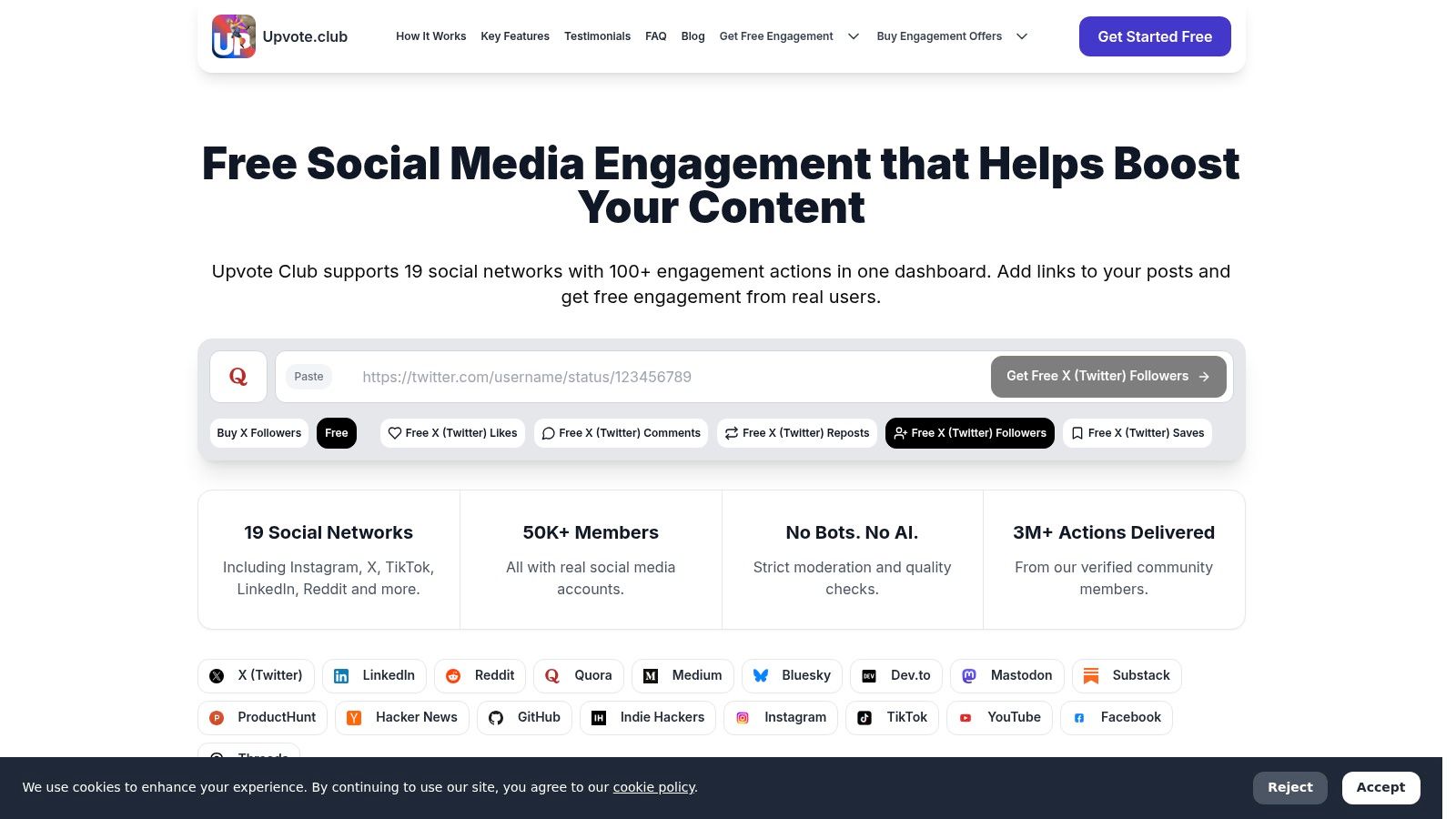
For teams that want a faster start, this LinkedIn growth page from Upvote Club is worth reviewing as part of your workflow stack because it’s built around platform-specific actions instead of generic social advice.
Build a company page people can actually use
Company pages often become announcement bins. That’s a bad use of the page.
Treat the page like a resource hub. Anyone landing there should be able to identify your company, your category, and what kind of content they’ll get if they follow. Clean up the basics first:
| Page element | What to fix | What visitors should learn |
|---|---|---|
| Page tagline | Replace slogans with plain positioning | What the company does |
| About section | Write for buyers, not internal branding | Who you help and how |
| Visual branding | Keep logo, banner, and post style aligned | Whether the brand looks active |
| CTA destination | Send traffic to one clear next step | What to do after reading |
Match the profile and page without copying them
Your profile and page should feel connected, but they shouldn’t say the exact same thing.
A simple split works well:
- Personal profile: point of view, lessons, breakdowns, direct engagement
- Company page: product updates, team news, curated proof, hiring, category content
That structure helps social media management linkedin stay coherent. The profile starts trust. The page confirms the business is real, active, and worth following.
If the foundation is weak, more posting only sends more people into a dead end.
Designing Your LinkedIn Content Machine
Good LinkedIn content doesn’t come from daily inspiration. It comes from a system that removes guesswork.
The strongest shift I’ve seen is this: teams that win on LinkedIn don’t chase random trends. They build a small number of repeatable themes and publish them in formats that fit the point being made.
LinkedIn engagement rates are 44% higher year over year, and companies posting 1–2 times per week see 7x faster follower growth. At the same time, personal profiles still outperform company pages on engagement, with 2.60% for personal profiles versus 1.74% for company pages, according to Metricool’s LinkedIn statistics. That tells you two things. Consistency matters, and individual voices still carry more weight than brand pages.
Pick three to five content pillars
Most weak content plans have too many topics. The result is scattered messaging and uneven audience fit.
Use a short pillar set. For most B2B teams, this works:
Point of view posts
Strong opinions about the market, workflow, or buyer behavior.Educational breakdowns
How-to posts, process walkthroughs, teardown threads, checklists.Proof content
Client lessons, product lessons, internal experiments, before-and-after thinking.Human posts
Founder reflections, team stories, decisions, mistakes, hiring culture.Offer-adjacent content
Not direct pitching. More like “how we solve this problem” without turning the post into an ad.
Each pillar should support one business job. If a pillar doesn’t help attract, qualify, or convert attention, cut it.
Match the format to the message
A lot of teams ask which format performs best. That’s the wrong question. The better question is which format best carries the idea.
Use formats this way:
| Format | Best use | Common mistake |
|---|---|---|
| Text-only post | Sharp opinion, story, lesson | Adding fluff because there’s no visual |
| Image post | Framework, quote card, event recap | Posting decorative graphics with no point |
| Document carousel | Step-by-step teaching, breakdowns | Repeating the same point across every slide |
| Short-form video | Reaction, demo, quick take, explanation | Posting clips with no hook or follow-up CTA |
Short-form video deserves more attention than many organizations currently provide. It’s useful when the point benefits from tone, pace, or on-screen explanation. But video still needs structure. A weak video with a trendy format is still a weak post.
Most LinkedIn content fails before publish. The topic is vague, the angle is safe, and the CTA asks for nothing.
Build around profile-first distribution
Because personal profiles tend to get more engagement than company pages, I usually build the weekly plan around one or two key voices first. Then I decide what gets adapted for the company page.
That split matters:
- Put comment-bait questions, sharper takes, and behind-the-scenes lessons on personal profiles.
- Put announcements, hiring, product updates, and resource collections on the company page.
- Repackage one idea across both, but change the framing.
A founder can post “What buyers asked us this week.” The company page can post “Three recurring objections our team is hearing in the market.” Same core topic. Different job.
Keep the posting rhythm realistic
A content machine breaks when the schedule is built for an ideal week instead of a real one.
For many teams, a practical rhythm looks like this:
- Personal profile: two to three quality posts per week, plus active commenting
- Company page: one to two posts per week with cleaner brand framing
- Ongoing engagement: daily replies, targeted comments, and direct outreach where relevant
That isn’t about volume for its own sake. It’s about staying visible without posting filler.
Here’s a simple weekly model.
Sample Weekly LinkedIn Content Calendar
| Day | Content Pillar | Format | Call to Action |
|---|---|---|---|
| Monday | Point of view | Text-only post | Ask for opinions in comments |
| Tuesday | Educational breakdown | Document carousel | Invite readers to save and share |
| Wednesday | Human post | Image post | Ask a simple experience-based question |
| Thursday | Proof content | Text plus screenshot or graphic | Prompt readers to message for details |
| Friday | Offer-adjacent content | Short-form video | Direct readers to profile link or company page |
Use a backlog, not a blank page
Never rely on writing from scratch on posting day.
Keep a working backlog in Notion, Airtable, or even a shared doc with rows like:
- audience pain point
- post angle
- format
- owner
- status
- posted date
- follow-up action
That one habit reduces content stress more than any writing trick.
What works and what usually doesn’t
What works
- A clear point in the first lines
- Specific examples from actual work
- Native-feeling posts that sound like a person
- A direct CTA tied to discussion or next action
What doesn’t
- Corporate filler with no opinion
- Carousels that just restate blog headlines
- Video clips posted without context
- “Consistency” that turns into daily low-grade noise
A content machine is supposed to make publishing simpler. If your system still depends on motivation, it isn’t a system yet.
Mastering the Art of Posting and Engagement
Publishing is only half the job. The other half starts right after the post goes live.
A lot of LinkedIn advice proves insufficient. It tells you to write better posts, use stronger hooks, and stay consistent. Fine. But even strong posts can stall if nobody interacts early.
The first hour matters because LinkedIn needs signals that the post deserves more distribution. Comments, thoughtful replies, reposts, profile clicks, and secondary discussion all help. If that early window is dead, recovery is harder.
Work the first hour like it matters
Don’t hit publish and disappear into meetings.
Use a simple post-launch routine:
Reply to early comments fast
Keep the thread alive. Ask follow-up questions when it fits.Message internal advocates
Send the post to teammates, founders, partners, or peers who already understand the topic.Comment on other relevant posts
Not as a hack. As a way to stay active in the same window and pull profile curiosity back to your post.Watch the tone of discussion
A post with reactions but no discussion often tops out early.
This is also where content format affects the work required. A text post with a strong opinion can take off quickly, but only if you’re present to keep the thread moving. Short-form clips need even tighter follow-up. If you need help producing those clips in a cleaner workflow, Social Clips For Linkedin is a useful reference because it focuses on turning talking points into native LinkedIn-friendly video assets.
Stop using automation as a substitute for interest
There’s a real trade-off here. Scheduling tools help with consistency. Over-automating engagement hurts results.
A 2025 report cited in this YouTube breakdown on authentic community signals noted a 15% drop in engagement for automated posts, while human-sourced interactions boosted visibility by 42%. That matches what many operators already see in practice. Automated publishing can be fine. Automated interaction usually feels thin, and platforms pick up on that.
Don’t confuse distribution with engagement. Scheduling gets the post out. People make it move.
That difference matters in social media management linkedin because the platform is built around professional trust. Bots and empty comments don’t just underperform. They can make your brand look unserious.
Tags, hashtags, and the shape of the post
Execution details still matter.
Research published by SAGE on LinkedIn post engagement found that tags significantly boost expected reactions and comments, while hashtags increase reactions but not comments or reposts, according to the study of 991 LinkedIn posts. That lines up with a practical rule I use: tag where relevance is clear, use hashtags lightly, and write for conversation before search.
A few posting habits tend to hold up well:
- Use tags with intent: Mention people or companies when they are directly connected to the post.
- Keep hashtags limited: Add them when they help categorization, not because every post “needs” them.
- Write open loops into the ending: Ask for a reaction that fits the topic.
- Avoid engagement bait: Readers can tell when the question at the end is fake.
If comments start landing, earn the second comment from the same person. That’s often where the thread gets stronger.
Build an engagement workflow that scales
Solo creators can do this manually for a while. Teams can’t.
You need an operating rhythm:
| Time window | Action | Owner |
|---|---|---|
| First 15 minutes | Check formatting, tag function, first comments | Post owner |
| First hour | Reply, seed internal discussion, monitor sentiment | Community manager |
| Same day | Reshare when relevant, DM warm contacts, log learnings | Creator or lead |
| Next day | Review quality of comments and profile visits | Analyst or manager |
That process is more useful than generic “engage more” advice because it assigns responsibility.
If your priority is comment activity on LinkedIn posts, this LinkedIn comments page from Upvote Club can help you evaluate one category of workflow support available in the market. The important standard isn’t speed alone. It’s whether the interactions come from real people and fit the post context.
What usually kills a good post
Three things do most of the damage:
- No one is present after publish
- The CTA is weak or off-topic
- Early comments get one-word replies from the author
That last one is common. Someone leaves a thoughtful comment, and the author answers with “Agreed” or “Thanks.” Thread dead.
The best LinkedIn operators treat comments like a second piece of content. That’s often where reach compounds.
Measuring Performance and Proving Your Impact
If you manage LinkedIn for a founder, a team, or clients, you’ll eventually hear the same question: what did this do?
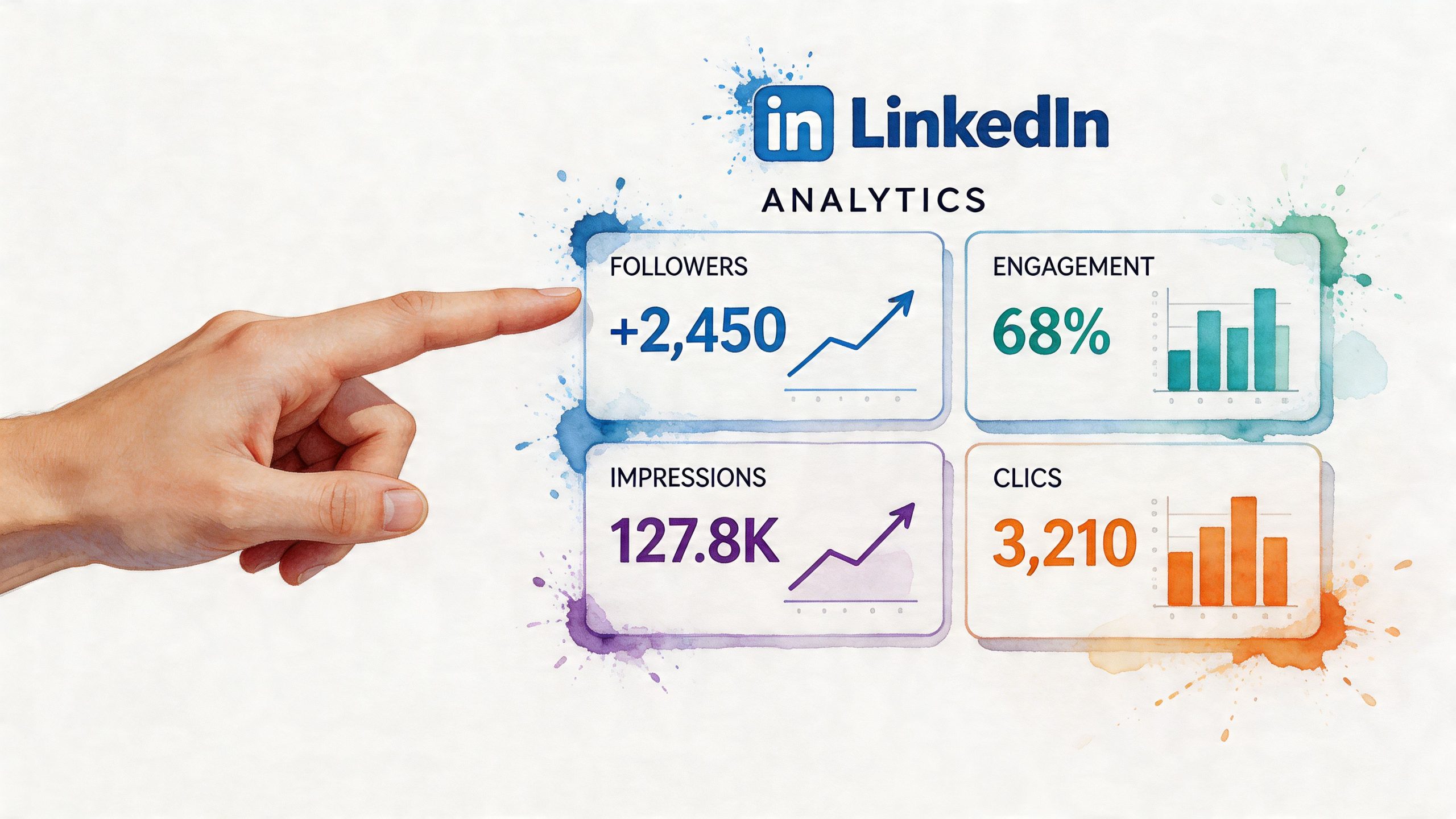
The wrong answer is a screenshot full of likes.
A key challenge for 27% of marketers is proving the effect of content engagement. A unified response workflow with sentiment analysis helps, and posts with 80% positive sentiment correlate with 2x repost rates, according to HubSpot’s social media marketing statistics article. That matters because it pushes reporting beyond vanity metrics and into quality of response.
Track business metrics first
The easiest reporting mistake is building the whole dashboard around visible reactions.
For LinkedIn, I care more about:
- Profile visits after key posts
- Website clicks from posts and profile links
- Inbound messages and connection requests with buying intent
- Follower quality by role, industry, and seniority
- Comment quality rather than raw count
Those metrics tell a cleaner story than reaction totals alone. A post with fewer likes can still be the better business post if it drove stronger profile traffic or better conversations.
If the right buyers saw it, clicked, and replied, the post worked even if it wasn’t the loudest post of the month.
Build one reporting view for personal and company activity
A lot of LinkedIn programs split reporting into silos. Personal content goes in one deck. Company page results go in another. That makes it harder to show how the system works together.
I prefer a single weekly or monthly summary with three layers:
| Layer | What to include | Why it matters |
|---|---|---|
| Visibility | Reach, impressions, follower movement | Shows distribution trend |
| Interaction | Comments, reposts, sentiment, saves | Shows audience response quality |
| Business effect | Clicks, leads, meetings, qualified conversations | Shows actual pipeline relevance |
If you want another action-based metric in that middle layer, this LinkedIn saves workflow from Upvote Club points to a useful interaction type to watch. Saves don’t look flashy in screenshots, but they often signal that the content was useful enough to keep.
Use native analytics, then add context
LinkedIn’s native analytics are enough for most operators if you review them with discipline. Look at performance by post type, by theme, and by author. Don’t only sort by top-performing posts. Review weak posts too. Patterns usually show up there first.
Useful questions:
- Which pillar drives the best comments?
- Which format drives the best clicks?
- Which author attracts the most relevant audience?
- Which posts trigger DMs or sales conversations?
Later in your review cycle, add a visual walkthrough for the team.
Sentiment belongs in the report
This part gets skipped too often.
Not every active comment section is healthy. You need to know whether discussion trends positive, neutral, skeptical, or negative. Sentiment review is useful after product announcements, hiring posts, category takes, and executive commentary.
A simple workflow is enough:
- pull top comments and DMs
- tag them by tone
- note recurring objections or themes
- compare that tone against repost activity, clicks, or follow-up inquiries
That gives you something far more persuasive than “engagement was up.” It tells leadership how the market is reacting and whether the conversation is moving in the right direction.
Scaling Your LinkedIn Operations with Teams and Tools
A solo operator can run a strong LinkedIn program for a while. Then the workload spills over. Content needs writing. Replies pile up. Short-form clips need editing. Reporting needs cleanup. At that point, hustle stops being a plan.
The fix isn’t more effort. It’s role clarity.
Split the work by function
A small but effective LinkedIn team often has three jobs, even if one person temporarily covers more than one.
Content lead
Owns the calendar, drafts posts, interviews internal experts, and keeps messaging tight.
Community manager
Handles replies, watches DMs, flags buying signals, and keeps conversation active after posts go live.
Analyst or operator
Tracks performance, spots patterns, updates reporting, and feeds learnings back into the next round of content.
That setup keeps the channel from turning into “whoever has time today.”
Build a tool stack by category
Teams often don’t need more software. They need the right categories of software.
A practical stack usually includes:
- Scheduling tool: for batching company page posts and keeping a publishing rhythm
- Creative workflow tool: for carousels, short clips, and asset storage
- Inbox or workflow layer: for tracking comments, mentions, and response responsibilities
- Analytics layer: for trend review and reporting
- Internal collaboration doc: for ideas, approvals, and backlog management
The tool matters less than the operating habit. If the team doesn’t review comments fast or learn from post performance, even expensive software won’t fix the program.
Use team-based engagement where it matters most
This matters a lot with video.
Short-form video on LinkedIn drove 28% of B2B lead generation in H2 2025, but conversion lags without targeted reciprocity. Data also shows that videos with 50+ human comments in the first 24 hours rank 3x higher, according to this YouTube analysis on LinkedIn video momentum. That’s one of the clearest cases for coordinated team action.
If your team publishes video, don’t leave comment activity to chance. Assign people to:
- respond in the first day
- pull relevant coworkers into the thread
- route useful questions to sales or product
- convert strong comments into follow-up posts
That’s how video becomes part of the operating system instead of a content experiment that goes nowhere.
Decide what stays manual and what gets standardized
Some work should stay human and close to the brand voice. Some work should be standardized.
Keep these human:
- executive voice posts
- sensitive replies
- customer friction conversations
- sharp market commentary
Standardize these:
- publishing workflow
- approval path
- analytics review
- post-launch checklist
- asset naming and storage
If you need another workflow option for broader LinkedIn account growth, this LinkedIn follower support page from Upvote Club shows one of the categories teams often evaluate. The useful question isn’t whether a tool promises growth. It’s whether the workflow fits your brand, your risk tolerance, and your need for real participation over fake activity.
The teams that scale LinkedIn well don’t act like every post is a one-off. They build repeatable roles, repeatable reviews, and repeatable response habits.
If you want a community-based way to support your social growth beyond manual outreach, Upvote Club is built for that. With our Upvote.club service, you can create tasks for likes, comments, reposts, saves, and followers across platforms, earn points by helping other members, and get engagement from verified human accounts without sharing passwords. We’ve built it around participation, strict moderation, transparent task completion, daily streak rewards, and multi-platform support, so you’re not buying fake activity. You’re joining a real community that helps each other grow.
