

Table of Contents
- What Twitter Engagement Rate Reveals About Your Content
- Defining Engagement on X
- Why Engagement Matters to the Algorithm
- How To Manually Calculate Your Twitter Engagement Rate
- Calculating Engagement Rate Per Impression
- Calculating Engagement Rate Per Follower
- Which Formula Should You Use?
- Manual Engagement Rate Calculation Formulas
- Designing Your Spreadsheet Template
- Inserting the Correct Formulas
- Analyzing Your Overall Performance
- What Is Considered A Good Twitter Engagement Rate
- Average Twitter Engagement Rates By Follower Count
- Other Factors That Influence Your Rate
- Hitting Your Numbers in the Golden Hour
- How to Build That Early Momentum
- Why Our Community Model Works
- Making the System Work For You
- Common Questions About Twitter Engagement
- Which Engagement Rate Formula Is Better?
- Are All Engagements Created Equal?
- How Often Should I Check My Engagement Rate?
- Can I Actually Improve My Engagement Rate Quickly?
A Twitter engagement rate calculator is a simple formula you can use to figure out how people are responding to your content on X (formerly Twitter). It's a key metric that tells you the percentage of people who saw your post and decided it was interesting enough to interact with through likes, replies, and reposts.
What Twitter Engagement Rate Reveals About Your Content

Think of your engagement rate as a health check for your content and its connection with your audience. A big follower count can feel good, but it's often just a vanity metric. Engagement, on the other hand, shows that people aren't just scrolling past your posts—they're actively responding.
This number cuts through the noise and shows you what percentage of your audience found a specific post compelling enough to act on. A high rate is a good sign; it means your content is relevant, timely, and hitting the right notes. A low rate? That might be a signal that there's a disconnect between what you're sharing and what your audience actually cares about.
Defining Engagement on X
On X, "engagement" is an umbrella term that covers a bunch of different user actions. Each one signals a slightly different level of interest and tells you something unique about how your content is landing.
The platform tracks several key interactions:
- Likes: The simplest nod of approval. Quick and easy.
- Replies: This is a conversation starter, showing someone was moved enough to type out a response.
- Reposts (Retweets): A strong endorsement. They're literally sharing your content with their own followers.
- Profile Clicks: Your post was so interesting it made someone want to learn more about you.
- Link Clicks: Shows how well your content drives people to your website, blog, or product page.
- Media Views: Tracks how many people are watching your videos or looking at your images and GIFs.
It is important to remember that not all these actions are created equal. A reply or a repost takes more effort than a simple like, and that usually signals a much deeper connection to what you're saying. Getting a feel for these distinctions is the first step toward building a smarter content strategy.
Why Engagement Matters to the Algorithm
A strong engagement rate does more than just tell you you're doing a good job; it sends a powerful signal to the X algorithm. When a post gets a flurry of interaction right after you hit publish, the algorithm sees it as high-quality content that's worth showing to more people.
This is exactly why that initial burst of interaction is so important. The platform’s goal is to keep users scrolling by showing them interesting stuff. High engagement is the clearest possible sign of relevance.
This triggers a cascade effect, boosting your visibility and organic reach. Suddenly, your content is in front of people who don't even follow you yet. In a way, your most engaged followers are "voting" for your content, telling the algorithm to show it to more people. This organic momentum is how you grow a real following and build a community.
For creators looking to build that initial momentum, getting real, early interactions is a game-changer. That's where a community like Upvote.club can make a huge difference.
With our Upvote.club service, you can get that initial early interaction from real, verified users. We designed it as a community-driven growth service to help users build real engagement without bots. It's a simple exchange: you complete tasks for others to earn points, then use those points to create your own tasks for likes, comments, and reposts. It’s not about buying fake activity; it’s about participating in a system where everyone helps each other succeed.
How To Manually Calculate Your Twitter Engagement Rate

Sure, you can use a tool to automate all this. But if you really want to get a feel for what the numbers mean, you have to get your hands dirty and calculate your engagement rate yourself. It's the best way to understand the mechanics behind the metrics.
There are two main ways people do this, and each tells a slightly different story about how your content is performing.
Calculating Engagement Rate Per Impression
The first—and most widely accepted—method is based on impressions. This is the one that really matters. It measures how engaging your content is to anyone who sees it, whether they follow you or not. Think of it as the true test of your content's ability to grab attention in the wild.
To get this number, you first need to find the total engagements on a specific post. This isn't just likes and replies; it's everything—reposts, profile clicks, link clicks, media views, you name it. Just click on any of your posts and hit "View post analytics" to see the full breakdown.
Next, you need that post's total impressions, which is simply how many times it was shown to users. Once you have both numbers, the math is easy:
(Total Engagements / Total Impressions) x 100 = Engagement Rate Per Impression
Let's walk through a quick example. Say your tweet got 5,000 impressions. You check the analytics and see it earned 50 likes, 10 replies, and 5 reposts. That's a total of 65 engagements.
- (65 Engagements / 5,000 Impressions) x 100 = 1.3% Engagement Rate
This is the industry standard because it directly shows how well your content turns views into action. It's a pure measure of quality.
Calculating Engagement Rate Per Follower
The second approach pegs your engagement rate to your follower count. This method is less about the performance of a single post and more about how well you connect with your dedicated audience—the people who already chose to follow you. It's a solid measure of community health.
The formula is almost the same, but you swap impressions for your follower count at the time you posted.
- (Total Engagements / Total Followers) x 100 = Engagement Rate Per Follower
Let's stick with our example tweet that had 65 engagements. Now, let's say your account has 2,000 followers.
- (65 Engagements / 2,000 Followers) x 100 = 3.25% Engagement Rate
Notice how this number is higher? That’s pretty common, since your follower count is usually much smaller than your total impressions. This metric is good for tracking how loyal and responsive your core community is over the long haul.
For anyone trying to build up that core interaction, getting more likes is a great place to start. A service like Upvote Club can give you a baseline of likes to help build initial momentum.
Which Formula Should You Use?
So, which one is "better"? It really just depends on what you're trying to figure out.
- Use Engagement Rate Per Impression to measure the raw appeal of your content to a broad audience. It's the go-to metric for A/B testing post formats and understanding what connects beyond your bubble.
- Use Engagement Rate Per Follower to check the pulse of your existing community. It tells you if you're serving your loyal audience well and keeping them engaged.
Most marketers I know live and die by the per-impression rate for their day-to-day analysis. It gives a much more honest picture of content performance across the entire X ecosystem.
To make it even easier, here's a quick reference table with both formulas.
Manual Engagement Rate Calculation Formulas
Here’s a simple breakdown of the two formulas, the data you need for each, and where to find it on X (Twitter).
| Calculation Method | Formula | Data Needed | Where to Find Data |
|---|---|---|---|
| Per Impression | (Engagements / Impressions) x 100 | Total Engagements, Total Impressions | Post-specific Twitter Analytics |
| Per Follower | (Engagements / Followers) x 100 | Total Engagements, Follower Count | Post Analytics & Profile Page |
Keep this handy, and you'll always have a clear view of how your content is truly performing.
Sure, crunching the numbers by hand for a few posts is a good way to get your head around the formula, but let's be real—it gets old fast, especially if you're tweeting regularly. A much smarter move is to build your own simple engagement rate calculator right inside a spreadsheet.
Think of it as your personal command center for tracking performance. By setting one up in Google Sheets or Excel, you get all the control without paying for pricey analytics software. You'll be able to spot your top-performing content and see trends emerge at a glance.
Designing Your Spreadsheet Template
A good calculator starts with a clean layout. The goal here is to create a simple dashboard where you can plug in the raw data for each tweet and let the spreadsheet do the rest.
Fire up a new sheet and create these columns:
- Tweet Text: Just enough text to remember which tweet it was.
- Date: When you published the tweet.
- Impressions: The total views your tweet got.
- Likes: The total number of likes.
- Replies: How many people replied.
- Reposts: The number of times it was reposted (the old retweet).
- Other Engagements: A catch-all for things like profile visits or link clicks if you're tracking those.
- Total Engagements: This will be a calculated field.
- Engagement Rate (%): This is where the magic happens, also a calculated field.
This structure gives you a tidy, organized view of every tweet's performance and sets you up perfectly for the next step.
Inserting the Correct Formulas
Okay, with your columns ready, it's time to plug in the formulas that will automate everything. This is what turns your static sheet into a dynamic calculator.
Let's say your columns run from A to I. For your first row of actual data (we'll use row 2 as an example), you'll pop in these two formulas:
-
For Total Engagements (Column H): Click into cell
H2and enter=SUM(D2:G2). This nifty formula automatically adds up the numbers you put in for Likes, Replies, Reposts, and any other engagements. -
For Engagement Rate (Column I): Now, in cell
I2, type in=H2/C2. This takes your freshly calculated Total Engagements and divides it by your Impressions.
Quick tip: To make the number in Column I look like a proper percentage, just select the whole column and change the cell format to "Percentage." It makes the final rate much easier to read and understand.
Once you have the formulas in H2 and I2, just grab the little square at the bottom-right corner of each cell and drag it all the way down. The spreadsheet is smart enough to apply the formula correctly to every new row you add. Just like that, you’ve built your own powerful Twitter engagement rate calculator.
Analyzing Your Overall Performance
The real beauty of a spreadsheet is seeing the big picture. You can easily calculate your average engagement rate across all the posts you've tracked.
Just find an empty cell below your data in Column I and type in this formula: =AVERAGE(I2:I100). Just make sure to change I100 to whatever your last row of data is.
This gives you a single, powerful metric for your overall performance, perfect for comparing your progress month-over-month. Having this custom dashboard helps you move beyond obsessing over individual posts and start seeing what's really working in your strategy.
Of course, engagement is just one piece of the puzzle. If you're also focused on growing your audience, you can check out some proven strategies to attract new Twitter followers on Upvote.club and use that to complement your engagement tracking.
What Is Considered A Good Twitter Engagement Rate
So, you've run the numbers through a formula or a Twitter engagement rate calculator, and now you have a percentage staring back at you. Is it good? Bad? Just… okay?
Without any context, a number like 1% or 2% is pretty meaningless. The real question is how you stack up against everyone else.
Truth is, there's no single magic number for a "good" engagement rate. It's a moving target that shifts based on a ton of factors, but the biggest one by far is your follower count. It might seem backward, but smaller accounts often pull in higher engagement rates. Their audience is usually super-niche and highly invested in what they have to say.
As your account grows, it's totally normal to see that rate dip. It's just harder to keep a massive, diverse audience captivated with every single post. Don't sweat it if your numbers drop as your follower count climbs—it’s just a natural part of scaling up.
Average Twitter Engagement Rates By Follower Count
To give you a better feel for where you stand, let's break down some typical engagement rates by account size. Think of these as a friendly neighborhood benchmark, not a strict report card.
| Follower Count | Average Engagement Rate (Per Impression) |
|---|---|
| Under 1,000 Followers | 1.5% – 2.5% |
| 1,000 – 10,000 Followers | 0.8% – 1.5% |
| 10,000 – 100,000 Followers | 0.5% – 1.0% |
| Over 100,000 Followers | 0.2% – 0.5% |
Seeing these numbers in action makes things clearer. If you have 5,000 followers and you’re consistently hitting a 1.2% engagement rate, you're doing great. On the flip side, if you're at 500 followers but only pulling a 0.5% rate, that might be a nudge from the universe that your content isn't quite hitting the mark yet.
Other Factors That Influence Your Rate
Follower count is just piece of the puzzle. A bunch of other things can push your engagement up or down, which is why context is king when you're looking at your stats.
Keep these variables in mind:
- Your Industry: Some niches are just chattier than others. An education-focused account might naturally see more interaction than one in, say, manufacturing. A 2.4% rate could be totally average for a nonprofit but absolutely stellar for a B2B tech brand.
- Content Format: What you post makes a huge difference. Videos, polls, and GIFs are natural scroll-stoppers and tend to get more love than plain text. A simple text-based thought might get a 0.5% rate, while a sharp, insightful video on the same topic could easily hit 2.0%.
- Posting Time: Timing is everything. Dropping a post right when your audience is scrolling through their feed can give you a massive boost in those important first hours.
This is the core loop you're trying to master—getting seen, and then getting a reaction.
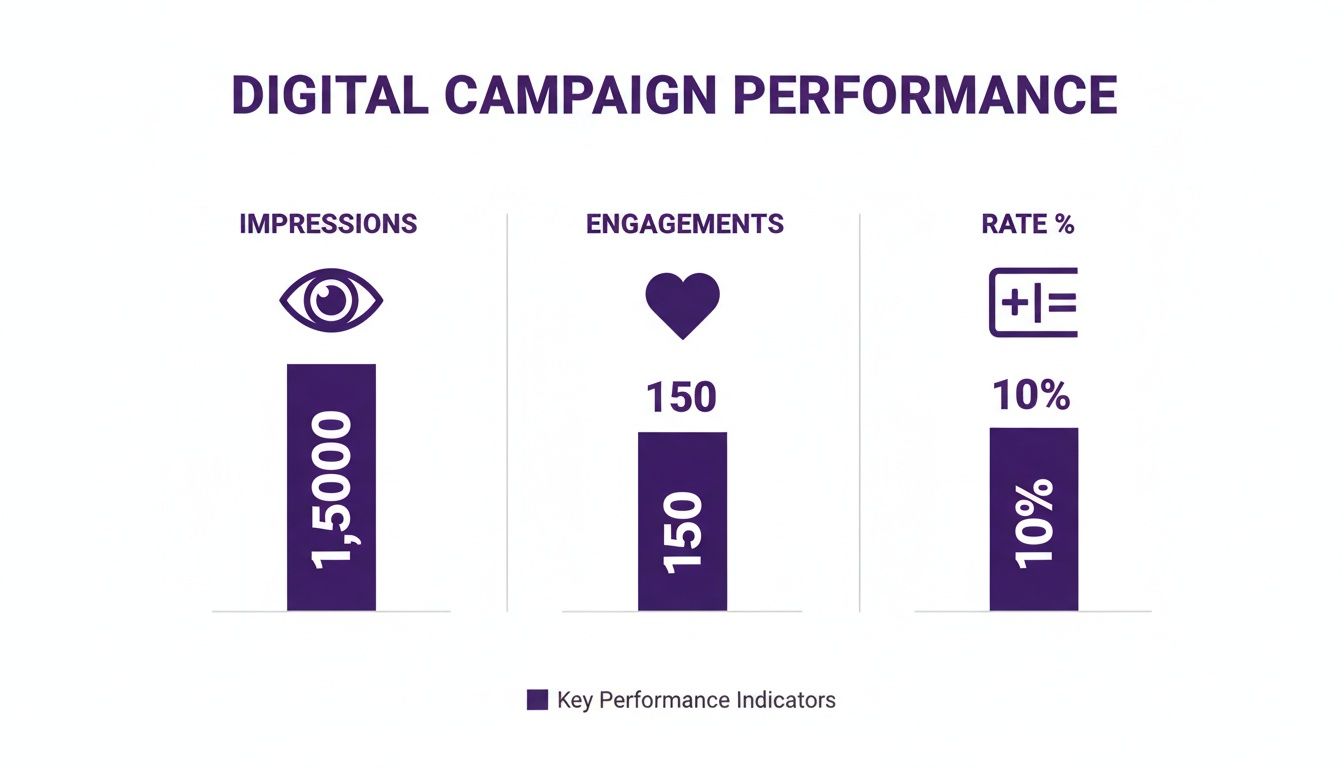
Ultimately, these benchmarks are just a starting point. Your real goal should be to figure out your own baseline and focus on improving it over time.
One of the best ways to get your content seen in the first place is by getting more people to share it. If you're looking for an edge, you can explore ways to increase your Twitter reposts and show your content to more people.
With our Upvote.club service, you tap into a community of real, verified users who are ready to engage with your posts. We built it around a simple give-and-get idea: help other members, earn points, and then use those points to get likes, comments, or reposts on your own content. It’s a community-driven way to get that initial traction the algorithm loves, without ever touching a bot.
Hitting Your Numbers in the Golden Hour

Knowing your engagement rate is a great start, but the real game is making that number climb. This is where you shift from just measuring to actively improving, and it all starts with what’s known as the Golden Hour.
This is the important first 60 minutes right after you post. During this window, the X algorithm is paying very close attention.
Early likes, comments, and reposts act as a powerful signal, telling the algorithm your content is hitting the mark and deserves a bigger audience. A strong start can be the difference between a post that gets seen everywhere and one that just… disappears. It’s all about that initial velocity.
Getting that early traction is the secret sauce influencer agencies have used for years to give their clients an edge. The good news? It's a strategy that's now open to anyone serious about growing their reach.
How to Build That Early Momentum
The key is getting real people to interact with your content, and fast. This isn’t about faking it or trying to game the system; it’s about giving your best content a fair shot at being seen by the people who will love it.
This is exactly why we built Upvote.club. It allows you to create tasks for real, verified users to engage with your new posts right when it matters most. It’s a community where everyone helps each other grow—not by buying fake engagement, but by participating in a system that gives your content the initial push it needs.
Here's the simple breakdown of how it works:
- Join the community: When you sign up, you get 13 free points and 2 task slots to get you started.
- Create your first task: You can use those resources right away. For example, getting 2 likes on a tweet might only cost 4 points.
- Earn more points: To keep going, you simply complete tasks for other members, like following an account or liking their post.
- Promote your content: Use the points you've just earned to create new tasks for your own posts.
This creates a sustainable cycle of real, authentic interaction. By helping other people in the community, you earn the ability to get your own content seen during that all-important Golden Hour. Once you have a handle on this, you can also explore other proven tips to boost social media engagement to take your content even further.
Why Our Community Model Works
We built Upvote.club on a different foundation. While some services let you outright buy likes, ours isn't about that. It’s about being part of a community.
Our model operates on a community-based system where users help each other grow. We maintain strict moderation, and bot accounts are not allowed. If a user joins and completes tasks with a real account, they become a valued member of the community.
We are non-negotiable on this point: every interaction must come from a real person. To make sure of this, we've put a unique, password-free verification system in place. The first time you go to complete a task, the system will ask you to verify your social media account using a special emoji-based method. You only have to do this once per social network.
This process ensures every like, comment, and follow comes from a genuine human account, adding real weight to your engagement signals.
Making the System Work For You
When you sign up, those free points and task slots are just the beginning.
Every 24 hours, you receive 1 free task slot, which means you can consistently promote your content without ever spending a dime. Of course, if you're a creator or brand on a faster timeline and need to accelerate your growth, you can always purchase a subscription.
A subscription gives you a big batch of points and extra task slots right away, giving you the flexibility to match your promotional efforts to your goals. We support growth across multiple platforms, including Instagram, TikTok, YouTube, Facebook, and of course, Twitter (X).
Our service helps you drive the kind of consistent, real engagement that platform algorithms are designed to reward. It helps you increase your reach, build credibility, and achieve organic growth—all without ever sharing your passwords or putting your account's integrity at risk.
Common Questions About Twitter Engagement
Once you start digging into your Twitter engagement rate, you'll naturally have some questions. Getting the details right helps you understand what your numbers are really telling you, which is key to building a smarter content strategy.
Let's clear up a few things I get asked about all the time.
Which Engagement Rate Formula Is Better?
This one trips a lot of people up, but the answer really just depends on what you're trying to measure.
-
Engagement Rate per Impression is what most social media pros use to judge how good a piece of content is. It tells you how well your post grabbed the attention of anyone who saw it, whether they follow you or not. This is your go-to for A/B testing different formats and topics.
-
Engagement Rate per Follower is more about the health of your community. It shows how tuned-in your core audience is. If you're trying to gauge audience loyalty and see how your dedicated followers are responding over time, this is the metric to watch.
For day-to-day reporting and figuring out what’s working, almost everyone leans on the per-impression rate. It gives you a more honest, unfiltered look at how a post performs out in the wild.
Are All Engagements Created Equal?
Definitely not. While any interaction is a good thing, some require more effort from a user, and the algorithm sees them as much stronger signals.
A reply or a repost is way more important than a simple like. Think about it: these actions show someone was so moved by your content they either joined the conversation or shared it with their own network. That's a massive endorsement.
Likewise, things like link clicks and profile clicks are high-intent actions. They show your content didn't just stop the scroll; it actually convinced someone to take the next step. That's a huge win.
How Often Should I Check My Engagement Rate?
I know it's tempting to refresh your stats after every single post, but that’s a quick way to drive yourself crazy over normal, everyday fluctuations. It's much healthier to get into a consistent rhythm.
A weekly or bi-weekly check-in is a great schedule. It’s a long enough window to smooth out any random spikes and dips, so you can actually spot real trends. This helps you see what's truly connecting without getting lost in the daily noise.
Can I Actually Improve My Engagement Rate Quickly?
Yes, you can, especially if you focus on the "Golden Hour"—that first hour right after you post. Getting quick engagement tells the algorithm your content is hot and deserves to be shown to more people.
This is exactly why we built our Upvote.club service.
It’s a community-based platform where you can create tasks for other real, verified users to engage with your posts as soon as they go live. You earn points by helping others in the community, then spend those points to get your own content that initial boost. It's not about buying fake likes; it’s a sustainable way for real creators to give each other a leg up.
At Upvote.club, we’re all about helping you build real engagement without bots or fake accounts. Join our community to give your content the momentum it needs to find a bigger audience. Learn more about our Twitter services.
