








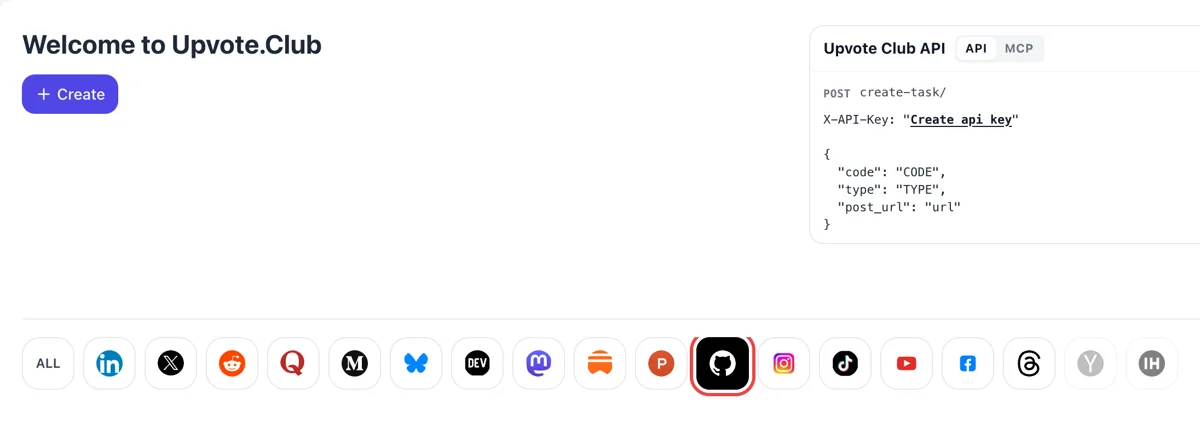
Sign in and choose the octocat
Come to upvote.club, log in with Google or Apple and press Create. The GitHub mark sits in the logo row. Starting is free, and the account also opens every other network.
Paste the link to your repository or profile and pick stars or followers.
Working with any agent




POSTcreate-task/
{
  "social_network_code": "GITHUB",
  "type": "STAR",
  "post_url": "https://github.com/username/repository",
  "actions_required": 10
}
Trusted by 88,000+ community members
We are a community of people who help each other grow their personal brand on social media. How It Works Our top priority is a zero-bot policy. We are maintaining a clean and safe community with real people. A variety of GEOs and interests are available inside our community.
The people who react are active community members with their own profiles, so the stargazers and followers you see read as ordinary accounts with their own interests, repositories and contribution history. Open a few of them and judge for yourself. Their public pages show everything there is to see about them.
A public repository or profile address is what you paste. GitHub credentials stay with you, and our login uses a Google or Apple account.
Stargazers and followers are listed on GitHub itself, so you can open the lists and see the change for yourself instead of trusting a report.
GitHub documents that many of its repository rankings depend on star counts, and that its discovery page shows popular repositories by stars. A repository with a visible count is easier to find and easier to trust when a developer lands on it. Search results and topic lists often show the count beside the project name as well.
People who follow you see your public activity on their dashboard. When you publish a new repository, star something or push a release, that activity reaches an audience that chose to watch it.
A developer who opens an unfamiliar repository looks at stars, last commit and README within seconds. A count that looks lived in supports the case you make in the README and keeps the visitor reading.
GitHub states that when someone you follow stars a public repository, it may recommend that repository to you. Having followers means your starred projects and your own work can surface in other developers' feeds.
Followers and stars sit side by side on your profile and pinned repositories, so a visitor reads both within a single glance. Together they present you as an active maintainer, which helps when you apply for work or look for contributors. A reviewer scanning ten profiles for a hire remembers the one that looks active and followed.
A new open-source release usually appears with a count of zero. Early support removes that empty look, so the first people who find the project through a link, a post or a search see something that looks alive. That first impression is hard to repair later, and it costs little to get right.
Come to upvote.club, log in with Google or Apple and press Create. The GitHub mark sits in the logo row. Starting is free, and the account also opens every other network.
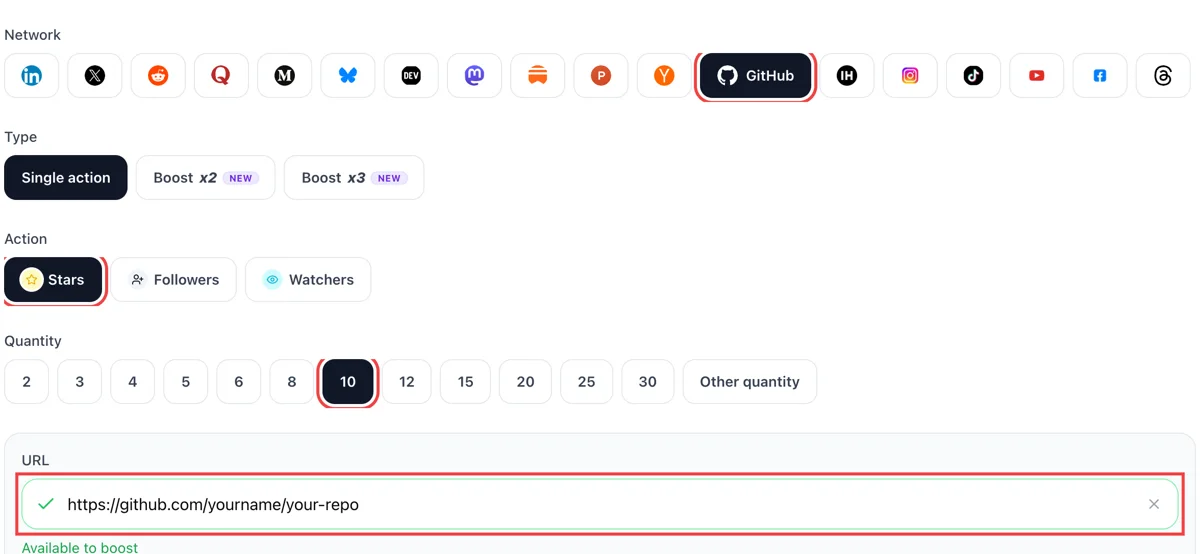
Choose stars for a repository or follows for a profile and enter the amount. Add the address. Green beside the field shows GitHub opened the repo or profile and the request is ready.
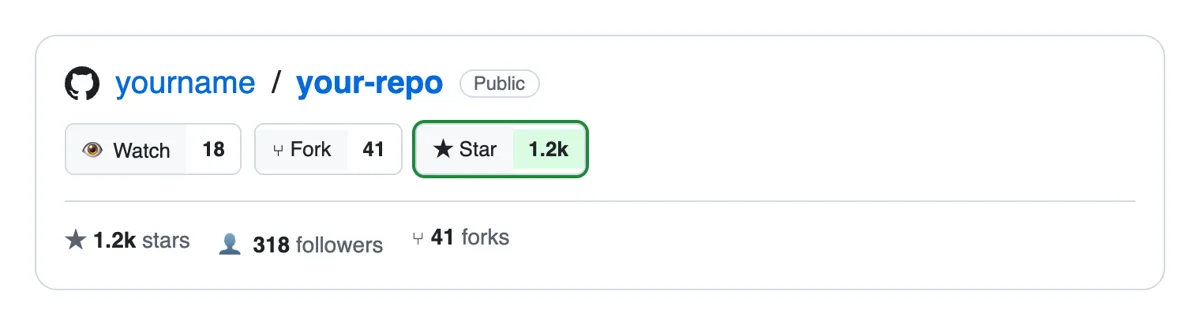
Responses come from people's own GitHub accounts. New stars show in the repository's stargazers list, and new followers appear in your notifications and followers page with their usernames.
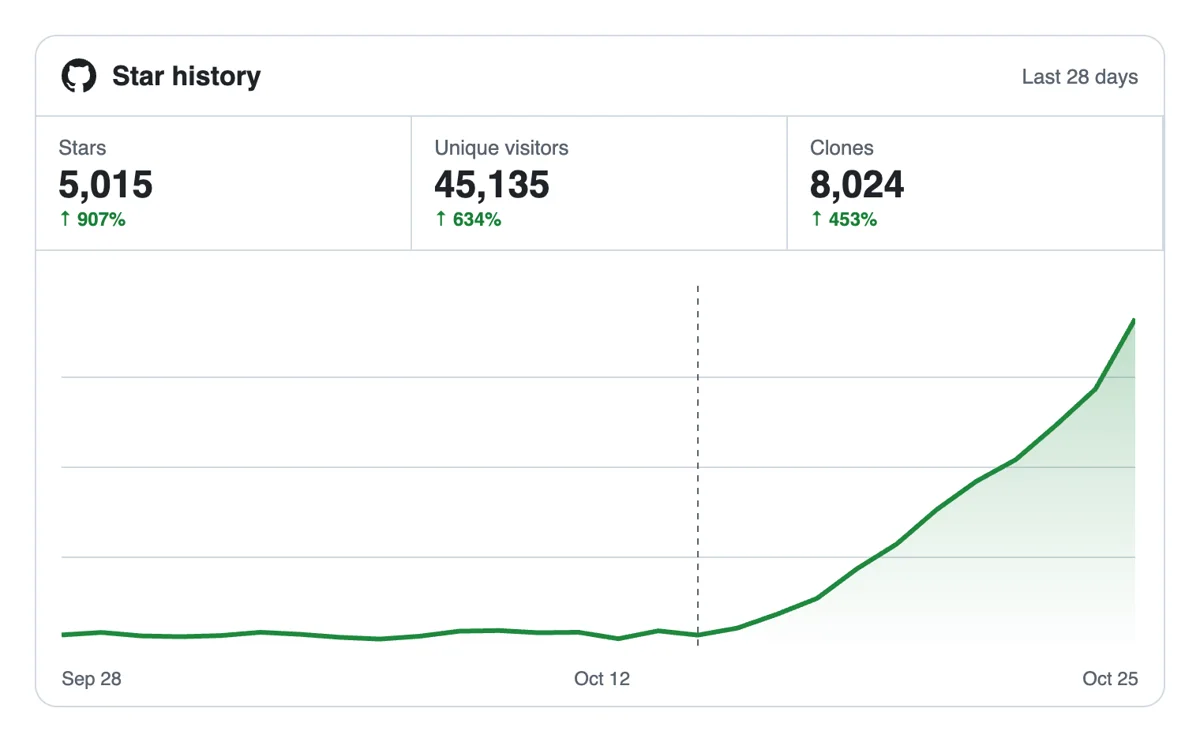
The star count sits at the top of the repository and the follower number on your profile. The Traffic graph on the repo's traffic page shows whether more visitors arrive as those numbers rise.
A script or CI job can submit repo and profile links through the API, and an AI assistant can place the same request over MCP when you describe the project. GitHub through the API
Get 5 free GitHub stars, followers, or watchers every 24 hours. Upgrade only when you need more.
Free
Forever
What's included
$59/ year
Billed annually
What's included
$0/ first 3 days
After $49 / month
What's included
Unlimited tasks per day. Unlimited connections to social media accounts. Pin your post at the top.
Promote posts to verified users. API access. Unlimited engagement actions per day.
Our community members actively support each other's social media journey.
Join 88,000+ creators, brands, founders, and marketers already growing their audience
FAQ
GitHub describes stars as a way to bookmark projects and to show appreciation to maintainers. It also says many repository rankings depend on star counts and that its discovery page shows popular repositories by stars. So a star works as a bookmark for the person who gives it and as a visible score for everyone else.
A count gives a repository the visible start it needs, and Upvote.club is built to supply that properly. Your README, examples and activity keep visitors on the page. Support helps the project get noticed, and quality turns that attention into users and contributors.
Growth, using the right tool, and Upvote.club is built for it. Stars lift single projects, and followers build a standing audience for your public activity. Each has its own page: stars and followers. Stars suit a launch, and followers suit a long run of small projects, so many maintainers use both at different moments. Pick the one that matches what you ship next.
Start with stars if you have one project you want people to notice, such as a library, a tool or a template. Start with followers if you ship many small things and want a standing audience. Many maintainers begin with stars for the launch and add followers later.
Write a README that states the problem, add a clear example, post the project where developers talk, and ask colleagues to look at it. Friends and teammates give the first stars at a cost of your time. Tools with an active community help once your own contacts run out.
Visitors respond to a one-line description, a screenshot or short demo, working install steps, a license and recent commits. A repository that looks maintained gets starred more than one that looks abandoned, even when the code is the same. Spend an hour on these items before you ask anyone to react, and ask a colleague to try the install steps cold, then pin the repository so it appears first on your profile.
It is one signal among several, and a readable one. Recruiters and clients usually look at pinned repositories, contribution activity and the README quality. A solid follower count supports that picture and makes a profile look established, but it works best with visible, maintained work behind it.
The count stays on the page as long as the repository and profile exist, and it keeps working for every later visitor. Activity gives it meaning, so keep committing, answer issues and release updates. A project that goes silent loses the benefit of a high count over time.
A new repository with no activity looks risky to visitors. Add a README, a few commits and a first release before asking for support. Then add stars to give the launch a visible base, and share the link in the places your target users already read.
Be careful with auto-generated content and automated posting around your project. Networks have grown cautious about it, and hand-written updates tend to hold attention better. Write your README, changelog and announcements yourself, from your own machine or phone, and use Upvote.club for the reactions. Developers can tell when a README was produced in bulk, and a human voice is what turns a visit into a star.
Pick one channel where your users already read, such as a developer forum, a newsletter or a community chat. Write a short post that names the problem, shows a screenshot and links the repository. Reply to every comment, including the blunt ones, and fix what people report. Visitors who see a responsive maintainer are the ones who star. A steady trickle of visitors matters more than a single spike.
They see it at the top of the repository page next to the name, in search results and on any list that shows the repository. A developer comparing two similar libraries often glances at it first, which is why a low count can cost you a click even when the code is better.
Yes. The API and MCP connectors allow a script, a release workflow or an AI assistant send the same requests as the site. GitHub notes and setup are on the API page, so support can sit on your launch checklist next to tagging a release and posting the announcement.
Starting is free, and login is through Apple or Google. Whatever you paste has to be public, since members reach it from that address. A private repository cannot be starred by outsiders, because nobody beyond your team can open it. If the project is not ready to show, wait until it is.
Up to six repositories and gists, combined. Open your profile, choose Customize your pins, tick the items and drag them into order. A pinned item shows its star count and description, and a public repository qualifies when you own it or have contributed to it in the past year. Pinned items replace the Popular repositories section, so they decide what a visitor sees first. Choose the projects that show your range, keep the README of each one clear, and pin the repository you are pushing now. Stars and followers added through upvote.club then appear on the page a new visitor reads first.
It shows the repositories and topics you have starred, and you can sort them by recently starred, recently active or most stars, or filter by language. GitHub also lets you group stars into lists, currently in public preview, and public lists appear on your Stars tab for anyone to read. A tidy set of lists tells a visitor what you follow and care about, which is part of how a profile reads to a possible client or employer. Name each list for a subject, add a short description and keep the collection to repositories you would recommend.