

Table of Contents
- Your LinkedIn Summary Is More Than a Bio
- Think like a homepage, not a biography
- The first two lines do the heavy lifting
- Define Your Summarys Goal Before You Write
- Pick one primary audience
- Answer these questions before drafting
- Match the message to the outcome
- Build Your Summary with a Four-Part Framework
- Hook
- Value
- Proof
- Action
- Role-Specific Summary Examples and Templates
- Software developer example
- Marketing manager example
- Freelance writer example
- Summary sentence starters
- Editing and Optimizing Your Final Draft
- Add keywords without sounding mechanical
- My final editing checklist
- Common mistakes I'd fix immediately
- Amplify Your New Summary for Instant Visibility
- Use the update as a visibility trigger
- Give people something easy to engage with
I once reviewed a LinkedIn profile for a strong marketer whose summary said, “Experienced professional with a passion for driving results.” It told me nothing, and it was wasting the best real estate on the page.
That's the problem with most LinkedIn summaries. They read like filler when they should read like a pitch.
Your LinkedIn Summary Is More Than a Bio
Your LinkedIn summary isn't a bio. It's your personal landing page.
When someone clicks your profile, they're trying to answer a simple question fast: should I talk to this person? That “person” might be a recruiter, a client, a podcast host, a founder looking for a partner, or a peer deciding whether to connect. If your summary sounds like a resume copy-paste, you lose them.
I've seen the same mistake again and again. Smart people write summaries that are packed with broad phrases like “results-driven,” “strategic thinker,” and “team player.” None of that gives a reader a reason to remember you. A better summary makes a claim, proves it, and tells the reader what to do next.
Think like a homepage, not a biography
A strong summary does four jobs at once:
- It introduces you fast so the right people know they're in the right place.
- It frames your work clearly so readers understand what you do.
- It builds trust with examples, outcomes, and specifics.
- It starts conversations by pointing to the next step.
That's why I tell people to treat the summary like a stripped-down sales page for their professional life. If you're serious about personal branding on social media, this is one of the first places to fix.
Your first lines need to do one job well. Make the right person think, “This looks relevant.”
The first two lines do the heavy lifting
LinkedIn truncates the summary preview, so the opening matters more than the rest. Your first lines should say who you help, how you help, and what kind of work you're known for. If you bury that under career history, you're making people work too hard.
Here's the shift I want you to make:
| Weak opening | Better opening |
|---|---|
| “Experienced sales leader with a demonstrated history of working in SaaS.” | “I help B2B SaaS teams build sales systems that turn messy pipelines into repeatable revenue.” |
| “Passionate software engineer with experience in full-stack development.” | “I build web products that load fast, scale cleanly, and solve boring operational problems that cost teams time.” |
| “Freelance writer specializing in content and communications.” | “I write clear B2B content that helps software companies explain hard products and win trust faster.” |
If you want to see how LinkedIn-focused growth fits into that broader profile strategy, look at LinkedIn growth tools from Upvote Club.
Define Your Summarys Goal Before You Write
Don't start with wording. Start with intent.
Most bad summaries fail before the first sentence because the writer never decided who they want to attract. A summary for a recruiter should not sound the same as a summary for a founder trying to get clients. If you skip that decision, you end up with a bland middle ground that serves nobody.
LinkedIn gives you limited room to work with. Summaries cap at 2,600 characters, and profiles in the 300 to 500 word range get 40% higher profile views, according to Insight Global's LinkedIn summary guide. The same source notes that short paragraphs and bullet points help readability on mobile, where 57% of traffic occurs. That means every line has to earn its place.
Pick one primary audience
I want you to choose the single most important reader for your summary. You can still appeal to others, but your draft needs one center of gravity.
Use this simple decision filter:
- Recruiters if you want interviews, inbound job leads, and hiring conversations.
- Clients if you sell services, consulting, coaching, freelance work, or agency work.
- Collaborators if you want speaking invites, partnerships, referrals, or creator opportunities.
- Peers if your main goal is network growth and professional visibility.
If you try to write for all four at once, your message goes soft.
Answer these questions before drafting
Write your answers in a separate doc first. Don't open LinkedIn yet.
- Who do I want contacting me most?
- What do I want them to think after reading?
- What kind of opportunity do I want more of right now?
- What proof can I show that supports that position?
- What should they do next?
That last one matters more than people think. If your summary gets read but doesn't direct the next move, it underperforms.
Practical rule: One profile can support multiple goals. One summary can't carry equal weight for all of them.
Match the message to the outcome
Here's how I frame it with clients:
| Goal | Your summary should sound like |
|---|---|
| Job search | Clear, grounded, skill-led, proof-heavy |
| Client acquisition | Outcome-focused, buyer-aware, direct |
| Partnerships | Credible, generous, idea-led |
| Thought leadership | Sharp point of view, niche clarity, memorable voice |
If your goal is networking around a niche, say that. If your goal is landing fractional CMO work, say that. If your goal is getting product consulting projects, say that. Clarity pulls the right people in and naturally filters out the wrong ones.
For people who want to turn profile views into actual conversations, I also recommend reviewing how your connection flow works through LinkedIn connection strategy tools from Upvote Club.
Build Your Summary with a Four-Part Framework
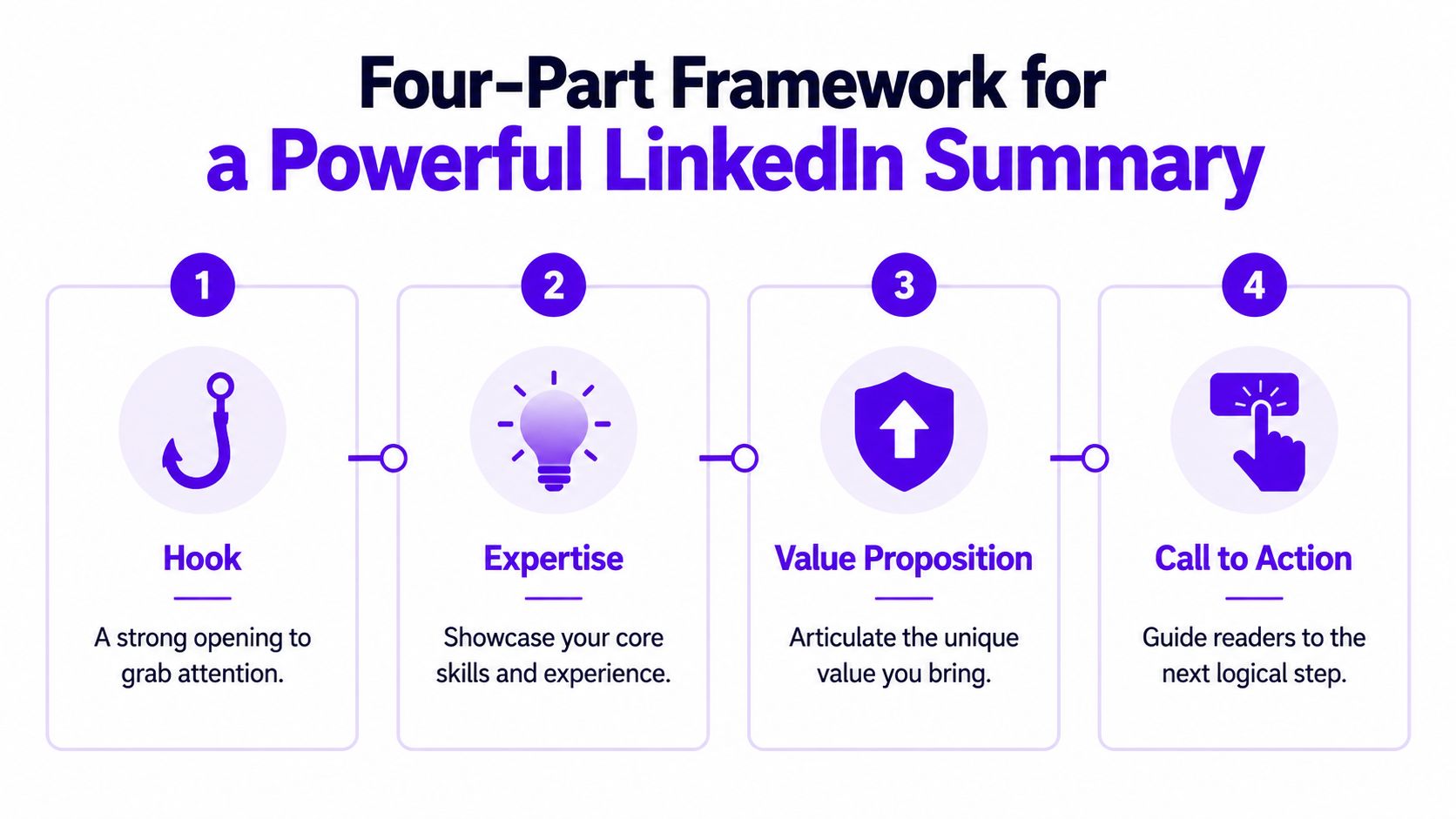
The easiest way to write a LinkedIn summary is to stop thinking of it as one blob of text. Build it in four parts: Hook, Value, Proof, Action.
This structure works because it mirrors how people read profiles. They scan the top, look for relevance, hunt for evidence, and decide whether to move closer or leave. A good summary respects that behavior.
A Present-Past-Future structure can increase recruiter engagement by 35%, profiles that list 5+ skills in the summary see 13x more views, and summaries with quantifiable wins get 22% more endorsement rates. Summaries that end with a clear call to action generate 27% more messages, according to Northeastern University's LinkedIn summary guide.
Hook
Your opening line should make a useful promise or state a clear professional identity. Don't warm up. Don't explain your childhood. Don't open with “I'm passionate about.”
Good hooks usually do one of these:
Name the problem you solve
“I help early-stage SaaS teams turn scattered marketing into a working demand engine.”State your lane clearly
“I'm a full-stack developer focused on product UX, performance, and systems that survive growth.”Lead with your working style
“I write B2B content for companies that need clear language, sharp positioning, and less fluff.”
Value
After the hook, tell the reader what you do, who you do it for, and what makes your approach different. This is your positioning.
A lot of people waste this part by listing duties. I'd rather see one tight paragraph that answers three things:
| Question | Example answer |
|---|---|
| What do you do? | “I lead lifecycle and content programs for SaaS products.” |
| Who do you help? | “I work with product-led teams that need stronger activation and retention messaging.” |
| What makes you different? | “I combine research, messaging, and execution, so the strategy doesn't die in a slide deck.” |
Proof
Here, most summaries either become persuasive or collapse.
If you claim you're strong, prove it. Mention selected wins, named skills, clear scope, or a concrete specialty. You do not need to list every role. You need to give readers enough evidence to trust the positioning from the opening.
Use a few short bullets if your work is metric-driven. For example:
- Built and shipped onboarding content across email, in-app, and help center flows
- Led cross-functional launches with product, sales, and customer success
- Improved activation messaging by testing clearer user education and conversion paths
- Focused on content strategy, lifecycle marketing, customer research, and positioning
When readers hit your proof section, they should stop wondering whether you can do the work.
Action
End with a direct call to action. Not a dramatic one. A practical one.
Here are calls to action I like:
- “I'm open to speaking with SaaS teams that need sharper messaging and cleaner conversion paths.”
- “If you're hiring for product marketing, lifecycle, or content strategy roles, feel free to connect.”
- “I enjoy connecting with founders, operators, and writers working on clear communication in tech.”
A summary without a closing prompt leaves attention sitting idle. Tell people how to proceed.
Role-Specific Summary Examples and Templates
Most advice on how to write a linkedin summary stays too abstract. So here are three examples that sound like finished summaries, not writing exercises.
These use a Hook-Narrative-Proof-CTA structure. That format can drive 21% higher profile-to-message conversion rates, and summaries with three or more quantified wins receive 13x more InMail responses, according to Coursera's guide to writing a LinkedIn summary. The same guide says first-person voice and short paragraphs of fewer than four lines can increase completion rates to 70%.
Software developer example
I build web products that are fast, stable, and easy for teams to maintain.
Right now, I work on full-stack applications with a strong focus on performance, clean architecture, and product usability. I like projects where the actual job isn't just shipping code. It's reducing friction for users and giving teams systems they can trust.
A few things I'm known for:
- Rebuilding messy workflows into simpler product experiences
- Working across frontend, backend, and API integrations
- Writing code that other developers can pick up and extend
- Partnering well with product and design, not hiding behind technical jargon
My stack and strengths include JavaScript, TypeScript, React, Node.js, API design, debugging, and product thinking.
I'm always glad to connect with founders, product teams, and engineers working on practical software that solves real operational problems.
Why it works: The hook is plain and strong. The middle explains the kind of developer this person is. The bullet points act as proof without sounding bloated. The ending invites the right people in.
Marketing manager example
I help SaaS companies turn scattered campaigns into a marketing system that supports pipeline and customer growth.
My background sits at the intersection of content, lifecycle, positioning, and demand generation. I've spent my career fixing the gap between “we're posting a lot” and “we know what this is doing for the business.” I like building programs that are clear, measured, and tied to what buyers care about.
Some of the work I do best:
- Launch messaging and go-to-market support
- Content programs built around search intent and buyer questions
- Email and lifecycle flows that move users from interest to action
- Cross-functional work with sales, product, and customer success
I'm strongest when a team needs focus, sharper messaging, and someone who can move from strategy into execution without drama.
If you're building a B2B growth team or want to compare notes on content and lifecycle, let's connect.
Why it works: It sounds commercial without turning robotic. The summary speaks to business pain, not just marketing tasks.
Freelance writer example
I write B2B content for software companies that need clearer messaging, stronger trust, and fewer vague words.
Most tech content fails because it sounds polished but says nothing. My work is built to fix that. I write articles, landing pages, case-study style content, and thought leadership pieces that make hard products easier to understand.
Clients usually bring me in for work like:
- Blog content tied to search and product positioning
- Founder ghostwriting for LinkedIn
- Website copy that explains the offer fast
- Editorial systems that keep publishing consistent
I'm comfortable working with SaaS, AI, developer tools, and service businesses that care about clarity. I like sharp briefs, honest feedback, and content that has a job to do.
If you need a writer who can think like a strategist and still deliver clean copy, send me a message.
A good summary sounds like a person you'd want to work with, not a brochure.
Summary sentence starters
| Section | Sentence Starter Examples |
|---|---|
| Hook | “I help…” / “I build…” / “I write…” / “I work with…” |
| Value | “My work focuses on…” / “I'm best known for…” / “I specialize in…” |
| Proof | “A few things I'm known for…” / “My background includes…” / “I've worked across…” |
| Action | “If you're hiring for…” / “I'm open to connecting with…” / “Feel free to reach out if…” |
If you get stuck, don't force originality. Start with a clean sentence starter, then make it more specific.
Editing and Optimizing Your Final Draft
The first draft is usually too long, too safe, or too vague. That's normal. Editing is where the summary starts sounding like someone worth contacting.
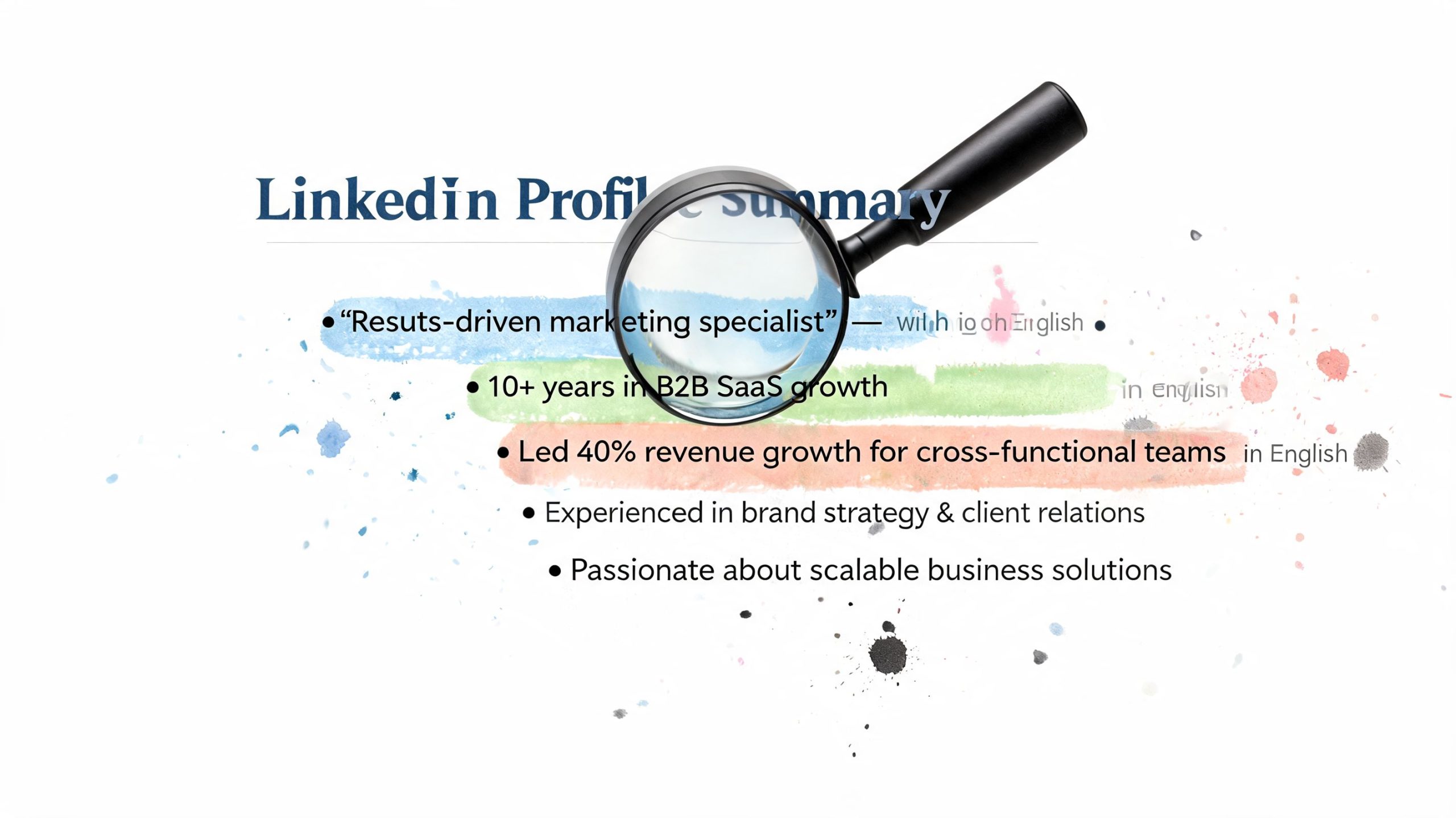
I edit LinkedIn summaries with one question in mind: can a stranger understand your value in seconds? If not, cut harder. Many individuals need fewer claims and better wording, not more content.
Add keywords without sounding mechanical
LinkedIn search matters. So does recruiter search. But stuffing your summary with awkward repeated phrases makes you sound fake.
A keyword-optimized section at the end of the summary can boost profile discoverability by 40%, and profiles with optimized keywords see 5.3x more views from recruiters, according to this LinkedIn summary keyword methodology video. The best practice is to identify 10 to 15 domain-specific keywords, place them in a pipe-separated block, and weave 3 to 5 top keywords naturally into the main narrative.
Here's what that looks like:
Keyword block example
Content Strategy | SaaS Marketing | Product Positioning | Lifecycle Marketing | Customer Research | SEO Writing | Messaging
That's clean. It's readable. It helps search without dragging down the main copy.
My final editing checklist
Use this before you hit save:
- Read it out loud. If a sentence sounds stiff, it is.
- Cut weak openers. Delete “passionate,” “results-driven,” and “experienced professional” unless you enjoy sounding like everyone else.
- Stay in first person. “I build,” “I lead,” and “I write” work better than third-person summary language.
- Break up the text. Use short paragraphs. Dense blocks get skipped.
- Swap duties for outcomes. “Managed social media” is weaker than explaining what kind of work you owned and why it mattered.
- Keep your skills visible. Don't hide your main work behind abstract language.
- End with a next step. A summary should invite action.
If you want extra phrasing help, these templates for professional bios are useful for breaking out of generic wording.
Common mistakes I'd fix immediately
| Mistake | Better move |
|---|---|
| Third-person voice | Write like a human. Use “I.” |
| Resume repetition | Add context, focus, and positioning instead of re-listing jobs |
| Buzzword pileup | Replace broad claims with concrete specialties |
| Giant paragraph | Split it into short blocks and bullets |
| No search terms | Add a simple keyword block near the end |
One more useful resource before you publish:
After you clean up the wording, save a copy somewhere outside LinkedIn too. That makes future updates easier. If you want a simple place to keep profile-ready drafts organized, use saved LinkedIn profile workflows from Upvote Club.
Amplify Your New Summary for Instant Visibility
Updating your summary and doing nothing after that is a mistake.
A fresh summary gives you a reason to post. Use it. Share a short update about your current focus, the kind of work you want more of, or the problems you solve best. That post sends people to your profile, and your new summary does the rest.
Use the update as a visibility trigger
Don't write “I updated my LinkedIn.” Nobody cares. Give people a reason to click.
Try one of these angles instead:
New direction
“I've sharpened my LinkedIn profile around the work I want to do more of this year: B2B content strategy for software teams.”Clear positioning
“I finally rewrote my LinkedIn summary to reflect the kind of product marketing work I enjoy.”Invitation
“If you're building in SaaS and need help with messaging, lifecycle, or content, my profile now gives a better picture of how I work.”
A polished headshot helps this update perform better too. If your photo is old or inconsistent with your current brand, an ai headshot generator can help you create something cleaner for LinkedIn.
Give people something easy to engage with
Your post should be simple to respond to. Ask a direct question, share one opinion, or name a problem you solve. Don't make it sound like a press release.
Good examples:
- “What's the one line on your profile that gets people to message you?”
- “I think most LinkedIn summaries fail because they try to sound impressive instead of useful.”
- “I rewrote my summary to focus less on job titles and more on buyer problems.”
If you want your updated profile announcement to travel further across your network, LinkedIn repost support through Upvote Club can fit into that distribution plan.
If you want more people to see the work you publish after updating your profile, try Upvote Club. With our Upvote.club service, you can get real engagement from verified human accounts across LinkedIn, Twitter, Reddit, Product Hunt, GitHub, and more without bots or password sharing. We built it as a community system, not a fake-like marketplace. You complete tasks, earn points, create your own tasks, and use that momentum to get authentic interaction during the first hour when visibility matters most.
