Table of Contents
- Table of Contents
- Why Your Great Code Is Not Enough
- What Is a Good Number of GitHub Stars?
- Build a Star-Worthy Project Foundation
- Make the first screen do the selling
- Turn your repo into a low-friction landing page
- Optimize Your Repository for Discoverability
- GitHub search does not work the way most maintainers think
- Discovery settings worth fixing today
- Execute a Strategic Promotion Campaign
- Treat launch like a coordinated release
- GitHub Trending and star velocity
- What to post and where to post it
- Foster a Contributor-Friendly Community
- Make contribution paths obvious
- Run your issue tracker like a front door
- Pursue Ethical Growth and Measure Results
- Shortcuts that damage trust
- How Much Do GitHub Stars Cost?
- Can You Get Free GitHub Stars?
- Measure the shape of your growth

I've watched good open-source projects die on launch day for one simple reason. The code was solid, but the repo gave strangers no reason to care in the first few seconds.
That's the core problem behind how to get GitHub stars. Stars don't appear because your code is elegant. They appear when people can quickly understand what your project does, trust that it works, and find it at the moment they need it.
Table of Contents
- Why Your Great Code Is Not Enough
- What Is a Good Number of GitHub Stars?
- Build a Star-Worthy Project Foundation
- Optimize Your Repository for Discoverability
- Execute a Strategic Promotion Campaign
- Foster a Contributor-Friendly Community
- Pursue Ethical Growth and Measure Results
Why Your Great Code Is Not Enough
Are GitHub stars important? Yes — not as vanity metrics alone, but as trust and discoverability signals. A GitHub star is how developers bookmark a repository, mark interest, or show appreciation when a project looks useful. When strangers compare two repos solving the same problem, they rarely read every line of code first. They scan the README, check whether the project feels active, and look for signs that other people already believe it's worth trying.
One clarification for searchers: repository stars (the star button on a project) are not the same as GitHub's Stars program for people. This guide is about growing stars on your repo. A lot of maintainers still learn the hard way that shipping solid code is not enough. You spend nights building something useful, post it once, and then nothing happens — a few views, maybe one star from a friend, no issues, no pull requests. That silence usually means the project is invisible, or it looks unfinished to a stranger who has no context.
Practical rule: your repository is a product page before it becomes a codebase to anyone new.
That mindset changes how you work. You stop asking, “How do I get people to star this?” and start asking, “What would make a skeptical developer trust this in under a minute?”
A repo with weak positioning can bury strong work. A repo with a clear story, clean setup, and visible activity can pull much more attention. That's why launch planning matters. If you post to communities like Hacker News launch channels before the repo looks ready, you waste the first wave of attention you worked hard to get.
Here's the shift that matters most:
- From coder to owner. Owners think about packaging, timing, and follow-through.
- From “good code wins” to “good code plus clear presentation wins”.
- From stars as ego to stars as proof. Proof brings users, contributors, and more sharing.
The maintainers who keep growing don't wait for merit to be discovered. They package merit so strangers can judge it quickly.
What Is a Good Number of GitHub Stars?
There is no universal “good” star count. What looks strong depends on your niche, how early the project is, and how peer repositories in the same category perform. A small, focused tool can look healthy at a few hundred stars, while a broad framework may need thousands before it feels established to cold visitors.
Use cautious bands as credibility checkpoints, not hard targets: around 100 stars often means early social proof; around 500 starts looking serious; around 1,000 is commonly treated as a strong signal in many niches; around 10,000 usually means broad visibility. Stars still do not equal product adoption or weekly active usage — treat them as interest and trust markers, then measure installs, issues, and retention separately.
Build a Star-Worthy Project Foundation
If you want more stars, fix the repo before you ask for attention. Most visitors make a snap decision. They either understand the project and trust it, or they leave.
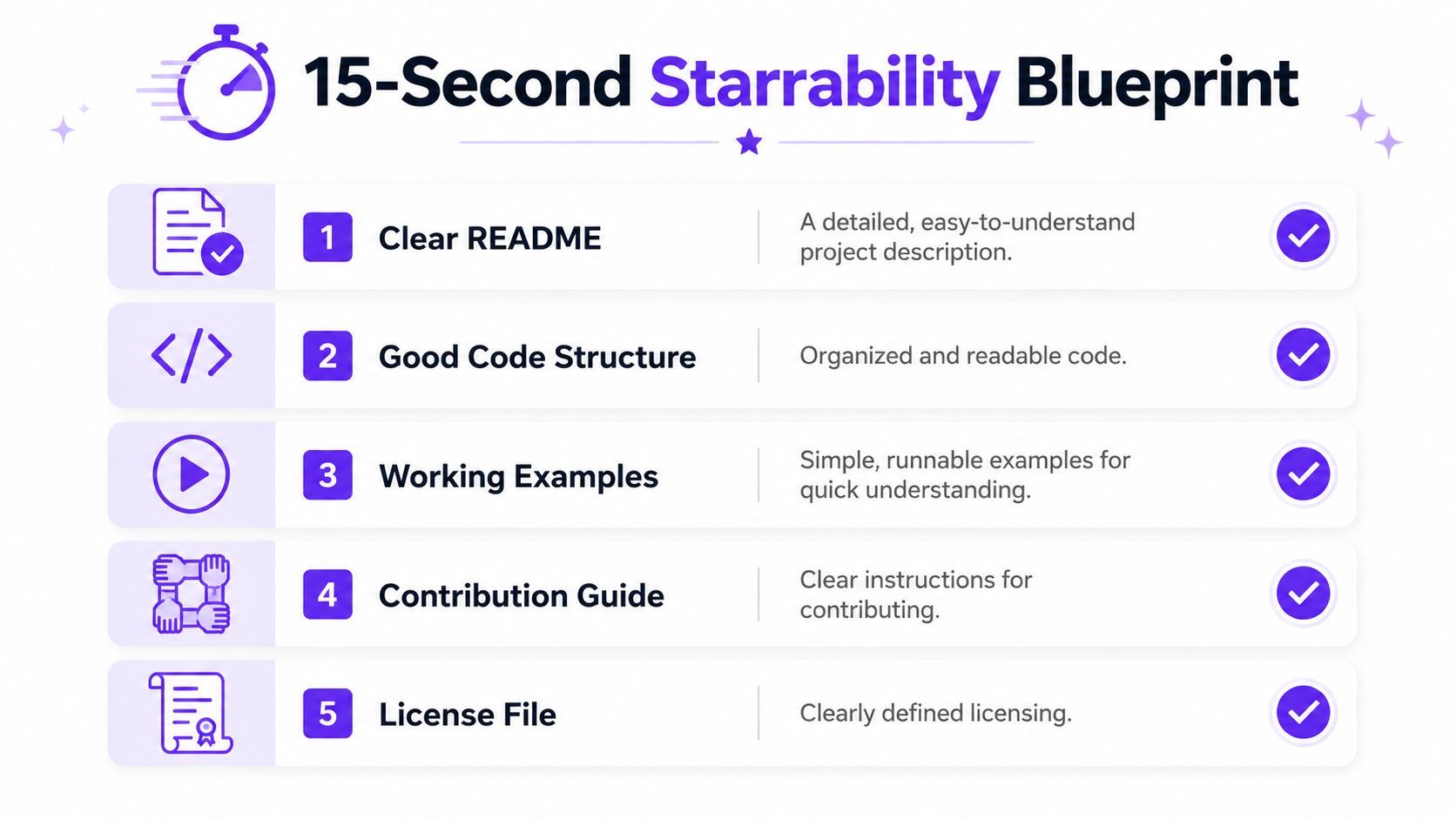
According to GitHub StarMate's write-up on README optimization, technical optimization of the README for “15-second starrability” reduces onboarding friction by 70% and correlates with a 3.5x higher star-to-visitor conversion rate. The same source says GitHub Actions badges and a “good first issue” label increase contributor trust and star retention by 25%.
Make the first screen do the selling
Your top screen in the README should answer three questions immediately:
- What is this?
- Who is it for?
- Why should I care instead of using the default option?
That means the first lines need a short problem-solution statement. Not a philosophy essay. Not a changelog. Not a badge graveyard.
A stronger opening looks like this:
| Element | What to include | What to avoid |
|---|---|---|
| Project summary | One sentence with the use case | Abstract slogans |
| Visual proof | Hero screenshot or GIF | Empty header area |
| Quick start | Install and run steps | Long setup before any payoff |
| Trust markers | Build/test badges | Hidden CI status |
If your project has a UI, show it. If it's a library, show the smallest working example. If it's a CLI, paste a real command and real output.
A README should answer “can I use this today?” before it answers “how was this designed?”
Turn your repo into a low-friction landing page
Turn your repository into a low-friction landing page by putting the problem statement, visual proof, install steps, trust markers, contribution path, and license where visitors can find them immediately. Use the checklist below to make the project easy to understand, evaluate, and try.
- Clear problem statement. State the pain your project removes.
- Hero screenshot or GIF. Let people see the result before they read details.
- Copy-paste install steps. If setup feels risky, stars drop.
- GitHub Actions badges. Show build or test status where visitors can see it.
- Contribution entry point. Add
good first issueand make it visible. - License and repo structure. Help visitors decide whether they can adopt it.
Then clean up what hurts trust:
- Remove stale promises. If the README says “coming soon” in key sections, fix it or delete it.
- Cut walls of text. Dense prose signals work.
- Stop hiding examples. Your best example should not be buried in
/exampleswith no link.
One more small move pays off. Add a CONTRIBUTING.md early, even if it's short. A maintainer who looks organized gets more benefit of the doubt than one who looks absent.
A star-worthy foundation isn't about polish for its own sake. It's about making the first yes easy.
Optimize Your Repository for Discoverability
Optimize your repository for discoverability by writing a keyword-specific description, adding relevant GitHub topics, setting a social preview image, surfacing your best demo or docs, and publishing clear releases. These signals help developers find and evaluate the repo when they search by topic, language, or use case.

GitHub search does not work the way most maintainers think
GitHub's search system has a structural limit that changes discovery strategy. As noted in Dan Vanderkam's analysis of GitHub stars and search limits, GitHub's search API has a hard cap of 1,000 results per query. That makes pure star-based discovery weaker than many developers assume, and it makes visibility through trending pages and topic-based exploration more important.
“Just get more stars” is not a clean path to search visibility. Once broad queries hit that cap, repositories can disappear behind crowded result sets. A tightly positioned repo with strong topics and a specific description can still surface where a vaguely described repo cannot.
That's also why maintainers should think like search marketers. If you've ever studied understanding press release SEO, the same basic lesson applies here. Distribution works better when the asset is packaged around the exact terms people search for.
Discovery settings worth fixing today
Fix five discovery settings first: your repository description, topics, social preview image, pinned demo or documentation links, and release notes. Together, they improve search relevance and make shared repository links more compelling.
- Repository description. Write one line with plain-English keywords. Say what it does, who it serves, and what makes it distinct.
- Topics. Add relevant topics in your repo settings. Don't tag everything. Tag the exact ecosystem, framework, language, and problem space.
- Social preview image. Set one. Shared links with a good preview get more attention than blank cards.
- Pinned example links. Surface the best demo, docs page, or example app.
- Release hygiene. Use clear release notes so visitors know the project is active.
A simple before-and-after test helps. Open your repo in an incognito window or send it to a friend who knows nothing about it. Ask them to describe the project after ten seconds. If they can't, your discovery layer is weak.
For maintainers doing active distribution, I'd also tune the page before sending traffic from GitHub growth workflows. Cold visitors rarely give you a second chance.
Passive discovery doesn't feel dramatic. It compounds steadily through better search matches, cleaner topic pages, and higher click-through when your link appears outside GitHub.
Execute a Strategic Promotion Campaign
Most repos don't need constant promotion. They need one coordinated push that creates enough star velocity to get noticed, followed by steady follow-up. Before you lean on cold traffic, warm your own network first — early supporters, coworkers, and niche communities can supply the first roughly 100 to 200 stars that make the repo look alive to strangers.
The launch pattern that works best is concentrated, not scattered. According to this launch playbook on Dev.to, a coordinated 48-hour launch window across Hacker News, Reddit, Product Hunt, and a Twitter/X thread with real metrics drives the highest initial engagement velocity, and replying to every comment within an hour on launch day is a deciding factor.
Treat launch like a coordinated release
Treat your launch like a coordinated release by preparing channel-specific posts, publishing them within a short window, and staying available to answer comments and fix issues. This concentrates attention without repeating the same generic message everywhere.
Aim for Tuesday through Thursday around 8–10am ET, when developer audiences are most active. Avoid Monday and Friday when possible, and be cautious around major holiday months when attention thins out.
| Channel | Best use | What to post |
|---|---|---|
| Hacker News | Technical audience, direct feedback | Show HN with clear build story |
| Niche community fit | Problem solved, trade-offs, screenshots | |
| Product Hunt | Broader product audience | User-facing benefits and setup |
| Twitter/X | Fast context spread | Thread with build notes and metrics |
The point is not to spam every site. The point is to create a short window where people from different channels all hit the same repo, see active discussion, and add social proof for the next visitor.
Fast replies change outcomes. A dead comment thread tells newcomers the maintainer is gone.
GitHub Trending and star velocity
GitHub Trending rewards star velocity in a window more than a high cumulative total. A repo that gains a burst of stars in a short period can surface even if older projects still hold more lifetime stars. That is why a coordinated launch after warm ignition matters more than dripping one link a week.
If you want Trending exposure, concentrate attention into a short window after the repo is ready, keep discussion alive with fast replies, and measure the slope of new stars — not only the lifetime count.
What to post and where to post it
Each platform needs different framing.
For Hacker News, lead with the technical angle. What did you build, why did you build it, and what trade-offs did you make? For Reddit communities like r/selfhosted or r/opensource, use screenshots and explain who the project helps. For Product Hunt, write for people evaluating usefulness fast, not for maintainers reading source on day one.
A few practical moves help:
- Prepare answers in advance. Common questions repeat. Draft answers about roadmap, stack, alternatives, and license before launch.
- Post real evidence. If you mention speed, workflow, or output, show it with screenshots, GIFs, or examples.
- Keep the repo updated during launch. Fix README issues the moment users point them out.
- Ask for discussion, not favors. “Tell me what's broken” works better than “please star this.”
Founders who've studied broader marketing strategies for SaaS founders will notice the same pattern here. Distribution is strongest when message, audience, and landing page line up.
One more practical channel is curated lists. Submit your repo to 5 to 10 relevant “awesome-[domain]” lists, and follow each list's contribution rules. The method described in Fans Gurus' guide to GitHub star growth is simple: have a friend or early user submit it for you rather than submitting it yourself, which helps avoid self-promotion flags.
If Product Hunt is part of the plan, coordinate the repo page and the launch page at the same time, then route that traffic through a clean handoff like Product Hunt launch support.
Promotion works when the repository is already ready. If the foundation is weak, traffic just exposes the weakness faster.
After the first spike, plan short follow-up waves instead of going quiet. A feature release, a demo post, or a reply round in the communities that already engaged can sustain growth when the launch surge cools down.
Foster a Contributor-Friendly Community
Foster a contributor-friendly community by documenting how to contribute, labeling approachable issues, using clear issue templates, and responding promptly to issues and pull requests. These visible paths turn passive interest into participation and show prospective stargazers that the project is actively maintained.

Make contribution paths obvious
Make contribution paths obvious with a concise CONTRIBUTING.md, clearly labeled good first issue and help wanted tasks, and issue templates that explain what information to provide. New contributors need a clear first step, not a giant handbook.
Start with these files and labels:
CONTRIBUTING.md. Keep it short. Explain setup, coding standards, branch naming if you use it, and how to open a pull request.good first issue. Use it for work that a new contributor can finish without learning your whole architecture.help wanted. Mark issues where outside work is welcome.- Issue templates. Reduce back-and-forth by asking for reproduction steps and environment details.
A practical touch that many maintainers overlook is public recognition. The tool described in this Dev.to post about Repo Roster lets you display supporter usernames and avatars in your README. That gives early supporters visible credit and creates a small but real reason to star or fork.
People contribute more often when the next step is visible and the maintainer looks present.
Run your issue tracker like a front door
A healthy community doesn't come from slogans. It comes from response patterns.
If someone opens an issue and gets silence, they assume the repo is stale. If they get a short, direct answer, they'll often come back even if the answer is “not yet.”
Here's the maintainer behavior that helps most:
- Triage quickly. Confirm whether the issue is a bug, feature request, or support question.
- Close with context. If you reject an idea, explain why.
- Thank small contributions. Doc fixes count. Repro cases count.
- Keep labels clean. A chaotic issue tracker scares away contributors.
If you want more surface area outside GitHub, writing about the project on places like Dev.to distribution channels also helps pull in developers who prefer to discover projects through articles rather than repo search.
The projects that keep growing usually feel alive in simple ways. Labels make sense. Pull requests get feedback. Users can tell what the maintainer cares about. That tone carries into stars because strangers read community health as a sign of future reliability.
Pursue Ethical Growth and Measure Results
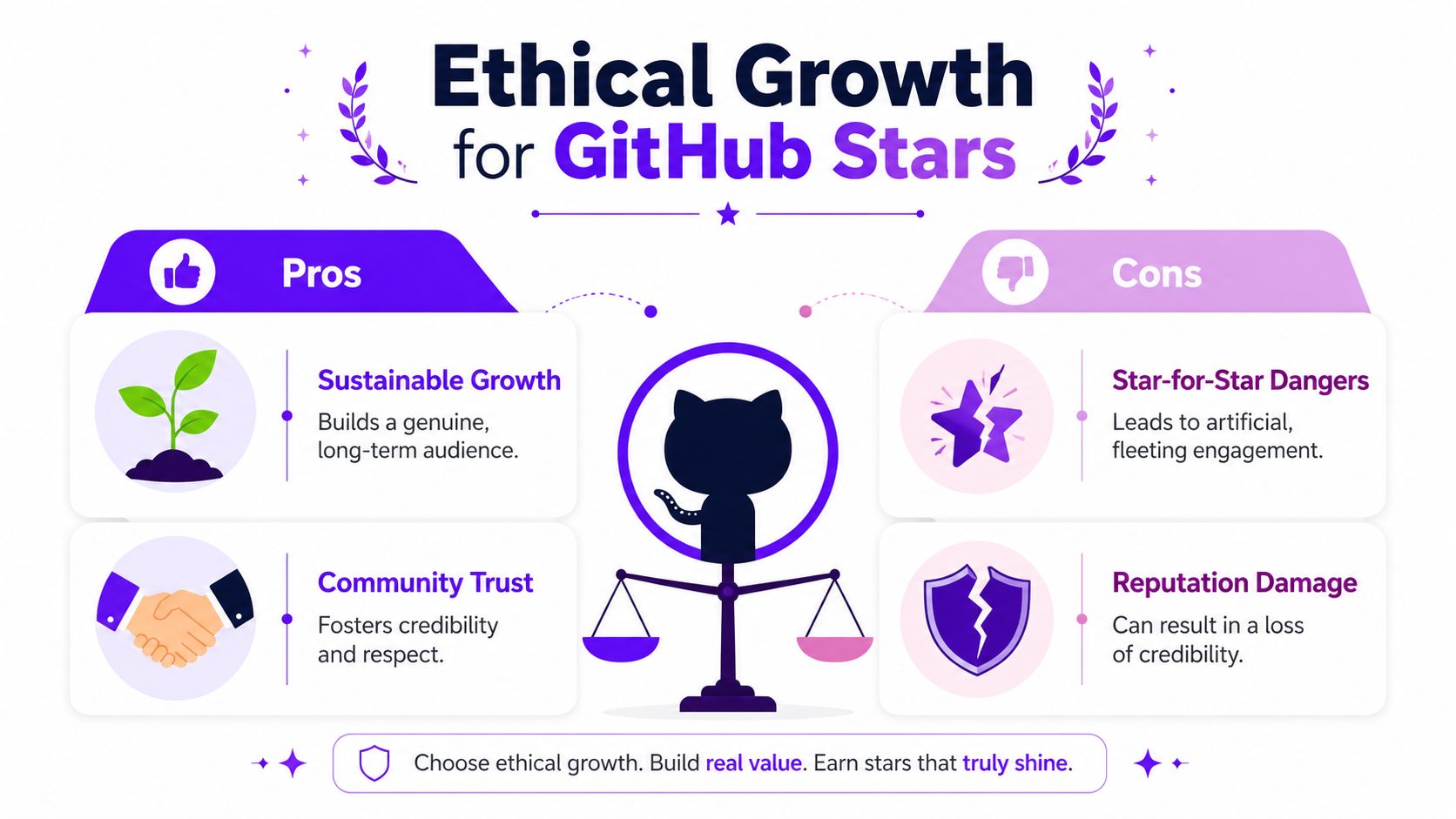
Pursue ethical growth by earning attention through useful releases, community discussion, and transparent promotion rather than star swaps, automated accounts, or fake engagement. Measure results by tracking star velocity, referral sources, contributor activity, and whether new stargazers later open issues, fork, or use the project.
Fake momentum can cost more than it gives back because suspicious growth patterns damage trust without proving real adoption.
Shortcuts that damage trust
According to this Medium article on GitHub star promotion risk, 78% of developers attempting risky star exchanges report repo flagging, and the article states that GitHub's 2025 algorithm updates explicitly penalize accounts with high reciprocal-star ratios.
That should change how you think about “growth hacks.” If a tactic creates a pattern that looks transactional instead of earned, it's not a growth system. It's a repo risk.
A simple decision filter helps:
| Tactic | Keep or avoid | Why |
|---|---|---|
| Real launch outreach | Keep | Brings interested users |
| Clear README updates | Keep | Improves conversion honestly |
| Community discussion | Keep | Builds trust |
| Star-for-star groups | Avoid | Can create suspicious patterns |
| Bot-driven actions | Avoid | Low trust and high risk |
How Much Do GitHub Stars Cost?
There is no reliable public price list for “buying GitHub stars,” and shopping for a dollar figure is the wrong first question. Purchased, swapped, or bot-driven stars mainly cost credibility: they can look fake under stargazer inspection, conflict with GitHub's acceptable use expectations, and teach strangers to distrust your repo when the growth pattern does not match real adoption.
If you still explore paid options, treat them as distribution support from real people — not fake bulk — and read the trade-offs on buy GitHub stars before you spend. Ethical growth still starts with a ready README, a coordinated launch, and stars that come from developers who actually care about the project.
Can You Get Free GitHub Stars?
Yes — free GitHub stars come from organic discovery, launches, and real community help, not from “free star” farms or reciprocal spam. Warm your network, ship a clear README, post where your niche already gathers, and earn stars from people who bookmark the work because it solves a problem.
Community models can help with early engagement when members use real accounts. If you want a soft starting path for GitHub stars through mutual tasks instead of buying fake activity, see free GitHub star workflows on Upvote Club.
Measure the shape of your growth
Measure the shape of your growth by tracking stars over time, matching spikes to launches or releases, checking which referral sources attract engaged users, and inspecting whether stargazers look like real developers. The pattern and downstream activity matter more than the lifetime total alone.
As described in this overview of GitHub star history and stargazer tracking, GitHub tracks star activity with daily granularity through its API, and the /stargazers view gives transparency into the accounts behind those stars. The same source notes that the API returns up to 100 stargazers per page, which makes large-scale scraping slower and helps preserve visibility into real user activity.
That means you can look for patterns instead of chasing raw totals:
- Did stars spike right after a launch post?
- Did a feature release create a steadier climb?
- Do the stargazer accounts look like real developers?
- Which traffic sources bring people who also open issues or fork?
Ethical growth usually looks uneven but believable. Artificial growth often looks neat for a day and suspicious after that.
If you want stars that still matter months later, measure quality signals around them. Watch who stars the repo, what they do next, and which activities create discussion instead of empty numbers.
With our Upvote Club service, you can build early engagement through a community model instead of buying fake activity. We run Upvote Club as a task-based network where members help each other with real accounts across platforms including GitHub, Twitter/X, Reddit, Product Hunt, LinkedIn, YouTube, TikTok, Instagram, Medium, Quora, and more. When users join, they get 13 free points and 2 task slots to create first tasks, then earn more points by completing tasks for others. We use anti-abuse moderation, visible task completion, and a profile verification flow that doesn't require social passwords, using an emoji-based verification method instead. Paid plans add more daily task capacity for teams that want faster execution. Upvote Club works differently from services that sell engagement. It's a community where helping others gives you the ability to promote your own content, and that model fits the same first-hour engagement logic many creators and agencies already use to get more reach without putting account integrity at risk.